Doc Fill: Document Form Filler
Word templates & PDF export
Designed for iPhone, iPad, iPod touch
Free · In-app purchases
- Age rating4+
- CategoryProductivity
- DeveloperDGL Factor
- LanguagesEnglish
- Size51.5 MB
Links to the official App Store page
Download.org hosts no file of Doc Fill: Document Form Filler. The button opens its official App Store page, published by DGL Factor. Listing last checked on Nov 23, 2026.
Screenshots

About
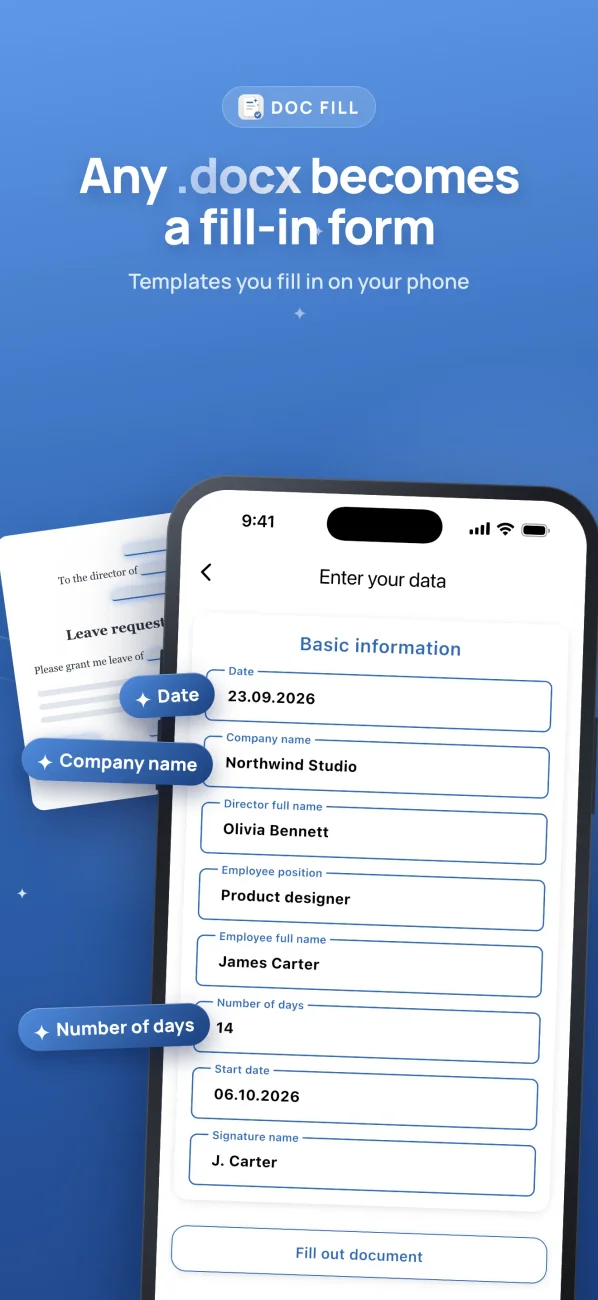
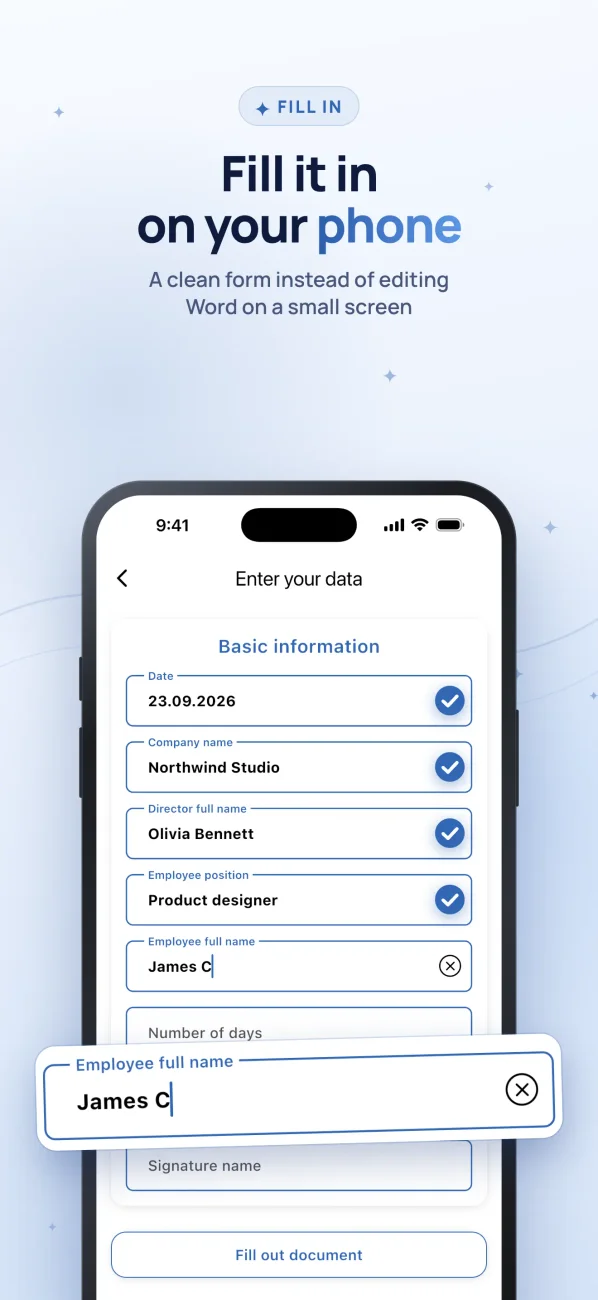
Doc Fill is a Word document filler for iPhone and iPad. Turn any .docx template into a simple fill-in form, fill it out on your phone and send a finished Word document or PDF in seconds.
No desktop, no fiddling with formatting on a small screen, no accidentally breaking the layout of a document you need to get right. The finished file keeps the exact layout of your template.
WHAT PEOPLE FILL IN WITH DOC FILL
- Invoices, quotes and estimates
- Contracts, lease agreements and rental forms
- Applications, leave requests and HR forms
- Letters, notices and certificates
- Inspection reports and checklists with photos
- Any form your clients, school or employer send you as a Word file
USE YOUR OWN DOCUMENTS
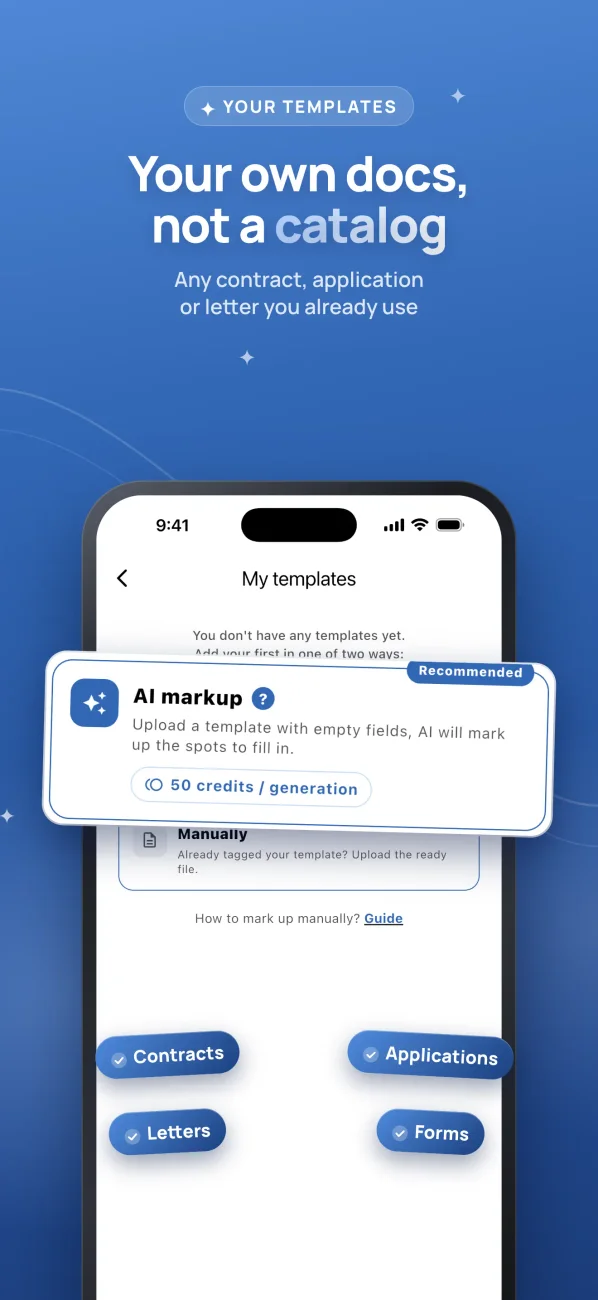
The app is not limited to a fixed catalog. Upload your own .docx and it becomes a reusable fillable template:
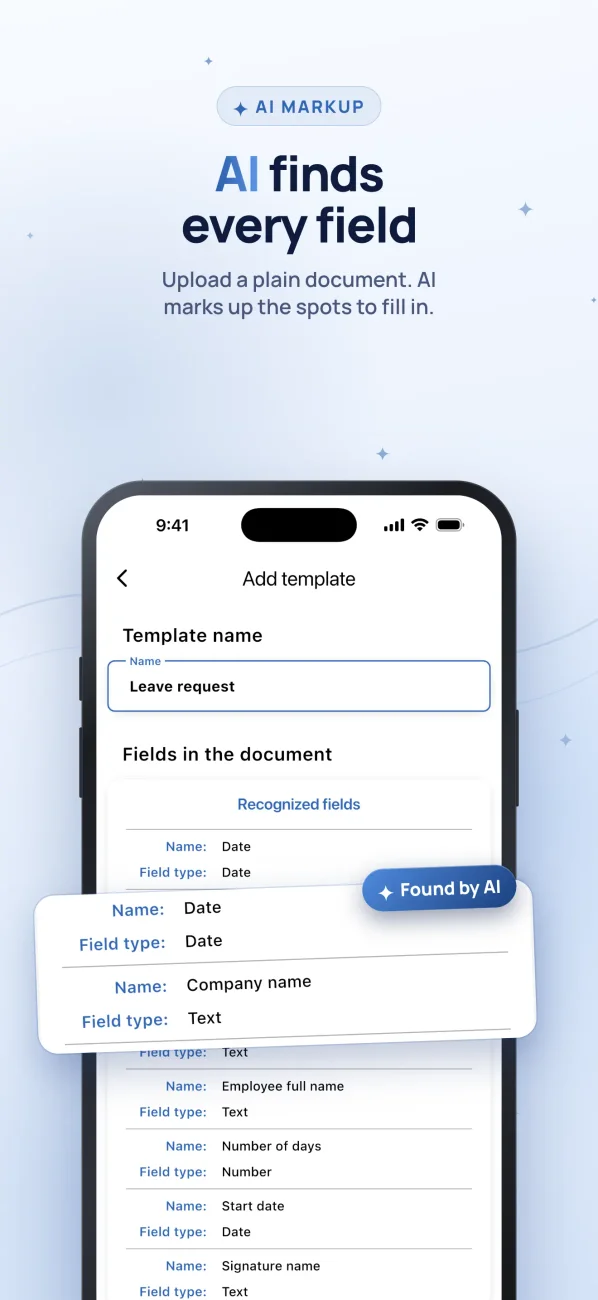
- AI auto-markup finds the places that need filling in and turns them into fields for you, including places for photos and every row of a checklist table. No tags to write by hand.
- Manual markup is there when you want full control. Mark the fields with simple tags and the app builds the form.
Once a template exists, every new document takes a minute.
READY TEMPLATES, NO SETUP
No .docx of your own yet? Open the catalog of ready templates: an invoice template, a lease agreement, a service agreement, an inspection report with photos. Preview the document before you add it, tap Fill in and start typing: the fields are already marked up.
WHY NOT JUST EDIT THE WORD FILE?
Editing a .docx in a mobile Word editor means zooming in, hunting for the right line and fixing broken tables. Doc Fill shows only the blanks as a clean form with dates, numbers and photos, then writes your answers back into the original document. It is a fillable form maker, a document template app and a docx filler in one, with no computer needed.
BUILT FOR REPEAT PAPERWORK
- Fill a familiar form again without retyping the parts that never change.
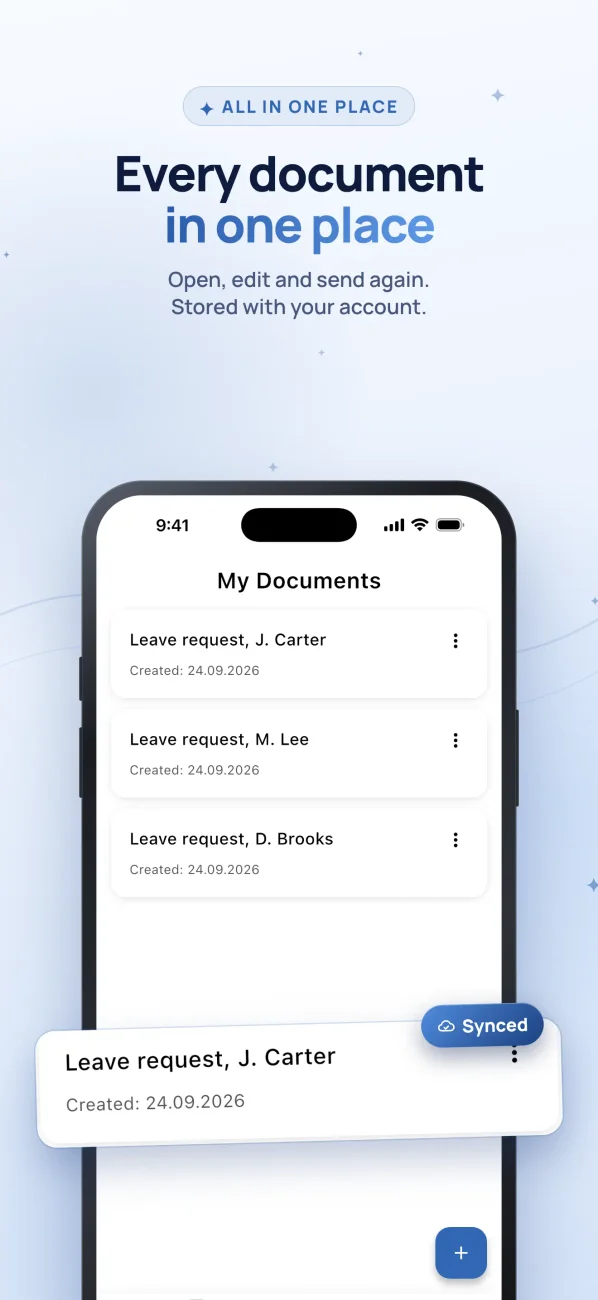
- Keep every document you created in one list, open it, edit it, send it again.
- Add photos to documents: the picture goes into the frame you set, cropped to fit.
- Send the result as a Word file or a PDF to mail, messengers or your files app.
YOUR DOCUMENTS FOLLOW YOU
Create an account and your templates and documents are stored under it, so a lost or replaced phone does not mean lost paperwork. Sign in on another device and everything is there.
FREE AND PREMIUM
Doc Fill is free to use with one template and up to 5 documents on it. Premium removes the limits:
- Unlimited templates and documents
- Export to PDF
- 100 credits a month for AI auto-markup
- Sync across your devices
Credits are used only for AI auto-markup, and the app always shows the exact cost and your balance before anything is charged. You can also buy credit packs separately, without a subscription.
GOOD TO KNOW
Doc Fill produces .docx files, and Premium can also export them to PDF. Templates are documents, not legal advice: you are responsible for what goes into a document you create and send. Check anything that matters before you sign it.
Questions, a missing document type, an idea? Write to us from the app or on WhatsApp: we read every message and reply.
SUBSCRIPTION AND LEGAL
Premium is an auto-renewable subscription, offered monthly and yearly, and it can start with a 3-day free trial. The price for your region is shown in the app before you confirm the purchase. Payment is charged to your Apple ID at confirmation, and the subscription renews automatically unless auto-renew is turned off at least 24 hours before the current period ends. You can manage or cancel it in your Apple ID settings; deleting the app does not cancel it.
Terms of Use (EULA): https://dglfactor.tech/docfill/terms.html
Privacy Policy: https://dglfactor.tech/docfill/privacy.html
What’s new
Version 1.3.0 · Nov 22, 2026
Ready templates: download a template with every field already marked, such as an invoice, a lease agreement or an inspection report. Open it, fill it in, send it.
Help that is easy to find: a How it works block, the markup guide and FAQ, plus hints on the screens where you might get stuck.
Contact us in one tap: tell us what is missing or what went wrong, right from the app.
App privacy
What DGL Factor declares on the App Store about how this app handles data.
-
Data linked to you
May be collected and linked to your identity.
- Purchases
- Contact info
- User content
- Identifiers
-
Data not linked to you
May be collected but is not linked to your identity.
- Identifiers
- Usage data
- Diagnostics
Privacy practices may vary, for example with the features you use or your age.
Information
- Seller
- DGL Factor, TOO
- Category
- Productivity
- Version
- 1.3.0
- Updated
- Nov 22, 2026
- Released
- Oct 1, 2026
- Size
- 51.5 MB
- Requires
- iOS 15.0 or later
- Age rating
- 4+
- Price
- Free
- In-app purchases
- Yes
- Languages
- English
- Copyright
- © DGL Factor
You might also like
-
 PDF Fill & Sign EditorEdit Pdf ,Forms, Documents
-
 SmartFill: PDF Fill & SignSign, fill & scan PDFs offline
-
 Dayven: Daily Planner & To-DoSee your day. Find your focus.
-
 Washidoc: PDF Editor & ScannerEdit PDF text, sign & fill
-
 AI Form FillerScan, Fill & Sign PDF Forms
-
 FormsFly Mobile ClientBusiness data - on the move!
-
 PDF Signature: Sign & FillFill & sign documents fast
-
 Easy PDF Signer: Fill & SignWrite on Documents & Form App
-
 FormSign: Fill & Sign PDFContracts, leases & waivers
-
 Slate: AI Presentation MakerCreate slides from your ideas