DocPeek: AI PDF & Doc Reader
Markdown, Word & EPUB Viewer
Designed for iPhone, iPad, Mac, iPod touch
Free · In-app purchases
- Age rating4+
- CategoryProductivity
- DeveloperBeijing XingheBit Science & Technology Development Co., Ltd.
- LanguagesEnglish+ 9 more
- Size17.7 MB
Links to the official App Store page
Download.org hosts no file of DocPeek: AI PDF & Doc Reader. The button opens its official App Store page, published by Beijing XingheBit Science & Technology Development Co., Ltd. Listing last checked on Nov 23, 2026.
Screenshots
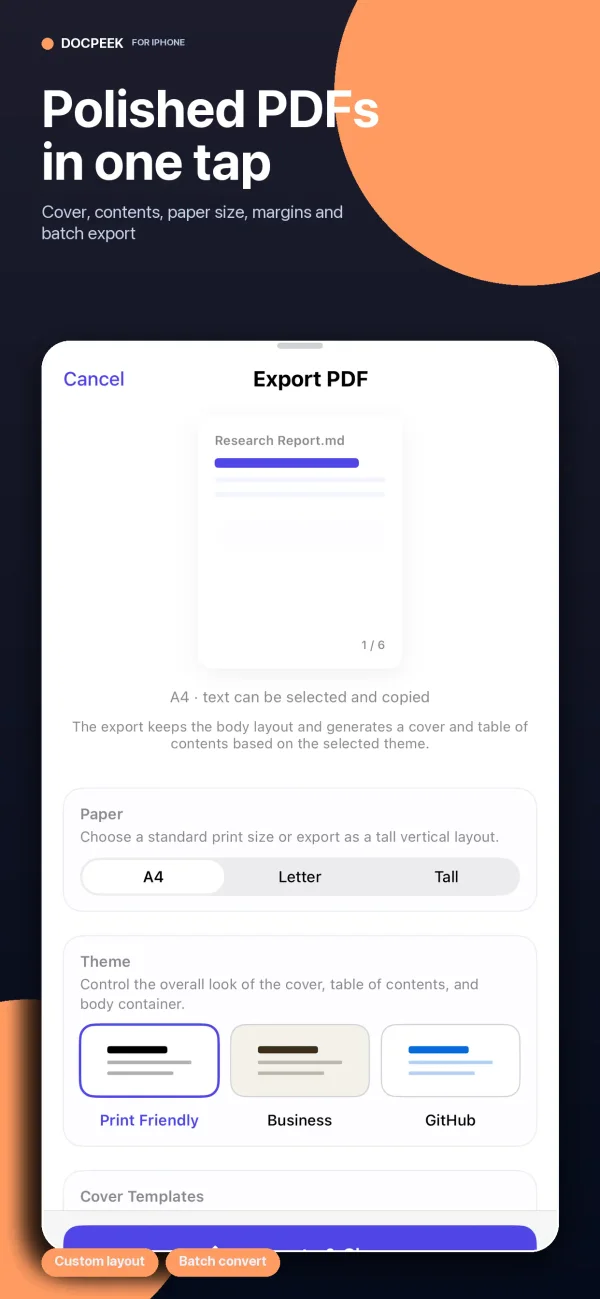
About
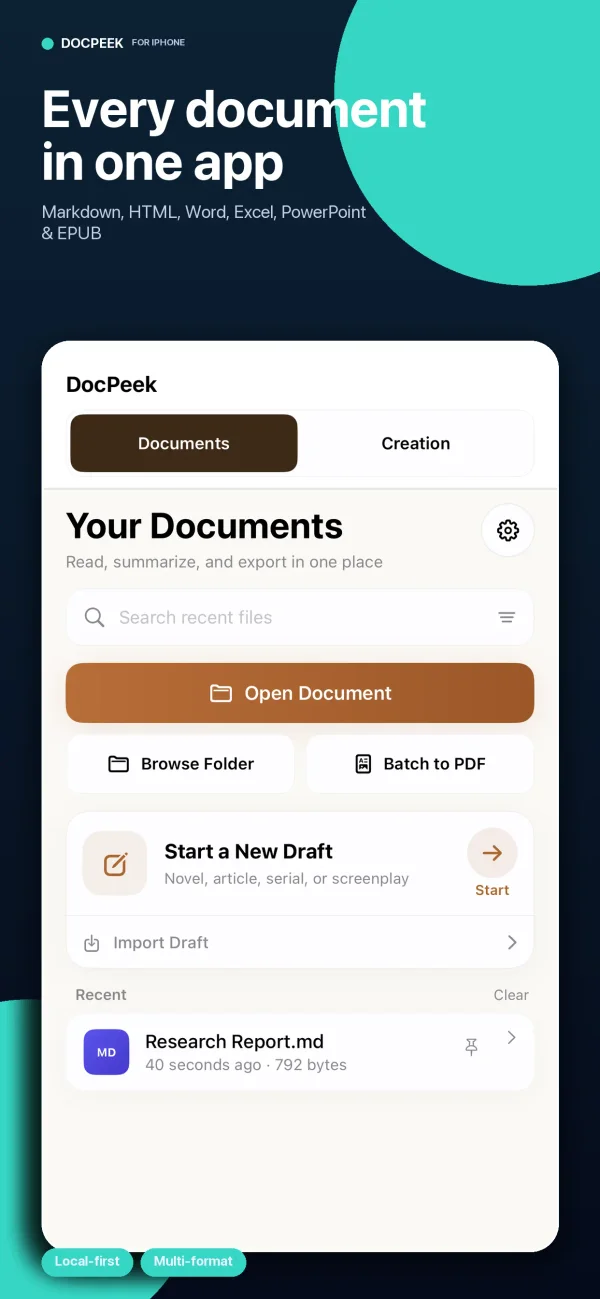
Open Markdown, Word, Excel, PowerPoint, HTML, RTF and EPUB files in one fast, private reader. Get the key points with an AI summary, ask questions about the document, and turn anything into a polished PDF.
READ ANY DOCUMENT
• Markdown, HTML, DOC/DOCX, XLS/XLSX, PPT/PPTX, RTF, TXT and EPUB
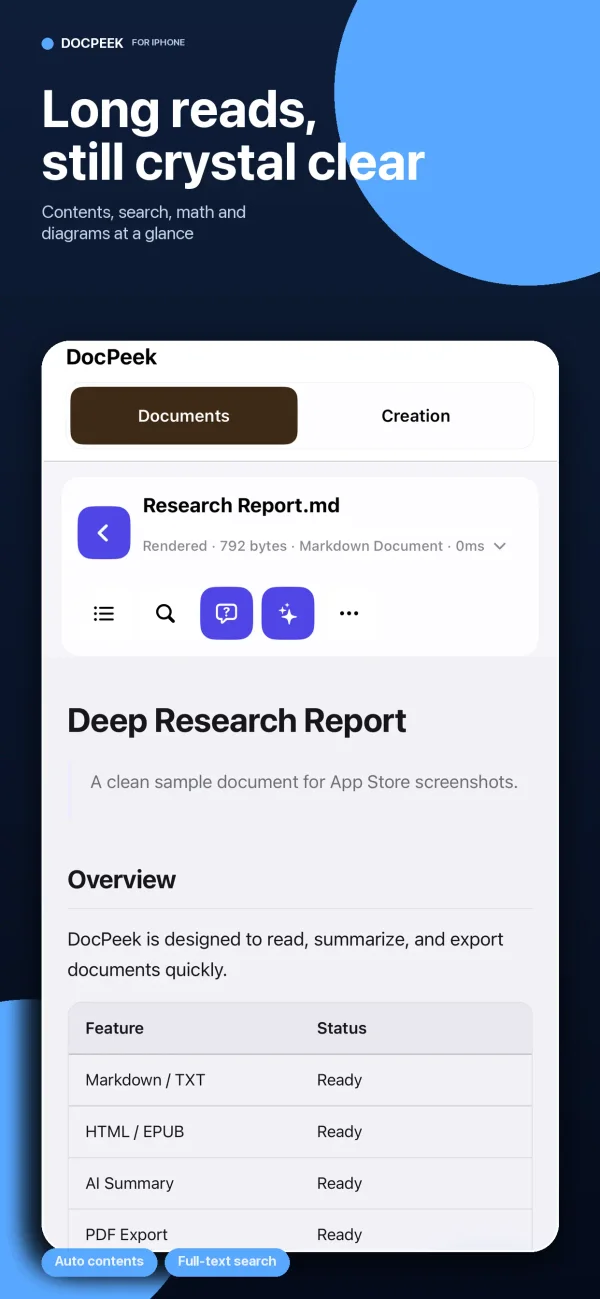
• Automatic table of contents and full-text search for long files
• Code highlighting, math formulas and Mermaid diagrams
• Open from Files, Mail, Messages or any share sheet
• Themes, font sizes and dark mode for comfortable reading
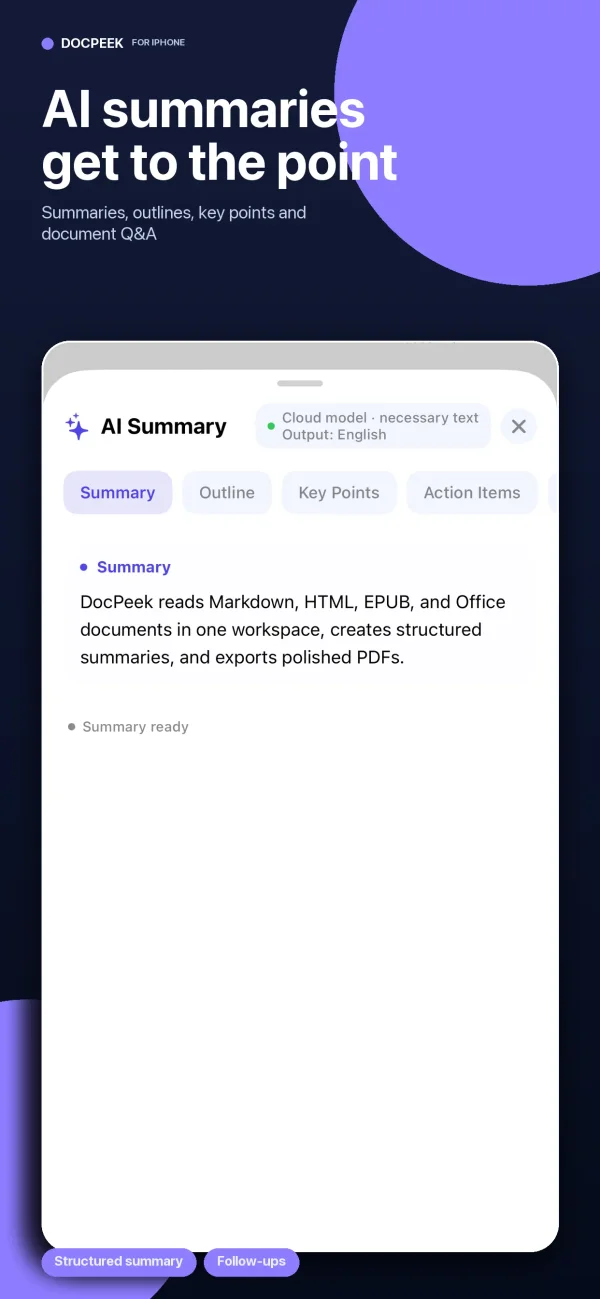
UNDERSTAND IT FASTER WITH AI
• Summaries, outlines, key points and action items in one tap
• Ask follow-up questions about the open document
• Answers in your language
• Your text is only sent when you choose to use an AI feature
EXPORT POLISHED PDFS
• Cover page, table of contents, paper size, margins, headers and footers
• Selectable text in every PDF
• Batch-convert a whole folder at once
WRITE LONG-FORM PROJECTS
• Chapters, outlines, scene beats, characters and worldbuilding
• Templates for novels, serials and screenplays
• AI polish, expand, shorten, continue and rewrite
• Import DOCX, TXT, MD, RTF and EPUB with automatic chapter detection
• Export DOCX, EPUB, PDF, TXT, MD and JSON
BUILT FOR EVERY SCREEN
Works on iPhone, iPad, Mac and iPhone Duo, with split view on large screens.
PRIVATE BY DESIGN
Rendering, storage and standard exports happen on your device. No account is needed to read.
Free: reading, previews and standard PDF export. DocPeek Pro (monthly or yearly subscription) unlocks more AI, AI writing tools and batch PDF.
Terms of Use: https://www.apple.com/legal/internet-services/itunes/dev/stdeula/
Privacy Policy: https://docpeek.xinghebit.com/privacy.html
What’s new
Version 1.1.19 · Nov 21, 2026
• Open and read PDFs, including scanned pages with on-device text recognition. View the original layout anytime.
• Share files or text to DocPeek from other apps for an on-device quick summary, and keep them for later.
• New Shortcuts and Siri actions: summarize files or text on device, open a file, or continue reading.
• Continue Reading widgets for the Home Screen and Lock Screen (iOS 17 or later).
• Find recent documents in Spotlight. You can turn this off in Privacy Center.
• Fixed search highlights that could remain after closing search.
App privacy
What Beijing XingheBit Science & Technology Development Co., Ltd. declares on the App Store about how this app handles data.
-
Data linked to you
May be collected and linked to your identity.
- Purchases
- User content
- Identifiers
- Usage data
- Diagnostics
Privacy practices may vary, for example with the features you use or your age.
Information
- Seller
- Beijing XingheBit Science & Technology Development Co., Ltd.
- Category
- Productivity
- Version
- 1.1.19
- Updated
- Nov 21, 2026
- Released
- Jun 3, 2026
- Size
- 17.7 MB
- Requires
- iOS 15.0 or later
- Age rating
- 4+
- Price
- Free
- In-app purchases
- Yes
- Languages
- English, French, German, Japanese, Korean, Portuguese, Russian, Simplified Chinese, Spanish, Traditional Chinese
- Copyright
- © 2026 Beijing XingheBit Science & Technology Development Co., Ltd.
You might also like
-
 BenchAIProductivity
-
 DiffMind-AI多模型科研学术文献论文助手Productivity
-
 MoltSearchAI Search Engine
-
 Markmatic - AI to Word & PDFChatGPT to Word and PDF
-
 AI Multi SearchCompare answers from multi AIs
-
 Nova - AI NotebookSmart Notes with AI
-
 Tasvir: AI Worksheet & VideoBooks, Notes, Slides, Videos.
-
 multi-ai — Compare AIsCompare AIs, one synthesis
-
 PrismaView: AI Artifact ViewerHTML, JSX, Markdown & .prsm
-
 Satcove: Compare 6 AIsAsk 6 AIs. Get one answer