DocScan: ID & Doc Scanner
Scan, OCR and PDF, offline
Designed for iPhone, iPod touch
Free · In-app purchases
- Age rating4+
- CategoryProductivity
- DeveloperNguyen tien Hoang
- LanguagesEnglish+ 19 more
- Size177.3 MB
Links to the official App Store page
Download.org hosts no file of DocScan: ID & Doc Scanner. The button opens its official App Store page, published by Nguyen tien Hoang. Listing last checked on Nov 27, 2026.
Screenshots
About
DocScan turns your iPhone into a fast, private scanner. No account, no ads, no uploads to our servers: your documents stay on your device, or in your own iCloud if you choose to back them up.
SCAN ID CARDS, LICENSES AND BANK CARDS
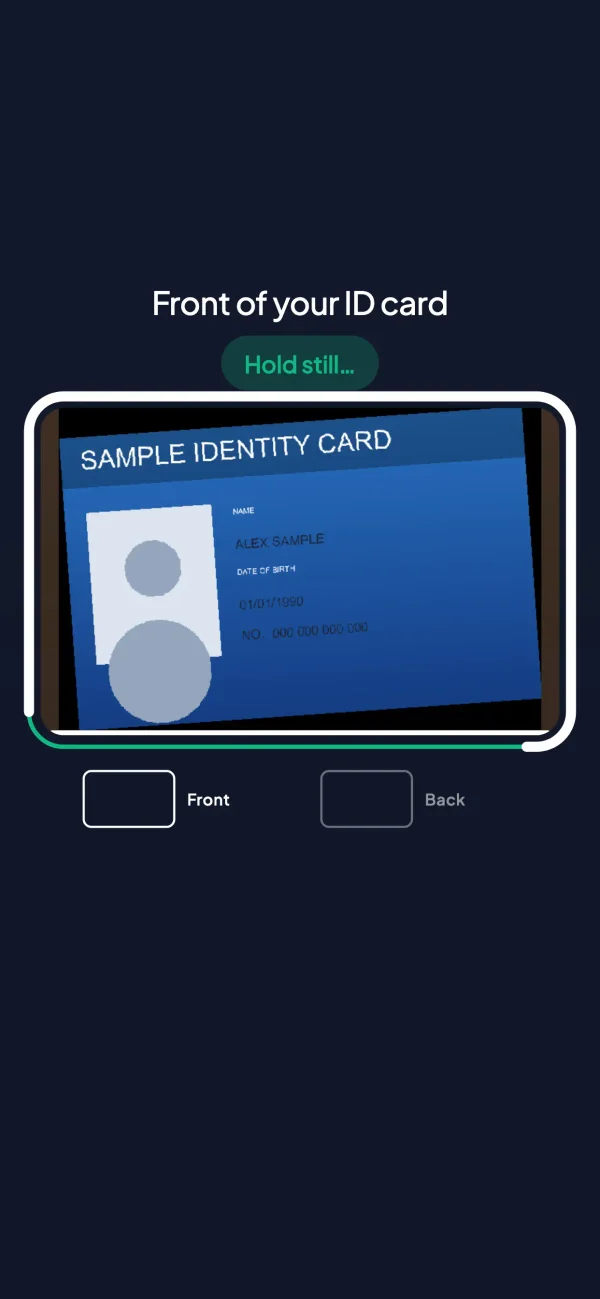
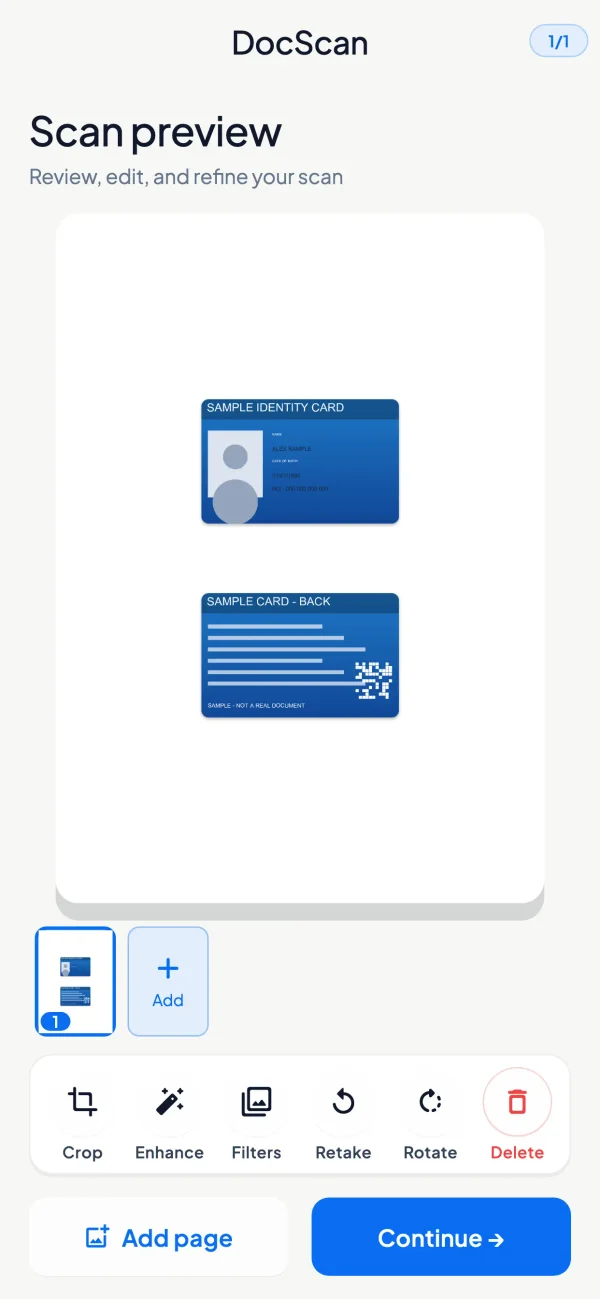
• Capture the front and back of an ID card or driver's license; both sides are placed on one A4 page at real card size, with rounded corners, ready to print or send. Bank cards are scanned on the front only.
• A framing guide and live feedback tell you what to fix: move closer, hold straight, too dark, glare, hold still.
• Auto Capture takes the picture for you once the card is in place and steady.
• Add your own watermark to ID copies, for example "For bank use only".
SCAN DOCUMENTS, BOOKS AND PASSPORTS
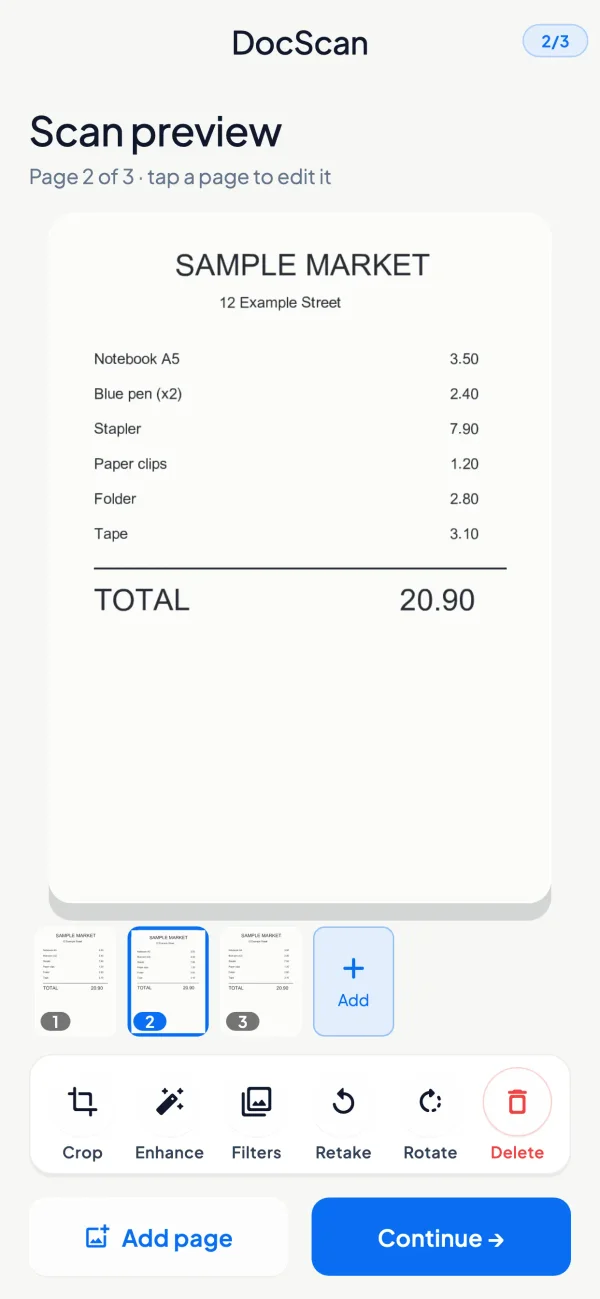
• Automatic edge detection finds the page, straightens it and crops it cleanly.
• Book mode splits a two-page spread into two clean pages.
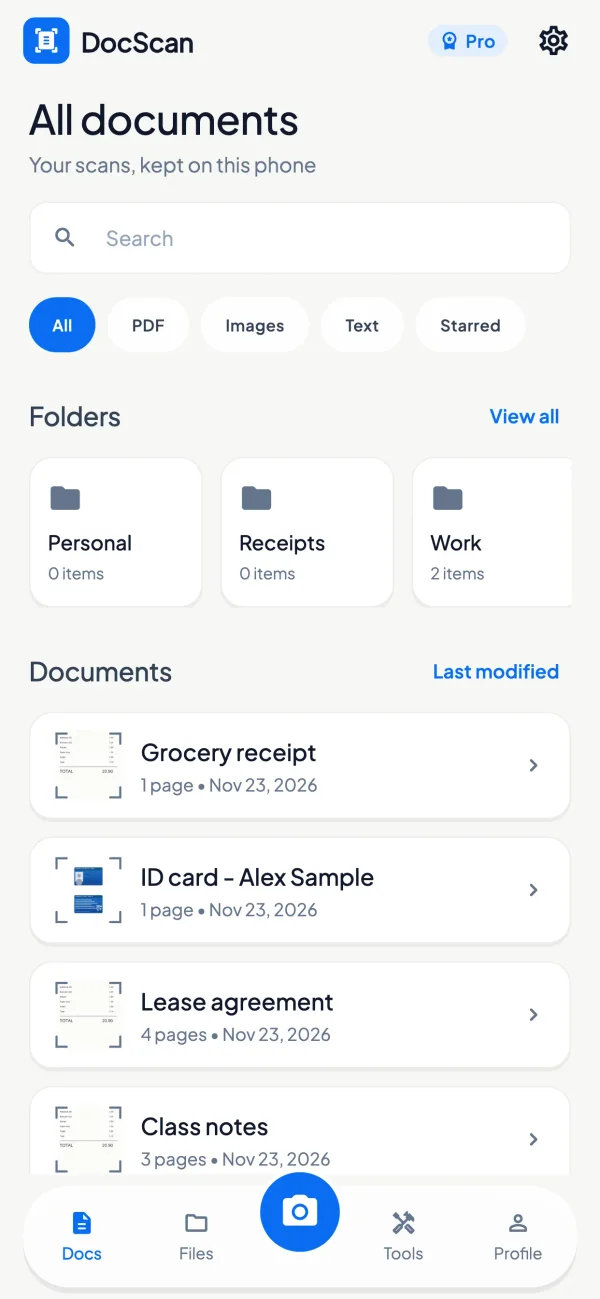
• Add as many pages as you need. See every page as a thumbnail, reorder, retake or delete.
• Import photos (including HEIC), PDFs and text files. Password-protected PDFs can be unlocked when you import them.
TEXT RECOGNITION (OCR)
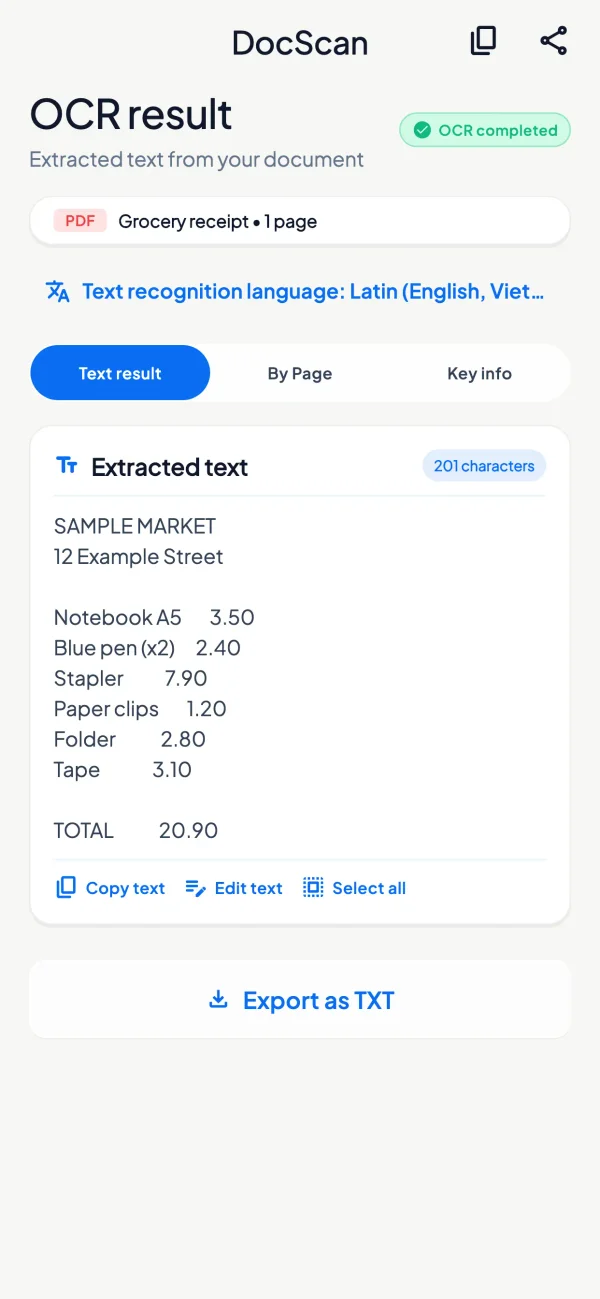
• Recognize text on your device, including Vietnamese and other Latin-script languages.
• Search inside the recognized text of all your documents.
• Copy, edit and export the text.
TOOLS
• Merge, split and extract pages.
• Add a text or image watermark, compress a PDF, protect it with a password.
• Clean up pages: erase marks and even out the background.
• Scan QR codes and barcodes; links are checked before you open them.
• Count objects in a photo.
EXPORT AND ORGANIZE
• Export to PDF (choose paper size, orientation and margins), JPG, PNG, a long image or TXT. Print, share with any app or save to Files.
• Folders inside folders, a trash with 30-day restore, multi-select and favorites.
• Mark sensitive documents: DocScan warns you before you share them.
• Edit pages: crop, rotate, filters and enhance.
BACKUP TO YOUR OWN ICLOUD (PRO)
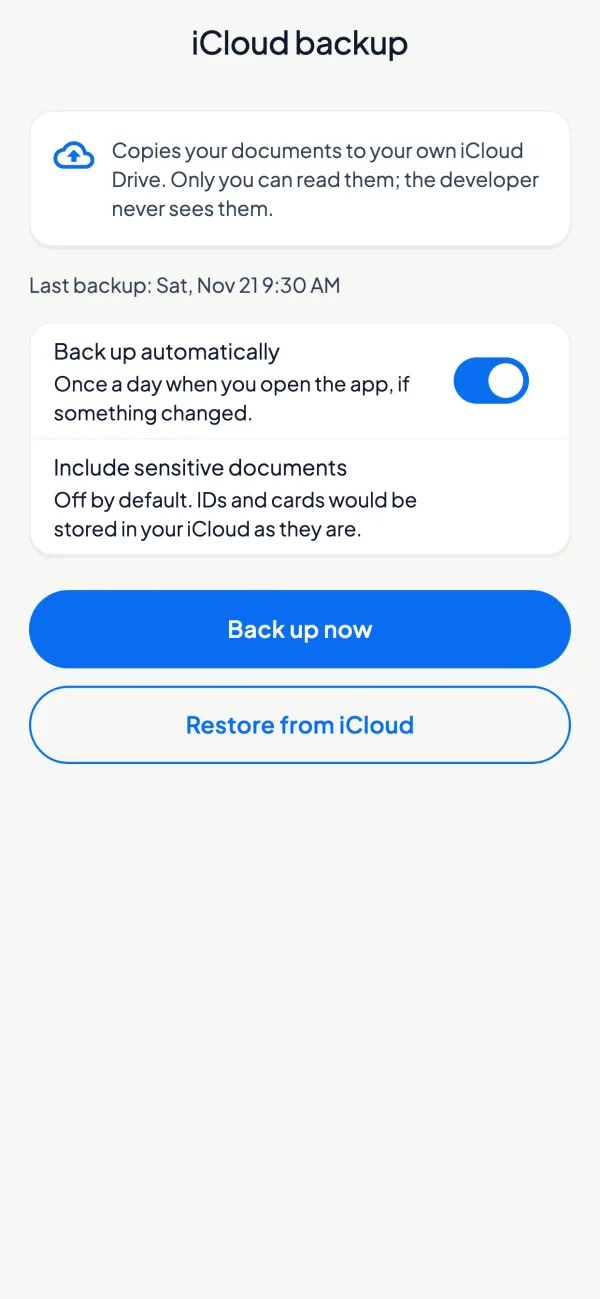
• Back up your documents to your own iCloud Drive and restore them on a new iPhone. The backup file stays in your iCloud: the developer cannot read it.
• Documents marked sensitive are left out unless you choose to include them.
• Optional automatic backup once a day, only when something changed.
PRIVATE BY DESIGN
• Everything is stored on your iPhone, unless you turn on iCloud backup (Pro).
• Optional Face ID lock.
• Works fully offline.
DOCSCAN PRO (OPTIONAL)
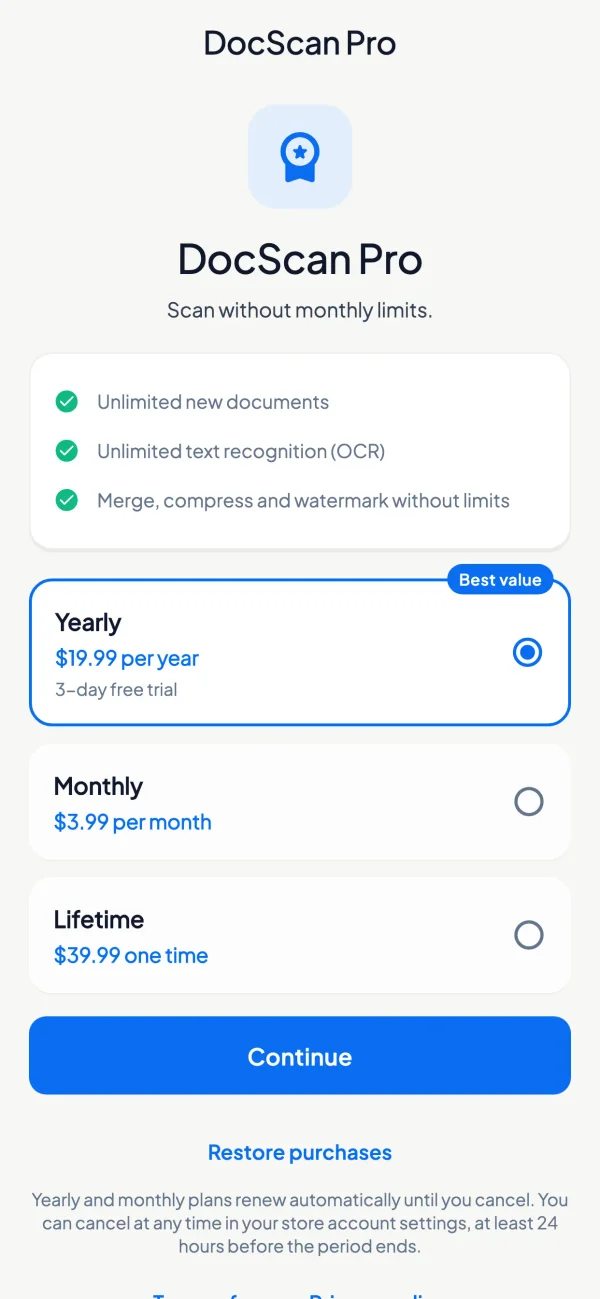
• Free: a monthly allowance of new documents, text recognition and advanced tools.
• Pro: no monthly limits, plus backup to your own iCloud (iPhone). Choose a yearly plan with a free trial, a monthly plan, or a one-time lifetime purchase.
• Payment is charged to your Apple ID account at confirmation. Yearly and monthly plans renew automatically unless cancelled at least 24 hours before the end of the current period. Manage or cancel in your Apple ID account settings.
Terms of Use (EULA): https://www.apple.com/legal/internet-services/itunes/dev/stdeula/
Privacy Policy: https://id-scan.appstoi.com/privacy
What’s new
Version 1.3.1 · Nov 27, 2026
• Pick several photos from your gallery at once: each one becomes its own page.
• New "Straighten text lines" switch in Adjust levels lines of text on curled or bent pages.
App privacy
What Nguyen tien Hoang declares on the App Store about how this app handles data.
-
Data not linked to you
May be collected but is not linked to your identity.
- Identifiers
- Diagnostics
- Other data
Privacy practices may vary, for example with the features you use or your age.
Information
- Seller
- Nguyen Tien Hoang
- Category
- Productivity
- Version
- 1.3.1
- Updated
- Nov 27, 2026
- Released
- Nov 9, 2026
- Size
- 177.3 MB
- Requires
- iOS 15.5 or later
- Age rating
- 4+
- Price
- Free
- In-app purchases
- Yes
- Languages
- English, Arabic, Dutch, French, German, Hindi, Indonesian, Italian, Japanese, Korean, Malay, Polish + 8 more
- Copyright
- © 2026 DocScan