DocScann: PDF Document Scanner
Scan, Edit & Export Documents
Designed for iPhone, iPad
Free · In-app purchases
- Age rating4+
- CategoryUtilities
- DeveloperAlexander Nikonov22270669431
- LanguagesEnglish+ 41 more
- Size22.8 MB
Links to the official App Store page
Download.org hosts no file of DocScann: PDF Document Scanner. The button opens its official App Store page, published by Alexander Nikonov22270669431. Listing last checked on Nov 25, 2026.
Screenshots

About
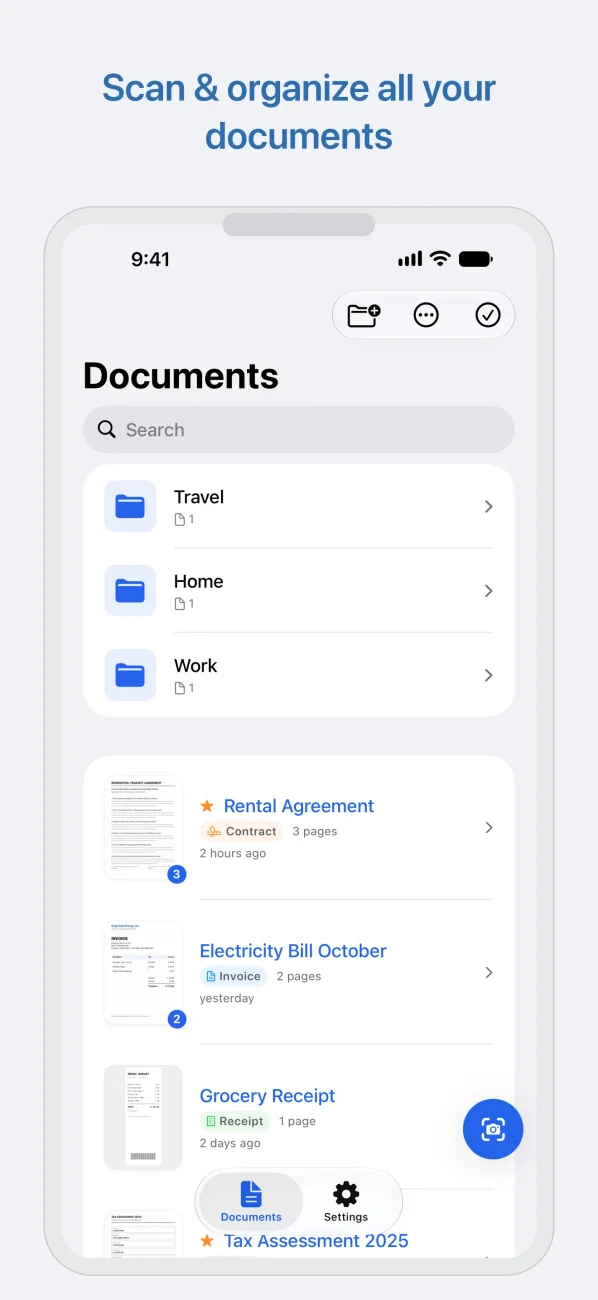
DocScann turns your iPhone into a powerful document scanner. Capture receipts, contracts, IDs, and letters in seconds — then organize, edit, annotate, and share them as professional PDFs.
SCAN IN SECONDS
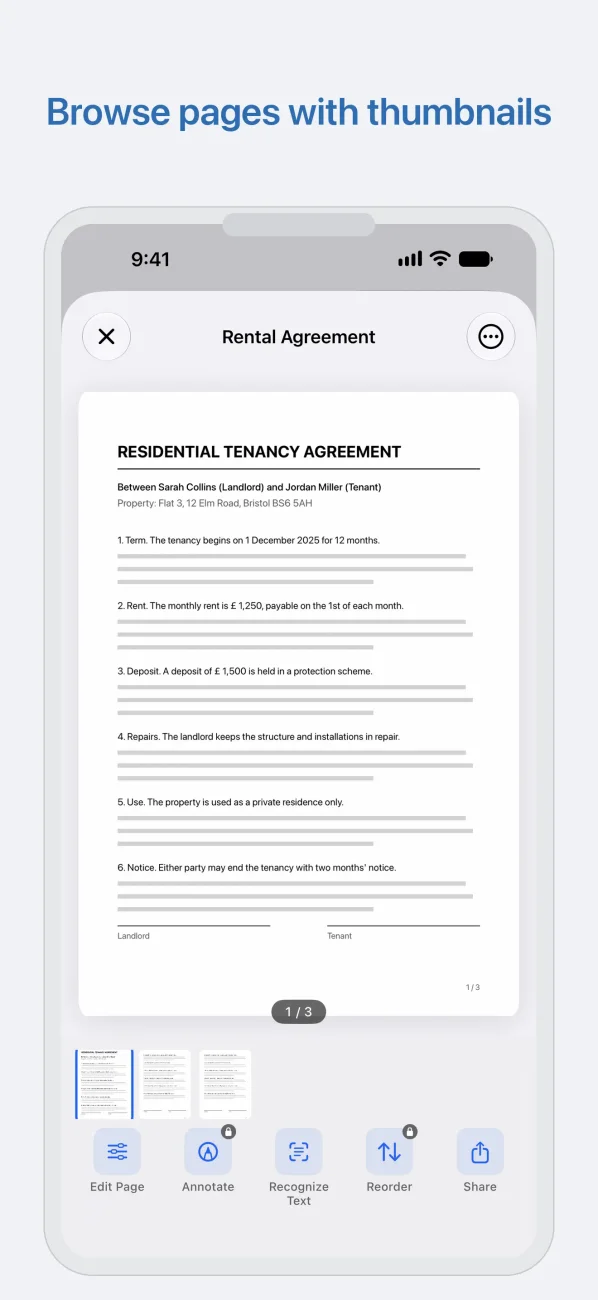
Point your camera at any document and DocScann automatically detects edges and captures a clean scan. Multi-page support lets you scan entire contracts or booklets in one go.
ORGANIZE YOUR WAY
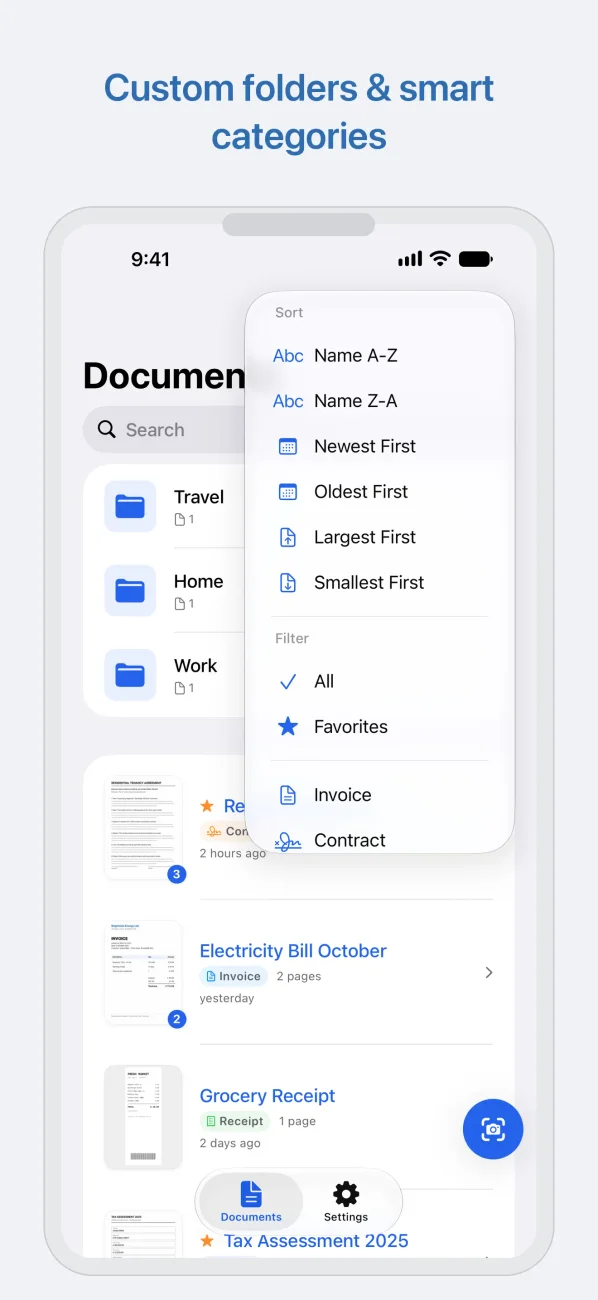
Create folders and subfolders to keep everything tidy. Star your most important documents for quick access. Sort by name, date, or size. Filter by category — or create your own custom categories with unique icons and colors (Premium).
BUILT-IN CATEGORIES
Automatically sort scans into Invoice, Contract, ID, Receipt, Letter, or Other. DocScann even suggests the right category using text recognition.
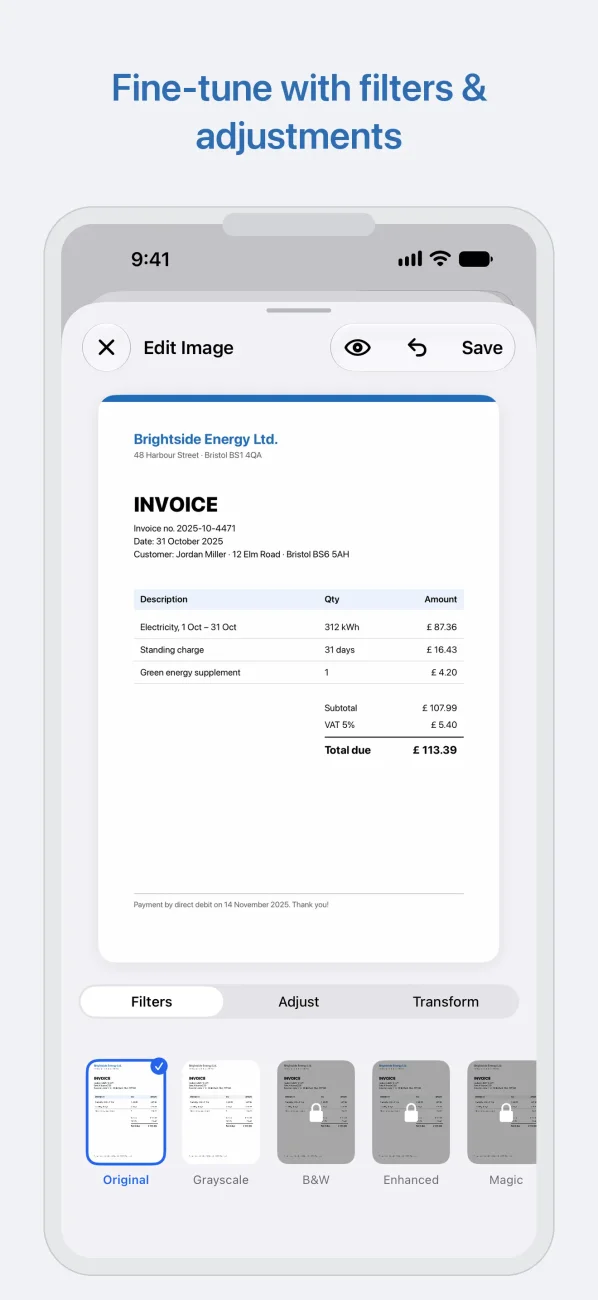
POWERFUL IMAGE EDITOR
Fine-tune every scan with brightness and contrast sliders, rotate and flip pages, and apply filters like Grayscale, Black & White, Enhanced, and Magic for the perfect look.
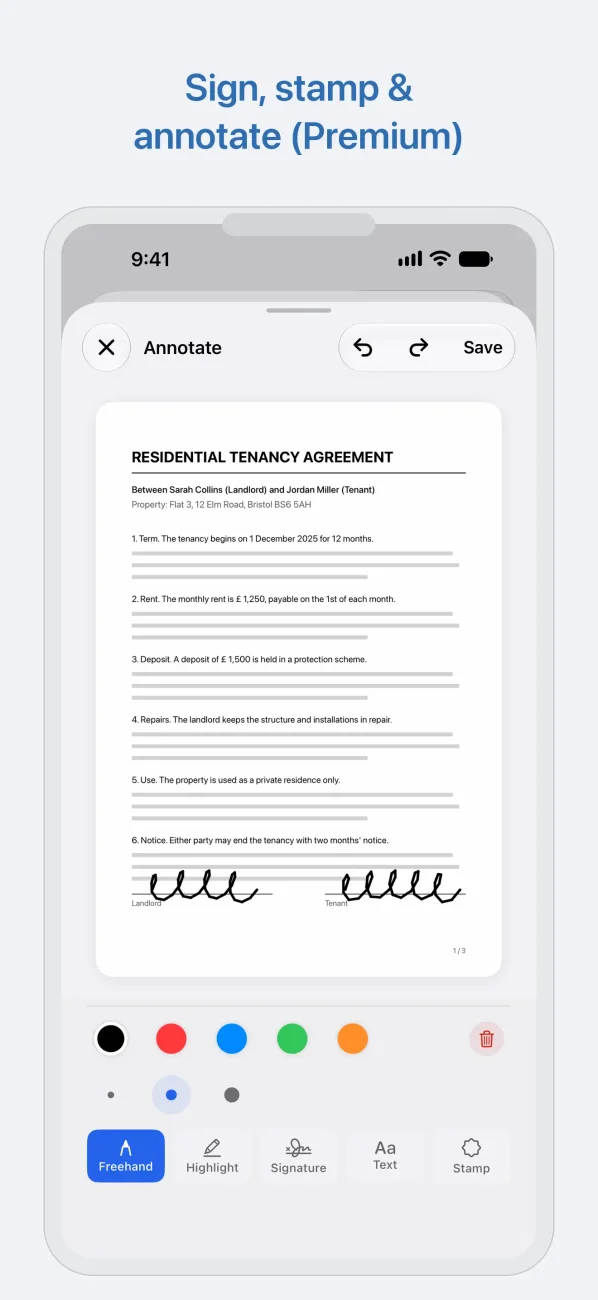
ANNOTATE & SIGN (PREMIUM)
Draw freehand, add text annotations, place stamps (Approved, Draft, Confidential, and more), or add your personal signature — all directly on your scans.
TEXT RECOGNITION (OCR)
Extract text from any scanned page. Copy text and generate fully searchable PDFs (Premium) so you can find documents with a simple text search.
PROFESSIONAL PDF EXPORT
Export documents as PDFs with adjustable quality (Low, Medium, High), page size (A4, Letter, Original), grayscale mode, and author metadata. Protect sensitive files with password encryption.
SHARE ANYWHERE
Send your PDFs and images via Mail, Messages, AirDrop, WhatsApp, Google Drive, OneDrive, Dropbox, and more.
BATCH OPERATIONS (PREMIUM)
Select multiple documents to merge them into one or export a combined PDF — perfect for compiling reports or archives.
IPHONE AND IPAD
Use DocScann on iPhone and iPad. On iPad it works in Split View, Slide Over and Stage Manager, and you can open several windows at once — the layout adapts to any window size.
PRIVACY FIRST
All your documents stay on your device. Nothing is uploaded to any server. Your scans are yours alone.
---
DOCSCANN PREMIUM
Unlock the full power of DocScann:
• Unlimited documents & folders
• All image filters (B&W, Enhanced, Magic)
• Annotations & signatures
• Batch OCR (all pages at once)
• Custom categories
• Advanced PDF export (quality, page size, searchable, password, grayscale)
• Default quality & filter settings
Free users can scan up to 3 documents with basic features.
---
Available in 42 languages — including English, German, Spanish, French, Italian, Portuguese (Brazil), Russian, Serbian, Japanese, Korean, Chinese, Arabic, and Hindi.
Terms of Use
By using this app, you agree to Apple's standard End User License Agreement (EULA), available at: https://www.apple.com/legal/internet-services/itunes/dev/stdeula/
What’s new
Version 2.0.3 · Nov 24, 2026
DocScann now speaks your language!
• Now on iPad: Split View, Stage Manager and multiple windows — the layout adapts to any window size
• Fully localized in 42 languages — including Arabic, Hebrew, Hindi, Japanese, Korean, Chinese (Simplified & Traditional), Thai, Vietnamese, and many more
• Improved text recognition for many more languages
• Performance and stability improvements
App privacy
What Alexander Nikonov22270669431 declares on the App Store about how this app handles data.
-
Data not linked to you
May be collected but is not linked to your identity.
- Purchases
- Identifiers
- Diagnostics
- Other data
Privacy practices may vary, for example with the features you use or your age.
Information
- Seller
- Alexander Nikonov
- Category
- Utilities
- Version
- 2.0.3
- Updated
- Nov 24, 2026
- Released
- Aug 20, 2025
- Size
- 22.8 MB
- Requires
- iOS 18.6 or later
- Age rating
- 4+
- Price
- Free
- In-app purchases
- Yes
- Languages
- English, Albanian, Arabic, Bosnian, Bulgarian, Catalan, Croatian, Czech, Danish, Dutch, Estonian, Finnish + 30 more
- Copyright
- © 2026 Alexander Nikonov
You might also like
-
 MyScanner PRO+Scans documents Quick & Simple
-
 Decibel Meter: Sound, Noise dBSPL Level & Frequency Analyzer
-
 Click to Chat : Direct ChatUtilities
-
 L-EnergieUtilities
-
 Network Speed Tester ClientUtilities
-
 Lift TesterUtilities
-
 PDF Converter: Files EditorConvert & Editor Documents
-
 Klover HomeUtilities
-
 Authenticator App 2FA Secure2FA Security with Instant OTP
-
 ESP AC RemoteESPHome AC Remote Control