
Document Editor—Docs,Sheets
Edit word,excel,pdf,slides
Designed for iPhone, iPad, iPod touch
Free · In-app purchases
- Age rating4+
- CategoryProductivity
- Developerpalmmob
- LanguagesEnglish+ 2 more
- Size117.1 MB
Links to the official App Store page
Download.org hosts no file of Document Editor—Docs,Sheets. The button opens its official App Store page, published by palmmob. Listing last checked on Nov 21, 2026.
Screenshots

About
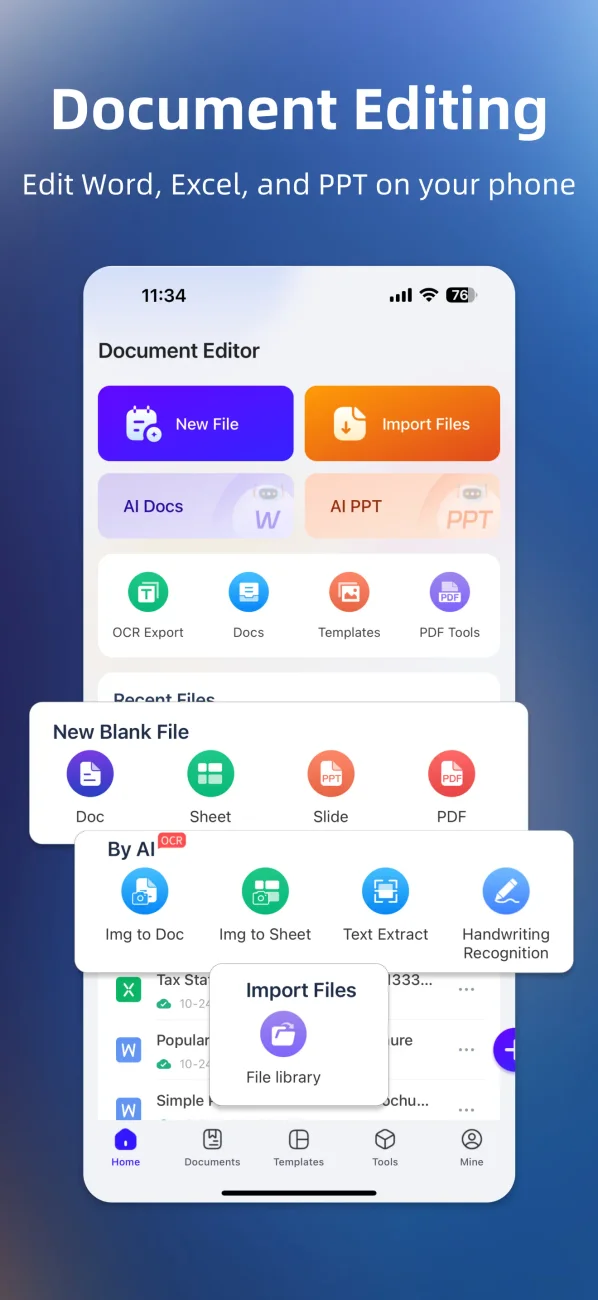
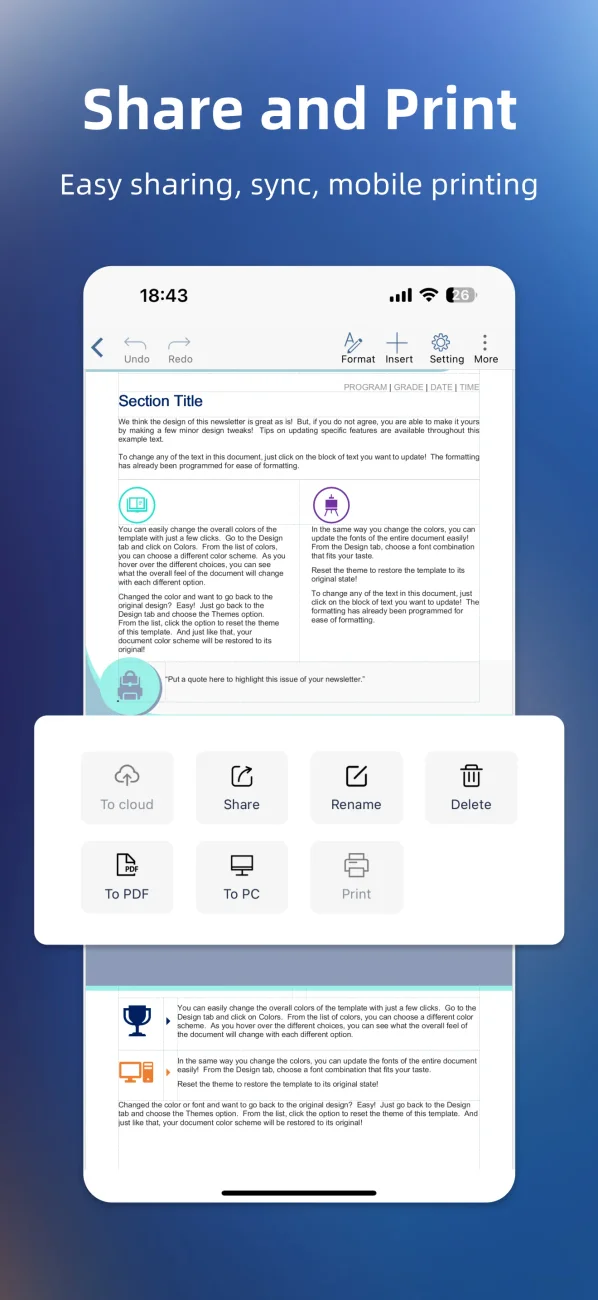
Document Editor integrates office document processor functions: Word, Excel Spreadsheet, Powerpoint and PDF Scanner, you can create, view and edit Word, Excel, PowerPoint and PDF files easily。
Document Editor is fully compatible with Microsoft Word, Excel, PowerPoint, Google Docs and Adobe PDF format. Documents can be viewed synchronously on mobile iphones, ipad, and mac。
------FEATURES------
Documents
•create, edit, view and share documents
•compatible with mainstream document formats such as WORD,PDF, WPS, DOCX, DOC, DOCM+,RTF,TXT
•Insert tables, pictures, text boxes, shapes, bookmarks and special symbols
•Create and edit notes, headers & footers, footnotes, page numbers
•Format page setup, page print options, margins, orientation, page size & more
Spreadsheets
•edit spreadsheets on your mobile phone
•Compatible with Microsoft Excel office formats
•Create, preview and edit advanced charts
•use Excel templates to quickly create tables
Slides
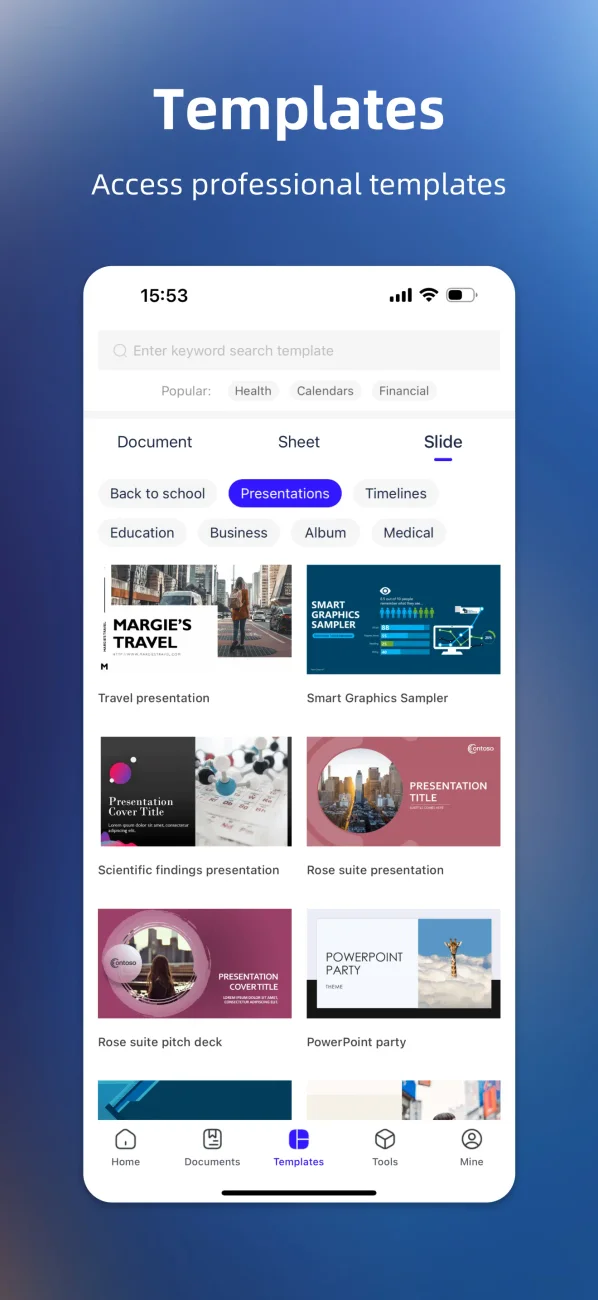
•create slides, or use ppt templates to quickly make slides
•Compatible with Microsoft PowerPoint office formats
•Insert charts, tables, pictures, text boxes & shapes
•Change slide theme, layout, slide size or background
•Add, edit and manage slide transitions
OCR
•OCR technology is used to recognize text on image.
•Extract any Text/Words On Image.
•Crop image before OCR.
•Edit & Share OCR result.
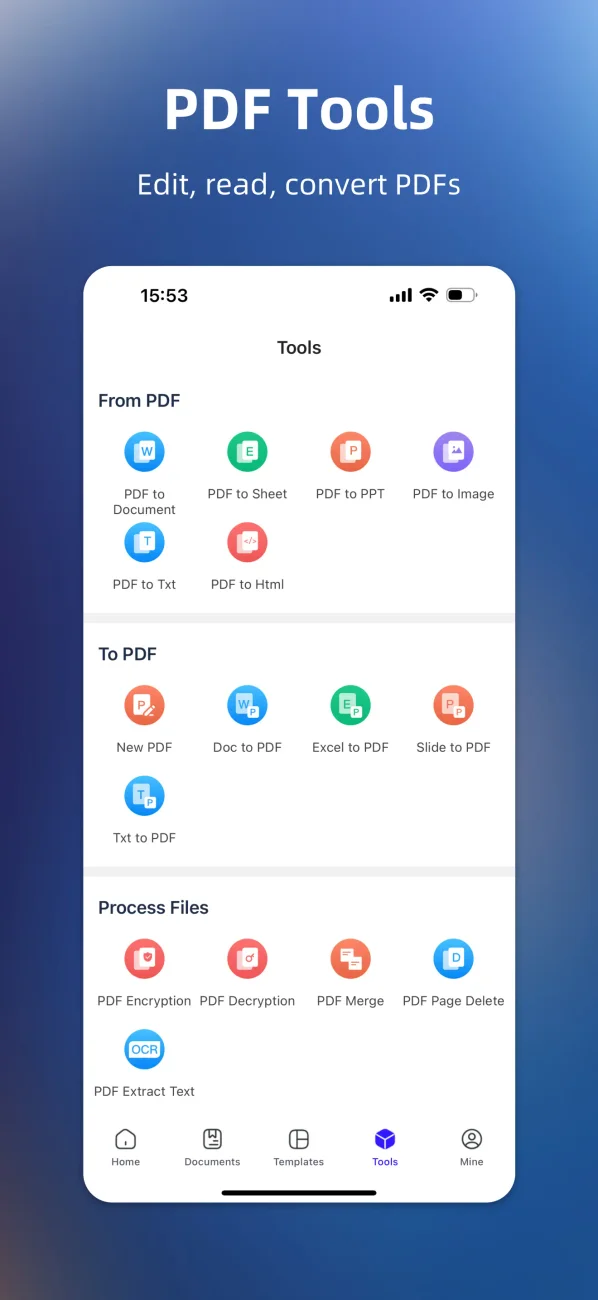
PDF Converter
•Open and annotate PDF files
•PDF Converter: create pdf , convert document files (doc, docx, ppt, pptx) to PDF
Professioanal Tempaltes
•Rich professional designed templates
•quickly edit word , make spreadsheets, or use professional PPT templates to make PPT slides on your phone
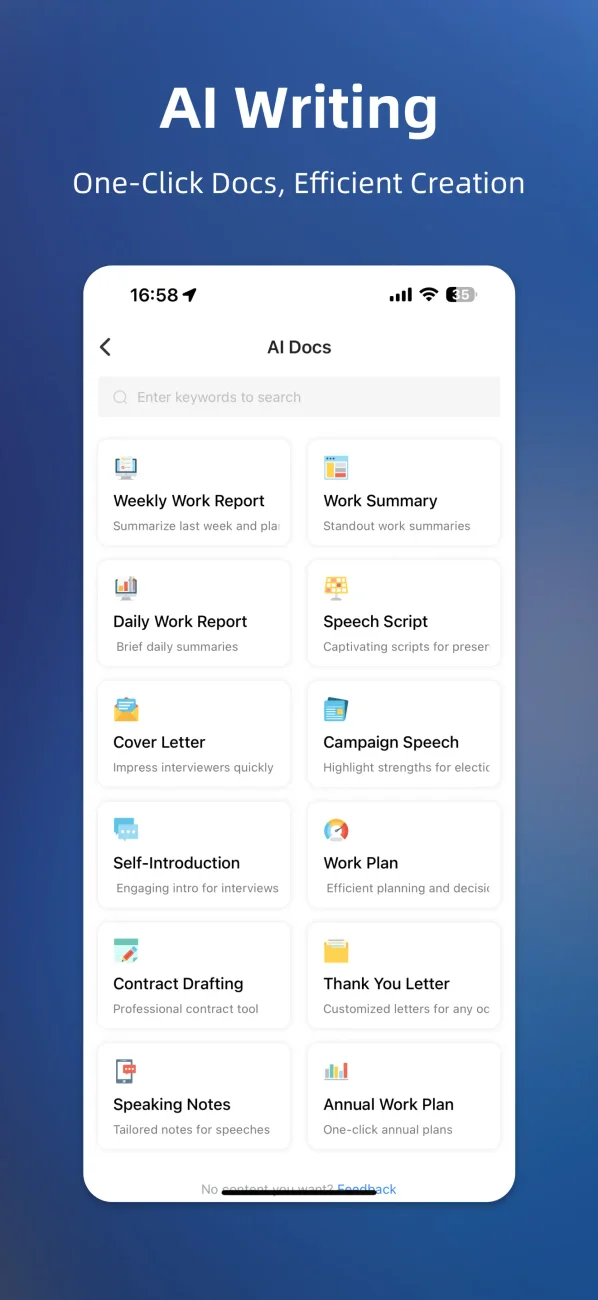
AI writing
•AI documents: AI writes resumes, AI writes work summaries, AI writes internship reports, AI can help you write documents quickly
•AI PPT: AI generates PPT, supports theme generation, document generation and custom generation, massive AI PPT templates, mobile phone PPT production is more efficient
Subscription Instructions:
Subscription automatically renews unless auto-renew is turned off at least 24-hours before the end of the current period
Account will be charged for renewal within 24-hours prior to the end of the current period, and identify the cost of the renewal
Subscriptions may be managed by the user and auto-renewal may be turned off by going to the user’s Account
Privacy Policy: http://www.palmmob.cn/yinsi/wordv2yinsiiosen.html
User Agreement: http://www.palmmob.cn/yinsi/wordv2yonghuiosen.html
What’s new
Version 2.0.1 · Nov 14, 2026
1、Improved document editing for a smoother experience
2、Added new document templates and spreadsheet templates
3、Fixed known issues for a better user experience
App privacy
What palmmob declares on the App Store about how this app handles data.
-
Data not collected
The developer does not collect any data from this app.
Privacy practices may vary, for example with the features you use or your age.
Information
- Seller
- Wuhan bayesian network technology co., LTD
- Category
- Productivity
- Version
- 2.0.1
- Updated
- Nov 14, 2026
- Released
- Mar 13, 2022
- Size
- 117.1 MB
- Requires
- iOS 15.0 or later
- Age rating
- 4+
- Price
- Free
- In-app purchases
- Yes
- Languages
- English, Simplified Chinese, Traditional Chinese
- Copyright
- © 2022 ZhangBei Inc.
You might also like
-
 Document Manager:Docs,SheetsEdit documents,spreadsheets
-
 Office Word Editor:Docs, ShareWord Document Editor made easy
-
 Office手机版-word文档编辑&办公软件wordoffice编辑文档转换在线制作
-
 Documents Pro, Download & EditFor Web, Dropbox, Google Drive
-
 文档手机版-手机办公软件Productivity
-
 FreeEdit, PDF EditorProductivity
-
 Polaris Office - PDF & DocsView & Edit all kinds of docs
-
 SunTable-Spreadsheet view&editTable maker
-
 Word Documents - Office ReaderProductivity
-
 PDF Export: Editor & ConverterTools, Scan, Compress & Merge