
Document Expiry Reminder
Privacy-First Expiry Tracking
Designed for iPhone, iPad
In-app purchases
- Age rating4+
- CategoryProductivity
- DeveloperMO NOUR
- LanguagesEnglish+ 9 more
- Size3.8 MB
Links to the official App Store page
Download.org hosts no file of Document Expiry Reminder. The button opens its official App Store page, published by MO NOUR. Listing last checked on Nov 10, 2026.
Screenshots

About
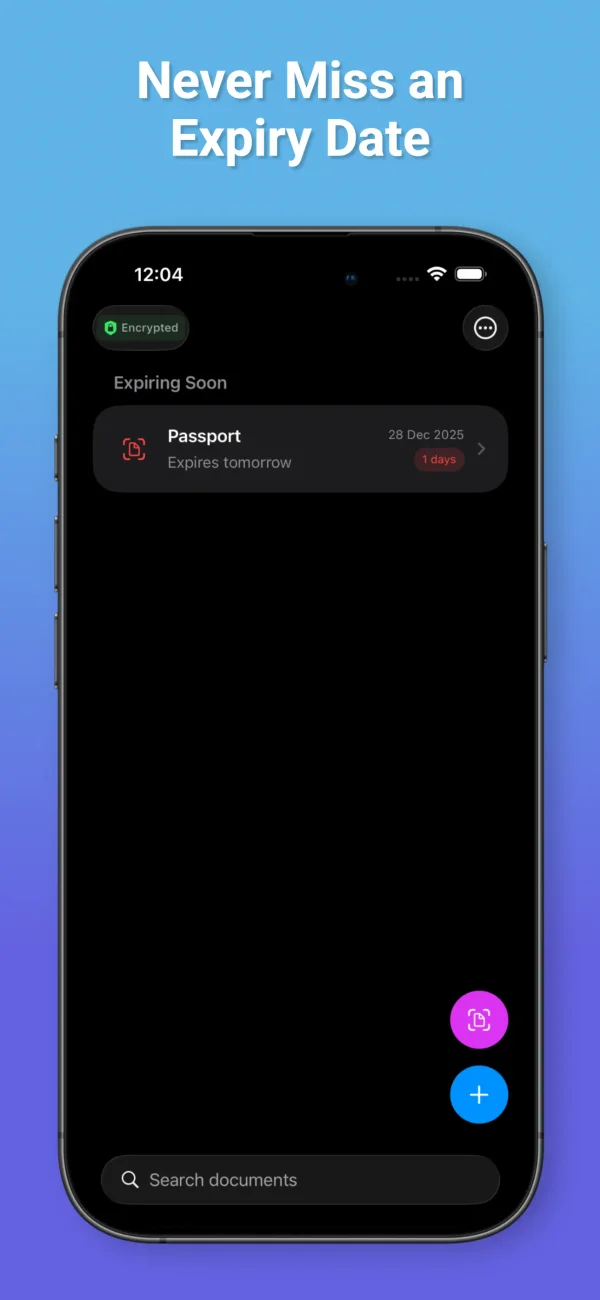
Never miss an important expiry date again.
Document Expiry Reminder helps you track and manage expiration dates for essential documents such as passports, visas, residence permits, IDs, licenses, insurance papers, and certificates. The app is designed to work entirely offline, keeping your information private and always accessible.
Key Features
- Document expiry tracking
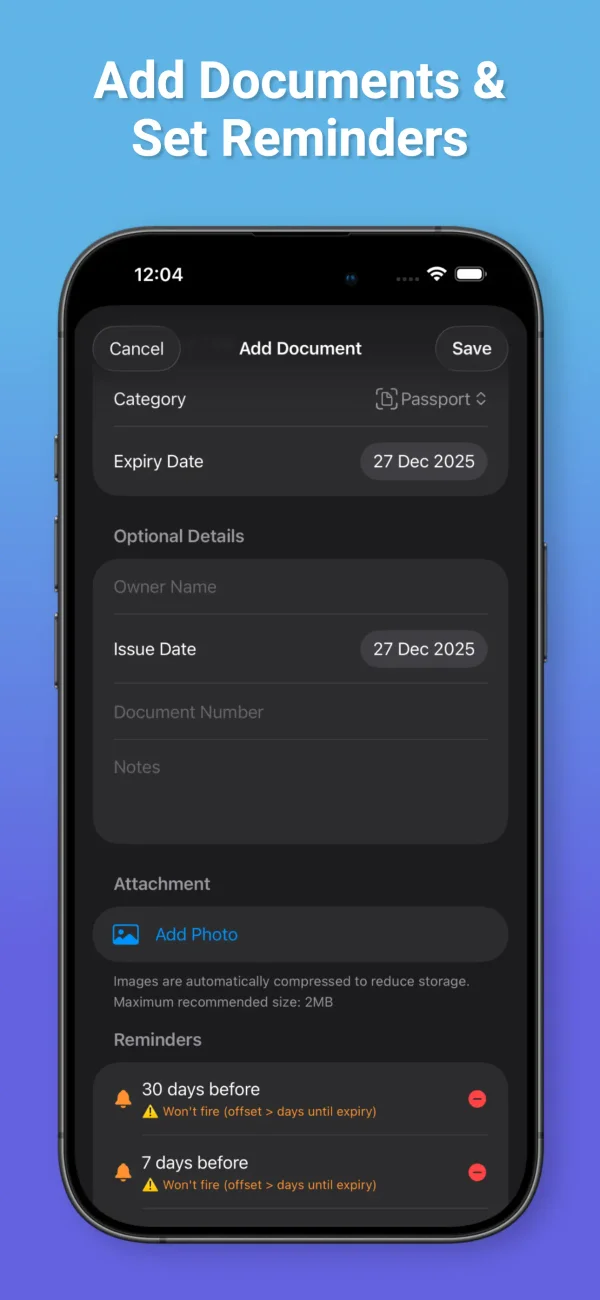
Add documents and set expiry dates for passports, visas, IDs, driving licenses, insurance, contracts, and more.
- Smart reminders
Receive local notifications before documents expire, so you have time to renew without stress. All reminders are generated on your device.
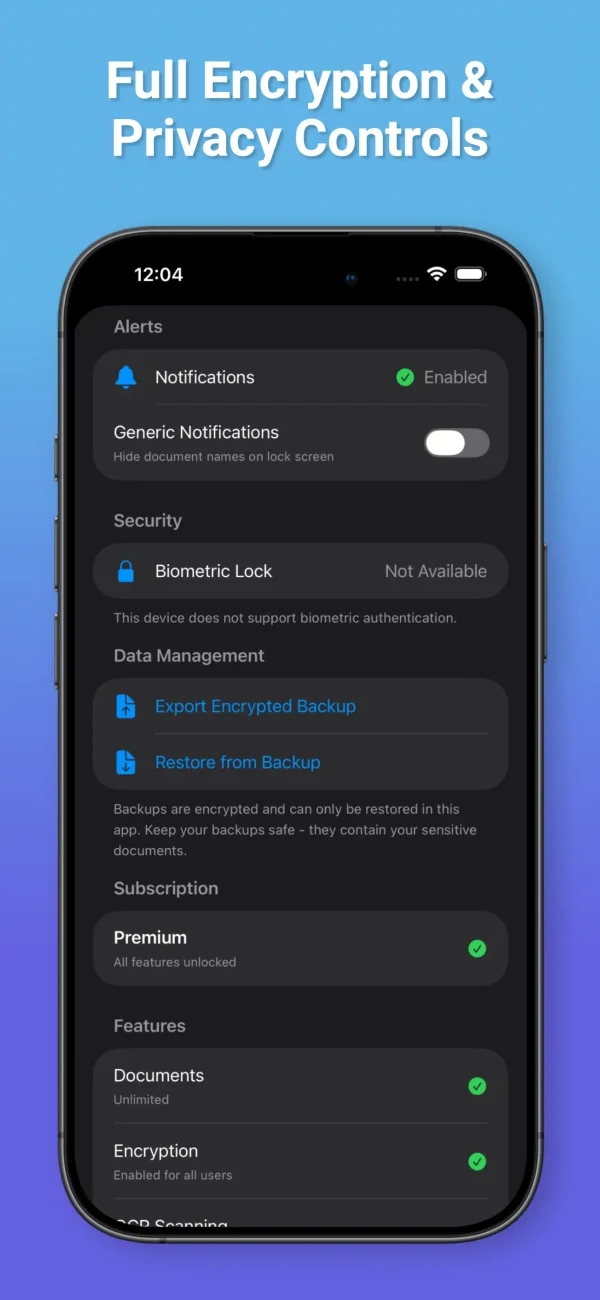
- Encrypted storage
Documents and attachments are encrypted using AES-256-GCM. All encryption happens on your device.
- Scan documents
Use your iPhone camera to scan documents and attach images or PDFs for quick reference.
- On-device text recognition
Extract expiry dates using on-device OCR powered by Apple Vision. No cloud processing, no external servers.
- Encrypted backups
Create encrypted backup files that can be stored or shared securely without exposing your data.
- Biometric app lock
Protect your documents with Face ID or Touch ID authentication.
- Export options
Export document lists to CSV or generate PDF reports for record-keeping.
- Fully offline
The app works without an internet connection. No accounts, no sync, no servers.
- Privacy-first design
All data is stored locally on your device. Nothing is collected, tracked, or shared.
- Clean Apple-native interface
Designed using SwiftUI and Apple Human Interface Guidelines for a familiar, fast, and reliable experience.
- Simple and focused
No unnecessary features, no distractions, just a clear view of your documents and their expiry status.
Why This App Is Different
Many apps require accounts, cloud sync, or external servers. Document Expiry Reminder does not.
Your documents stay on your device. The developer cannot access them. There is no analytics, no tracking, and no ads.
This makes the app ideal for sensitive documents and users who value privacy and simplicity.
Designed for iOS
- Optimized for iPhone and iPad
- Supports iOS 17 and later
- Uses modern Apple frameworks for performance and reliability
- Local notifications and on-device processing only
Use Cases
- Track passport and visa expiry
- Manage residency permits and IDs
- Monitor insurance and license renewals
- Keep important certificates organized
- Avoid last-minute renewals and penalties
Privacy Commitment
Document Expiry Reminder does not collect personal data.
There are no accounts, no cloud sync, and no third-party services.
All document attachments are encrypted using AES-256-GCM and stored locally.
Learn more about Apple privacy standards:
https://developer.apple.com/app-store/user-privacy-and-data-use
Apple on-device processing and Vision framework:
https://developer.apple.com/documentation/vision
Apple local notifications framework:
https://developer.apple.com/documentation/usernotifications
Important Notes
- Deleting the app removes all stored data
- Notifications can be disabled at any time in iOS settings
- Future features will respect the same privacy-first principles
Support Contact: documentsexpiryreminder@gmail.com
Privacy Policy & Terms: https://www.facebook.com/profile.php?id=61585304445570
What’s new
Version 1.7 · Jul 7, 2026
New languages: the app is now available in Romanian and Italian, in addition to English, Arabic, French, German, Spanish, Portuguese, Turkish and Chinese.
Switch languages anytime in Settings > Language.
App privacy
What MO NOUR declares on the App Store about how this app handles data.
-
Data not collected
The developer does not collect any data from this app.
Privacy practices may vary, for example with the features you use or your age.
Information
- Seller
- MO NOUR
- Category
- Productivity
- Version
- 1.7
- Updated
- Jul 7, 2026
- Released
- Jan 7, 2026
- Size
- 3.8 MB
- Requires
- iOS 17.0 or later
- Age rating
- 4+
- In-app purchases
- Yes
- Languages
- English, Arabic, French, German, Italian, Portuguese, Romanian, Simplified Chinese, Spanish, Turkish
- Copyright
- © 2025 Document Expiry Reminder
You might also like
-
 DocReminderReminders before expiration
-
 Document ExpiryTrack document expiry dates
-
 RemindMe - Document ExpirationRenewal Date Reminder Alert
-
 Remind Me with OCR: RenewalKitPassport, Visa, ID Expiration
-
 Document Expiration -StayReadyFamily Expiration Reminder App
-
 Expiry Guard: Doc ReminderPassport, license & renewals
-
 DoxBox OrganizerProtect & access personal docs
-
 Expiry Date Tracker ProStay Ahead, Track Everything
-
 Expiry Keeper Expiration DateFood Track & Expiry Calendar
-
 vExpiry: Expiry ReminderBest expiry date tracking tool