DocuScan: PDF Scanner & OCR
Scan, Sign & Share Documents
Designed for iPhone, iPad
Free · In-app purchases
- Age rating4+
- CategoryProductivity
- DeveloperCristiano Aprigliano
- LanguagesEnglish+ 10 more
- Size7.2 MB
Links to the official App Store page
Download.org hosts no file of DocuScan: PDF Scanner & OCR. The button opens its official App Store page, published by Cristiano Aprigliano. Listing last checked on Nov 24, 2026.
Screenshots



About
Scan, sign and share documents in seconds. DocuScan turns your iPhone and iPad into a fast, beautiful scanner that creates sharp PDFs in real A4 size, ready to sign and send.
WHY PEOPLE CHOOSE DOCUSCAN
• Real A4 PDFs: sharp, light and the right size, every time
• Sign any document with your own signature, the date and your initials
• Share as PDF, JPG or text, password-protected and right-sized for email
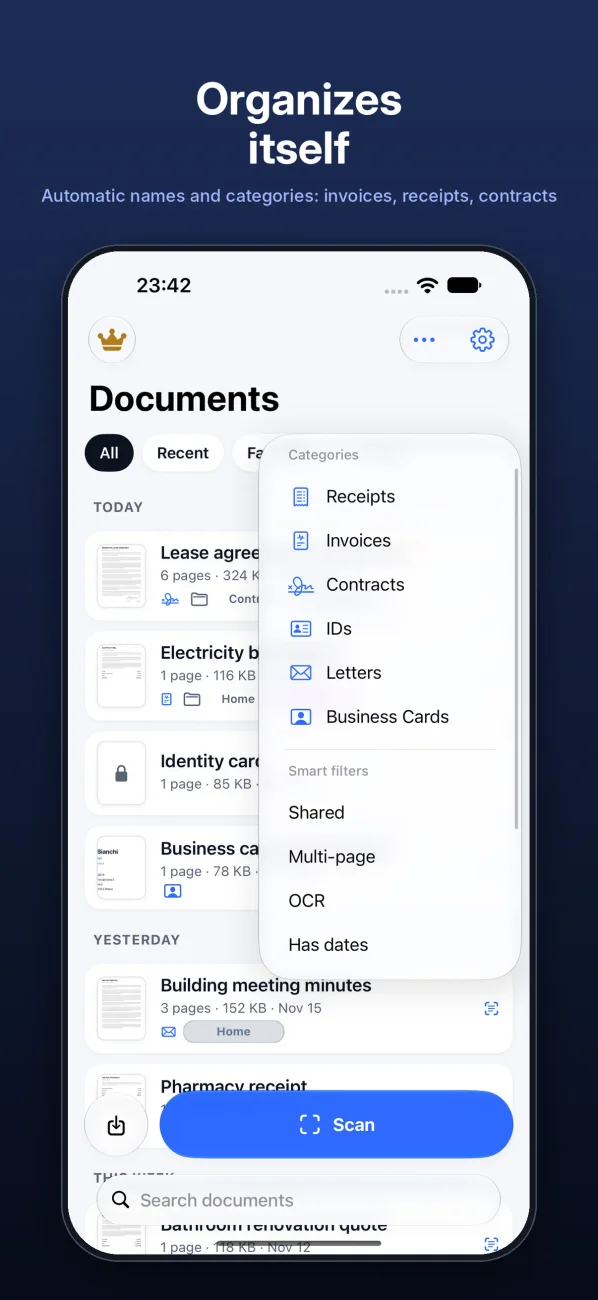
• Find any scan by searching the text inside it
• Private by design: signatures stay on your device, documents stay on your device or in your own iCloud
SCAN ANYTHING
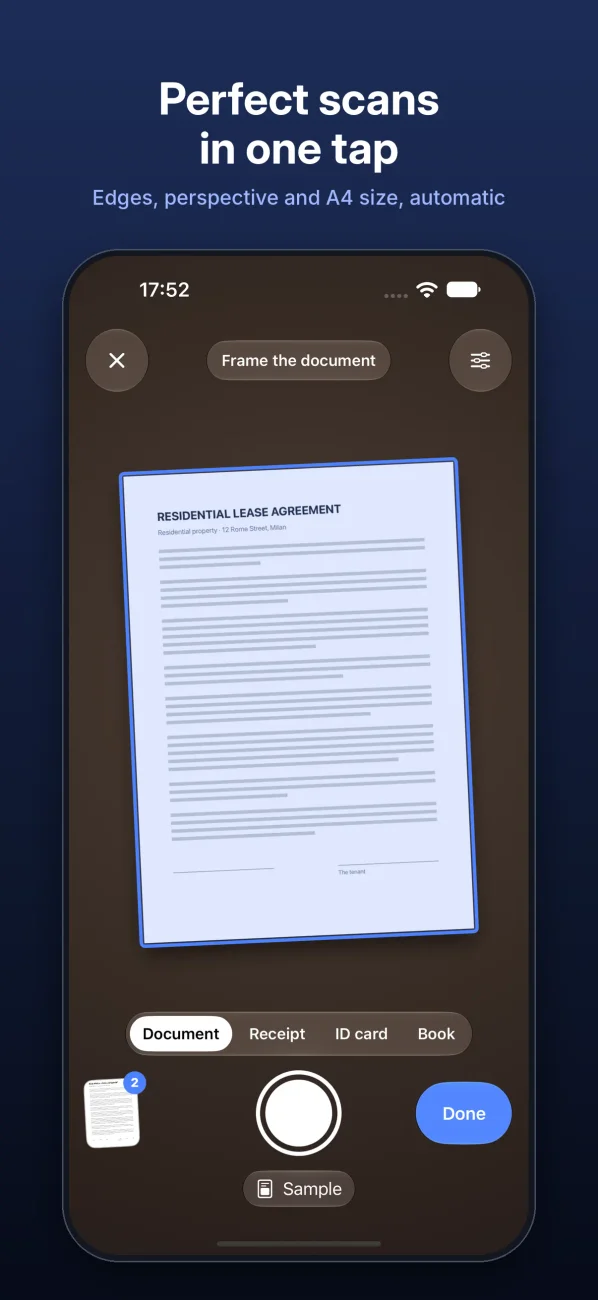
Automatic edge detection and perspective correction, with auto-capture and torch. Choose the right mode:
• Document: contracts, letters, forms and notes
• Receipt: high-contrast scans for expenses
• ID card: front and back together on one A4 page
• Book: two pages in one shot, split automatically
REVIEW BEFORE YOU SAVE
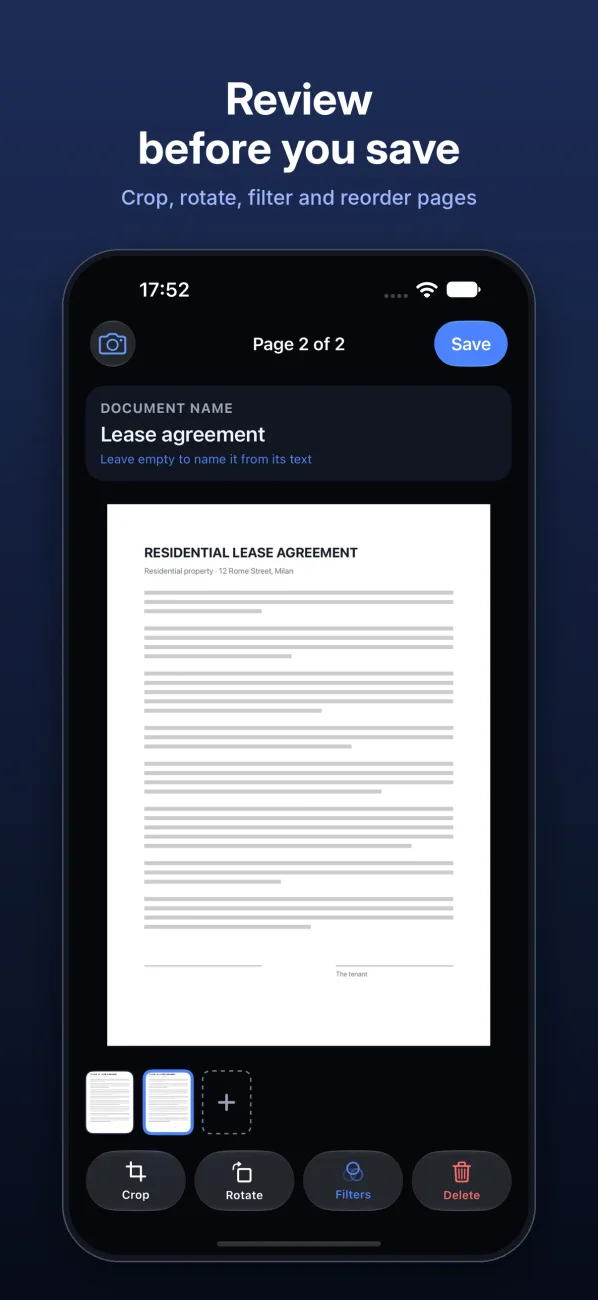
Crop, rotate, apply filters, reorder or delete pages and name your document, all before saving.
SIGN AND ANNOTATE
Draw your signature or scan it from paper and place it anywhere. Add the date automatically, initial every page, or let someone else sign as a guest. Mark up PDFs with pen, highlighter and text, with your finger or Apple Pencil.
SHARE YOUR WAY
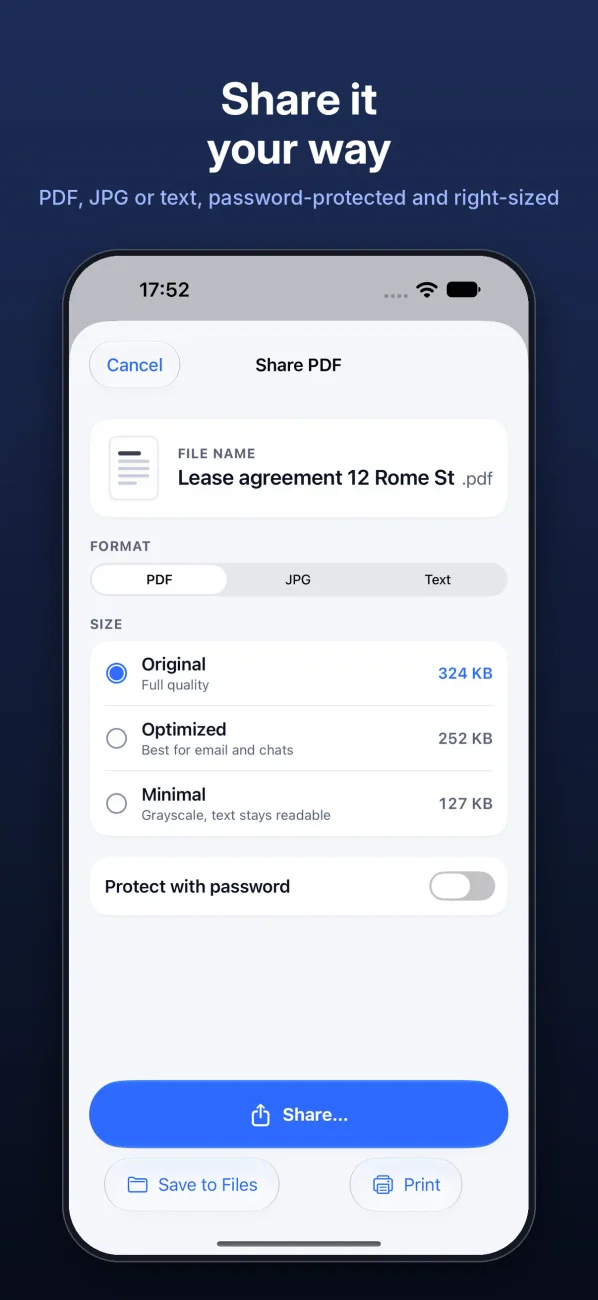
See the file size before you send. Pick Original, Optimized or Minimal quality, add a password, save to Files or print with AirPrint.
STAY ORGANIZED
Folders, tags, favorites and smart filters keep everything tidy. Lock private documents with Face ID and sync across your devices with iCloud.
DOCUSCAN PREMIUM
Go Premium to remove ads and unlock unlimited signatures, signatures scanned from paper, initials on every page, password-protected PDFs, ID card and Book modes, text export and more.
Premium is available as a monthly or annual subscription, or as a one-time Lifetime purchase. The annual plan includes a 7-day free trial.
Subscriptions automatically renew unless canceled at least 24 hours before the end of the current subscription period. You can manage or cancel subscriptions from your Apple Account settings.
Privacy Policy: https://cristianoaprigliano.com/privacy/
Terms of Use: https://www.apple.com/legal/internet-services/itunes/dev/stdeula/
What’s new
Version 1.3 · Nov 23, 2026
Scanning is now easier to get right.
• Check every page as you go: after each photo, adjust the corners with a magnifier, then retake it, add the next page or finish.
• The edges are outlined live while you frame the document.
• What you see is what you capture: the viewfinder now matches the photo exactly.
• DocuScan now speaks Portuguese (Brazil), Dutch, Japanese, Korean, Traditional Chinese and Arabic.
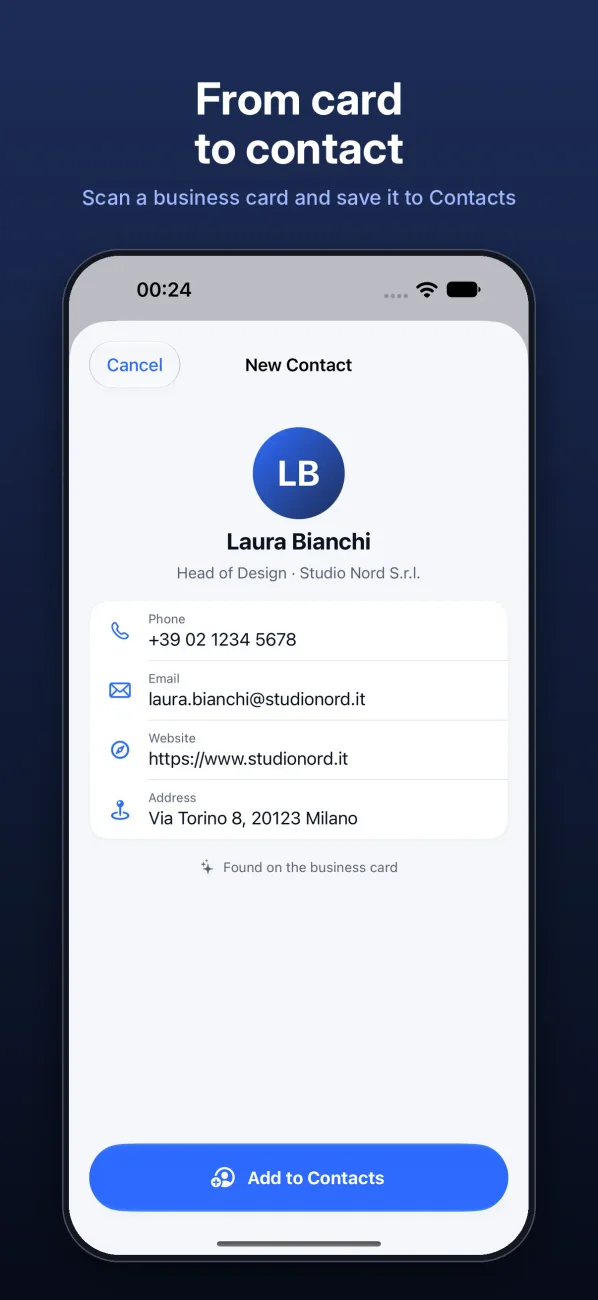
• Text recognition, smart names and categories now also read Japanese, Korean, Chinese and Arabic documents.
App privacy
What Cristiano Aprigliano declares on the App Store about how this app handles data.
-
Data used to track you
May be used to track you across apps and websites owned by other companies.
- Identifiers
-
Data linked to you
May be collected and linked to your identity.
- Location
- Identifiers
- Usage data
- Diagnostics
-
Data not linked to you
May be collected but is not linked to your identity.
- Diagnostics
Privacy practices may vary, for example with the features you use or your age.
Information
- Seller
- Cristiano Aprigliano
- Category
- Productivity
- Version
- 1.3
- Updated
- Nov 23, 2026
- Released
- Sep 9, 2026
- Size
- 7.2 MB
- Requires
- iOS 26.0 or later
- Age rating
- 4+
- Price
- Free
- In-app purchases
- Yes
- Languages
- English, Arabic, Dutch, French, German, Italian, Japanese, Korean, Portuguese, Spanish, Traditional Chinese
- Copyright
- © 2026 Cristiano Aprigliano
You might also like
-
 Deswik.DrillingDrilling App
-
 myWorkeengProductivity
-
 FieldMove ClinoProductivity
-
 AutoSuperMarketProductivity
-
 ArcGIS EarthProductivity
-
 QuickScan:PDF OCR Text ScannerScan,Doc,Sign,Edit,Privacy
-
 Proactor – Note TakingTranscribe & AI Note Taker
-
 Google AI Edge GalleryPrivate, Fast, Offline AI
-
 Aruba OTPProductivity