
Dodo: Notes, Todos & Reminders
Todos, reminders & AI dictate
Designed for iPhone
Free
- Age rating4+
- CategoryProductivity
- DeveloperLior Pesoa
- LanguagesEnglish
- Size20.2 MB
Links to the official App Store page
Download.org hosts no file of Dodo: Notes, Todos & Reminders. The button opens its official App Store page, published by Lior Pesoa. Listing last checked on Nov 17, 2026.
Screenshots


About
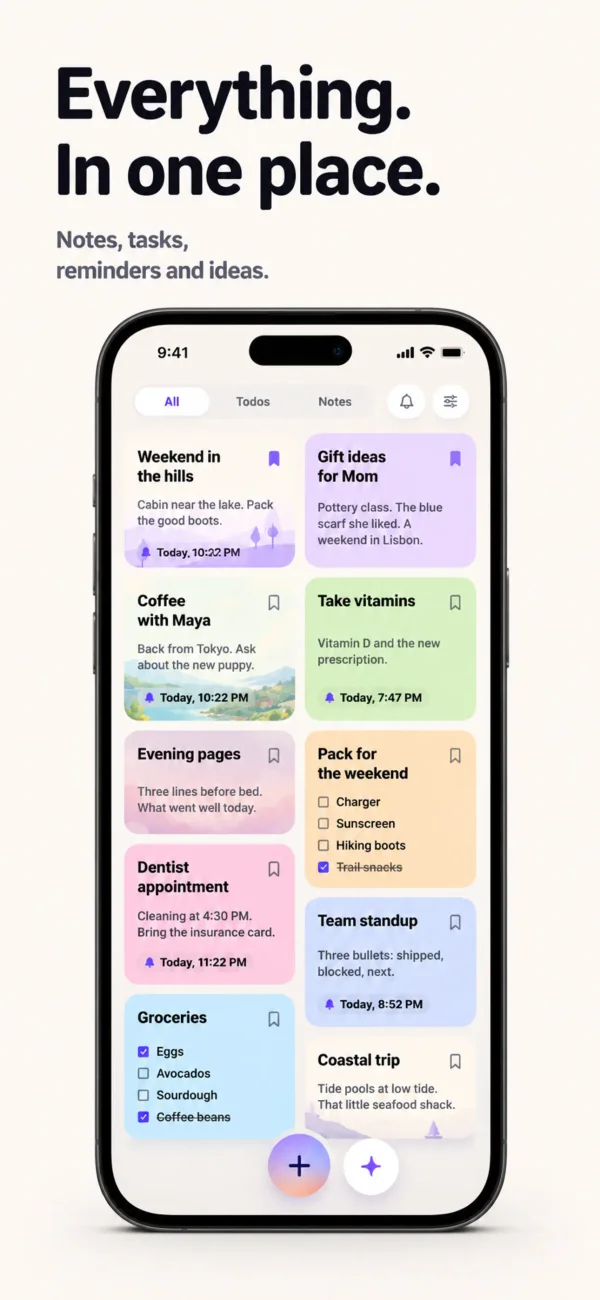
Most notes apps are a drawer. You put things in, and they sit there until you remember to go dig them out. Dodo hands them back.
Notes, to-dos, voice memos, and reminders — the usual stuff, in one place, with no workspaces or nested folders to set up. Tag a note if you want; ignore tags entirely if you don't. Open it and write. No account needed to start.
THE PART THAT'S DIFFERENT
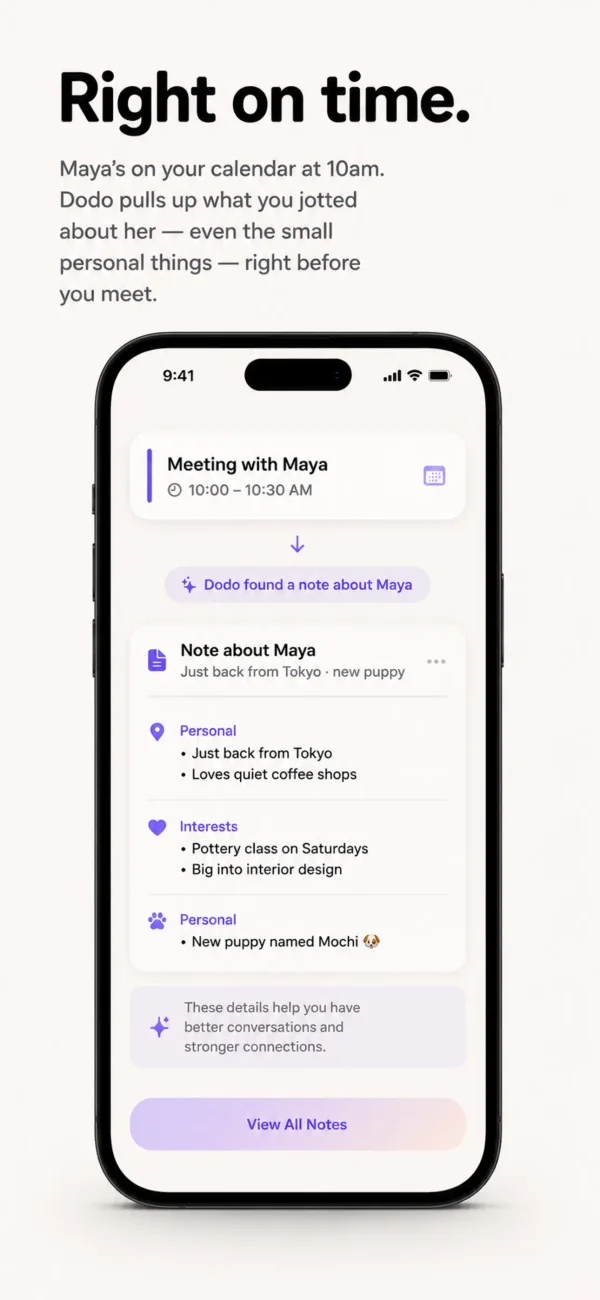
Dodo's Today screen isn't a list you keep up. Dodo fills it for you, bringing notes back when they actually matter:
• A reminder, right when it's due — and again tonight if you let it slide
• The note about a friend, the morning you've got lunch with them on your calendar
• A note tied to a place, when you're near it
• A birthday, a day before it sneaks up on you
• "I'll send you that link" — back in front of you, so you actually do
• A draft you started and forgot, before it goes stale
It guesses from time, place, your calendar, and what you wrote — and sometimes it guesses wrong. Every source has an off switch in Settings, so Dodo only watches what you want it to.
WHAT'S INSIDE
• Notes — a clean editor, no formatting menus to fight with
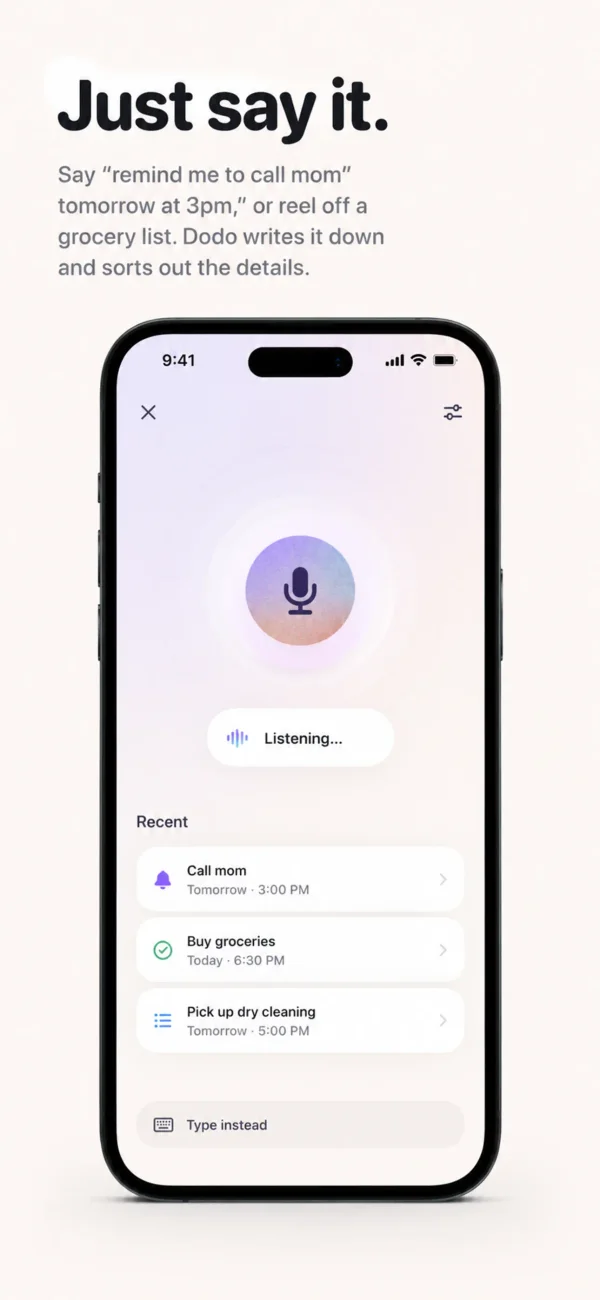
• Checklists — say "milk, eggs, bread" and each one becomes a checkbox
• Reminders — or just say it: "remind me to call mom tomorrow at 3pm"
• Voice memos — one tap to record, even from inside a note you're already writing
• Tags — one colored pill to group what you want, if you want. No hierarchy to maintain.
• Today — everything Dodo surfaced, plus what's due and overdue. Swipe a row to check it off, snooze it, or push it to tomorrow.
• Ask Dodo — ask a question, get an answer from your own notes. "What was I supposed to bring to the picnic?" (Dodo's a small bird doing its best, so it can miss.)
• Home Widget — what's due at a glance, plus one tap to jot a note or start a memo
A FREE ACCOUNT ADDS
• Ask Dodo across your notes
• Voice transcription — memos turned into searchable text
• Cloud backup, so nothing's stuck on one phone
=====
Questions or feedback? hello@dodonotes.app
What’s new
Version 2.2.5 · Jul 11, 2026
A few quiet fixes.
Checklist notes no longer vanish when you close the sheet — Dodo was eating them; it's stopped. The dismiss also no longer triggers mid-scroll when the list reaches the top.
Also: the widget header now shows today's date alongside "Today," and chip toasts wrap to a second line when the value is long.
App privacy
What Lior Pesoa declares on the App Store about how this app handles data.
-
Data linked to you
May be collected and linked to your identity.
- Contact info
- User content
- Identifiers
- Usage data
-
Data not linked to you
May be collected but is not linked to your identity.
- Diagnostics
Privacy practices may vary, for example with the features you use or your age.
Information
- Seller
- Lior Pesoa
- Category
- Productivity
- Version
- 2.2.5
- Updated
- Jul 11, 2026
- Released
- May 12, 2026
- Size
- 20.2 MB
- Requires
- iOS 17.0 or later
- Age rating
- 4+
- Price
- Free
- Languages
- English
- Copyright
- © Lior Pesoa
You might also like
-
 Notestream: Fast Notes to SelfPrivate chat-style notebook
-
 Caliu - Markdown NotesPlain text editor with MCP
-
 Notis: Screenshot to CalendarScreenshots become events
-
 Snapwell: Inspiration LibraryOrganized with AI
-
 Screenshot Search: CaptureMindFind Text, Links & Ideas
-
 OffShelf: Study Tracker, NotesFlashcards, Timer & Tracker
-
 Simply Things: To-Do ListQuick capture, daily focus
-
 MindNote: Efficient Mind MapProductivity
-
 Clastly — Personal DatabaseOrganize anything, your way
-
 Captured!Your box for everything shared