Dollarwise: Budget & Tracking
Rewrite your money story.
Designed for iPhone, iPad, iPod touch
Free · In-app purchases
- Age rating4+
- CategoryFinance
- DeveloperHammer Media LLC
- LanguagesEnglish
- Size34.7 MB
Links to the official App Store page
Download.org hosts no file of Dollarwise: Budget & Tracking. The button opens its official App Store page, published by Hammer Media LLC. Listing last checked on Nov 20, 2026.
Screenshots



About
Dollarwise is your path to stress-free budgeting.
See your spending at a glance, stay on budget with ease, and break free from overwhelming charts and scary alerts.
Dollarwise automatically syncs with your accounts, so you can stay on top of your spending, debt, and savings without the anxiety of manual tracking (unless you prefer to!).
But that's just the start.
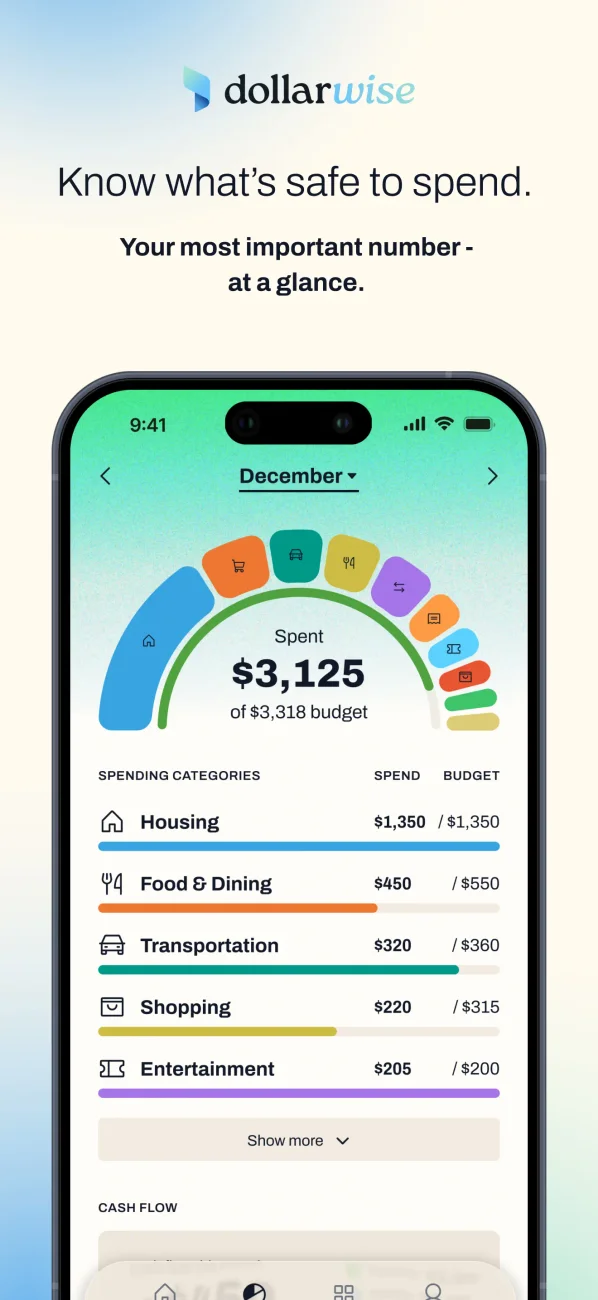
Dollarwise goes further than showing you where your money went. When you open the app, you'll instantly see how much money you're free to spend while staying on track with your bills, debt, and savings. (Let's be honest, that's the main reason you need a budgeting app in the first place.)
Know when you'll be debt-free. Debt Goals puts every credit card, car loan, student loan, and personal loan in one place, linked or added by hand. See your projected debt-free date, what your debt costs you in interest each month, and a timeline of every balance heading to zero. Not sure whether to go after the smallest balance or the highest rate first? Compare snowball and avalanche side by side on your own numbers, then pick the plan that fits you. Add a little extra each month and watch your date move.
Five minutes a week, with a nudge. Pick your check-in day and Dollarwise will remind you when it's time. You'll also hear from us when transactions are ready to review or a bank connection needs a quick fix. You choose what you get, nothing goes out late at night, and your balances never show on your lock screen.
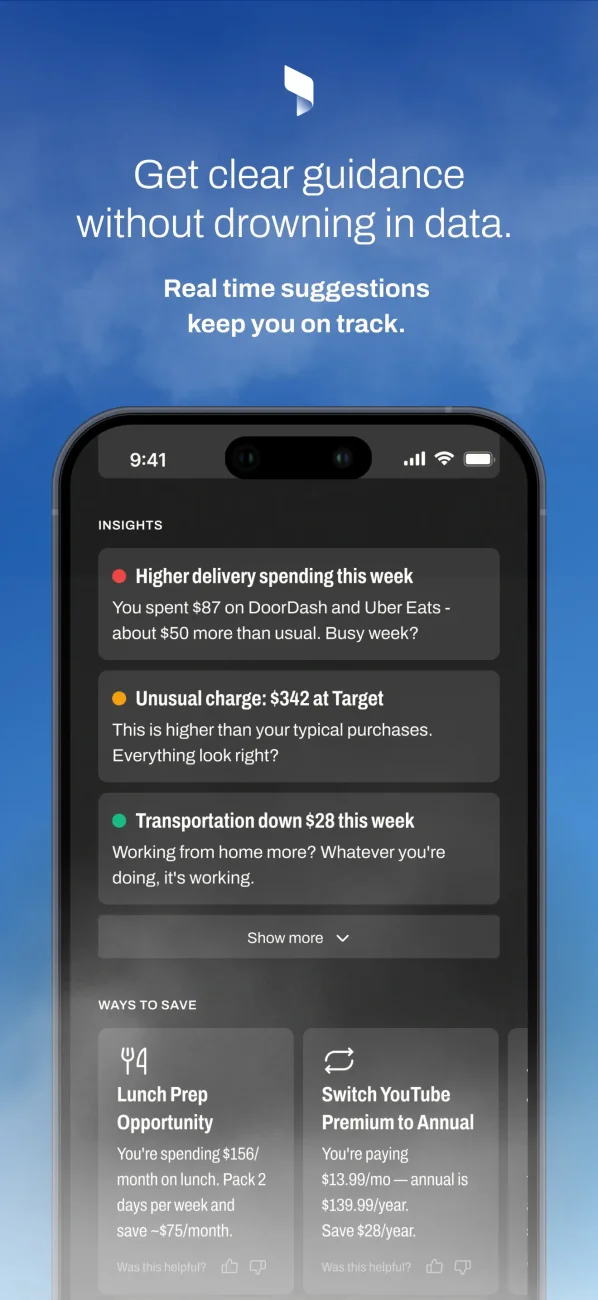
Dollarwise Insights spot patterns in your money habits and turn them into gentle, actionable nudges, like where your spending is creeping up or how far ahead you are on a debt, so you can make better choices for you instead of being forced into a one-size-fits-all box.
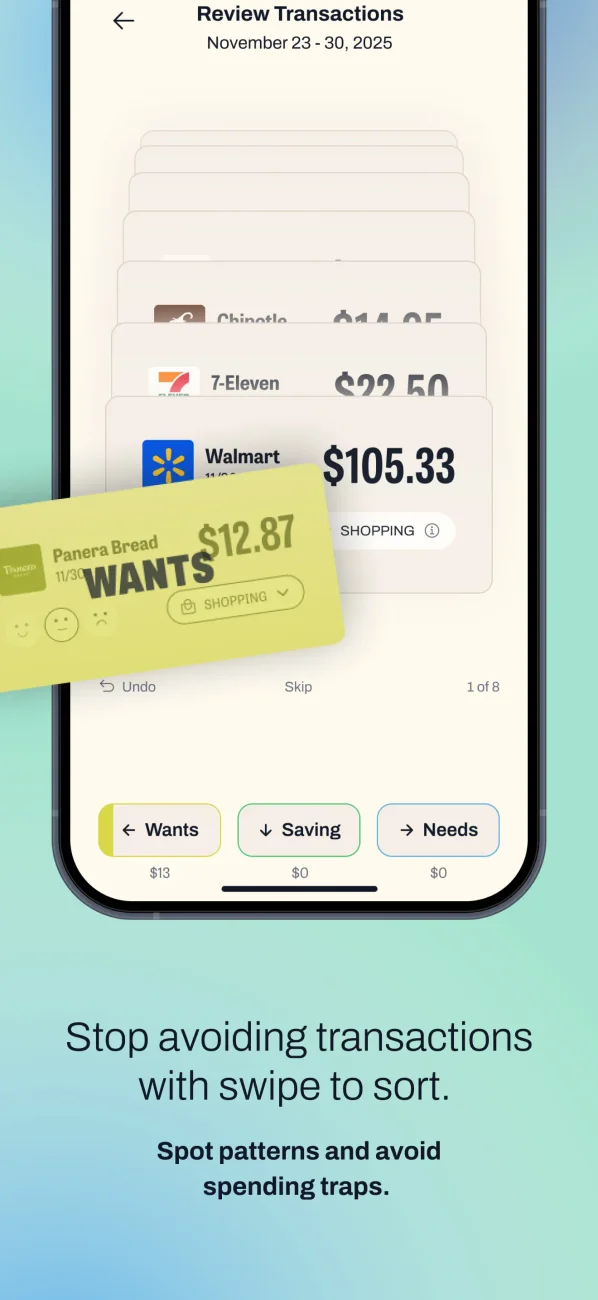
When it's time to review your spending, simply swipe transactions into basic buckets like Needs, Wants, and Debt/Savings. Need more flexibility? Create custom categories, split a purchase across categories, and add notes and tags to any transaction.
Dollarwise makes it easy to see your money clearly and takes the anxiety out of budgeting.
Ready to find your financial zen? Try Dollarwise FREE, then unlock 3 months for just $9.99/month.
What’s new
Version 7.3.0 · Nov 12, 2026
What's new in Dollarwise 7.3
Your transactions can now move in and out as CSV files, and getting started is easier with a completely rebuilt sign-up experience.
BRING YOUR TRANSACTIONS WITH YOU
Have a bank that doesn't connect, or transaction history in a spreadsheet? Import it into Dollarwise.
• Start an import from Activity, Profile, or a manual account.
• Match your spreadsheet columns once, and we'll remember them for that account.
• Preview every row before importing. Possible duplicates are flagged so you can choose what to keep or skip.
• Add categories and tags before you confirm.
• Need a do-over? Delete an entire batch from Import history.
A note on dates: if every date in your file could be read either month-first or day-first, Dollarwise reads them month-first.
EXPORT YOUR TRANSACTIONS
Take your transaction history with you. Export this year, last year, everything, or a custom date range. We'll notify you in the app and by email when your file is ready, then you can share it straight from your phone.
A FRESH START
We've rebuilt sign-up to help new members get settled in.
• Start with your email, then enter a 6-digit code that verifies automatically when you type the last digit.
• Connect your banks, add an account manually, or skip that step for now.
• Enter your take-home pay per paycheck, including the new Twice a month option.
• See what's coming on your first visit to Home while your transactions sync.
Signing in now starts with your email, too, and password resets use an emailed code.
MORE CONTROL OVER EMAILS
Want a little help staying on track? Enable Email for Transaction reviews or Budget in notification settings to receive your review digest and weekly check-in. Unsubscribe with one click.
Renewal reminders arrive two days before a trial ends and seven days before an annual plan renews. You can also choose which notification channels to keep for bank reconnect and renewal alerts, with at least one channel remaining on.
SMALL FIXES THAT MAKE A DIFFERENCE
• Twice a month income is available in Profile, and Safe to Spend counts it as two paychecks.
• Deposits marked Savings now count toward savings on Home and in Cash Flow.
• Bank reconnect notifications take you directly to the reconnect flow.
• A stuck or failed bank no longer holds up your other banks during initial linking.
• Unlinked bank accounts in Profile can now be opened and deleted.
• Payments on manual debts with negative balances now move those balances toward zero.
• Activity shows a Try again option if it can't load.
• Transaction details are easier to swipe closed.
• Sign-up no longer crashes when running the iPad app on a Mac.
App privacy
What Hammer Media LLC declares on the App Store about how this app handles data.
-
Data linked to you
May be collected and linked to your identity.
- Financial info
- Contact info
- Identifiers
- Diagnostics
-
Data not linked to you
May be collected but is not linked to your identity.
- Diagnostics
Privacy practices may vary, for example with the features you use or your age.
Information
- Seller
- Hammer Media LLC
- Category
- Finance
- Version
- 7.3.0
- Updated
- Nov 12, 2026
- Released
- Jan 15, 2025
- Size
- 34.7 MB
- Requires
- iOS 15.6 or later
- Age rating
- 4+
- Price
- Free
- In-app purchases
- Yes
- Languages
- English
- Copyright
- © Hammer Media
You might also like
-
 Budget Bestieeasy envelope based budgeting
-
 YNAB: Budget & Money PlannerTrack spending & pay off debt
-
 Monarch: Budget & Track MoneySpending, Net Worth, Investing
-
 EveryDollar: Budget ManagementTrack Income, Bills & Spending
-
 Origin: AI Budget and TrackSpending, Saving, & Net Worth
-
 Goodbudget Budget PlannerMoney & Expense Tracker
-
 BuyBye - Budget PlannerFun expense & money tracker
-
 Ditch: Pay Off Debt FasterAutomate Payoff & Track Debt
-
 Copilot: Track & Budget MoneySpending, investing, net worth
-
 Budget app - spending trackerBudget planner & money tracker