DoneAt: Shift Countdown Timer
Work Schedule, Rota & Earnings
Designed for iPhone, iPad, Mac
Free · In-app purchases
- Age rating4+
- CategoryUtilities
- Developer宇轩 郑
- LanguagesEnglish+ 17 more
- Size30.1 MB
Links to the official App Store page
Download.org hosts no file of DoneAt: Shift Countdown Timer. The button opens its official App Store page, published by 宇轩 郑. Listing last checked on Nov 16, 2026.
Screenshots



About
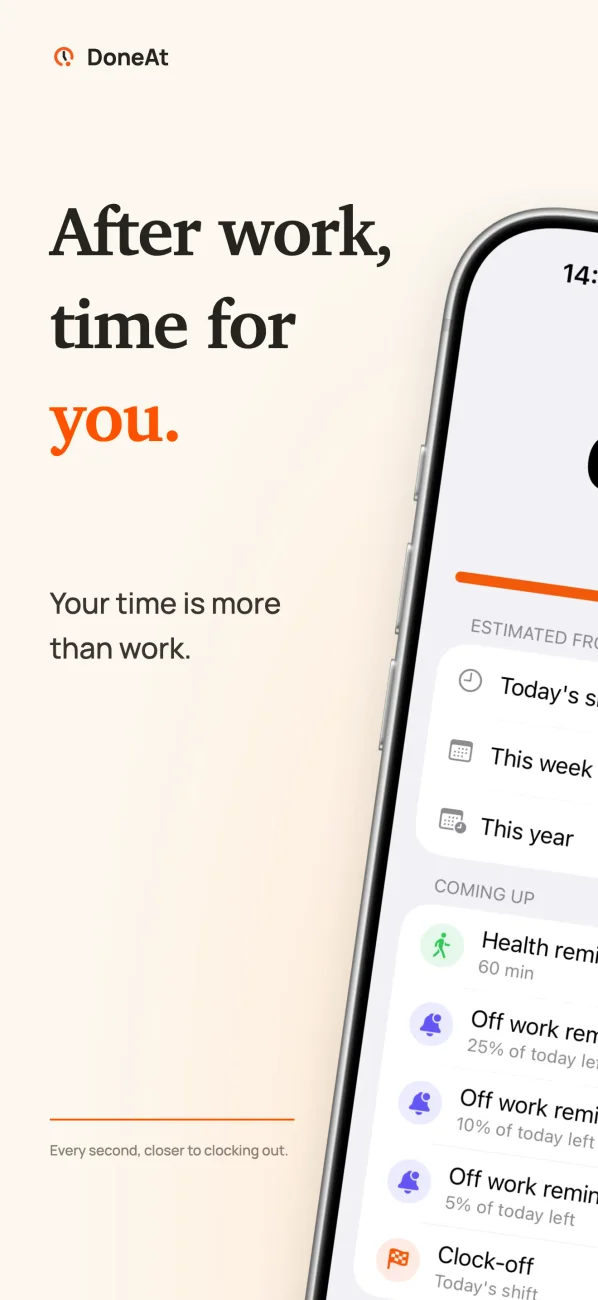
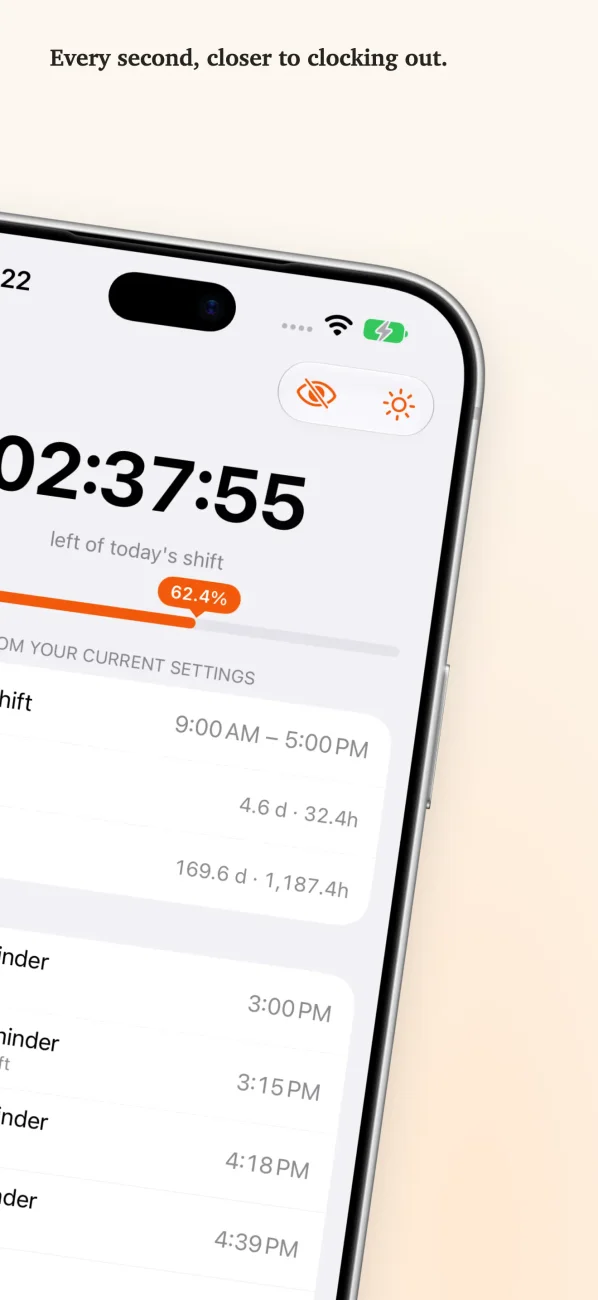
How many hours until your shift ends? How much have you made today?
DoneAt answers both. Set your start and end times, and the countdown takes out your lunch break, so you see how much work is really left. The basic shift countdown is always free.
On your wrist, too
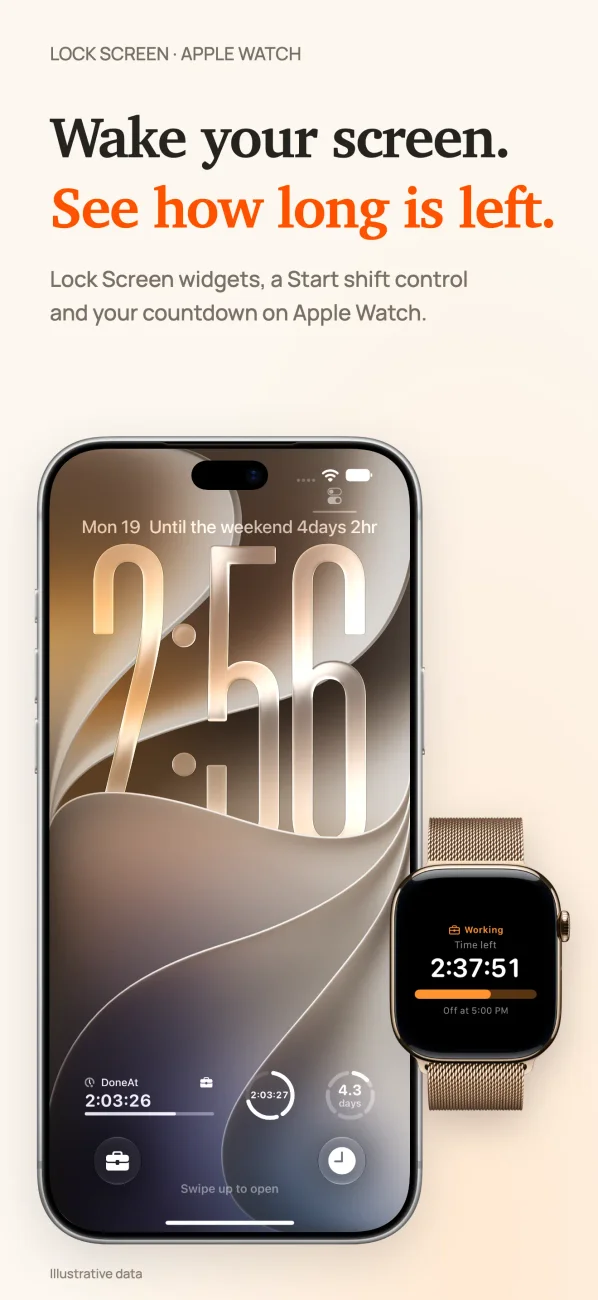
The Apple Watch app is free. Add a complication to your watch face and just raise your wrist to see how long until you're done.
However you work
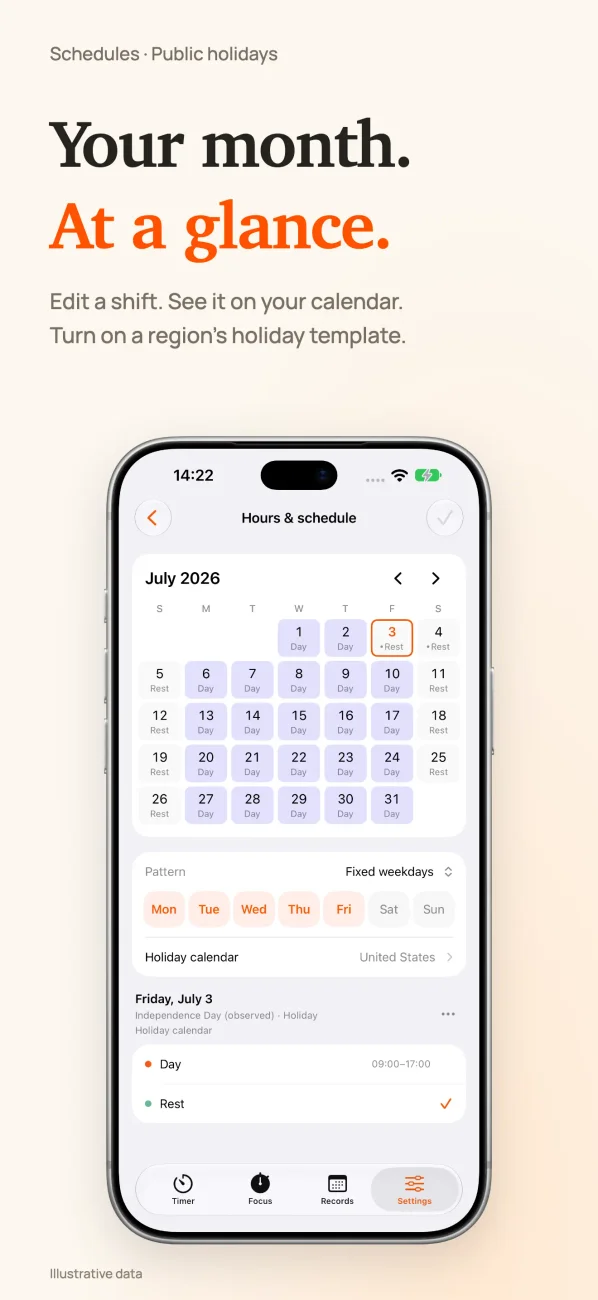
• 9 to 5, alternating weeks, rotating shifts, night shifts past midnight: you can schedule them all.
• Set your own lunch break. When lunch starts, the countdown pauses, and that time doesn't count toward your hours.
• Came in early, leaving early, working overtime, or want to time a day you weren't scheduled? Just change that day, not your whole schedule.
• Free roster: if your shifts are all over the place, plan each day yourself. The brush makes it quick: pick a shift, then tap or swipe across the calendar. Different summer and winter hours? Shifts can switch times by date automatically.
• Want to see your pay? Turn on Money Earned Today, plus weekly and yearly earnings totals. Rather not? Leave it off.
• Get reminders to start, stop, take lunch, or get up and move.
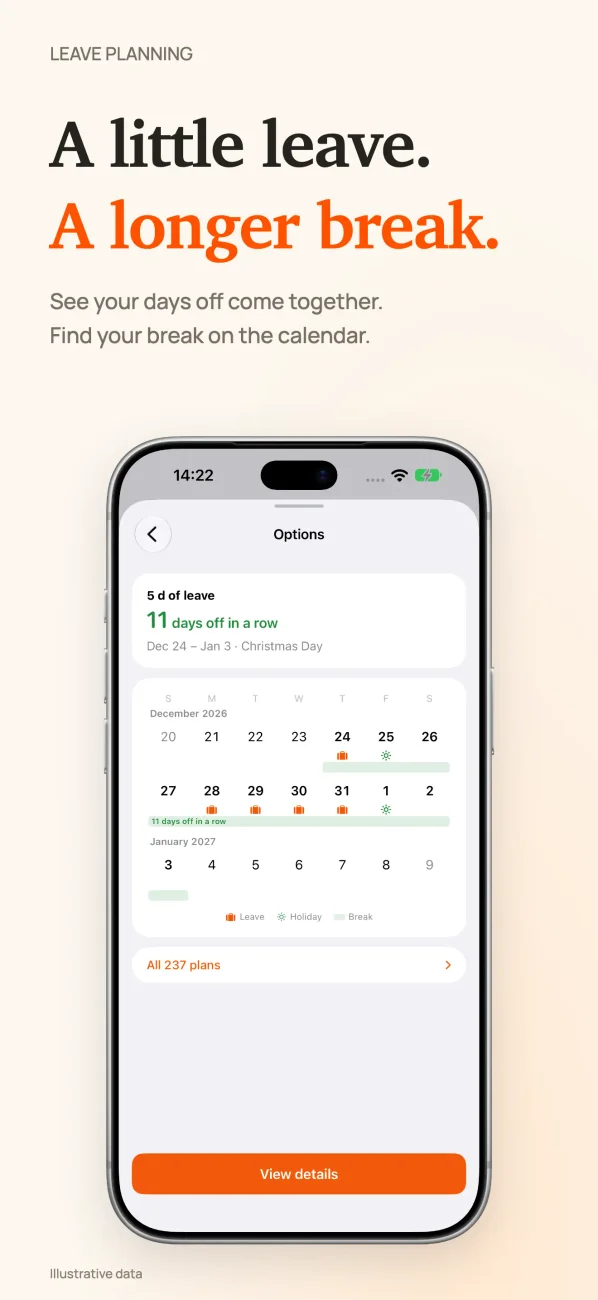
• Plan time off: enter how much PTO and comp time you have left. DoneAt checks holidays and your shifts, finds the time off that works, and adds the one you pick in one tap.
No need to open the app
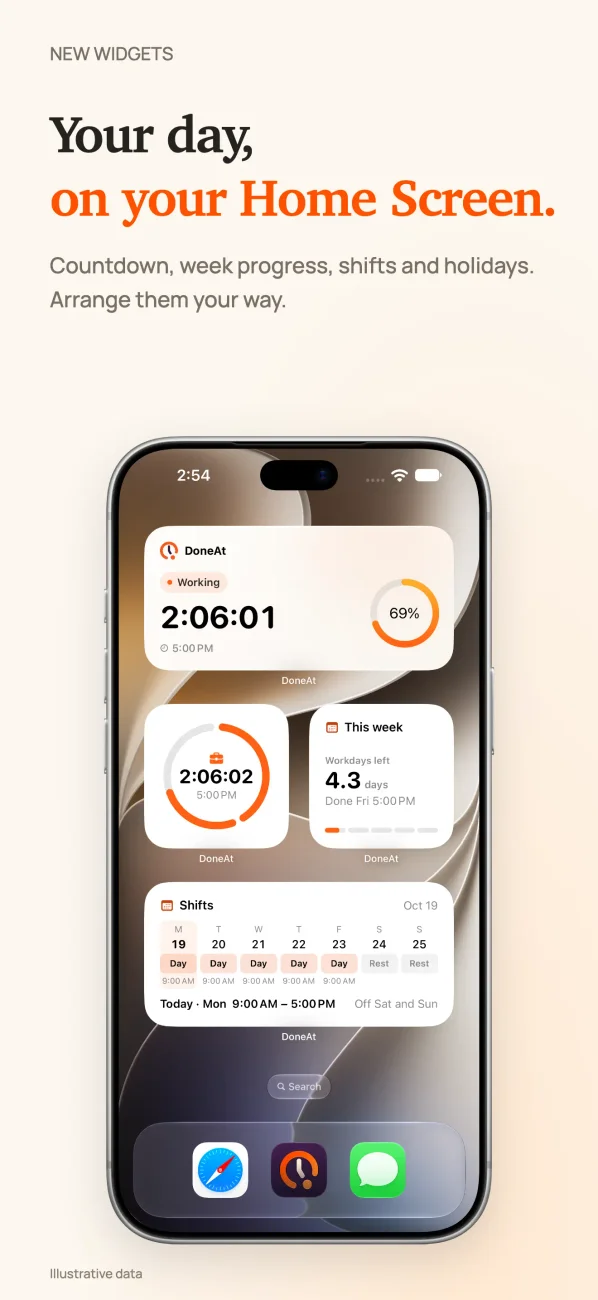
Home Screen and Lock Screen widgets, plus Live Activities and Dynamic Island on supported iPhone models. iPhone landscape and iPad get their own layouts. Share your countdown as an image or a link. Available in 19 languages, following your system language.
Made for iPhone Duo
Unfold it and every page splits into two columns, so you see more at once. Half-fold it and the countdown switches to a split-screen view.
Free to use
The shift countdown is always free. Browse your last 7 days of records, export or delete your data, and see your total overtime hours, all for free. Time-off planning gives you 3 free plan searches. Browse every plan a search finds, details included, as much as you like; a search that finds nothing doesn't count, and adding a plan to your calendar or undoing it costs nothing.
DoneAt Plus includes:
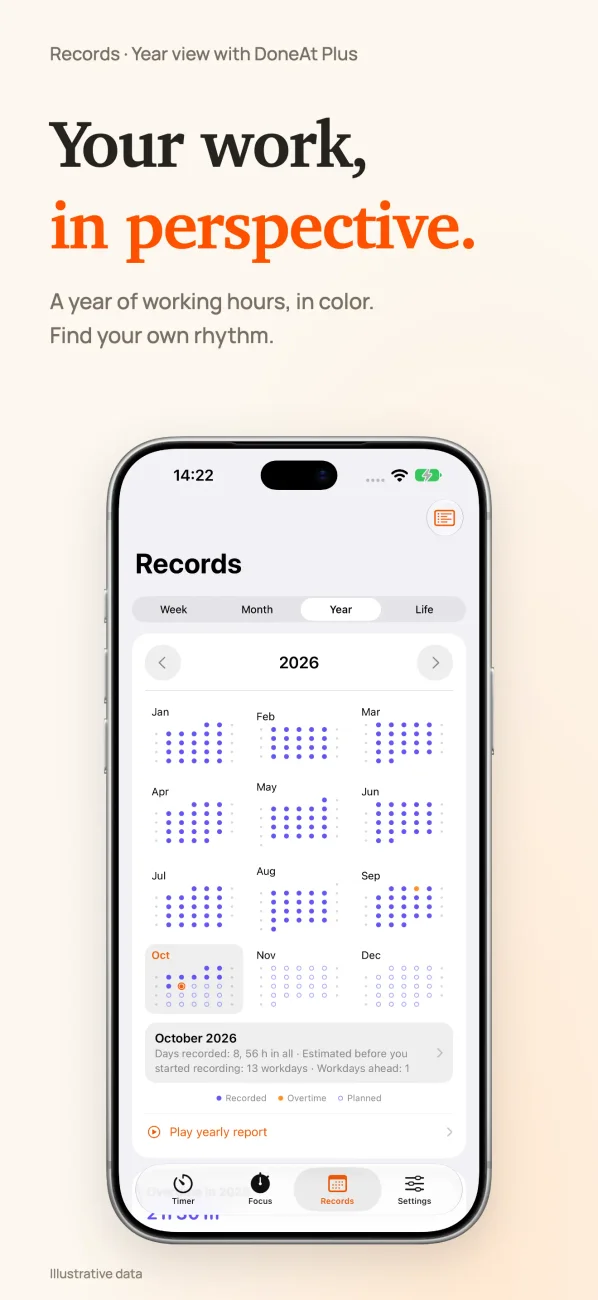
• Older records, the Year view, and editing past days.
• Life view: add life milestones and the pay for each job, look back, and get a rough idea of your lifetime earnings before tax.
• Focus: schedule tasks, focus and break blocks. The timer never eats into lunch or runs past the end of your shift.
• iCloud sync. If your subscription ends, sync that's already on keeps working.
• As many time-off plan searches as you like.
• Shift alarms: wake up at the time you set before every shift.
• Weekly, monthly and yearly reports that look back on how much you worked and how much you rested.
Subscribe monthly or yearly, or get Lifetime with a single, affordable purchase. Subscriptions renew automatically, and you can cancel anytime.
Your data, your call
Your data stays on your device by default. Turn on iCloud sync and your records, pay and settings go to your own private Apple database. Notifications only show time and progress, never your pay, and shared images and links only include shift times. No sign-up, no ads.
Follow us for the latest DoneAt news:
X: @DoneAtApp
Website: https://doneat.app/
Terms of Use: https://www.apple.com/legal/internet-services/itunes/dev/stdeula/
Privacy Policy: https://doneat.app/en/privacy
What’s new
Version 3.2.5 · Nov 9, 2026
Your pay can now follow your real schedule, and overtime counts the way you choose.
• By monthly schedule: monthly pay is divided by each month’s scheduled workdays, with public holidays and make-up days counted. Daily pay by month shows this month’s calendar and the next three.
• Overtime can be paid or unpaid, at 1×, 1.5×, 2×, 3× or your own multiple. Set a default in Salary Settings and change it for any overtime.
• Set overtime until a time or for how long, and rest first, say for dinner. During overtime the timer shows Overtime worked.
• In Records, add or adjust a past day’s overtime: its period, counted hours and pay.
• Mainland China’s official 2027 holidays and make-up workdays are included.
• Fixed: Apple Watch complications that could stop updating.
App privacy
What 宇轩 郑 declares on the App Store about how this app handles data.
-
Data not collected
The developer does not collect any data from this app.
Privacy practices may vary, for example with the features you use or your age.
Information
- Seller
- 宇轩 郑
- Category
- Utilities
- Version
- 3.2.5
- Updated
- Nov 9, 2026
- Released
- Aug 20, 2026
- Size
- 30.1 MB
- Requires
- iOS 26.0 or later
- Age rating
- 4+
- Price
- Free
- In-app purchases
- Yes
- Languages
- English, Arabic, French, German, Hindi, Indonesian, Italian, Japanese, Korean, Marathi, Portuguese, Russian + 6 more
- Copyright
- © 2026 fi_niaR Studio
You might also like
-
 打表上班-实时薪资+下班倒计时Utilities
-
 mofish - Off-Work Countdowncountdown & Real-time salary
-
 Work CheersTrack Earnings, Clock-Out Time
-
 Coast: Salary CounterLive earnings, less burnout
-
 WorkValueTrack Hours · See Hourly Rate
-
 NexTrade DeskUtilities
-
 HomeStretch CountdownLast hours on your Lock Screen
-
 Percentime: Time ProgressDay, Year & Decade Countdown
-
 Work Motivation: Income TimerSee your work turn into value
-
 Interval Timer - Focus & HIITPomodoro, HIIT & Meditation