
Donezo - Tasks & Time Tracker
Kanban, to-dos & AI via MCP
Designed for iPhone, iPod touch
Free · In-app purchases
- Age rating4+
- CategoryProductivity
- DeveloperShinzo Nakaoka
- LanguagesEnglish
- Size34.6 MB
Links to the official App Store page
Download.org hosts no file of Donezo - Tasks & Time Tracker. The button opens its official App Store page, published by Shinzo Nakaoka. Listing last checked on Nov 24, 2026.
Screenshots
About
Note: the app interface is currently in Japanese.
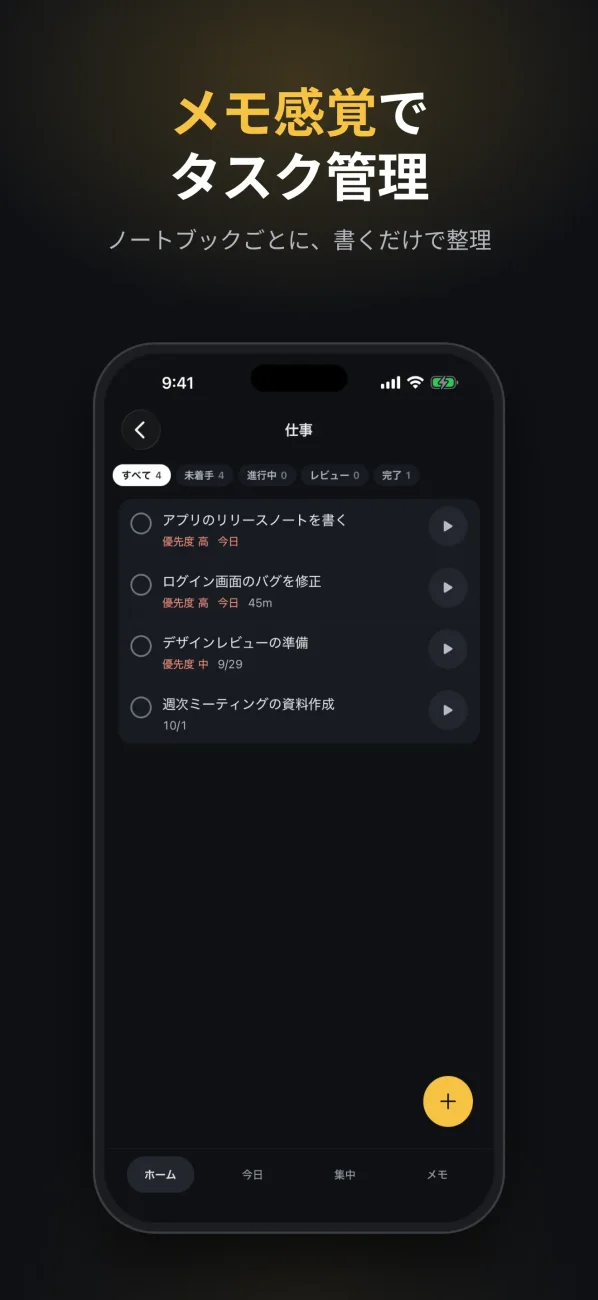
Donezo is a task manager that feels like writing notes.
■ Free, no account needed
Open the app and start writing. Your data stays on this device.
■ Write one line, press Enter
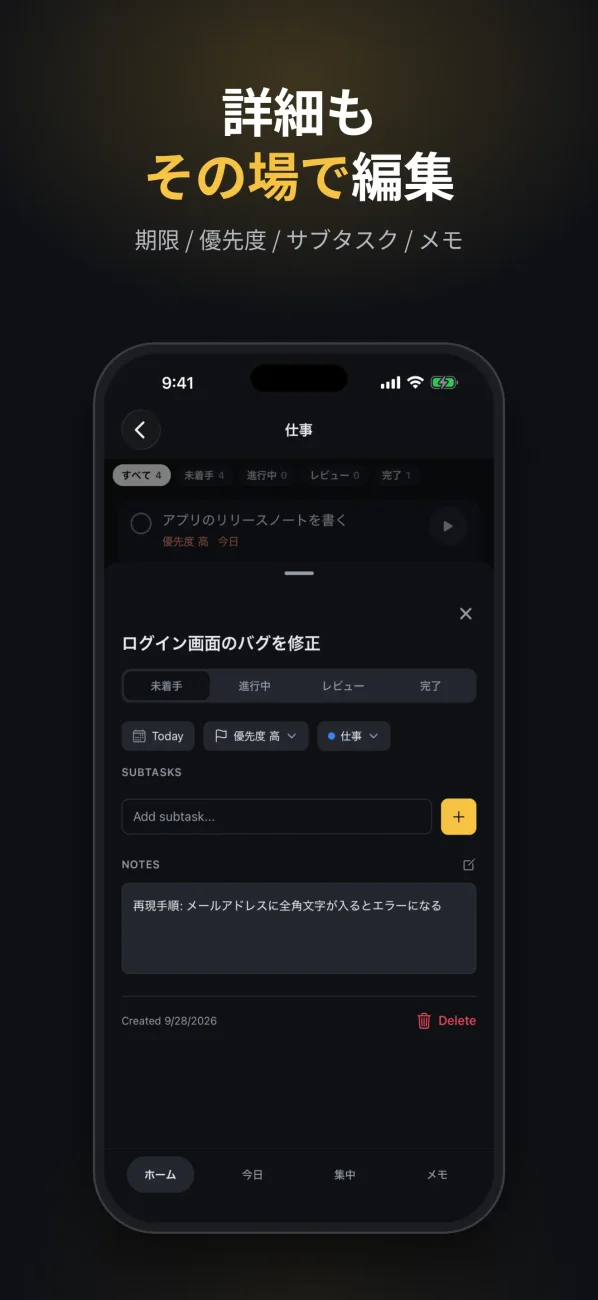
Tasks and notes live together in notebooks. Reorder by drag and drop, indent to nest, add notes to any task.
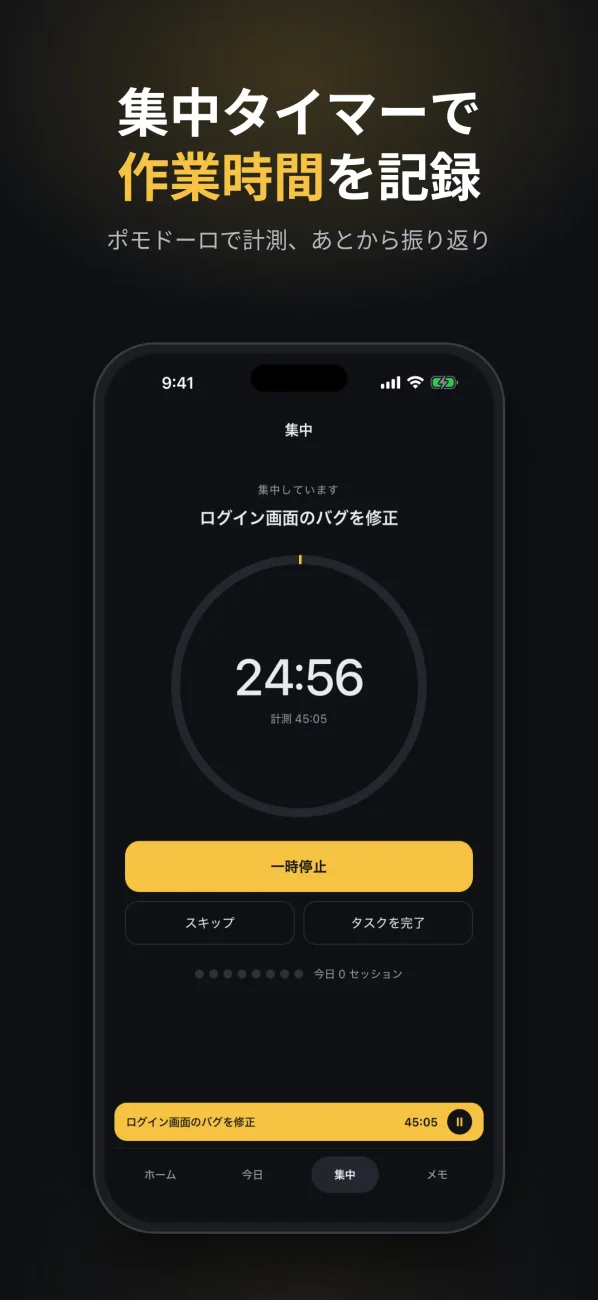
■ Time tracked automatically
Mark a task "in progress" and the timer starts. Complete it and the time is recorded. No separate timer app.
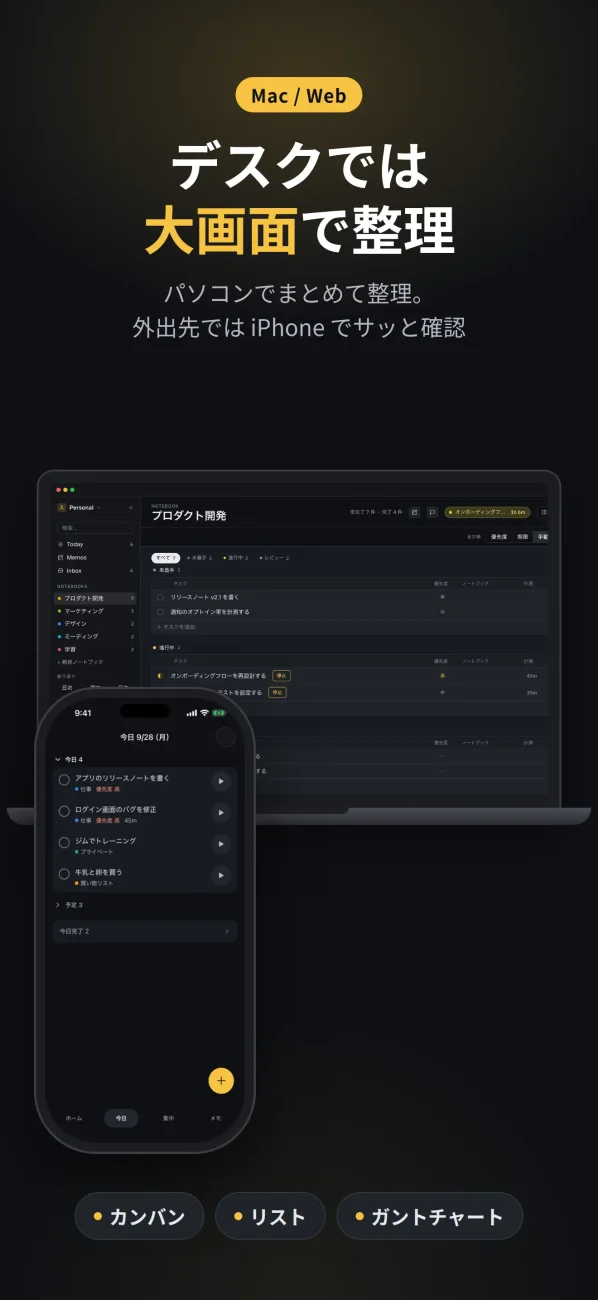
■ Today, schedule and Kanban
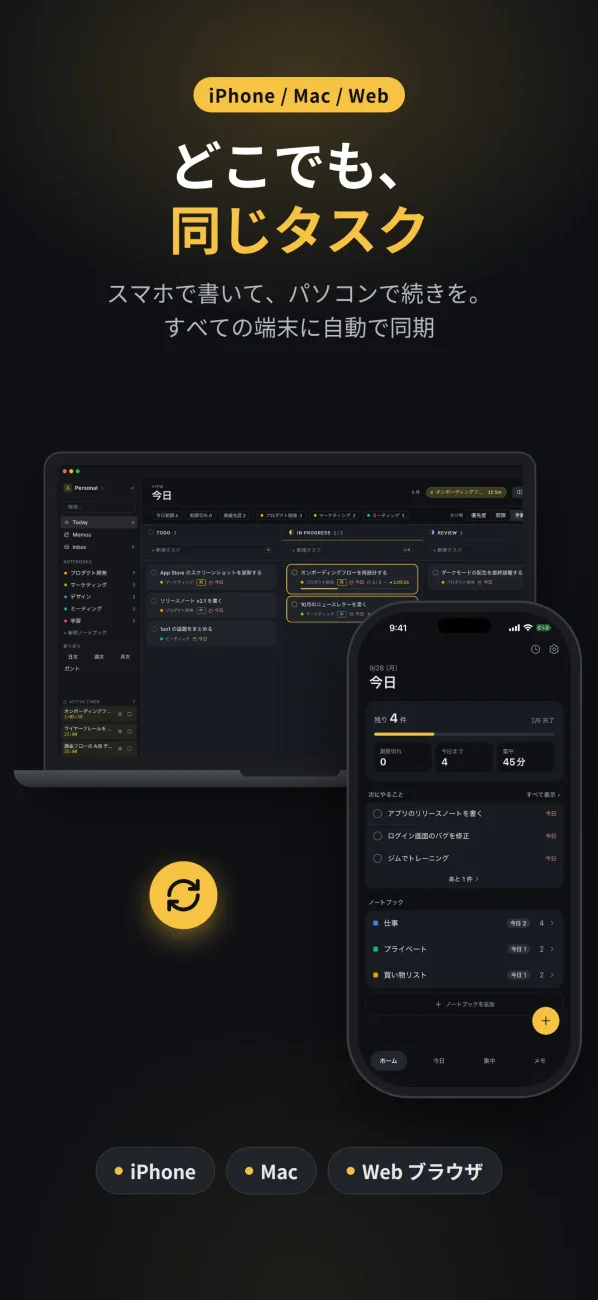
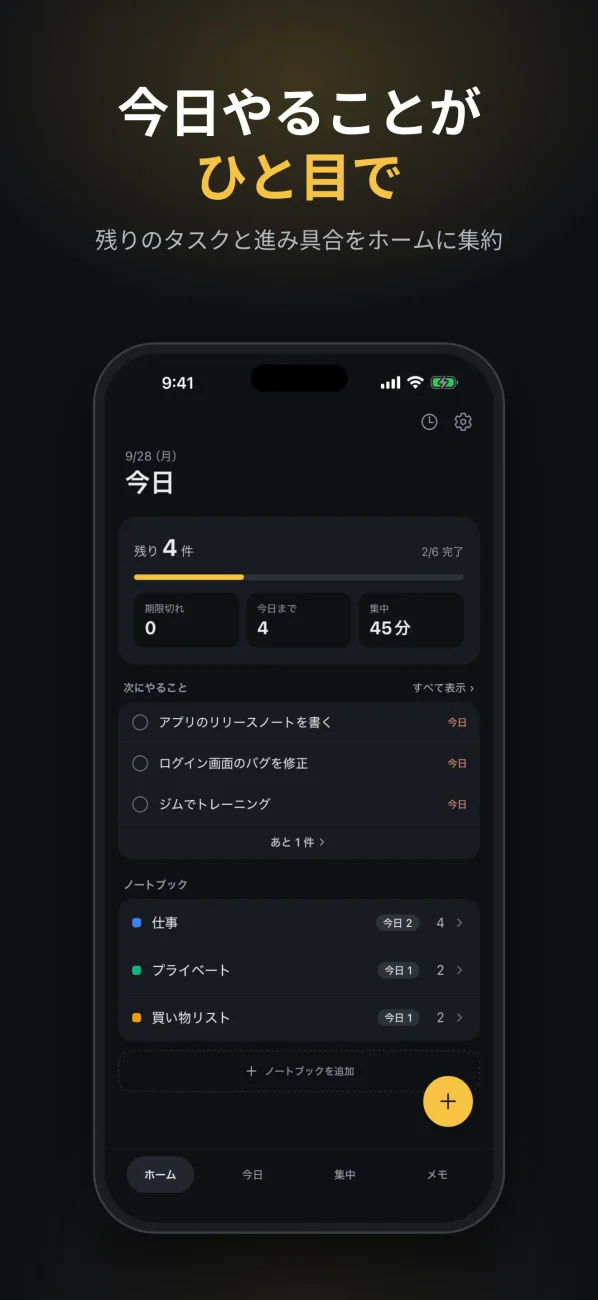
Give a task a date and it shows up in Today, Tomorrow or This Week. Overdue tasks stand out. Switch between list and Kanban.
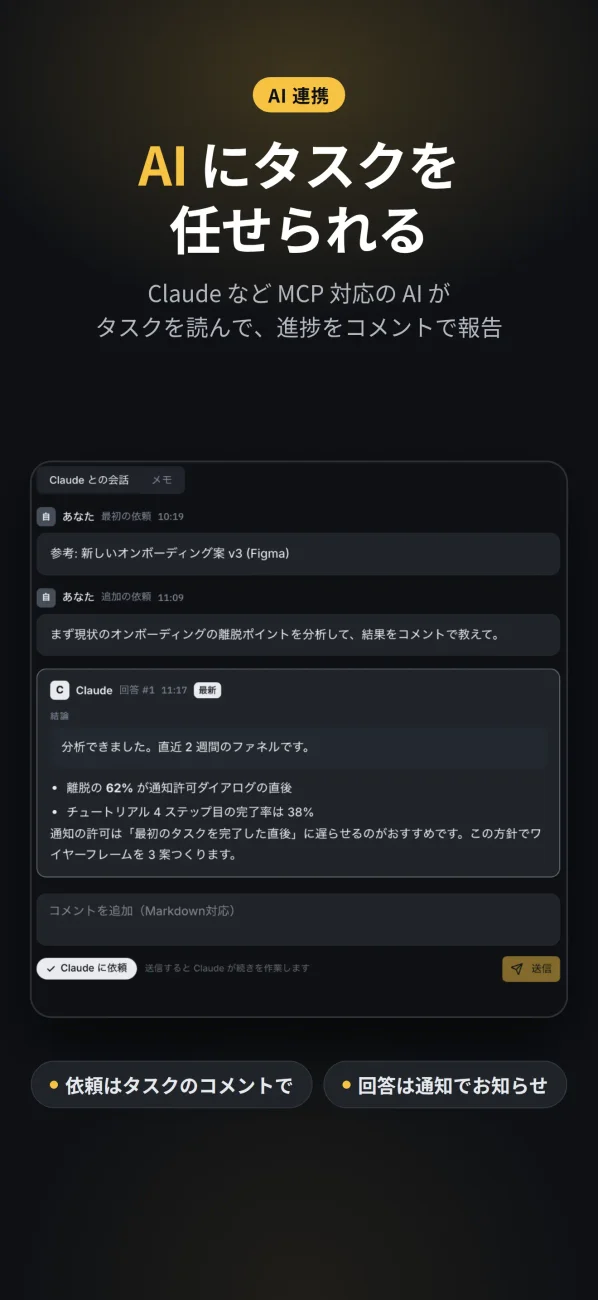
■ Works with AI (MCP)
With cloud sync (Premium), AI assistants that support MCP, such as Claude, can read and write your Donezo tasks. Hand a task to the AI in a comment; its progress reports and questions stay on the same task.
■ Sync across iPhone, Mac and Web (Premium)
Premium (yearly plan or one-time purchase) syncs your tasks across devices.
Terms of Use (EULA): https://www.apple.com/legal/internet-services/itunes/dev/stdeula/
Privacy Policy: https://donezo.shinnkura.com/privacy
What’s new
Version 1.30.0 · Nov 23, 2026
- Completed tasks now open from the "Completed N" button at the top right instead of the end of the list
- The Home + button now uses the same add-task card as notebooks
- Task lists load faster
- Fixed an issue where the back button on notebook detail sometimes did not work
App privacy
What Shinzo Nakaoka declares on the App Store about how this app handles data.
-
Data linked to you
May be collected and linked to your identity.
- Contact info
- User content
-
Data not linked to you
May be collected but is not linked to your identity.
- Identifiers
Privacy practices may vary, for example with the features you use or your age.
Information
- Seller
- Shinzo Nakaoka
- Category
- Productivity
- Version
- 1.30.0
- Updated
- Nov 23, 2026
- Released
- Jan 20, 2026
- Size
- 34.6 MB
- Requires
- iOS 15.1 or later
- Age rating
- 4+
- Price
- Free
- In-app purchases
- Yes
- Languages
- English
- Copyright
- © 2025 shinnkura
You might also like
-
 ポモドーロタイマー 仕事や勉強を効率的にProductivity
-
 Passify Password ManagerStore your passwords nowhere.
-
 Focus Pomodoro | TimerBoost your productivity.
-
 Habit ChainBuild Better Daily Habits
-
 Notily – Daily Planner & To-doTo-do, Habits & Day Planner
-
 Snapic - Image to TextExtract Text from Image
-
 WebPrivatAdvanced privacy protection
-
 Countdown Reminder: SoonTrack Events, Birthdays, Goals
-
 PaperCodeCodes make papers tidy
-
 Macaw - To DoDaily Planner