
- Age rating4+
- CategoryGraphics & Design
- DeveloperKevin Goedecke
- LanguagesEnglish
- Size18.8 MB
Links to the official App Store page
Download.org hosts no file of Doop Design. The button opens its official App Store page, published by Kevin Goedecke. Listing last checked on Nov 20, 2026.
Screenshots



About
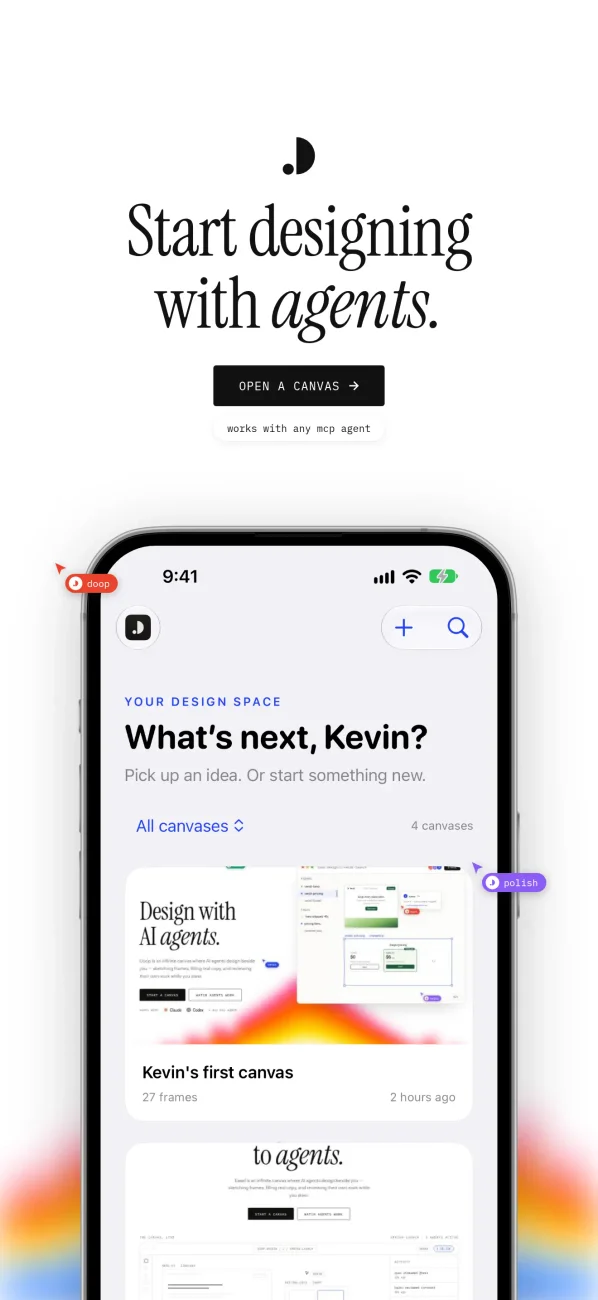
Doop Design is a shared design canvas where people and AI agents design together. Ask Claude, Codex or any MCP-compatible agent for a design and watch it stream onto the canvas as real HTML, frame by frame, while you steer.
DESIGN WITH CLAUDE AND OTHER AI AGENTS
Connect Claude Code, Claude Desktop, Codex or any MCP client to a canvas. Agents sketch frames, write real copy, review their own work and respond to your comments. You see every edit the moment it lands.
AN OPEN-SOURCE ALTERNATIVE TO PAPER DESIGN
Doop is the open-source alternative to Paper.design: an infinite canvas with artboards that render real HTML, built for AI agent design workflows. Self-host it or use doop.design.
THE CANVAS, NATIVE ON IPHONE AND IPAD
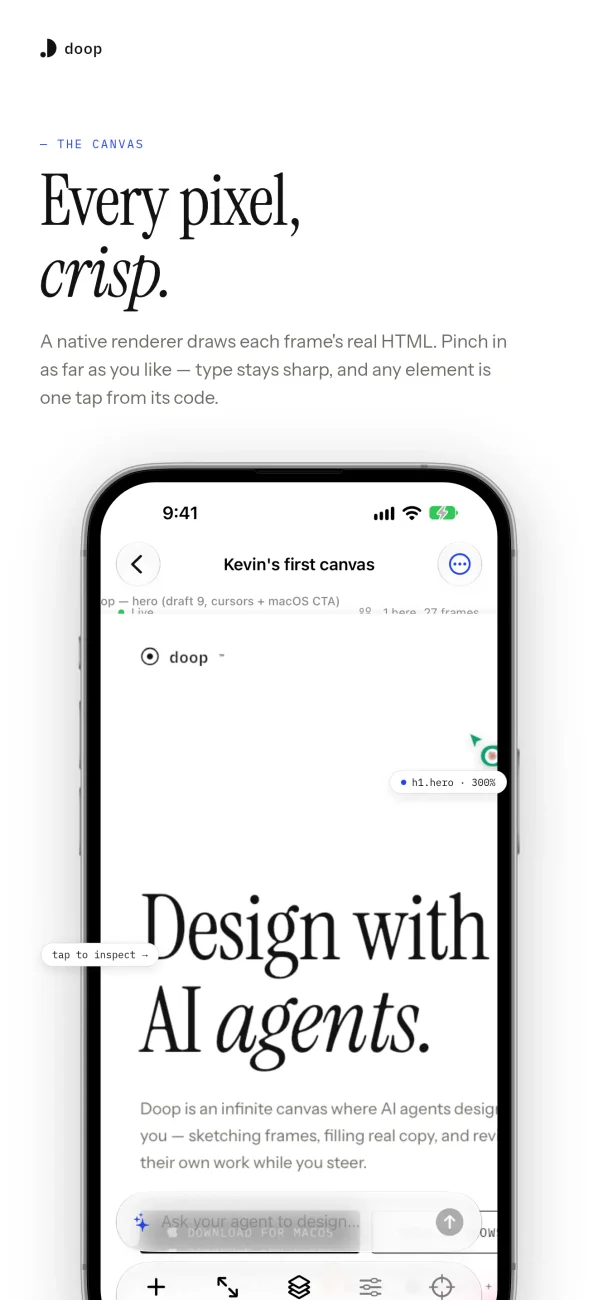
Open any canvas you belong to and move through it the way you would on a desk: pan, pinch and zoom from a bird's-eye view of every frame down to a single headline. A native renderer draws each frame's real HTML, so type stays sharp at any depth.
LIVE CURSORS
See who is on the canvas and what they are doing. Cursors, presence and edits from teammates and agents show up in real time.
INSPECT ANY ELEMENT
Tap an element to see its tag, classes and selector, and leave a comment pinned to it. Feedback goes straight to the people and agents working on the frame.
AGENT PROGRESS ON YOUR LOCK SCREEN
When an agent is working on one of your canvases, its progress appears as a Live Activity on the Lock Screen and in the Dynamic Island. No need to open the app to know when a design is ready.
YOUR SERVER OR OURS
Sign in to doop.design or point the app at your own self-hosted Doop server. Your account and canvases stay where they are.
Doop is open source: github.com/kgoedecke/doop
What’s new
Version 0.1.3 · Nov 16, 2026
- See agents at work: a frame an agent is designing, or has open, wears a ring in the agent's colour with its name.
- Sharper designs at every zoom level, with no jitter while you zoom.
- Tapping a Live Activity opens its canvas.
- Tapping a text layer selects the whole layer.
- Stars, check marks, arrows and other text symbols now draw correctly.
- Fixes for card tap targets, the model picker and reduced motion, plus other polish.
App privacy
What Kevin Goedecke declares on the App Store about how this app handles data.
-
Data linked to you
May be collected and linked to your identity.
- Contact info
- User content
Privacy practices may vary, for example with the features you use or your age.
Information
- Seller
- Kevin Goedecke
- Category
- Graphics & Design
- Version
- 0.1.3
- Updated
- Nov 16, 2026
- Released
- Oct 20, 2026
- Size
- 18.8 MB
- Requires
- iOS 16.2 or later
- Age rating
- 4+
- Price
- Free
- Languages
- English
- Copyright
- © 2026 Doop
You might also like
-
 Wallpapers-Colorful Call ShowCool Wallpaper Background
-
 Lora Ai imageTurn Ideas Into Images
-
 Vector DXF - AI Vector SearchDXF, EPS, DWG, 20k+ Files
-
 Coloring Page Maker—Color PalPrintable Sheets & Kids Books
-
 Mockit - AI Mockup MakerCreate mockups in seconds
-
 Vincent: AI Image GeneratorLet your creativity speak!
-
 SMIRKMake games with friends
-
 BetterShots - Edit ScreenshotsBlur, Stitch, Frame, Gradient
-
 Amazing AIText-to-Image Stable Diffusion
-
 Valence 3DPolygon & Subdivision Modeling