
- Age rating4+
- CategoryEducation
- DeveloperHideki Takeda
- LanguagesJapanese+ 1 more
- Size57.9 MB
Links to the official App Store page
Download.org hosts no file of Doremia. The button opens its official App Store page, published by Hideki Takeda. Listing last checked on Nov 14, 2026.
Screenshots

About
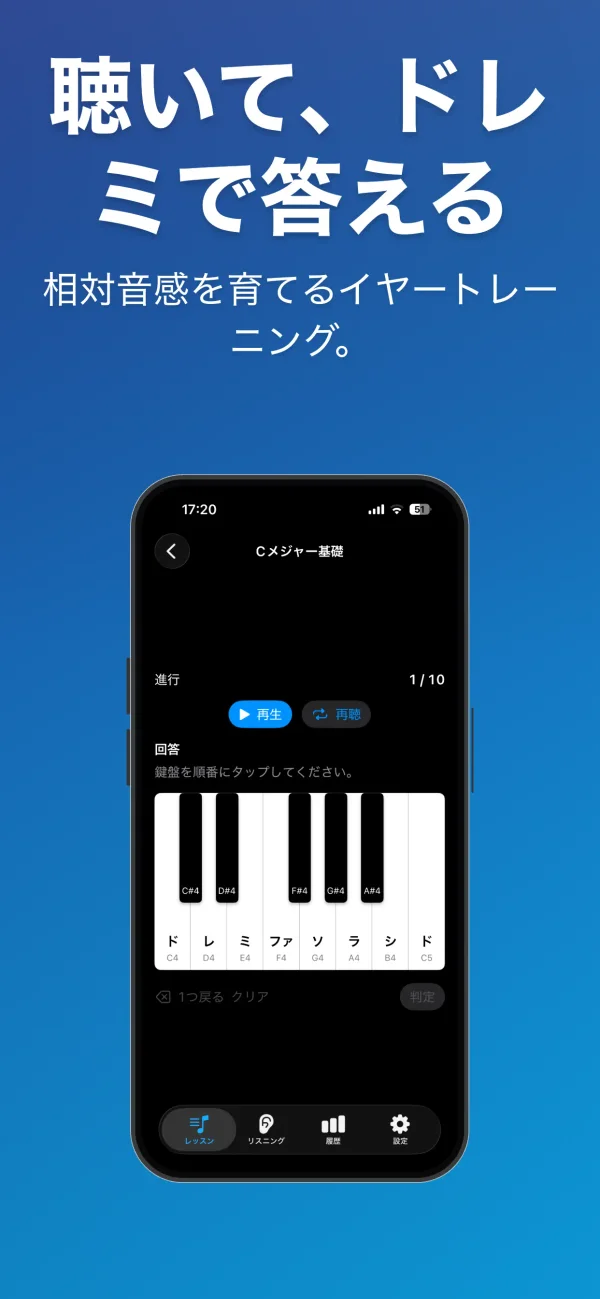
Doremia is an ear training app that helps you develop relative pitch by listening to piano notes and identifying them as Do, Re, Mi, Fa, Sol, La, and Ti.
Practice through structured lessons based on a musical key, and gradually improve your ability to recognize the role of each note within that key.
Unlike absolute pitch, which is typically developed at a very young age, relative pitch can be trained and improved at any age. Doremia is designed for anyone who wants to strengthen their listening skills and deepen their understanding of music.
Doremia focuses on hearing notes as functions within a key rather than as fixed note names.
For example, in C major, C is "Do." In D major, D becomes "Do." By training with movable Do, you learn to recognize how notes relate to each other and where they fit within a musical context.
How It Works
1. Choose a lesson or create your own
2. Listen to the tonic note or cadence to establish the key
3. Listen to the note sequence
4. Answer using the on-screen piano keyboard
5. Review your results and track your progress
Each question is graded individually, allowing you to immediately identify mistakes and focus on the scale degrees that need more practice.
Main Features
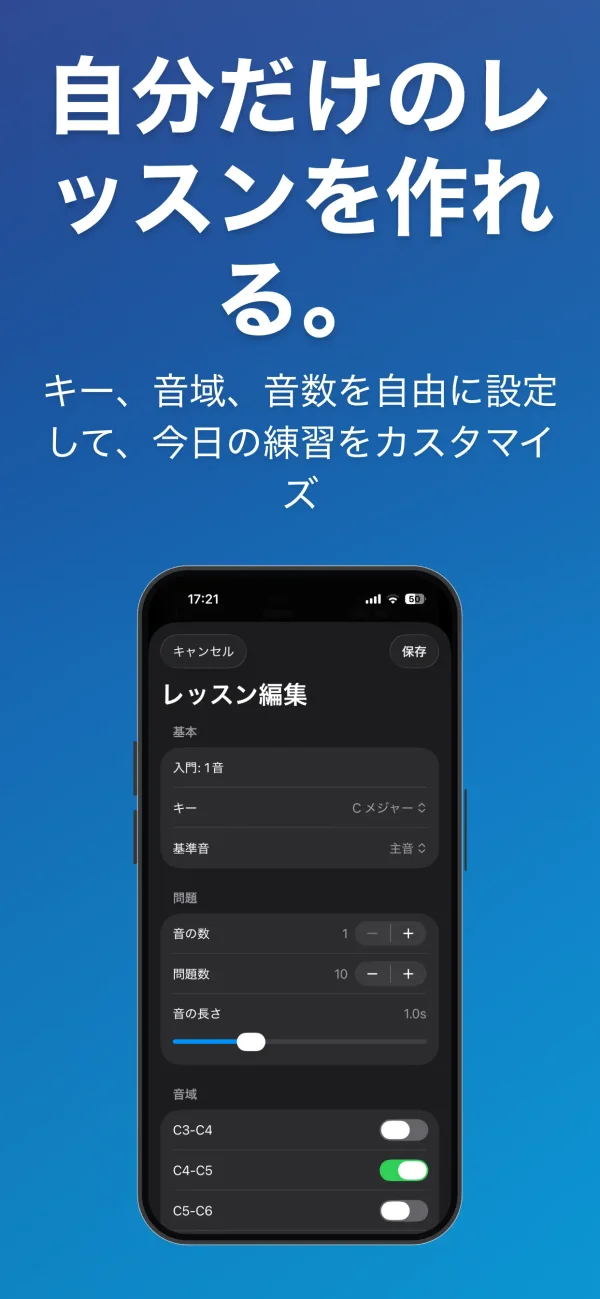
■ Custom Lessons
Create lessons tailored to your goals.
• Select musical keys
• Choose tonic note, cadence, or no reference tone
• Set the number of notes per question
• Set the number of questions
• Adjust note duration
• Select which scale degrees to include
• Choose pitch ranges (such as C4–C5 or C5–C6)
• Enable or disable velocity variation
• Edit, duplicate, and delete lessons
■ Ear Training Exercises
Listen to note sequences and answer using the piano keyboard.
Movable Do labels are displayed on the keys, helping you focus on scale degrees rather than fixed note names.
You can undo your last answer, clear all answers, and replay questions as often as needed.
Replay options include both the reference tones and the question notes, or just the question notes alone.
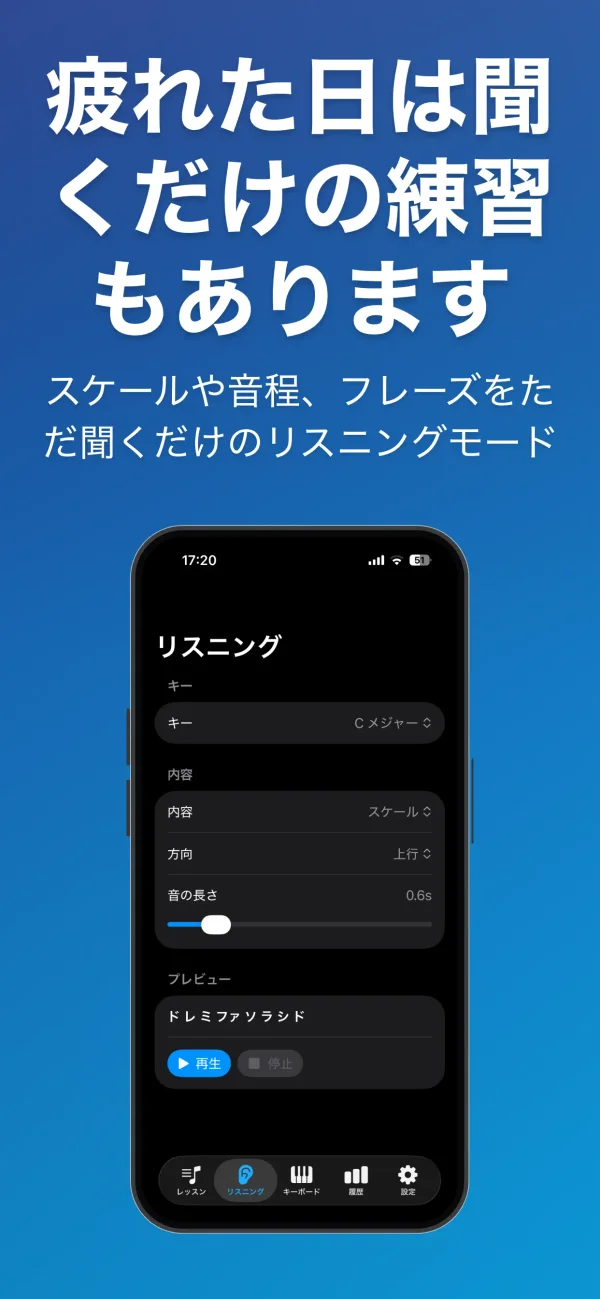
■ Listening Mode
Improve your ears even when you don't want to answer questions.
• Major and minor scales
• Interval exercises from 3rds to octaves
• Ascending, descending, and round-trip patterns
• Tempo adjustment
• Key selection
Perfect for warming up before practice sessions or training your ears while on the go.
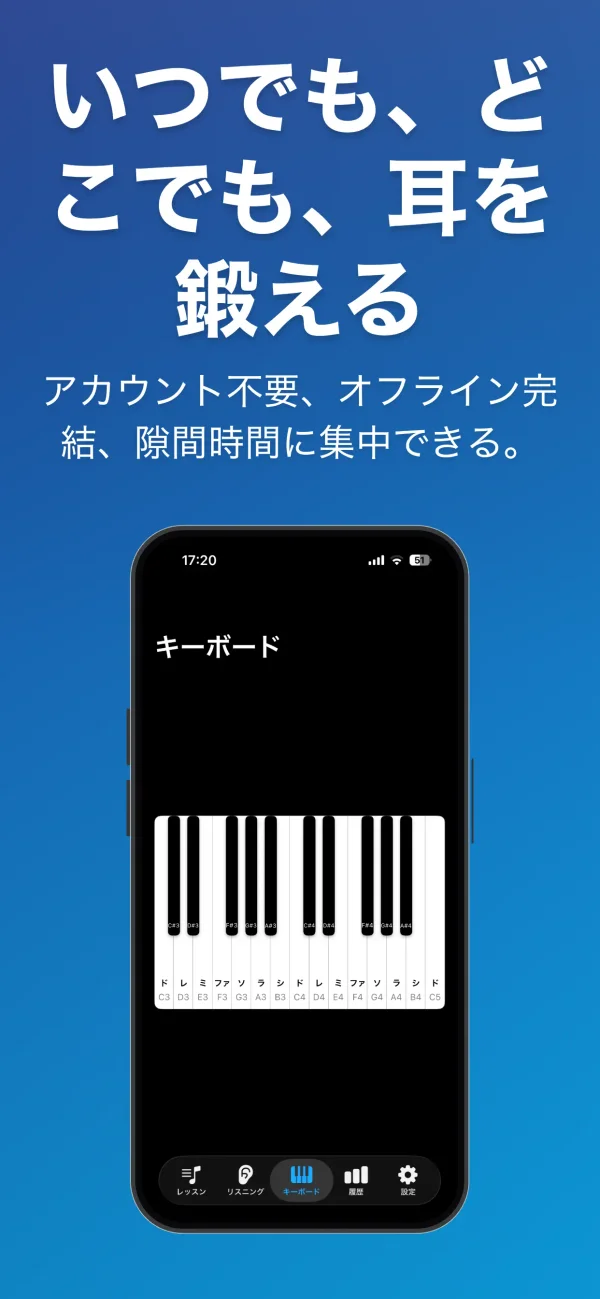
■ Keyboard
Use the built-in keyboard to freely explore notes and scale degrees.
■ Progress Tracking
All practice data is stored locally on your device.
• Accuracy by lesson
• Accuracy by scale degree
• Weekly, monthly, and lifetime statistics
• Session history
Track your strengths and weaknesses.
Who Is This App For?
• Musicians who want to develop relative pitch
• Singers practicing movable Do
• Students studying solfège and dictation
• Instrumentalists who want stronger listening skills
• Anyone interested in ear training
• People who want to improve karaoke pitch accuracy
• Musicians working on transcription and ear-based learning
• Busy learners looking for short daily practice sessions
Why Doremia?
■ Practice at Your Own Level
Customize lesson difficulty by adjusting keys, note ranges, scale degrees, and more.
■ Focus on Movable Do
Train your ears to recognize note functions within a key rather than memorizing fixed note names.
■ Natural Piano Sound
Doremia uses SoundFont piano samples for a clear and realistic listening experience.
Optional velocity variation adds subtle dynamic differences, creating a more natural musical environment.
■ Works Offline
Lessons, listening exercises, and progress tracking all work entirely on your device.
No account required.
Spend a few minutes each day training your ears and discover the power of relative pitch.
App privacy
What Hideki Takeda declares on the App Store about how this app handles data.
-
Data not collected
The developer does not collect any data from this app.
Privacy practices may vary, for example with the features you use or your age.
Information
- Seller
- Hideki Takeda
- Category
- Education
- Version
- 1.0
- Updated
- Jun 16, 2026
- Released
- Jun 16, 2026
- Size
- 57.9 MB
- Requires
- iOS 17.0 or later
- Age rating
- 4+
- Languages
- Japanese, English
- Copyright
- © 2026 chie-lab.com
You might also like
-
 SolfegeLine: Ear TrainingEar training for musicians
-
 Aokun Music QuestLearn Music Through Games
-
 J.Sugarの音感トレーニングEducation
-
 東アルメニア語辞書Reference
-
 SolfagenSolfège practice generator
-
 くみたて英会話Education
-
 Pitch QuestLevel Up Your Ears
-
 Glozzer - 唱歌人的練習筆記Education
-
 シンプルなフレーズ帳 -フレーズノートEducation
-
 Piano & Stickers: Ear TrainingPerfect Pitch Game for Kids