Dose Dot: Injection Tracker
GLP-1 shot sites & weight log
Designed for iPhone, iPad
Free
- Age rating17+
- CategoryHealth & Fitness
- DeveloperALIBEE LLC
- LanguagesEnglish+ 7 more
- Size4.2 MB
Links to the official App Store page
Download.org hosts no file of Dose Dot: Injection Tracker. The button opens its official App Store page, published by ALIBEE LLC. Listing last checked on Nov 15, 2026.
Screenshots



About
Dose Dot is a simple, private GLP-1 shot and weight log. It remembers where your recent shots went, keeps your refills straight, and turns your weight history into a chart you will actually want to share.
No account. No cloud. No ads. No tracking. Every feature free.
TRACK YOUR SHOT
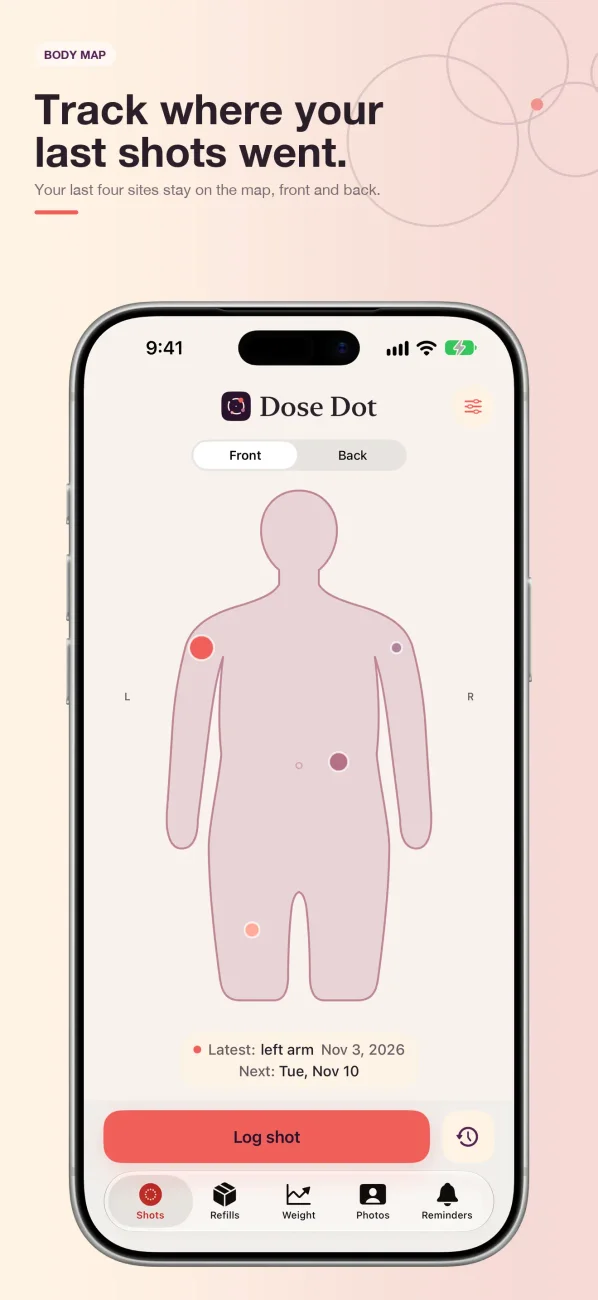
Tap the body where the shot went and Dose Dot keeps the exact sites of your four most recent shots in view, front and back, newest largest. Add the medicine and dose from a built-in list or type your own; the app remembers your usual for next time. It records what you tell it and never recommends where to inject next.
EASY WEIGHT LOGGING
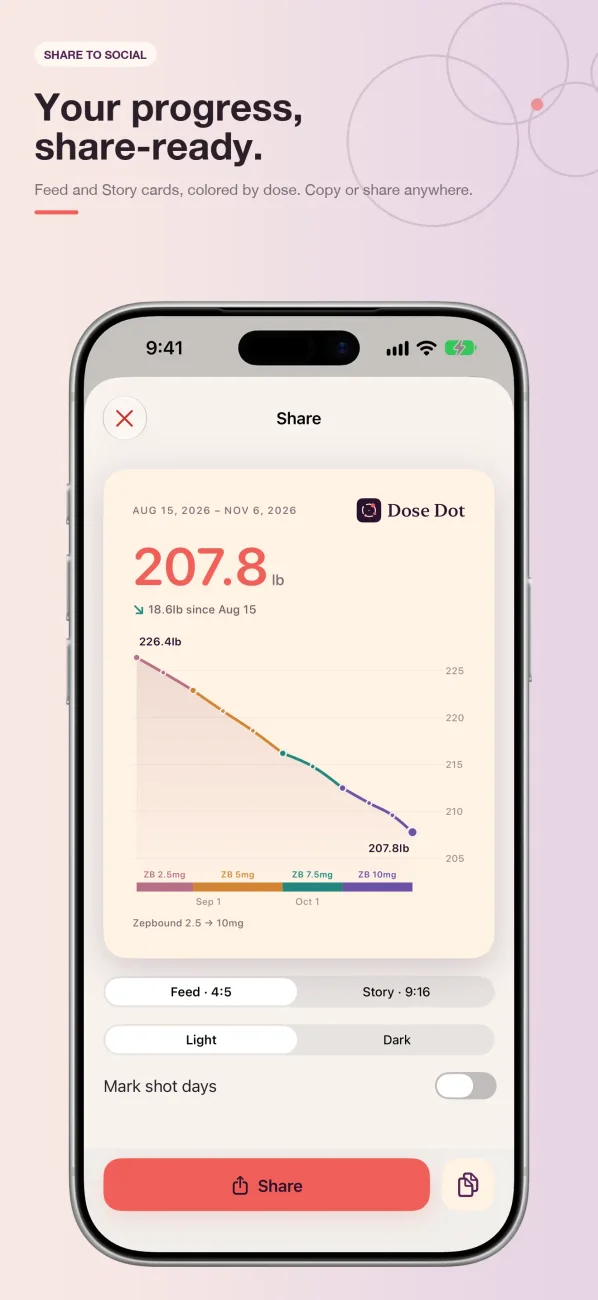
Weigh in when you like, in pounds or kilograms. Your current weight leads the screen with the change over the range, and the chart colors each stretch by the medicine and dose you were on, with a ribbon along the floor showing when each began. Drag a finger across the chart to read any day. Choose 30 days, 90 days, all time, or a custom range. Already weigh in with Apple Health? Connect it and your Health weigh-ins appear on the chart, and weights you log here are saved to Health.
PROGRESS PHOTOS
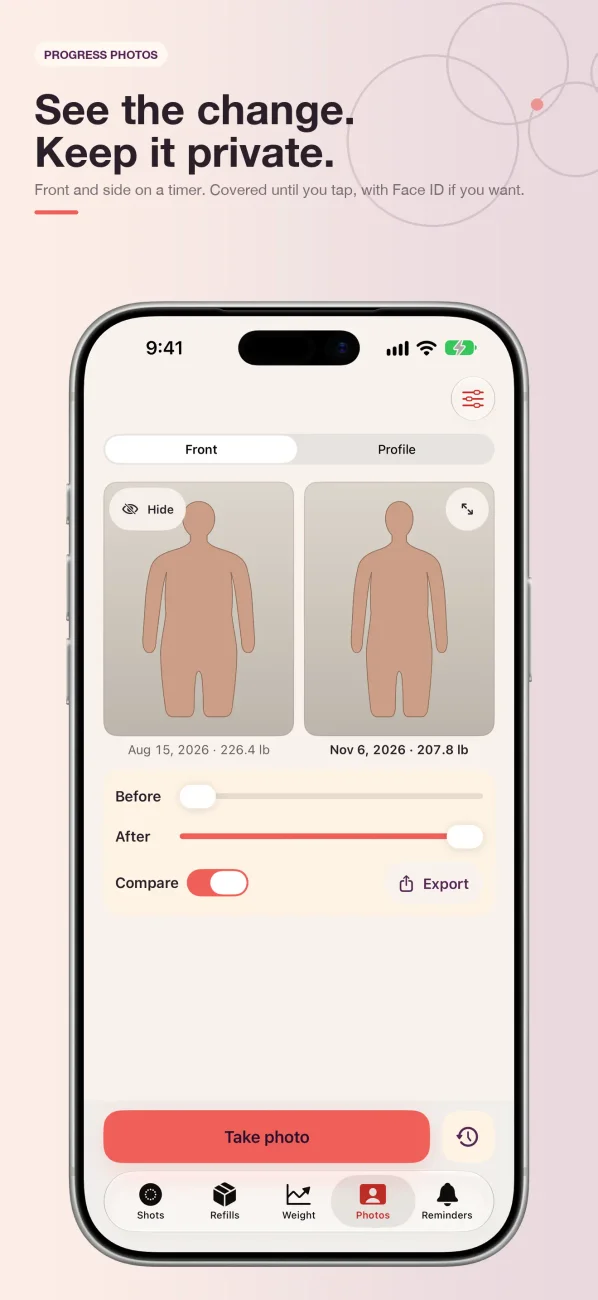
A Photos tab for front and side progress photos. Prop your phone up, use the front camera with a 3 or 10 second timer, and line up with the outline or your last photo. Photos stay covered until you tap, and you can lock the tab with Face ID. Play them back over time, compare any two side by side with the weight you logged that week, and export a photo, a before and after, a front and side pair, or a video. Blur your face, the background, or both, and choose whether to show the date and your weight.
DOSES AND REFILLS
See your estimated supply as vials and your refills as boxes. When a new box arrives, one tap adds it. Log a shot with no doses left and Dose Dot assumes you opened a new box. Turn on the refill reminder and it tells you when it is time to order your next refill, with Ordered and Remind me tomorrow one tap away. When one refill is left, it gives you an early note to contact your prescriber.
REMINDERS ON YOUR TIMING
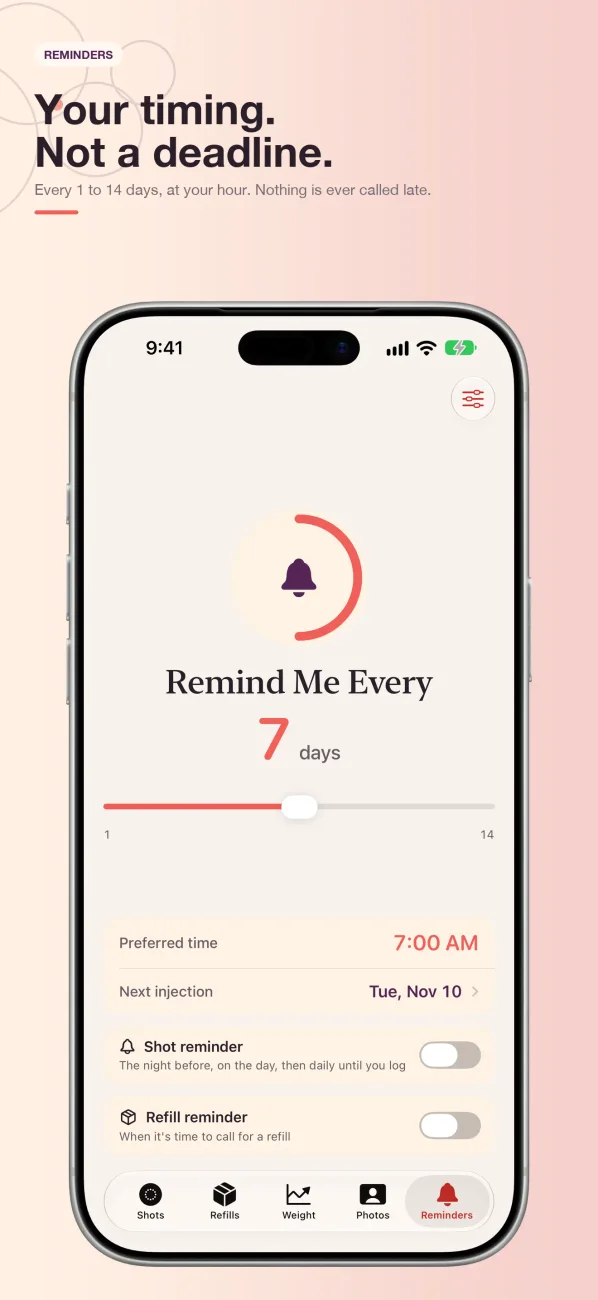
Pick any interval from 1 to 14 days and a preferred time of day. Dose Dot counts from your latest log, shows the day of your next injection under your latest shot, and lets you move it to another day. A reminder arrives at 8 PM the evening before and again on the day. If that day passes without a log, a reminder follows once a day at the same time until you log, for up to a week. Nothing is ever labeled late, missed, or overdue, and no notification names your medicine or dose.
SHARE TO SOCIAL
Turn the chart into a share-ready image in feed or story size, light or dark, colored by dose. Share it anywhere or copy it. Hold the share button for a one-page PDF or the CSV behind it.
BRING YOUR HISTORY WITH YOU
Switching from Shotsy? Import its JSON or CSV export and your shots, sites, doses, and weigh-ins come along. Dose Dot also writes and reads its own backup file, with or without your photos, so moving to a new phone is one export and one import. Press and hold the app icon for a reminder to back up before you delete the app. Every import shows you what it found before writing anything.
MAKE IT YOURS
Six color themes, each with a matching app icon, in light, dark, or the system setting. Choose from four body figures for the shot map.
MINIMAL ONBOARDING
One screen, one button to start. No sign-up, no questions.
TOTALLY PRIVATE
Your shots, body locations, weight, progress photos, reminder settings, and refill records stay inside the app on your device. Dose Dot has no login, no developer-run server, no advertising or analytics SDK, no cloud sync, and no network connection of its own. Data leaves only when you export, share, or copy it yourself, or when you connect Apple Health, which receives your weight and nothing else.
Dose Dot is a personal record, not medical advice. It does not recommend a dose, medication, injection site, or treatment schedule.
What’s new
Version 1.4 · Nov 9, 2026
New Photos tab: track your progress in front and side photos. Prop your phone up, set a 3- or 10-second timer, and line up with the outline, then with your last photo, so every shot matches.
Your photos stay covered until you tap, and you can lock the tab with Face ID. Play them back as a timeline, compare before and after, and see your weight from the same day.
Share only what you want: export a single photo, Before & after, Front & side, or a video. Blur your face or the background, and choose whether the date and your weight show.
Make it yours: six color themes, each with a matching app icon, and four body figures for your shot map.
Shot reminders now come at 8 PM the evening before, as well as on the day.
Backups can include your photos, and Import takes either kind of backup file. Press and hold the app icon for a reminder to back up before you delete the app.
Logging a shot now fits on smaller iPhones and at large text sizes, with improvements for VoiceOver and every language.
Dose Dot is still yours alone: no account, no ads, no tracking, and everything stays on your iPhone. Every feature is free.
App privacy
What ALIBEE LLC declares on the App Store about how this app handles data.
-
Data not collected
The developer does not collect any data from this app.
Privacy practices may vary, for example with the features you use or your age.
Information
- Seller
- ALIBEE LLC
- Category
- Health & Fitness
- Version
- 1.4
- Updated
- Nov 9, 2026
- Released
- Sep 14, 2026
- Size
- 4.2 MB
- Requires
- iOS 17.0 or later
- Age rating
- 17+
- Price
- Free
- Languages
- English, Arabic, French, Japanese, Korean, Portuguese, Spanish, Traditional Chinese
- Copyright
- © Alibee, LLC
You might also like
-
 Jabo: GLP-1 Shot TrackerWegovy, Zepbound & Mounjaro
-
 GLPrivate: GLP-1 Shot TrackerPrivate shot & progress log
-
 Itchi: Psoriasis TrackerTrack flares, find triggers
-
 Odak: Shot & Injection TrackerLog doses, sites & missed days
-
 Perith: Menopause TrackerHot Flashes, Sleep & HRT Log
-
 Peptide Injection TrackerPrivate Log, Calendar & Vials
-
 AfterShot: GLP-1 Food CoachProtein, meals & side effects
-
 GLP Protein - GLP-1 TrackerProtect Muscle on GLP-1
-
 SiteCycle: Injection TrackerRotate sites, log every dose
-
 GLPalYour GLP journey companion