Dose Easy - Supplement Tracker
Vitamin checklist & reminders
Designed for iPhone, iPad
Free · In-app purchases
- Age rating4+
- CategoryHealth & Fitness
- DeveloperMatthew Strickland
- LanguagesEnglish
- Size4.9 MB
Links to the official App Store page
Download.org hosts no file of Dose Easy - Supplement Tracker. The button opens its official App Store page, published by Matthew Strickland. Listing last checked on Nov 26, 2026.
Screenshots


About
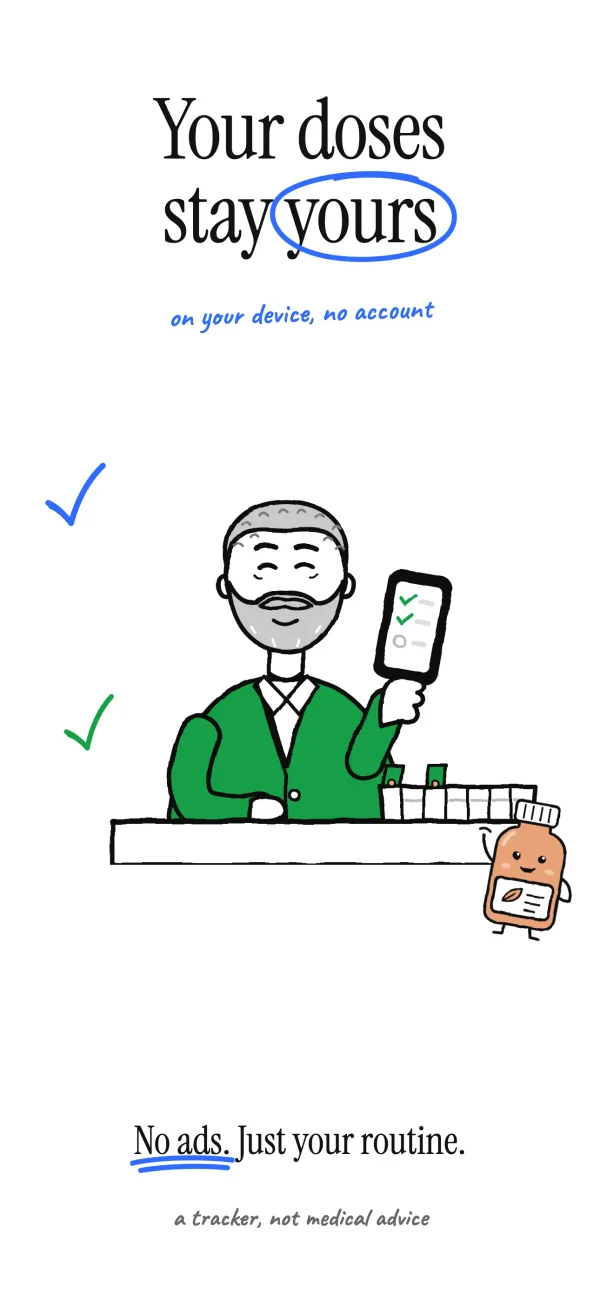
Dose Easy is a daily checklist for your supplements and vitamins, on iPhone and iPad. Add what you take, check off each dose as you go, and see how your routine is going. No account, no subscription, no ads.
Add it in a sentence
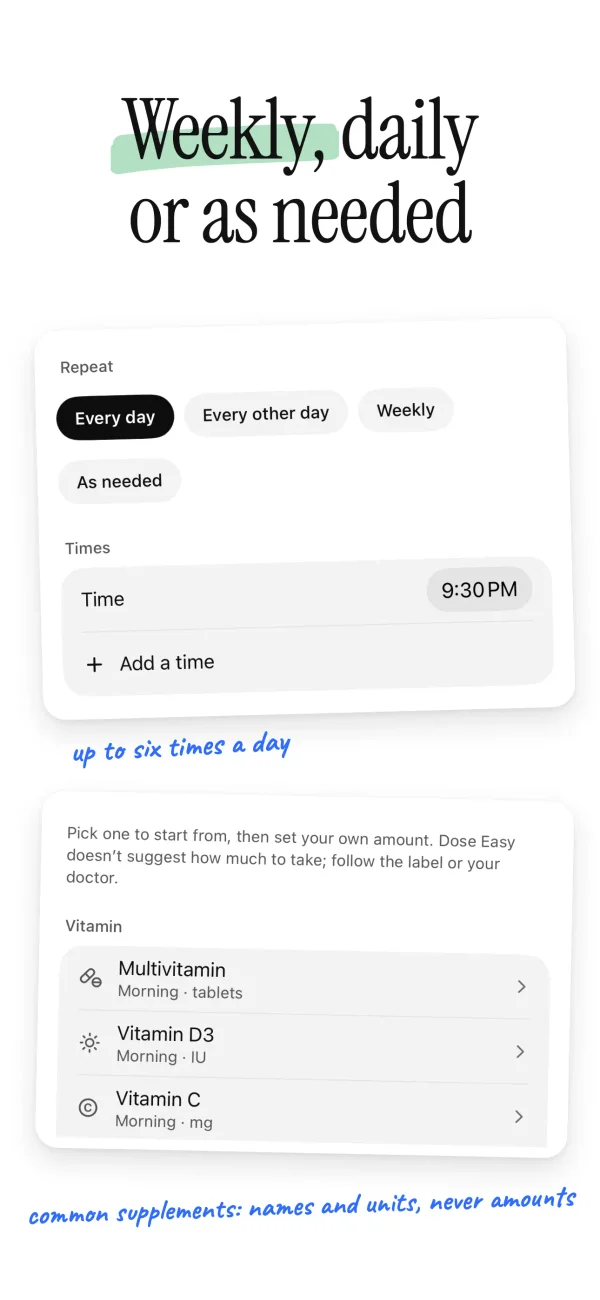
Type “Vitamin D 2000 IU every morning” and Dose Easy fills in the name, amount, time and schedule. Or start from a list of common supplements, or set everything yourself: the amount and unit, every day, every other day, weekly or as needed, and up to six times a day.
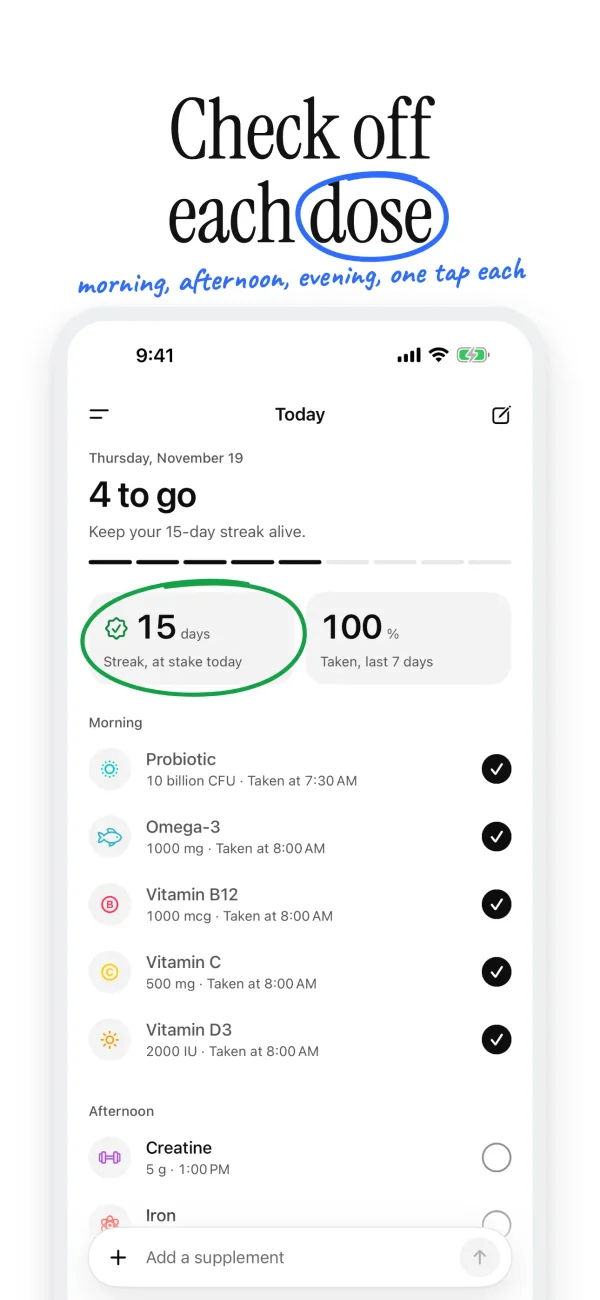
Today, one tap a dose
Today lists your doses by morning, afternoon and evening. Tap a dose once you’ve taken it. Touch and hold to skip one. Supplements you take as needed are a tap away too. On iPad, and on iPhone Duo unfolded, today’s doses sit beside your streak and how each supplement is going; pick one to see its history right there.
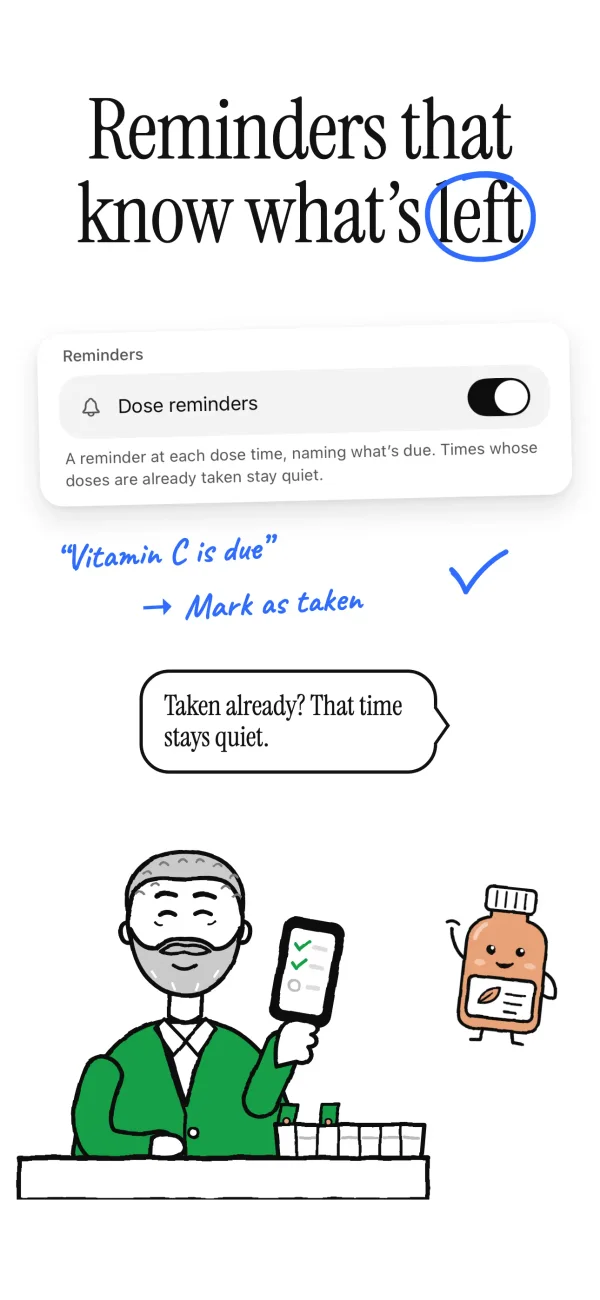
Reminders that know what’s left
Get a notification at each dose time naming what’s due, with a button to mark it as taken. Times you’ve already covered stay quiet.
Your streak and your history
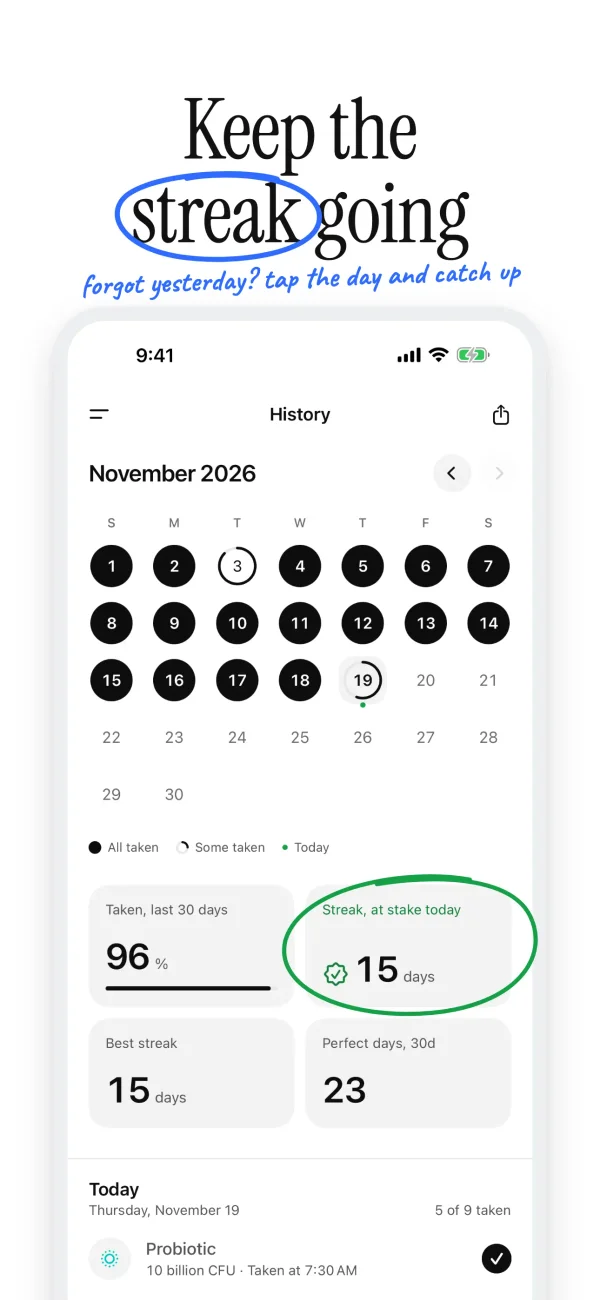
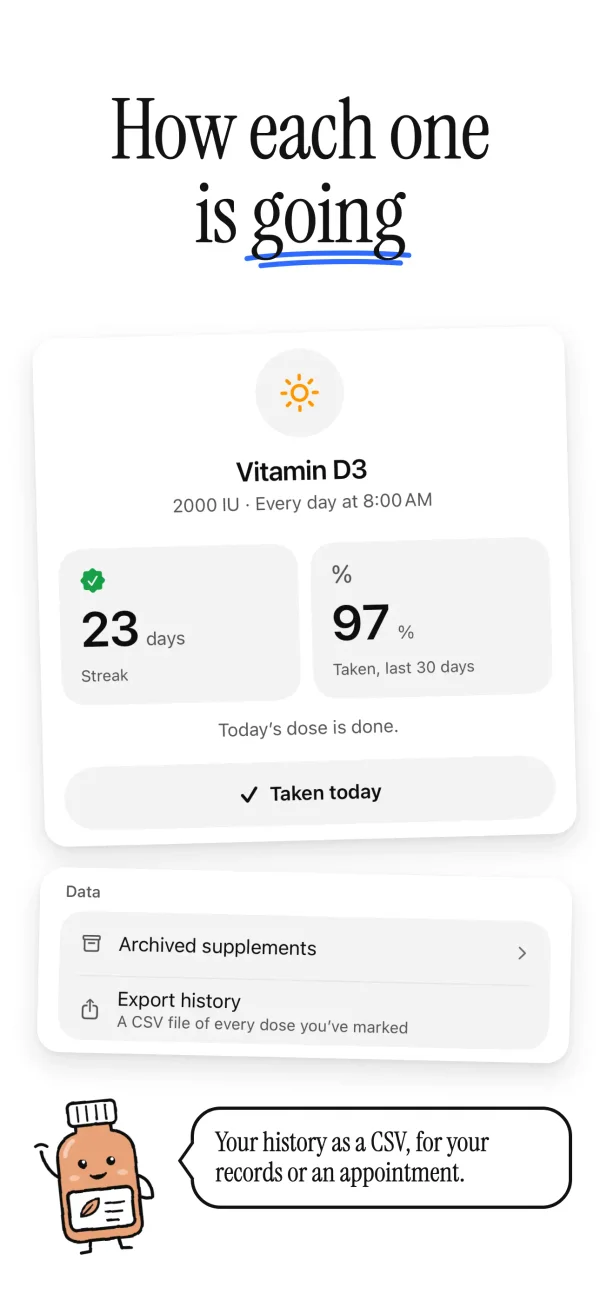
Your streak counts the days you took every dose. The month view shows each day at a glance, with how many doses you took over the last 30 days, your best streak, and how each supplement is going. Forgot to mark yesterday’s dose? Tap the day and catch up. On iPad the month sits beside the day you pick.
Widgets
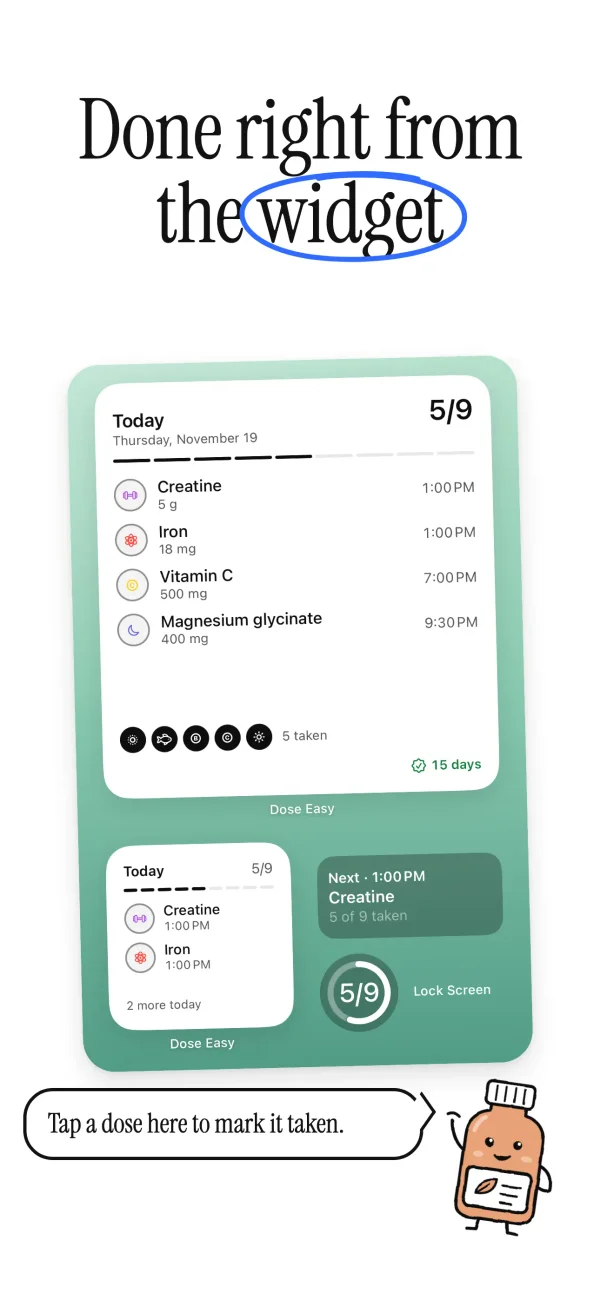
See what’s left today on your Home Screen and Lock Screen, and mark a dose as taken right from the widget.
Export
Share your history as a CSV file, for your own records or to bring to an appointment.
Your look
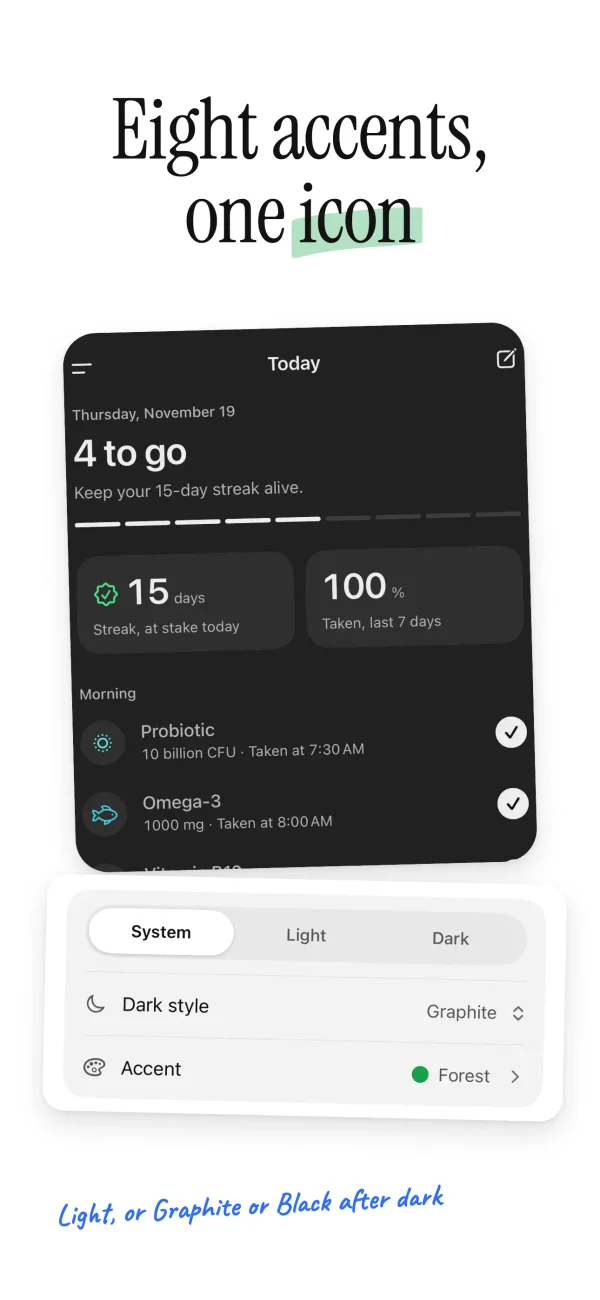
Light, or Graphite or Black after dark. Pick one of eight accents for your streak; it also sets the app icon.
Private by design
Your supplements and doses stay on your device. No accounts, no tracking, no third-party code. Dose Easy sends anonymous diagnostics (crash reports and which screens you use, never your supplements or doses) to help fix problems; you can turn this off in Settings.
A tip, if you like
Dose Easy is free and has nothing to unlock. If it helps you keep your routine, you can leave a one-time tip in Settings: a Capsule, a Glass, a Bottle or a Garden. Apple handles the payment, and a tip unlocks nothing: every feature is already yours.
Dose Easy is a tracker, not medical advice. It doesn’t recommend supplements or amounts. Ask a doctor or pharmacist which supplements and amounts suit you.
What’s new
Version 1.3 · Nov 25, 2026
Now on iPad, in two columns: Today’s checklist beside your streak and how each supplement is going, or beside the supplement you pick; your supplements beside the one you open; and History’s month beside the day you pick, to catch up on a dose. It works in any window size, in Split View and Stage Manager, with ⌘N for a new supplement. On iPhone Duo, Supplements and History now use both sides when it’s unfolded, too.
App privacy
What Matthew Strickland declares on the App Store about how this app handles data.
-
Data not linked to you
May be collected but is not linked to your identity.
- Purchases
- Usage data
- Diagnostics
Privacy practices may vary, for example with the features you use or your age.
Information
- Seller
- Matthew Strickland
- Category
- Health & Fitness
- Version
- 1.3
- Updated
- Nov 25, 2026
- Released
- Nov 5, 2026
- Size
- 4.9 MB
- Requires
- iOS 17.0 or later
- Age rating
- 4+
- Price
- Free
- In-app purchases
- Yes
- Languages
- English
- Copyright
- © 2026 IdleFusion
You might also like
-
 Supli - Supplement TrackerDose reminders and refills
-
 My Supplement PlannerSupplement & vitamin tracker
-
 VitaCheck - Supplement TrackerDaily vitamin & pill routine
-
 Minimalist WorkoutPrivate. Offline. Yours.
-
 Supplement Tracker - SuppixVitamin Scanner
-
 StronkBarStrength Training Companion
-
 Supplement Tracker SuppleTrackVitamin Alarm & Pill Reminder
-
 Supplement Tracker: VitaminPill Reminder & Dosage Guide
-
 Supplement & Vitamin TrackerReminders & Ingredient Scanner
-
 Notice – Mindful Screen TimeLive Screen timer