Dote Timer - Time Management
For your perfect day
Designed for iPhone, iPad, iPod touch
Free · In-app purchases
- Age rating4+
- CategoryProductivity
- DeveloperSmartdong School
- LanguagesEnglish+ 17 more
- Size87.1 MB
Links to the official App Store page
Download.org hosts no file of Dote Timer - Time Management. The button opens its official App Store page, published by Smartdong School. Listing last checked on Nov 22, 2026.
Screenshots

About
#Time Management Secret of Successful People#
Try Dot Timer now, the king of time management!
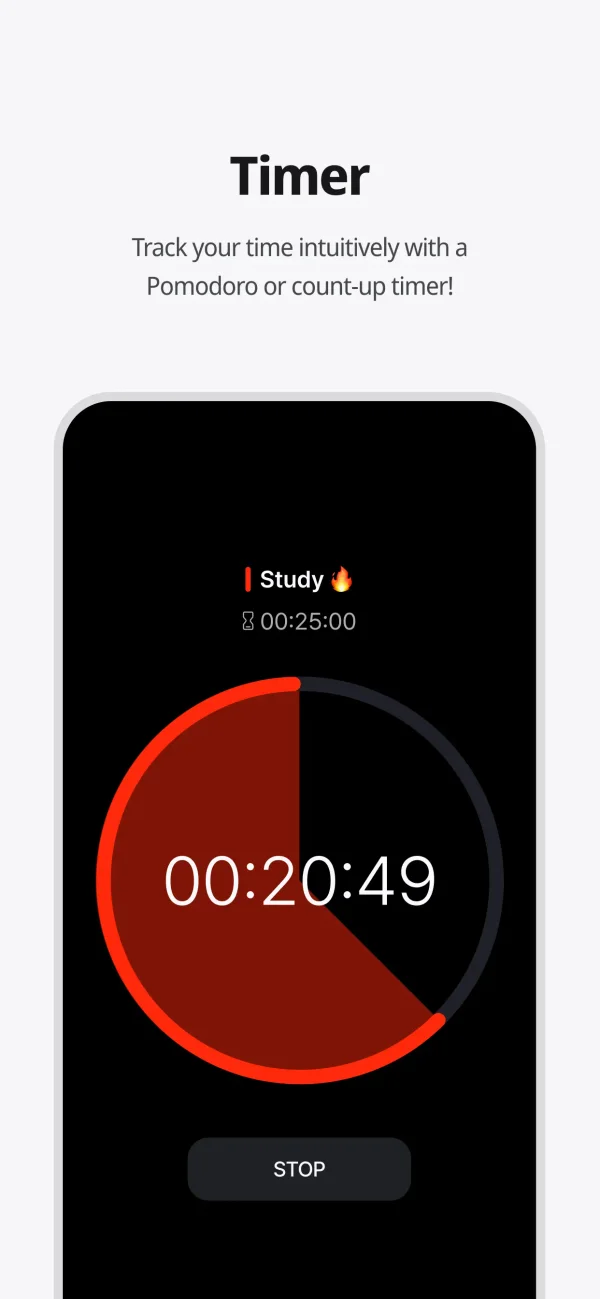
Are you having trouble managing your time? Need to concentrate, but your smartphone is distracting you? Organizing your work or even recording your study time, everything can be done with Dot Timer!
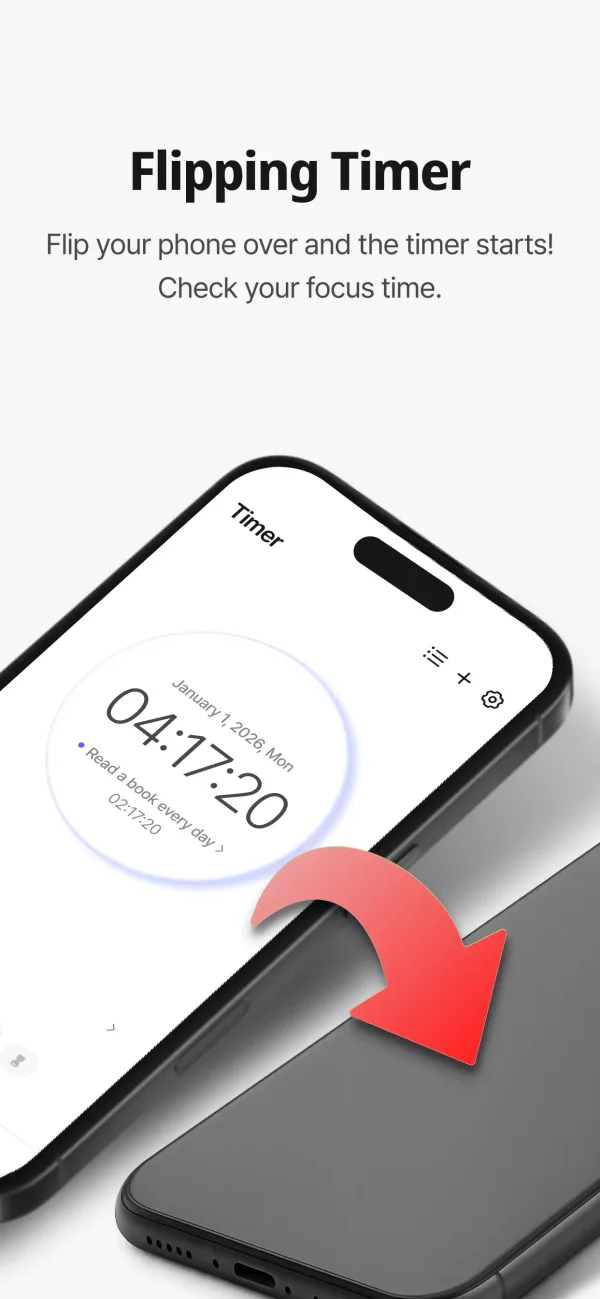
##Flip Timer
UP your concentration with a timer that runs when your flip your smartphone!
Let's get away from smartphone addiction!
Get donation coins every 10 minutes of concentration
##Time Table
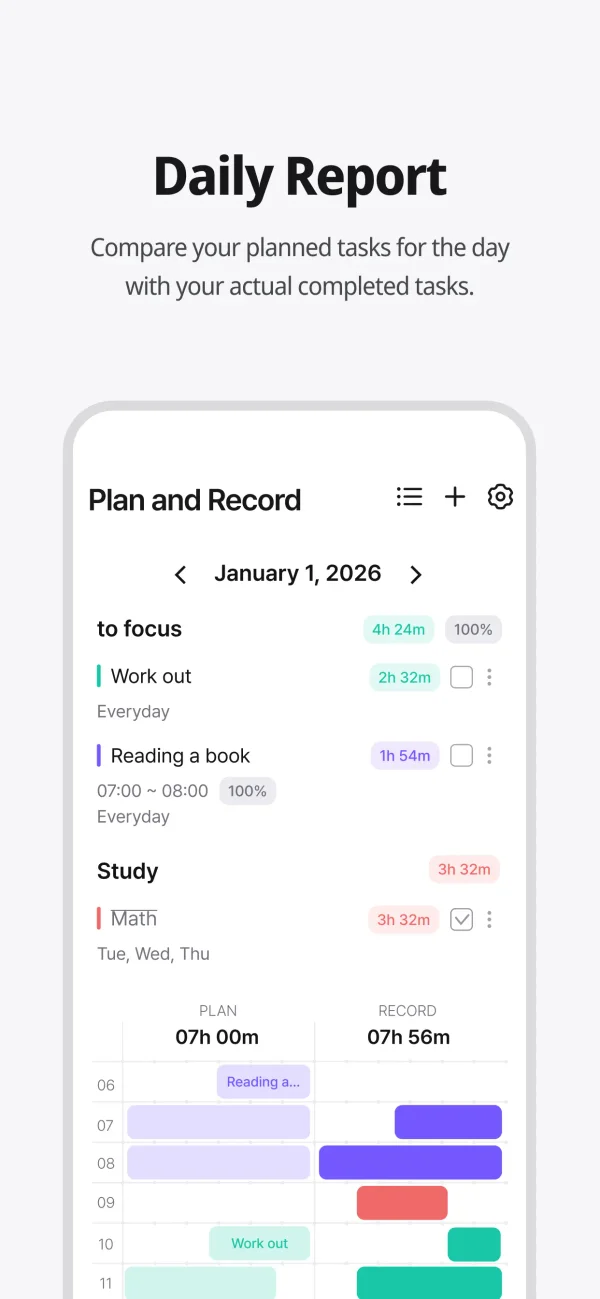
Unique time table that allows you to compare your plans with the actual records at a glance!
Maximize time utilization with a 10-minute dot-separated planner
##Various statistical charts
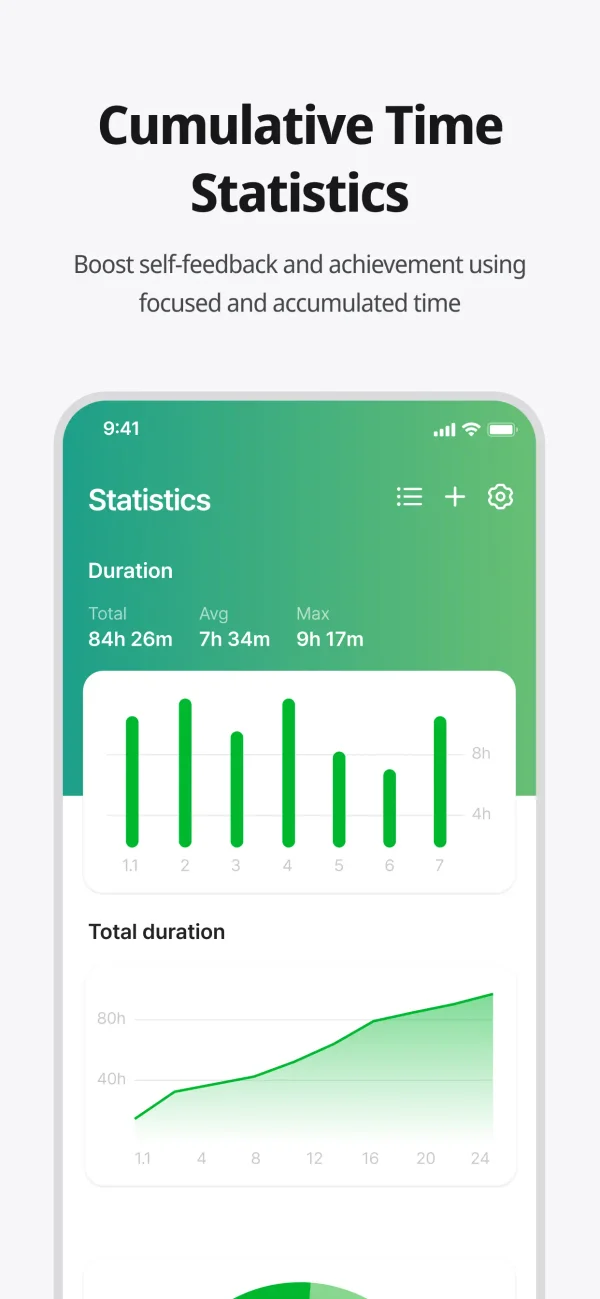
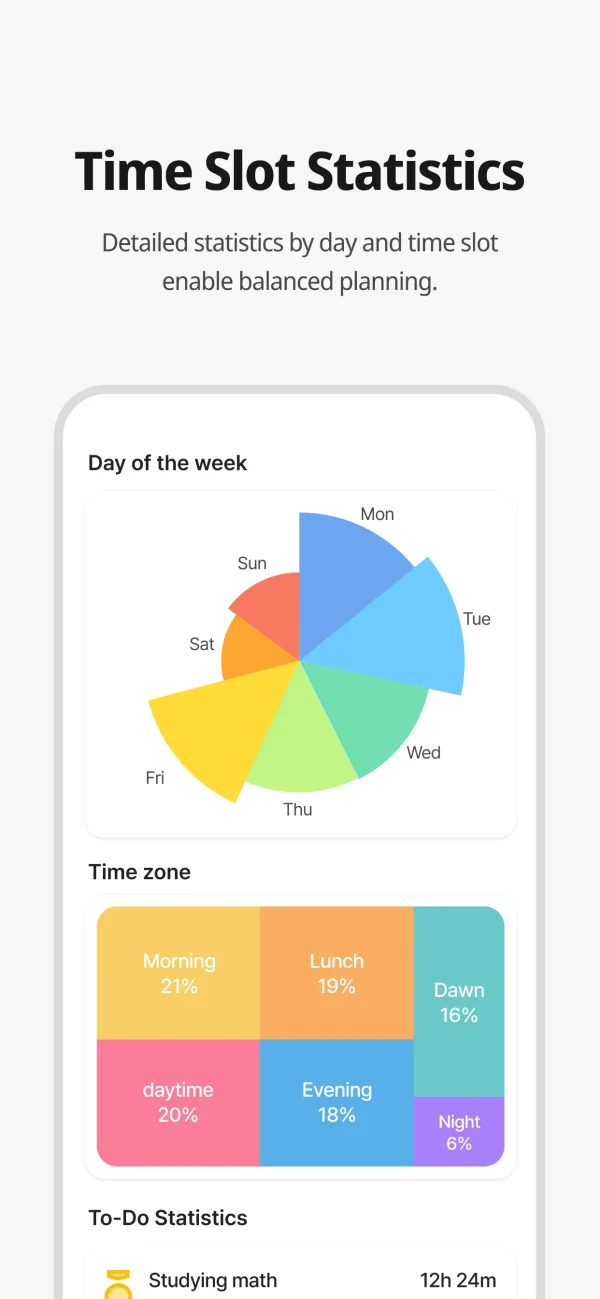
It's not end with record! Analyze your concentration time in detail with various graphs and charts!
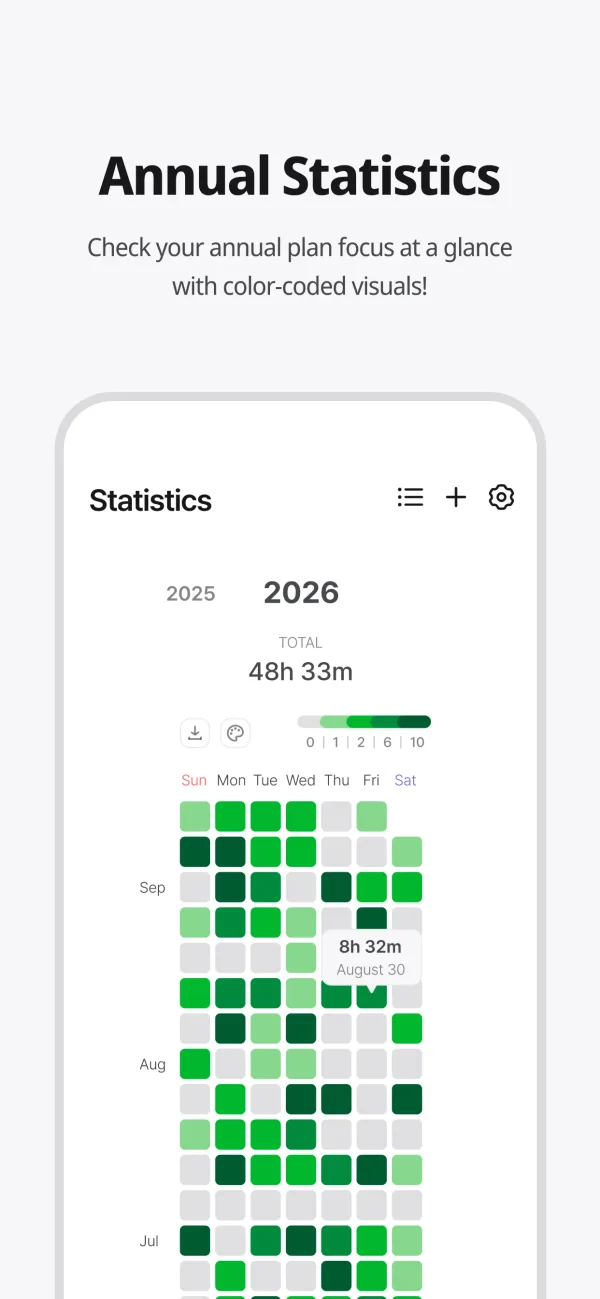
Identify your improvement with daily statistics, annual statistics, cumulative statistics, weekly statistics, hourly statistics and plan leaderboards at a glance
##Donation Program
You can donate the collected coins to gift notes for underprivileged students!
Donation rangking are changing in real time basis
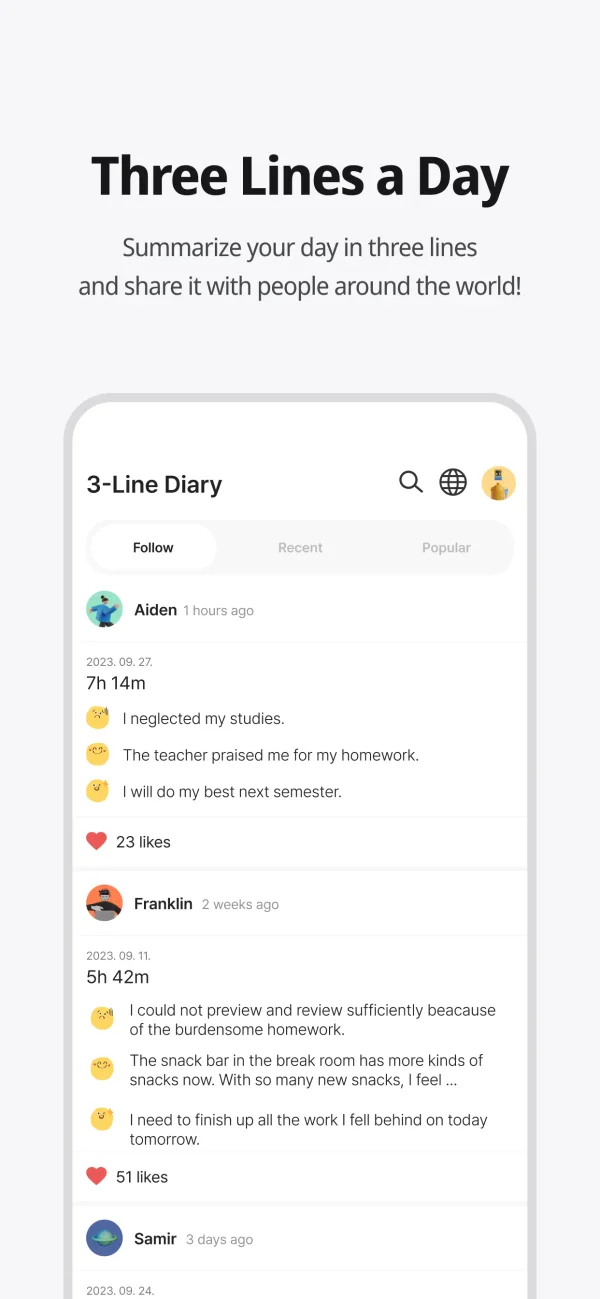
##Three Lines a Day
How are you today?
Share your diary in three lines. Motivate each other with friends around the world
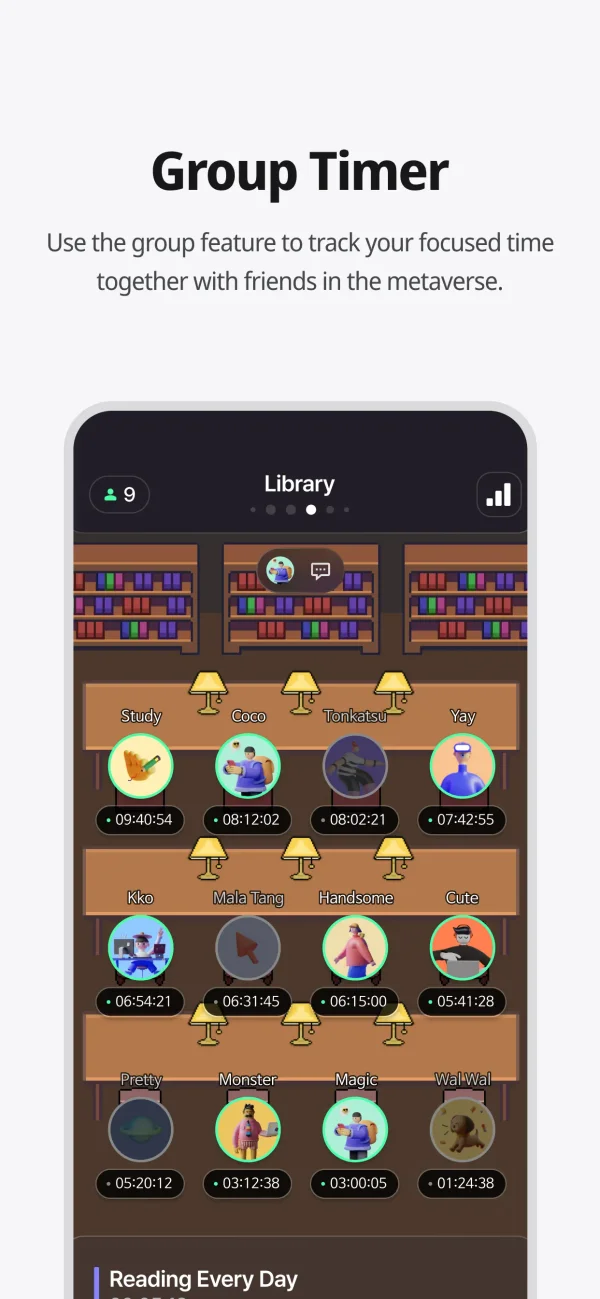
##Study Group 'Study With'
Try taking notes with your friends in real time!
There are various themes such as classrooms, libraries, offices, fitness places and others. Group member statistics.
##Premium Features
Try premium features that are constantly being updated.
More efficient time management developed by time management experts
How to Use Dote Timer Apple Watch
1. Add a to-do in the Dote timer app.
2. Open the Dote Timer Apple Watch app and select a task by pressing the ‘Select Task’ button.
3. Press the START button to start recording.
4. When the recording is finished, press the STOP button to save the recording and end it.
Caution :
1. The Apple Watch must be connected to the iPhone.
2. The Dote timer must be installed on the iPhone.
* Notice *
First, You need to click To Do List and create category to use this app.
reporting translation errors -> skyktc75@gmail.com
Your review can help a lot for your developer. Thank you.
When we try to concentrate on something,
there are so many distractions.
One of the biggest distractions is the smartphone.
You need to focus on the book.
But I find myself looking at the phone.
The plan was to study for 5 hours
But you actually spent only 1 hour on the book?
Dote Timer is the answer!
Let’s start with the special proprietary features of Dote Timer.
First, Dote Timer starts only when you flip the device (screen facing down).
It will automatically stop when you use or move the phone after activating the timer.
Thus, you can concentrate on study or work.
Second, you can compare the plan with
your actual concentration record.
Set up the D-Day of your task.
And categorize it into A, B, or C depending on the importance
to set up a precise plan.
The actual length of concentration is recorded
and can be compared with your original plan.
Third, the thickness of color denotes how much you concentrated.
Thus, you can easily find out the days
when you concentrated on your tasks.
Especially the app shows in different colors
the days of concentration and the days you failed to concentrate throughout the year.
So you can compare how you fared yesterday and today
to make your day more productive.
In addition, collect coins by using the timer
and donate them for underserved people.
My accumulated time of concentration is converted into coins.
When they reach a certain threshold,
Dote Planner and Dote Book will be donated to underserved students.
There are also the standings of donation,
Which motivates the users to compete in the donation of coins.
Dote Timer can be set up as desired.
Just focus on what you have to do to contribute to society.
The most efficient time management app for the perfect time allocation.
Download Dote Timer now!
What’s new
Version 2.7.1 · Nov 19, 2026
- While measuring with the flip timer, devices with a proximity sensor now turn the screen fully off to save battery.
- Made the weekday chart in Premium statistics more vivid, and it now follows your statistics theme color.
- Fixed some bugs.
App privacy
What Smartdong School declares on the App Store about how this app handles data.
-
Data used to track you
May be used to track you across apps and websites owned by other companies.
- Usage data
-
Data not linked to you
May be collected but is not linked to your identity.
- Identifiers
- Usage data
- Diagnostics
Privacy practices may vary, for example with the features you use or your age.
Information
- Seller
- Smartdong School
- Category
- Productivity
- Version
- 2.7.1
- Updated
- Nov 19, 2026
- Released
- Jul 6, 2021
- Size
- 87.1 MB
- Requires
- iOS 15.6 or later
- Age rating
- 4+
- Price
- Free
- In-app purchases
- Yes
- Languages
- English, Arabic, French, German, Indonesian, Italian, Japanese, Korean, Malay, Persian, Portuguese, Russian + 6 more
- Copyright
- © 2021 Smartdong School Co., Ltd.
You might also like
-
 MiniMoreMaxMake habits fit your life.
-
 TimerTiTi - Timer for StudyProductivity
-
 ThiroPomodoro Timer & Time Tracking
-
 Ultimate Focus - Visual TimerPomodoro, Study, App Block
-
 Focusi: Study TimerGreat for homework or pomodoro
-
 오늘의목표 - 목표 습관 루틴 챌린지 관리Productivity
-
 Turning: App Block & FocusLess Doomscroll & Screen Time
-
 Stella: Work Hours TrackerTimesheet, Time Log & Timer
-
 OneMore - Todo list Tasks GoalSet small goals, manage todo
-
 Calflow: Planner & TrackerRoutine, Tasks & Goal Planner