- Age rating4+
- CategorySports
- DeveloperNaoko Furuyama
- LanguagesGerman+ 13 more
- Size22.5 MB
Links to the official App Store page
Download.org hosts no file of Doubles Draw & Pairings. The button opens its official App Store page, published by Naoko Furuyama. Listing last checked on Nov 12, 2026.
Screenshots

About
TennisDraw creates doubles pairings for pickleball, tennis, and padel based on the number of players and courts.
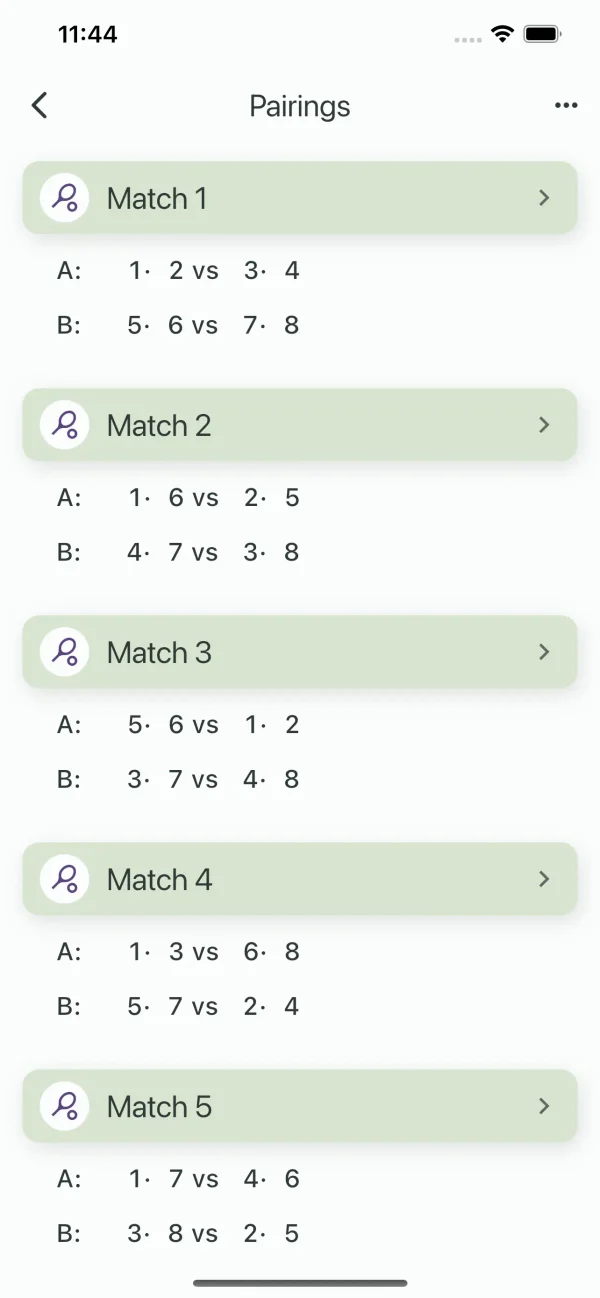
It supports 4 to 40 players and 1 to 7 courts, and shows pairings for 20 matches. The app works out the pairings so that opponents change as much as possible and rest breaks are shared evenly. You can also change the number of players or courts partway through.
Great for pickleball open play and round robins, padel americanos, and any other doubles sport, such as badminton or table tennis.
Free, no ads, no data collection, no internet needed.
Made to support everyone who simply loves playing.
Features
- Show pairings
Shows doubles pairings for 20 matches based on the number of players and courts.
- Continue
When you reopen the app, it reuses your previous pairings and results.
- Show all
Shows the pairings for everyone.
- Per player
Shows only the pairings that involve a chosen player.
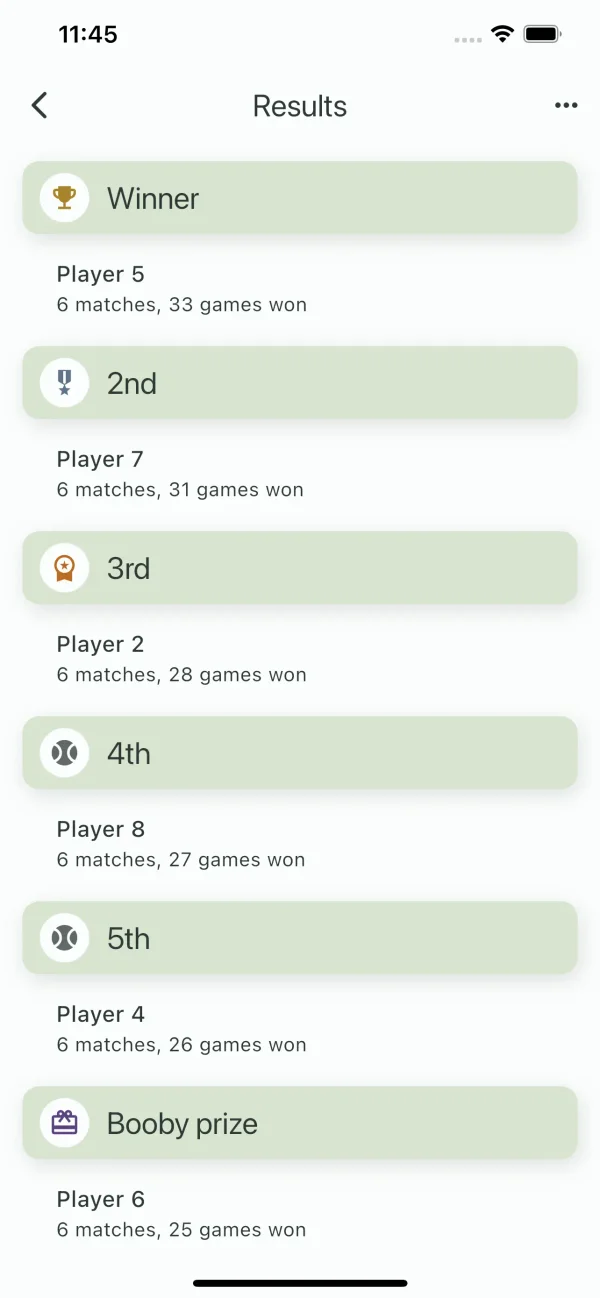
- Results
Shows the match results.
- Share
Shares the match results and pairings.
- Change pairings
Changes just one pairing. Handy when a pairing is unbalanced or someone can't play for a while.
- Change players
Handles players joining or leaving partway through.
- Change courts
Handles courts being added or removed partway through.
How to use
- Show pairings
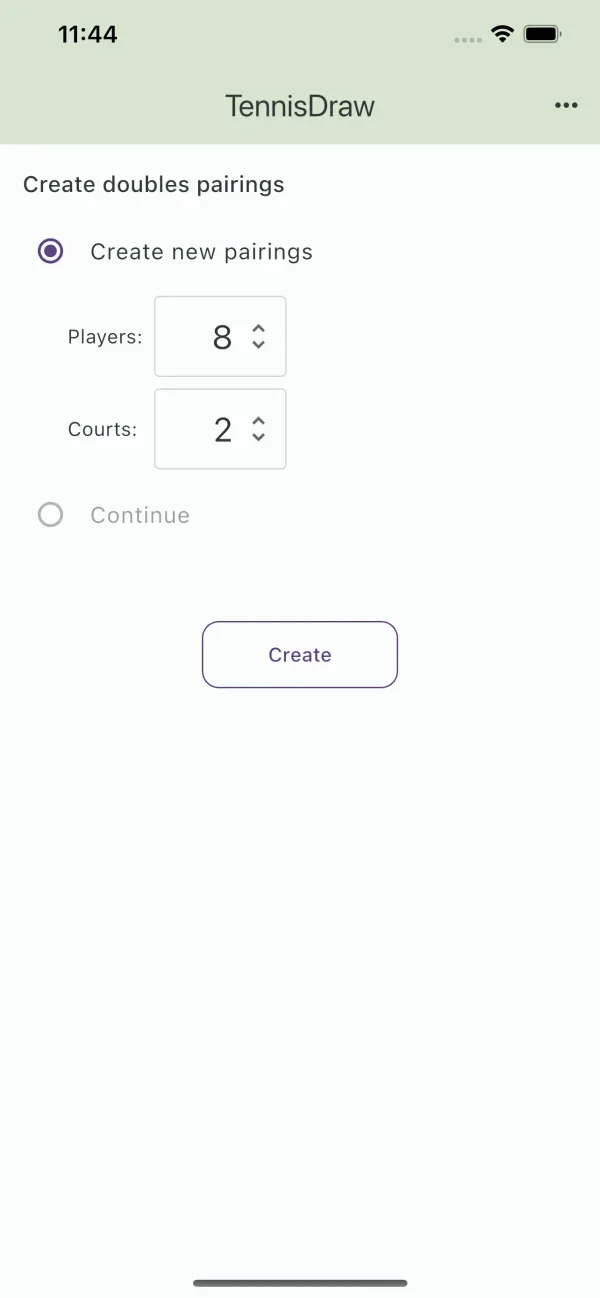
On the top screen, choose "Create new pairings", pick the number of players and courts, and tap "Create".
- Continue
On the top screen, choose "Continue" and tap "Create".
- Show all
Tap the menu button and choose "Show all".
- Per player
Tap the menu button, choose "Per player", and pick the player number to show.
- Results
1. Tap a match on the doubles pairings screen to enter its result.
2. Tap the menu button and choose "Results".
Rankings are calculated by (total games won / number of matches), highest first.
- Share
Tap the menu button, choose "Share", and pick where to share.
- Change pairings, courts, or players
1. Long-press the match you want to change on the doubles pairings screen.
2. Choose what to change and tap "Apply".
What’s new
Version 8.1.0 · Nov 8, 2026
Improved display and usability, and fixed minor bugs.
App privacy
What Naoko Furuyama declares on the App Store about how this app handles data.
-
Data not collected
The developer does not collect any data from this app.
Privacy practices may vary, for example with the features you use or your age.
Information
- Seller
- Naoko Furuyama
- Category
- Sports
- Version
- 8.1.0
- Updated
- Nov 8, 2026
- Released
- Jun 6, 2026
- Size
- 22.5 MB
- Requires
- iOS 17.0 or later
- Age rating
- 4+
- Languages
- German, Arabic, English, French, Hindi, Indonesian, Italian, Japanese, Korean, Malay, Portuguese, Spanish + 2 more
- Copyright
- © 2012-2026 melesselem