Draw on iPad
Magic Crayon & Ribbon Effect
Designed for iPad
Free · In-app purchases
- Age rating4+
- CategoryGraphics & Design
- DeveloperiTasbih
- LanguagesEnglish+ 7 more
- Size5.3 MB
Links to the official App Store page
Download.org hosts no file of Draw on iPad. The button opens its official App Store page, published by iTasbih. Listing last checked on Nov 21, 2026.
Screenshots


About
Draw on iPad lets you create beautiful drawings with a simple interface and plenty of tools, using your finger or Apple Pencil.
No more paper lying around, dried-out markers or stains on your clothes: with Draw on iPad, drawing has never been so easy and so clean. The only limit is your imagination.
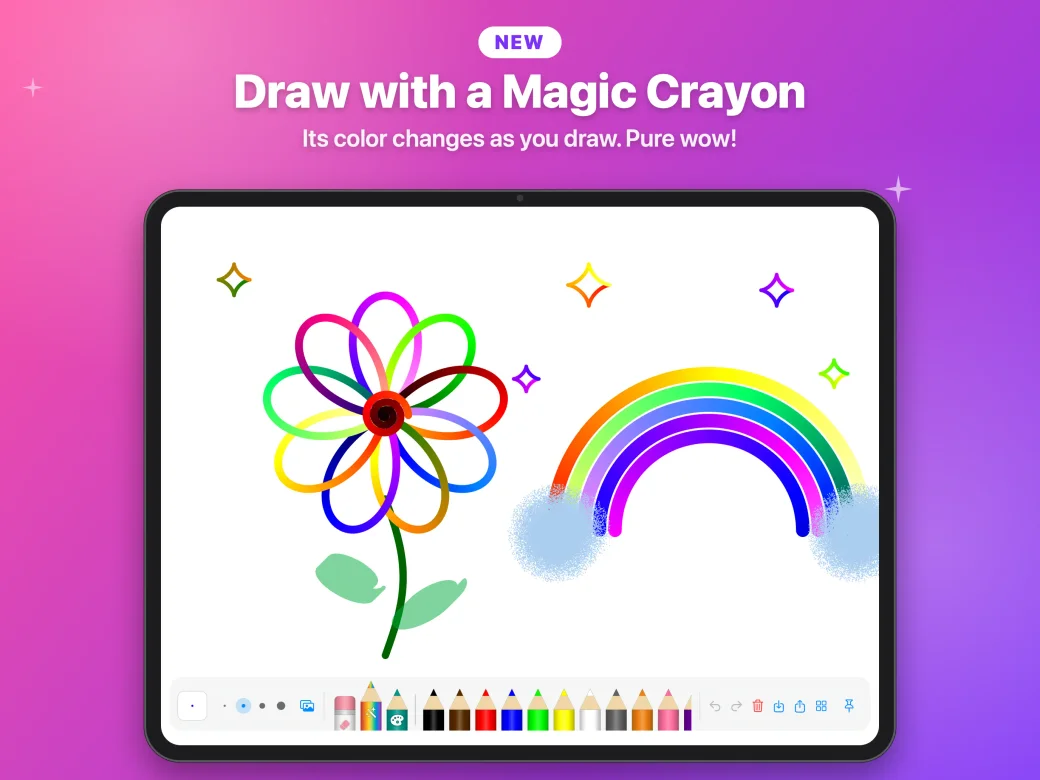
THE MAGIC CRAYON
Its color changes as you draw: every line becomes a rainbow.
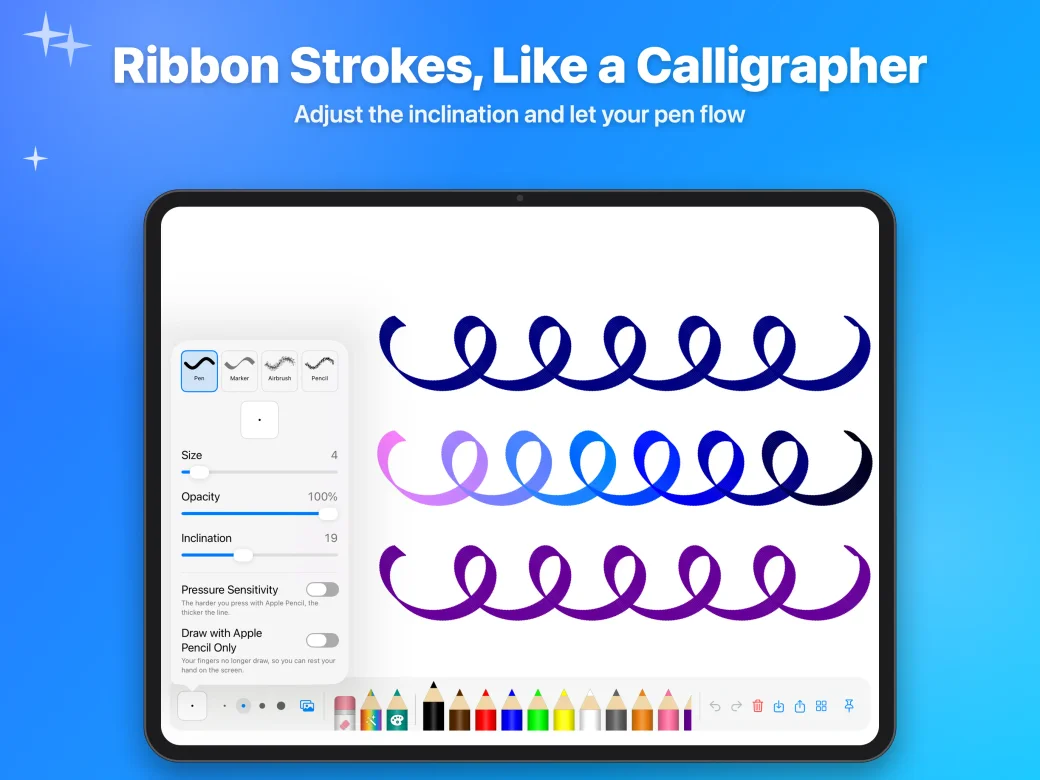
THE RIBBON EFFECT
Adjust the inclination and your lines turn into ribbons, like with a calligraphy pen.
ALL THE TOOLS YOU NEED
• 15 colored crayons, plus any color you like with the color picker (your recent colors stay close at hand)
• Pen, marker, airbrush and pencil
• Adjustable size and opacity, with quick sizes in one tap
• An eraser that never erases the background
• Straight lines: hold your finger still for a moment at the end of a line
• Unlimited undo and redo
• Zoom up to ×5 for the details
APPLE PENCIL
• Lines get thicker the harder you press
• “Draw with Apple Pencil Only” option, so you can rest your hand on the screen
• Double-tap (or squeeze on Apple Pencil Pro) to switch to the eraser, depending on your settings
DRAW ON YOUR PHOTOS
Choose a white or black background, or a photo from your library to decorate or annotate.
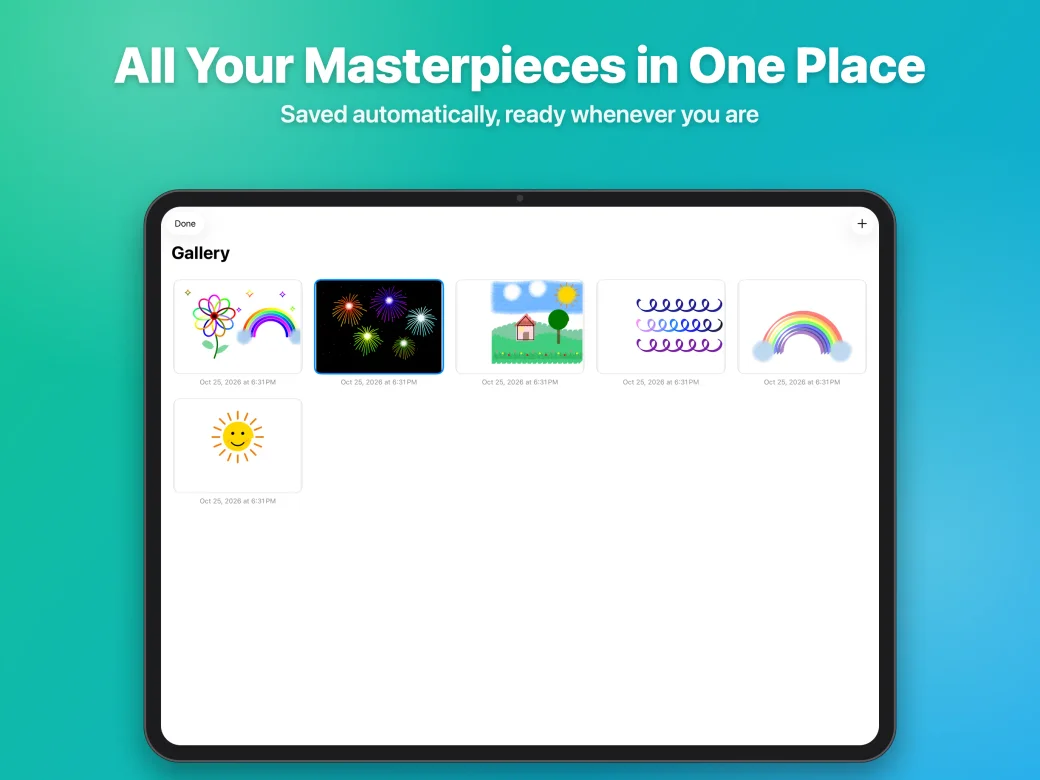
YOUR GALLERY
Your drawings are saved automatically. Pick them up again whenever you like, duplicate them or delete them.
SAVE AND SHARE
Save your masterpieces to Photos to print them whenever you want, with or without the background (transparent image), and share them via Messages, Mail, AirDrop and your other apps.
A MAGIC SLATE
Draw on iPad also works as a slate to learn to write, practice math or play tic-tac-toe or hangman…
For all ages, in portrait or landscape, with Dark Mode and VoiceOver.
What’s new
Version 2.0 · Oct 28, 2026
raw on iPad has been completely rewritten for version 2.0:
• New interface in portrait and landscape, compatible with Split View and Stage Manager, with Dark Mode
• The magic crayon and the eraser join the crayon palette
• New brushes: marker, airbrush and pencil
• Color picker with your recent colors
• Gallery: your drawings are saved automatically, ready to pick up at any time
• Unlimited undo and redo, with two- and three-finger gestures
• Zoom up to ×5
• Apple Pencil: pressure-sensitive lines, palm rejection, double-tap
• Straight lines and quick sizes
• Save with or without the background, and share to all your apps
• Available in 8 languages
App privacy
What iTasbih declares on the App Store about how this app handles data.
-
Data used to track you
May be used to track you across apps and websites owned by other companies.
- Location
- Identifiers
- Usage data
-
Data not linked to you
May be collected but is not linked to your identity.
- Location
- Identifiers
- Usage data
- Diagnostics
Privacy practices may vary, for example with the features you use or your age.
Information
- Seller
- Lahbib EL BOUMEDIANI
- Category
- Graphics & Design
- Version
- 2.0
- Updated
- Oct 28, 2026
- Released
- Mar 4, 2016
- Size
- 5.3 MB
- Requires
- iOS 17.0 or later
- Age rating
- 4+
- Price
- Free
- In-app purchases
- Yes
- Languages
- English, French, German, Italian, Japanese, Korean, Portuguese, Spanish
- Copyright
- © Lahbib EL BOUMEDIANI
You might also like
-
 Simple Drawing PadSimple Freely Drawing
-
 Drawing Pad -Easy Sketch, Draw, Digital Art
-
 Clip Studio PaintGraphics & Design
-
 ShadowDraw: Learn How to DrawEasy Drawing App for Beginners
-
 Tayasui SketchesDigital Drawing: Draw & Paint
-
 Sketchar: AR Drawing AppTrace, sketch & learn to draw
-
 Adobe Fresco: Draw & Paint AppPainting and Animation Studio
-
 Linearity Curve Graphic DesignVectornator AI, Vector Art
-
 Infinite PainterPainting, drawing, & sketching
-
 MediBang Paint – Drawing & ArtGraphics & Design