Drawing Animation
Sketch, Art & GIF Maker App
Designed for iPhone, iPad
Free · In-app purchases
- Age rating4+
- CategoryGraphics & Design
- DeveloperAdem Uresin
- LanguagesEnglish+ 7 more
- Size50.1 MB
Links to the official App Store page
Download.org hosts no file of Drawing Animation. The button opens its official App Store page, published by Adem Uresin. Listing last checked on Nov 23, 2026.
Screenshots

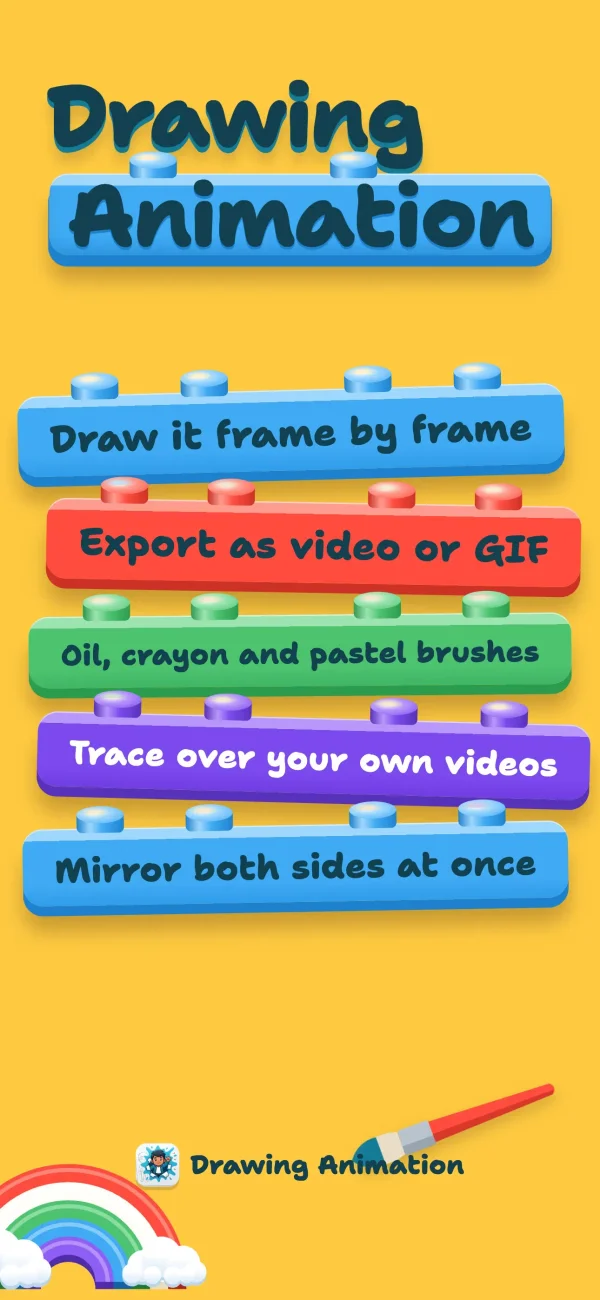
About
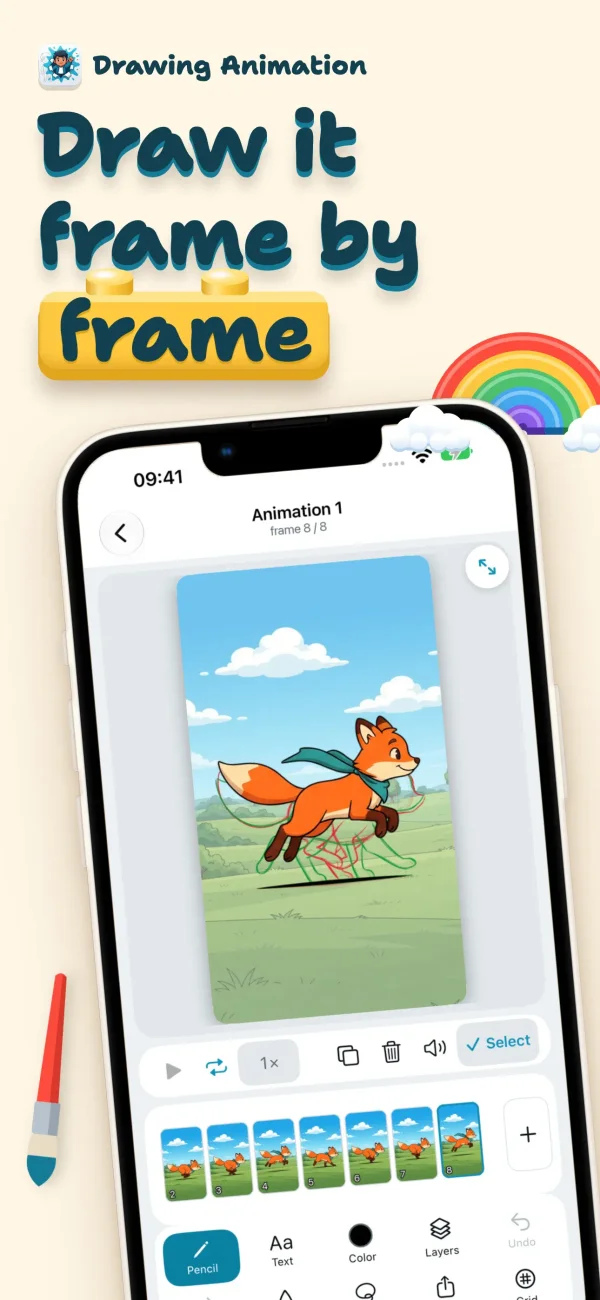
Drawing Animation turns your sketches into moving cartoons. Draw frame by frame, play it back instantly, and export with no watermark and no ads, even for free.
A sketch, art and GIF maker app in one place: a canvas that feels like paper, a flipbook timeline made for animators, and a drawing app that works just as well with Apple Pencil as with your finger. Sketch, paint, doodle a stickman, or animate a whole cartoon or anime short on iPhone, iPad and the foldable iPhone Duo.
NO WATERMARK, NO ADS
Every animation you export is clean. No logo burned into the corner, no banners, no interruptions while you work.
SHAPES, RULER, LASSO AND SYMMETRY
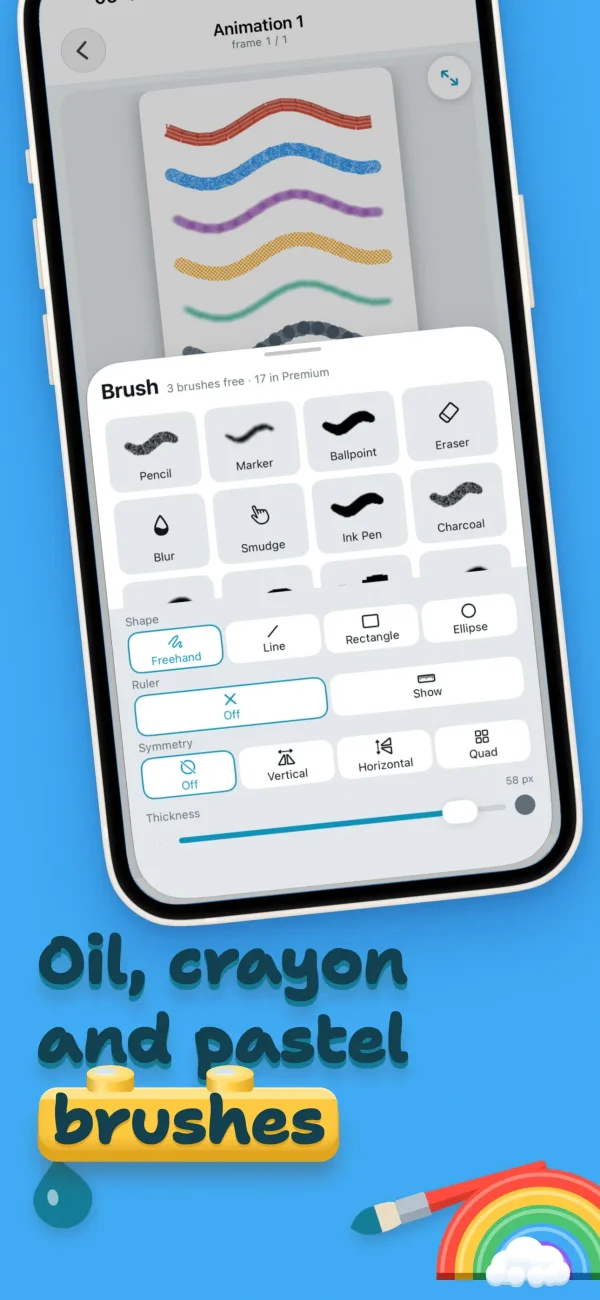
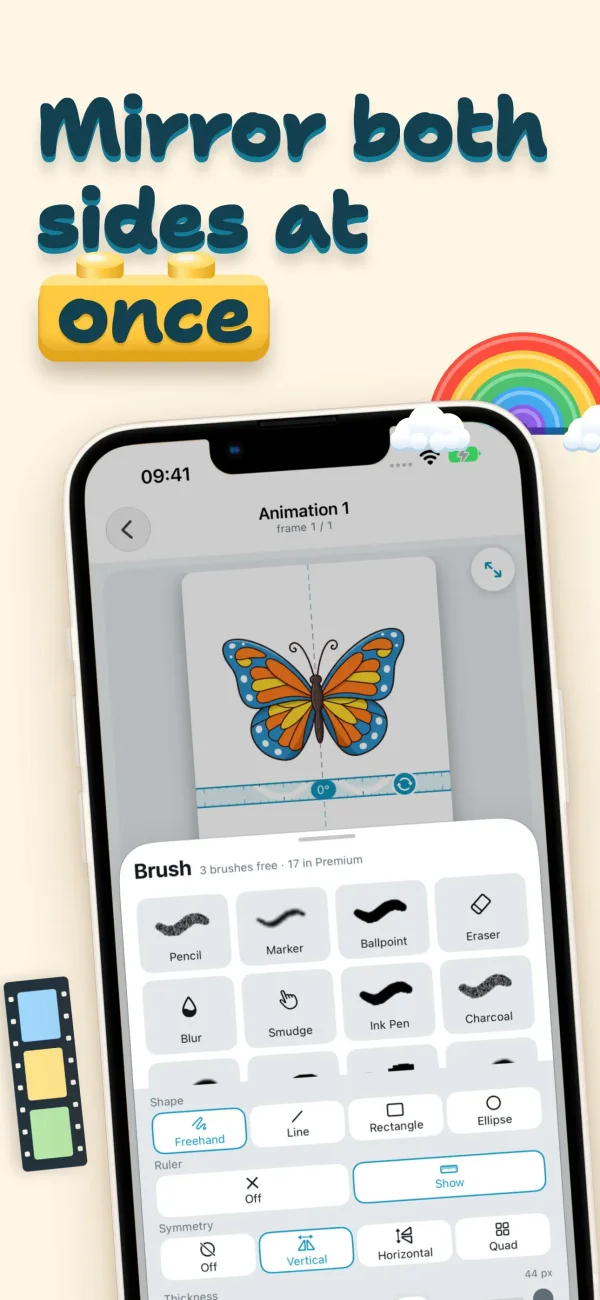
Draw straight lines, rectangles and ellipses with any brush, so a charcoal circle still looks like charcoal. Lay the ruler on the canvas, turn it to any angle, and your stroke runs along its edge. Circle part of a drawing with the lasso to move, scale, rotate, flip, copy or delete it; one undo takes it all back. Blur softens an edge and smudge pushes colors into each other. Turn on symmetry and draw half a face or a butterfly while the other half appears mirrored, vertically, horizontally or in four quarters.
DRAW OVER VIDEO
Import a clip and it becomes a reference layer, frame by frame. Trace the motion, then hide the video and keep only your own drawing. Rotoscoping is open to everyone here, not locked behind a purchase.
SEE THE MOTION WHILE YOU DRAW
Onion skin shows the frames before and after in different colors, so you always know where the movement is heading. Hold any frame in the timeline to preview it over your canvas. Play back slower or faster, loop it, and fix the timing before you commit.
A TIMELINE THAT KEEPS UP
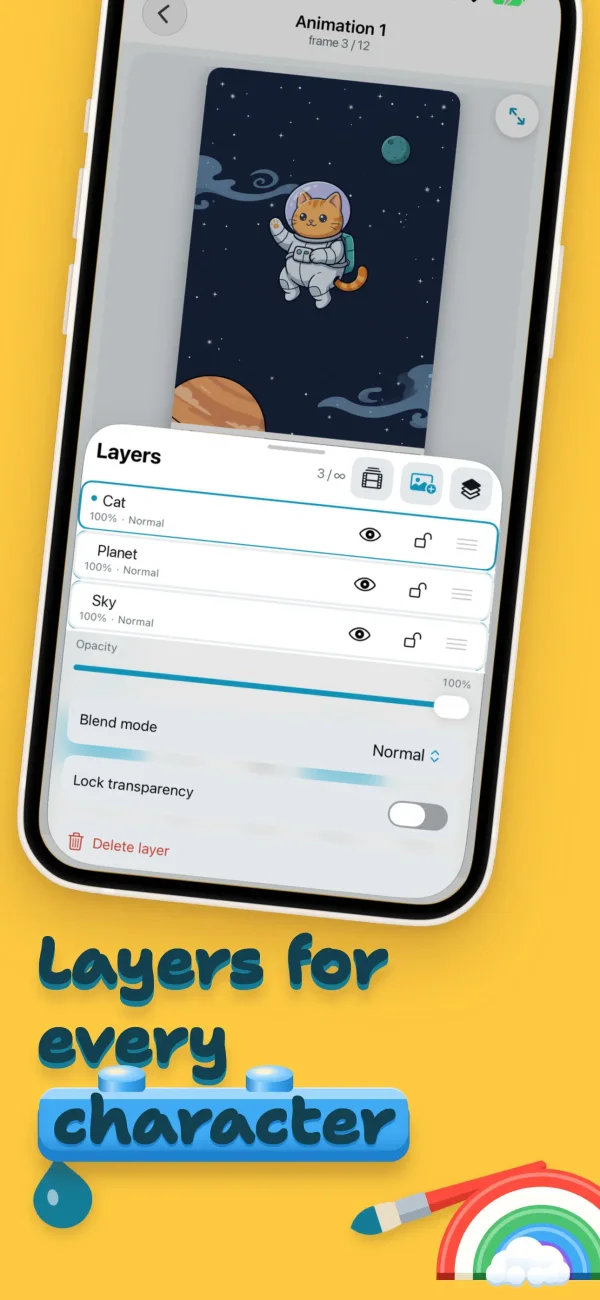
Add, duplicate, delete, and reorder frames by dragging. Select many at once and move them together. Work across layers, clip a layer to the one below so paint stays inside its shape, lock transparency, color with the bucket tool, add titles and captions with the text tool, and change brush thickness without leaving the canvas. Grid overlay and zoom help you keep proportions steady, and the grid never shows up in your export.
YOUR WORK IS SAFE
Everything saves by itself while you draw, and a crash brings your draft back. Deleting a frame or a layer can be undone. Deleted projects wait in the trash before they go for good. iCloud backup is on for free accounts too.
SOUND AND MUSIC
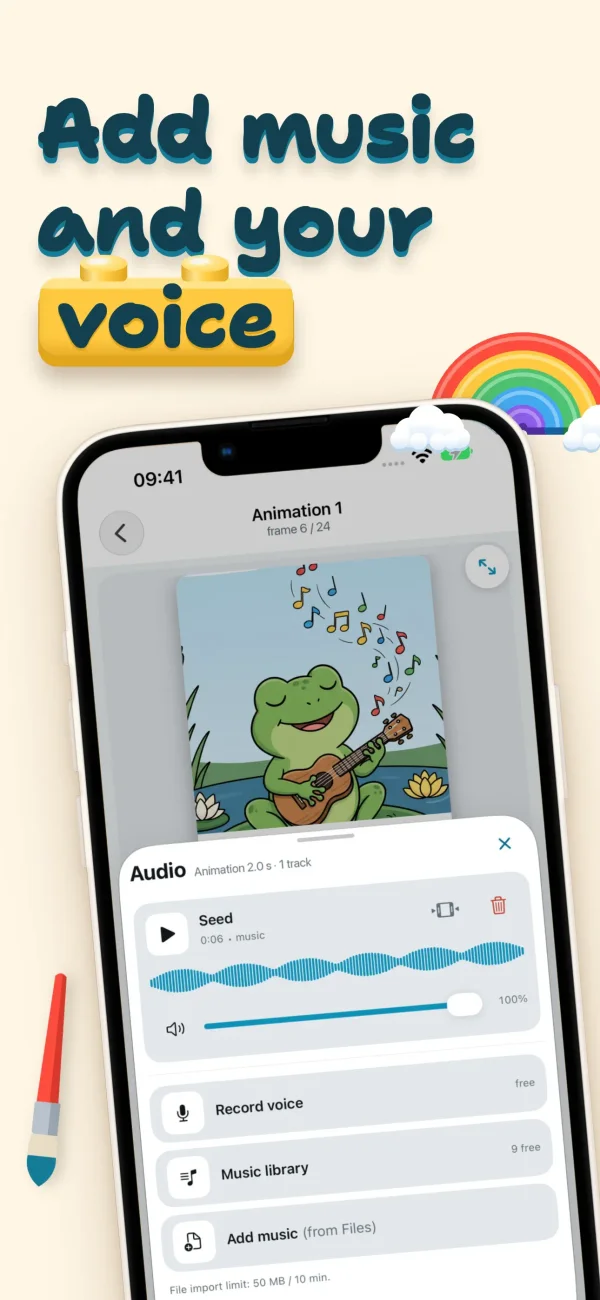
Record your own voice straight onto the animation, or pick a track from the built in music library. Trim it, mute it, and set the level for each track separately.
EXPORT AND SHARE
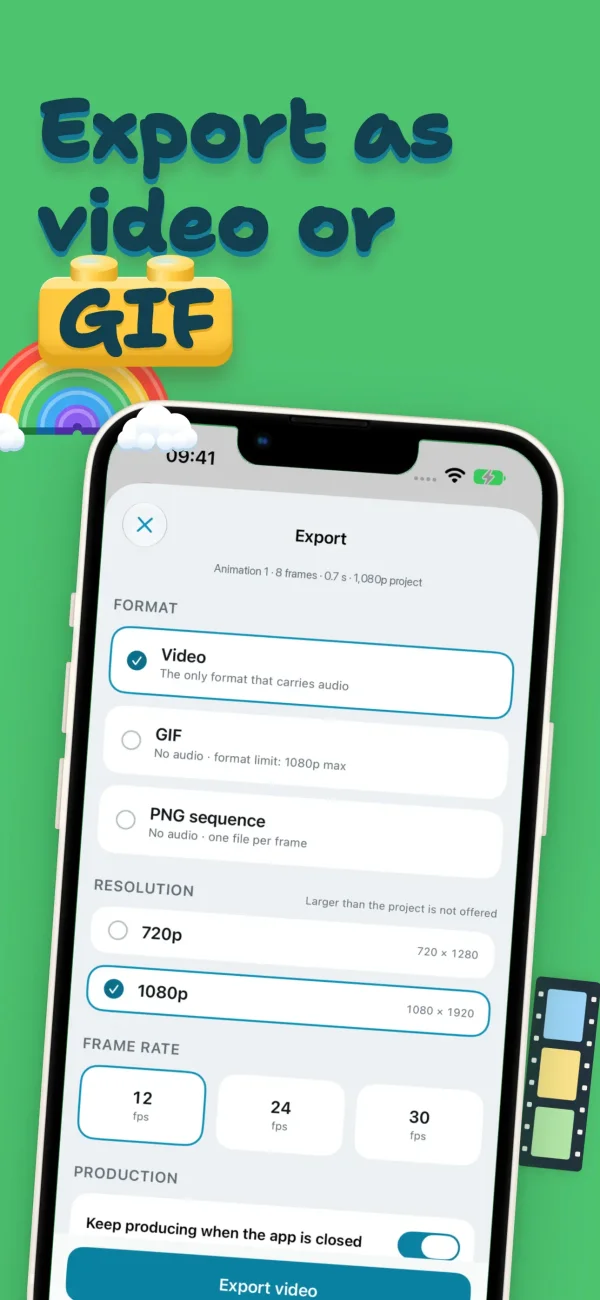
Save to Photos or share anywhere as video or GIF. An export keeps running when you leave the app, so you do not have to sit and watch the progress bar.
MADE TO FEEL RIGHT
Left handed mode, dark theme, keyboard shortcuts on iPad, and a streak counter to keep you drawing. Sample projects show how a finished animation is put together.
PREMIUM
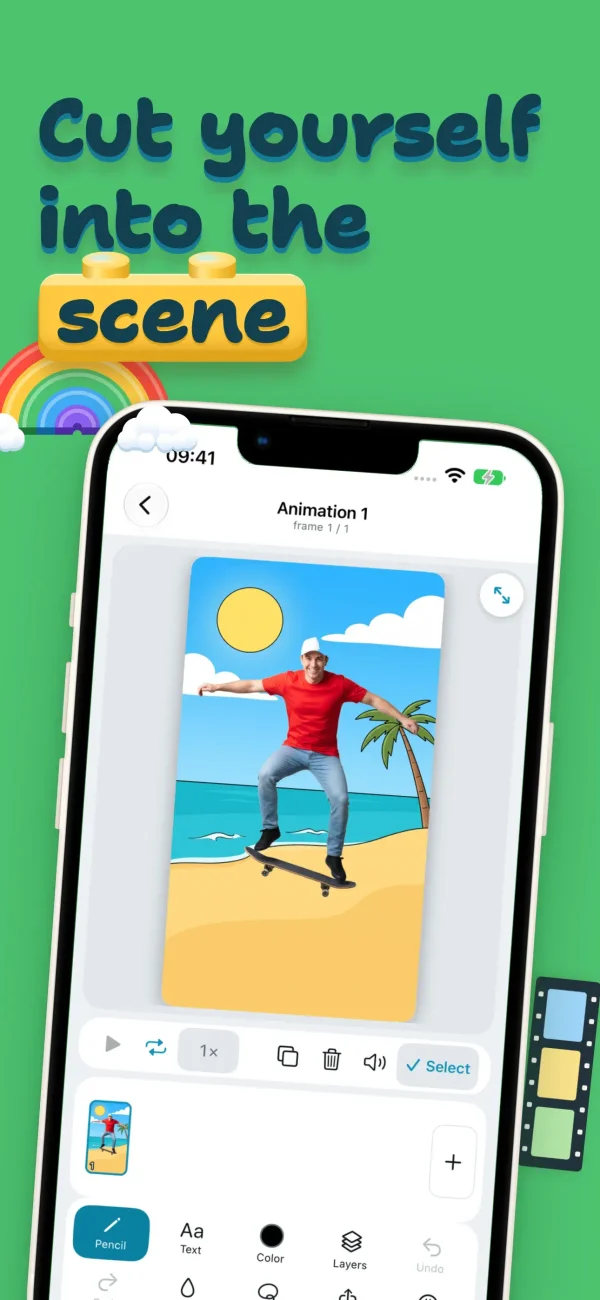
For the creator who outgrows the free tier: unlimited projects and frames, and up to 20 layers. More brushes, including oil, crayon, pastel, halftone, ink, charcoal, watercolor, chalk, pixel, spray, glow, and your own custom brush. Symmetry drawing in three modes. 2160p canvas and export, higher frame rates, transparent GIF, and PNG sequence. Blend modes, a reference photo layer, eyedropper, and custom palettes. Longer video import with Magic Cut, which lifts a person or object off the background onto its own layer. Longer voice recording, a second audio track, your own music files, and the full music library. Ping pong loop.
Premium is available as a monthly or yearly subscription, or as a one time lifetime purchase. Payment is charged to your Apple Account. Subscriptions renew automatically unless turned off at least a day before the current period ends. Manage or cancel anytime in your Account Settings.
Terms of Use: https://www.apple.com/legal/internet-services/itunes/dev/stdeula/
Privacy Policy: https://rsndijital.com/link/drawing/privacy-policy.html
What’s new
Version 1.2 · Nov 14, 2026
New brushes and tools:
• Four new Premium brushes: Oil, Crayon, Pastel and Halftone.
• Blur and Smudge: soften an edge or smear colours together.
• Ruler: place it on the canvas, turn it to any angle, and your stroke follows its edge.
• Clip to layer below: paint on a layer that only shows inside the shape underneath.
Plus support for iPhone Duo, folded or open.
App privacy
What Adem Uresin declares on the App Store about how this app handles data.
-
Data not linked to you
May be collected but is not linked to your identity.
- Purchases
- Identifiers
- Usage data
- Diagnostics
Privacy practices may vary, for example with the features you use or your age.
Information
- Seller
- Adem Uresin
- Category
- Graphics & Design
- Version
- 1.2
- Updated
- Nov 14, 2026
- Released
- Sep 4, 2026
- Size
- 50.1 MB
- Requires
- iOS 17.0 or later
- Age rating
- 4+
- Price
- Free
- In-app purchases
- Yes
- Languages
- English, French, German, Japanese, Korean, Portuguese, Spanish, Turkish
- Copyright
- © Adem Uresin
You might also like
-
 Flip Animation: 2D Draw a ClipFlipAnim Maker Frame Animate
-
 Doodraw: Animated DrawingWiggle art & doodle GIF maker
-
 Cascadeur: 3D animationAnimate with AI and Physics
-
 MotionBook - Draw & AnimateBest Flipbook Animation Maker
-
 Prisma3D - Animation, ModelingPrisma 3D Animation App
-
 Avatar Maker: OC CreatorDesign Your Own OC & Avatar
-
 Clip Studio Paint for iPhoneDraw and sketch anywhere
-
 Endless Zoom Canvas - ZoomArtInfinite Paper and Art
-
 FlipArtify - 2D Draw AnimationTop Flipbook Animation Creator
-
 3D modeling: Design my modelSculpt & sketch digital art