
- Age rating4+
- CategoryGraphics & Design
- DeveloperAbhijnan Maji
- LanguagesEnglish
- Size5.8 MB
Links to the official App Store page
Download.org hosts no file of Drawsy Studio. The button opens its official App Store page, published by Abhijnan Maji. Listing last checked on Nov 23, 2026.
Screenshots
About
Drawsy is the simple, instant drawing studio that feels amazing from your very first stroke.
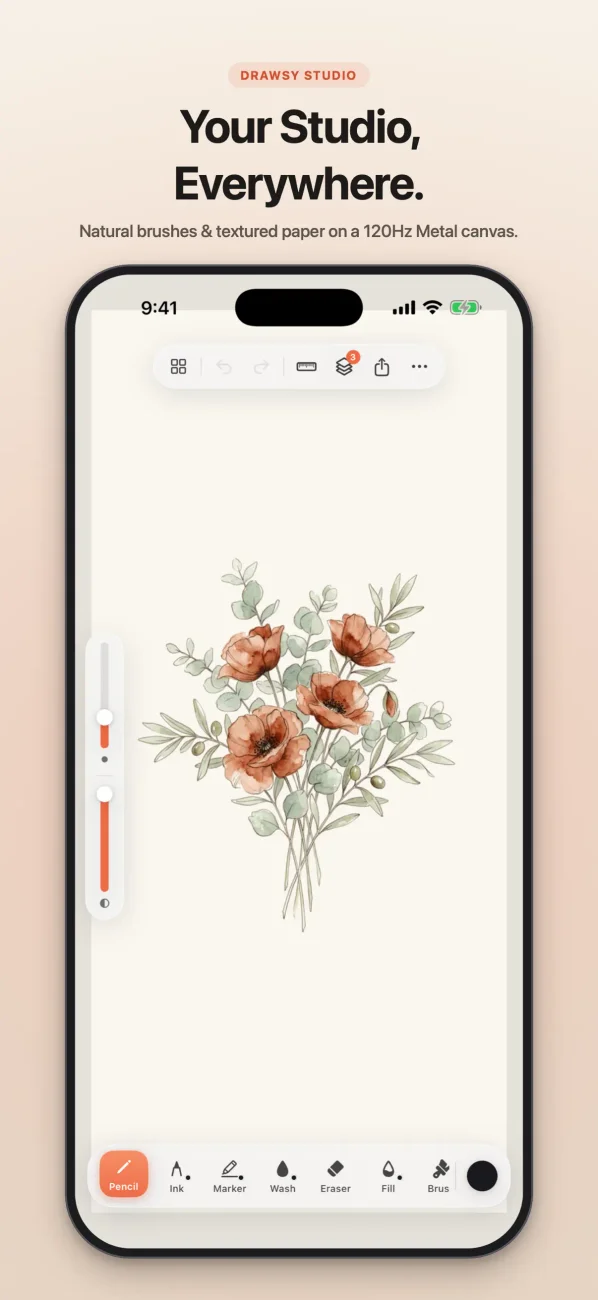
Most drawing apps are either too basic to make real art or buried in confusing menus. Drawsy gives you realistic, responsive art tools in a calm, distraction-free workspace — whether you're sketching with just your finger on iPhone or painting with Apple Pencil on iPad.
FEELS NATURAL FROM THE FIRST STROKE
• Expressive Finger & Apple Pencil Engine: Smooth, natural stroke tapering even when drawing with your finger — plus full Apple Pencil pressure, tilt shading, and double-tap to switch to Eraser.
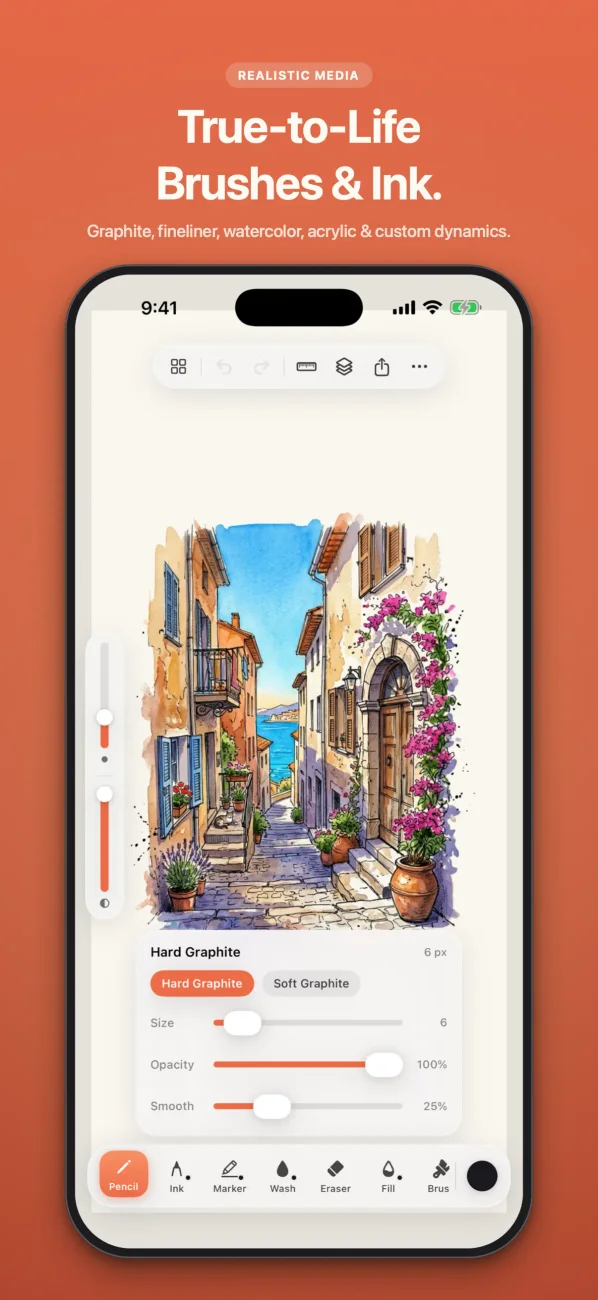
• Real Watercolor & Tactile Media: Paint with Hard & Soft Graphite Pencils, Fineliner, Brush Pen, Felt Marker, Oil Pastel, Wet Watercolor (with live pigment diffusion and edge darkening), Acrylic Bristle Brush, Airbrush, Smudge, and Eraser.
• Hold-to-Snap Shapes (QuickShape): Draw a line, circle, oval, triangle, or rectangle and hold for a moment — your stroke snaps into a crisp shape while keeping your real pencil, ink, or watercolor texture.
USEFUL TOOLS — ZERO CLUTTER
• Quick Edge Size & Opacity Scrubbers: Adjust brush size and opacity in one effortless drag with a live preview ring. The UI gently fades out while you draw.
• Live Symmetry Mirror: Draw faces, logos, patterns, and mandalas effortlessly with Vertical, Horizontal, 4-Way, and Radial symmetry.
• Interactive Straight-Edge Ruler: Drag and rotate to trace razor-sharp lines at any angle with magnetic 45° snap.
• Smart Fill & Lasso Cut: Tap to flood-fill with solid colors or fun patterns (Dots, Stripes, Crosshatch, Checker) and shuffle colors live. Circle any part of your sketch to move, stamp copies, or delete it.
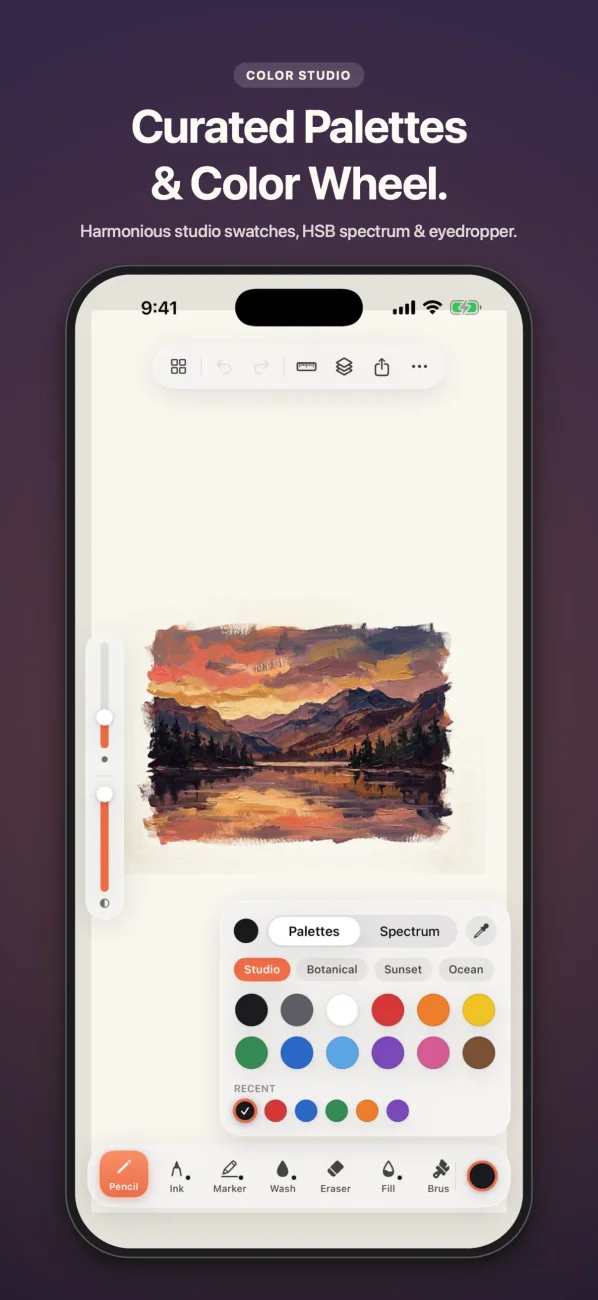
• Curated Color Studio: Pick harmonious colors instantly from 6 artist palettes, a full HSB color spectrum, recent colors, or hold anywhere on the canvas for a magnified Eyedropper Loupe.
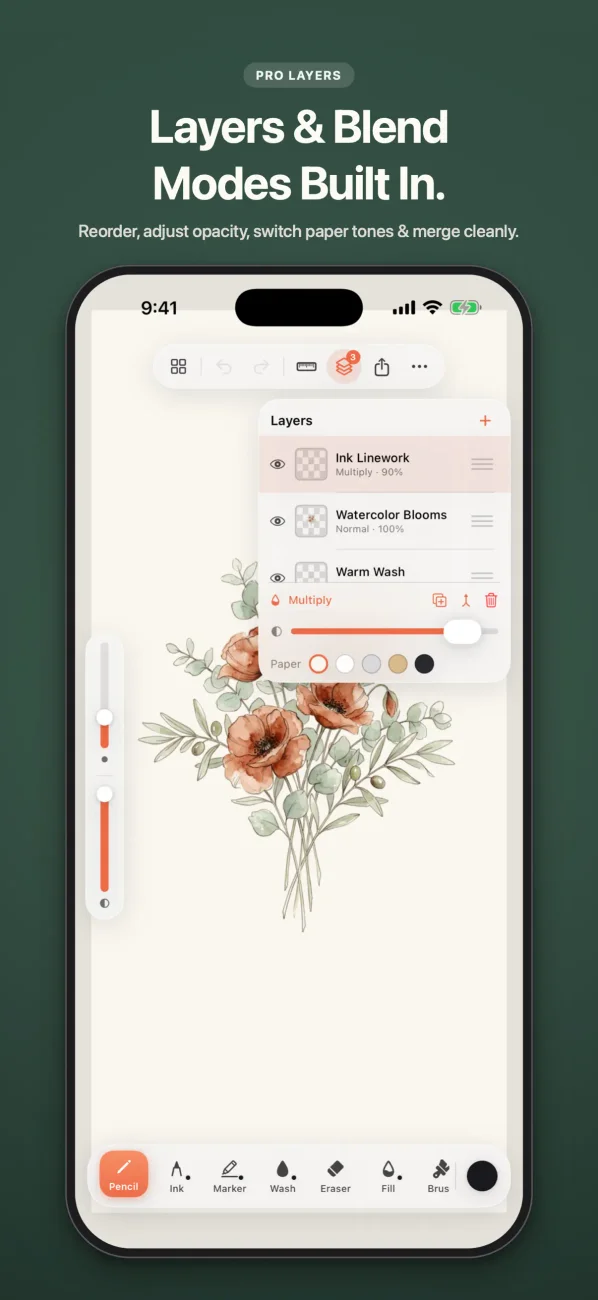
• Layers & Paper Textures: Stack up to 16 layers with blend modes (Normal, Multiply, Screen, Overlay), plus warm paper tones, Grain, Canvas, Dot Grid, Lined, Graph Grid, or your own photos.
FLUID GESTURES
• Two-finger pan, zoom, and smooth canvas rotation (with 90° snap)
• Two-finger tap to Undo · Three-finger tap to Redo
• Touch and hold anywhere to pick a color
• One-tap Zen Fullscreen mode
SHARE & WATCH YOUR ART COME ALIVE
• Save full-resolution artwork straight to Photos
• Export crisp PNGs or Transparent PNGs (great for stickers and logos)
• Automatic Timelapse Replay: Watch every stroke unfold and export an MP4 video to share with friends or on social media
100% private and offline — your artwork stays on your device. Download Drawsy and start sketching in seconds.
What’s new
Version 1.2 · Nov 20, 2026
Drawsy has been completely reimagined to feel faster, smoother, and more joyful to draw with — powerful tools kept wonderfully simple.
Effortless Drawing That Feels Great
Natural Finger & Apple Pencil Feel: Expressive stroke dynamics make drawing with just a finger feel smooth and organic, alongside full Apple Pencil pressure, tilt, and double-tap-to-eraser support.
Hold-to-Snap Shapes (QuickShape): Draw a line, circle, oval, triangle, or rectangle and hold for a moment to snap it into a crisp shape — rendered with your real pencil, ink, or watercolor brush texture.
Fluid Gestures: Two-finger rotate with magnetic 90° snap, two-finger tap to Undo, three-finger tap to Redo, and touch-and-hold anywhere on the canvas for a magnified Eyedropper Loupe.
No Accidental Stray Dots: Starting a pinch, pan, or rotate cleanly cancels stray touches.
Useful Tools — Zero Clutter
Redesigned Studio Tool Dock: Instant access to Pencil, Ink, Marker, Watercolor Wash, Eraser, Fill, Acrylic Brush, Oil Pastel, Airbrush, Smudge, and Lasso Cut. Tap any active tool to switch variants (like Fineliner vs. Brush Pen or Hard vs. Soft Graphite) and fine-tune size, opacity, and smoothing.
Quick Edge Size & Opacity Scrubbers: Adjust brush size and opacity in one drag with a live preview ring — and watch the UI gently fade out while you draw.
New Color Studio: Pick colors effortlessly with 6 curated artist palettes, a full HSB color spectrum, recent colors, and one-tap eyedropper.
Live Symmetry Mirror & Interactive Ruler: Draw faces, icons, and mandalas live in Vertical, Horizontal, 4-Way, or Radial symmetry, or trace crisp angles with the movable straight-edge ruler.
Smart Fill & Lasso Cut: Tap to flood-fill with solid colors or patterns (Dots, Stripes, Crosshatch, Checker) and shuffle hues live; circle any part of your sketch to move, stamp copies, or delete it.
Sketch Paper Grids: New Dot Grid, Lined, and Graph paper backgrounds alongside Grain, Canvas, and Photo backgrounds.
Share, Export & Timelapse Replay
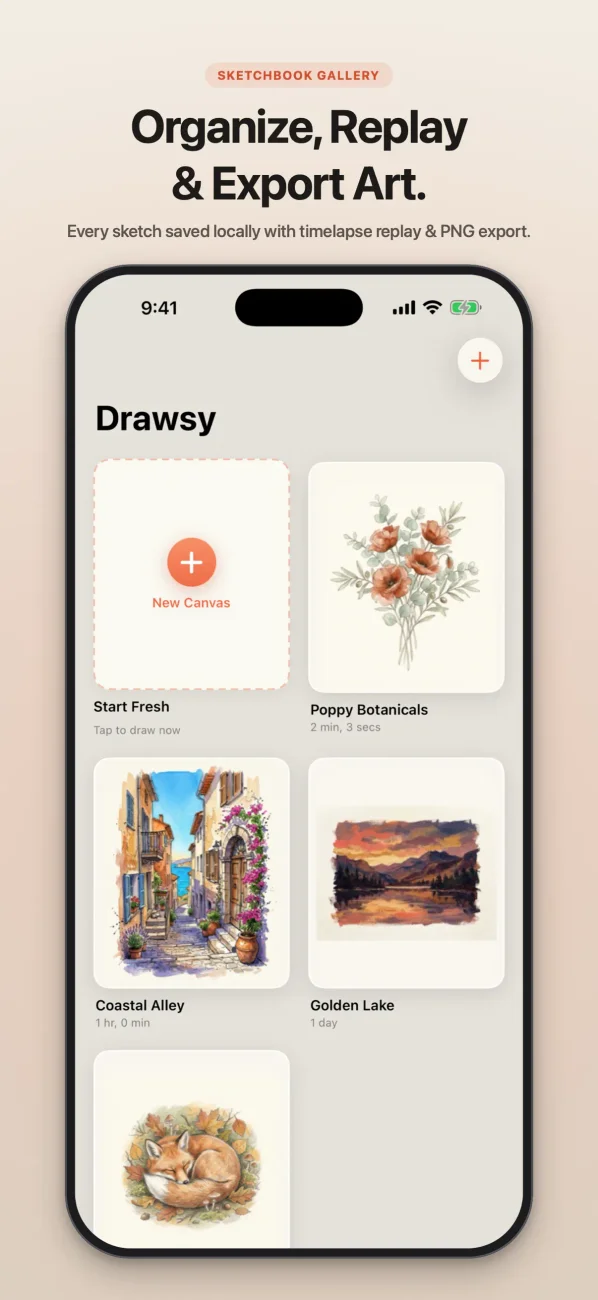
Save & Share Anywhere: Save full-resolution artwork straight to Photos, share crisp PNGs, or export Transparent PNGs for stickers and logos.
Automatic Timelapse Replay & MP4 Export: Watch your drawing unfold stroke by stroke with speed controls and export an MP4 video to share.
Refreshed Art Gallery: All your artwork in a warm studio gallery with one-tap canvas presets (Screen Fit, Square 1:1, Portrait 4:5, Landscape 16:9).
App privacy
What Abhijnan Maji declares on the App Store about how this app handles data.
-
Data not collected
The developer does not collect any data from this app.
Privacy practices may vary, for example with the features you use or your age.
Information
- Seller
- Abhijnan Maji
- Category
- Graphics & Design
- Version
- 1.2
- Updated
- Nov 20, 2026
- Released
- Jul 15, 2026
- Size
- 5.8 MB
- Requires
- iOS 18.0 or later
- Age rating
- 4+
- Price
- Free
- Languages
- English
- Copyright
- © 2026 Abhijnan The Sign
You might also like
-
 Shake & Scream: Naughty PearMove. Make noise. Cause chaos.
-
 PanelPalBuilt for strip collectors
-
 Coloring Book: Drawing GamePaint Animals, Cars & Pictures
-
 echopaintEntertainment
-
 KidColoro: Kids Colouring BookToddler Paint & Drawing Pages
-
 Twin DrawShared drawing canvas.
-
 SketchArt AISketch to Masterpiece with AI
-
 ColorHub: AI Coloring PagePhoto to Sketch Drawing Art
-
 RIVA VoiceEntertainment
-
 Draw: Step-by-Step Art GuideEasy Drawing Lessons