Driftlog: Countries Visited
Auto travel log & photo map
Designed for iPhone, iPad
Free · In-app purchases
- Age rating4+
- CategoryTravel
- DeveloperAkira Takashima
- LanguagesEnglish+ 13 more
- Size11.1 MB
Links to the official App Store page
Download.org hosts no file of Driftlog: Countries Visited. The button opens its official App Store page, published by Akira Takashima. Listing last checked on Nov 16, 2026.
Screenshots

About
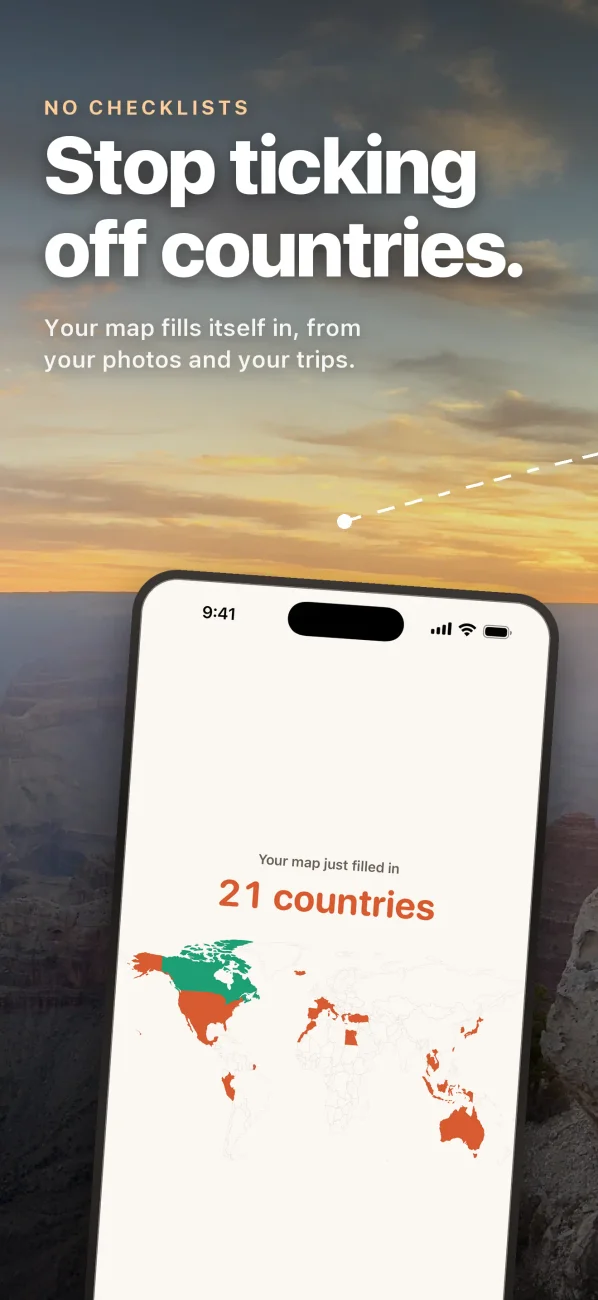
Track the countries you've visited automatically: from the photos already on your iPhone, then in the background from today. No account, no ads, no subscription.
Driftlog fills in your travel map by itself, from countries down to states and cities. It is free to download, and one purchase unlocks everything.
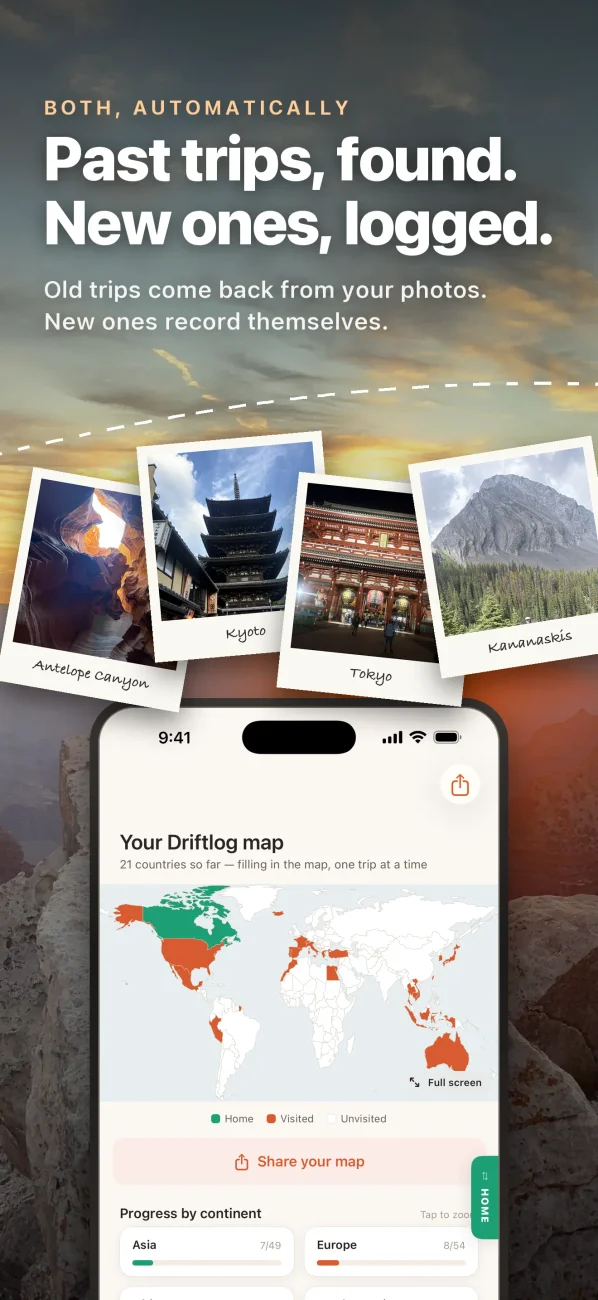
YOUR OLD TRIPS ARE ALREADY IN YOUR PHOTOS
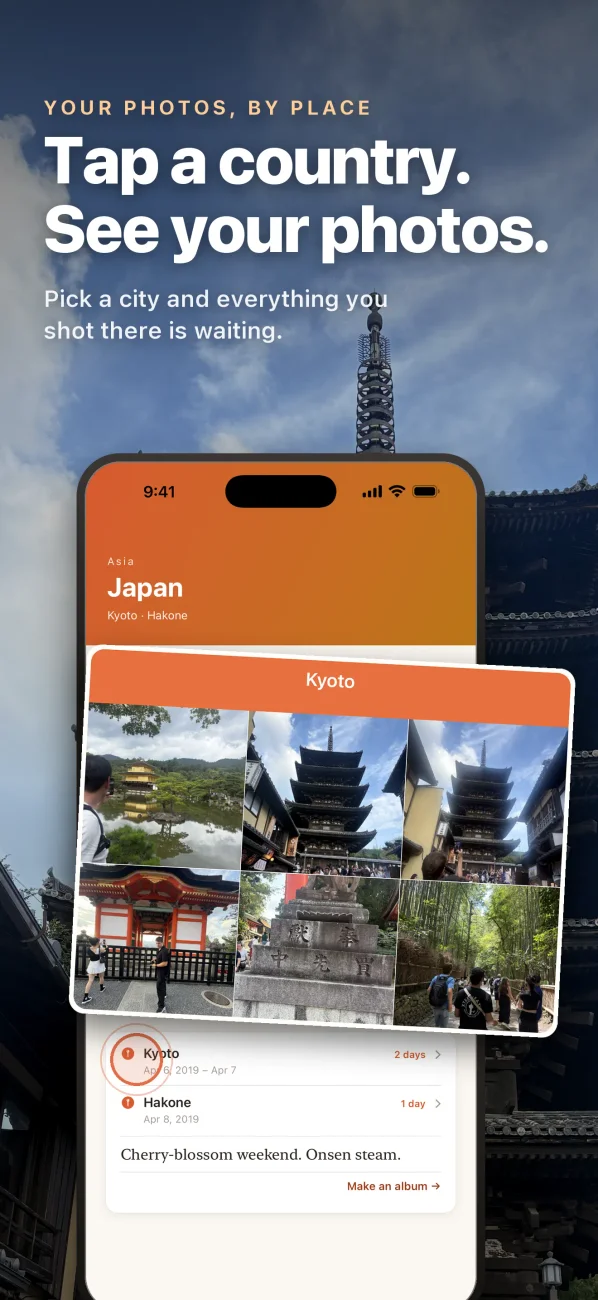
You do not have to start from today. Tap import once and Driftlog reads the location that is already saved inside your photos, then puts those trips on the map with their dates. Years of travel can appear in a minute.
It reads the location tag on a photo. It never looks at the picture itself.
If the location history your phone used to keep is gone, this is the thing to try. Your photos usually still remember where you were.
AND IT KEEPS GOING FROM TODAY
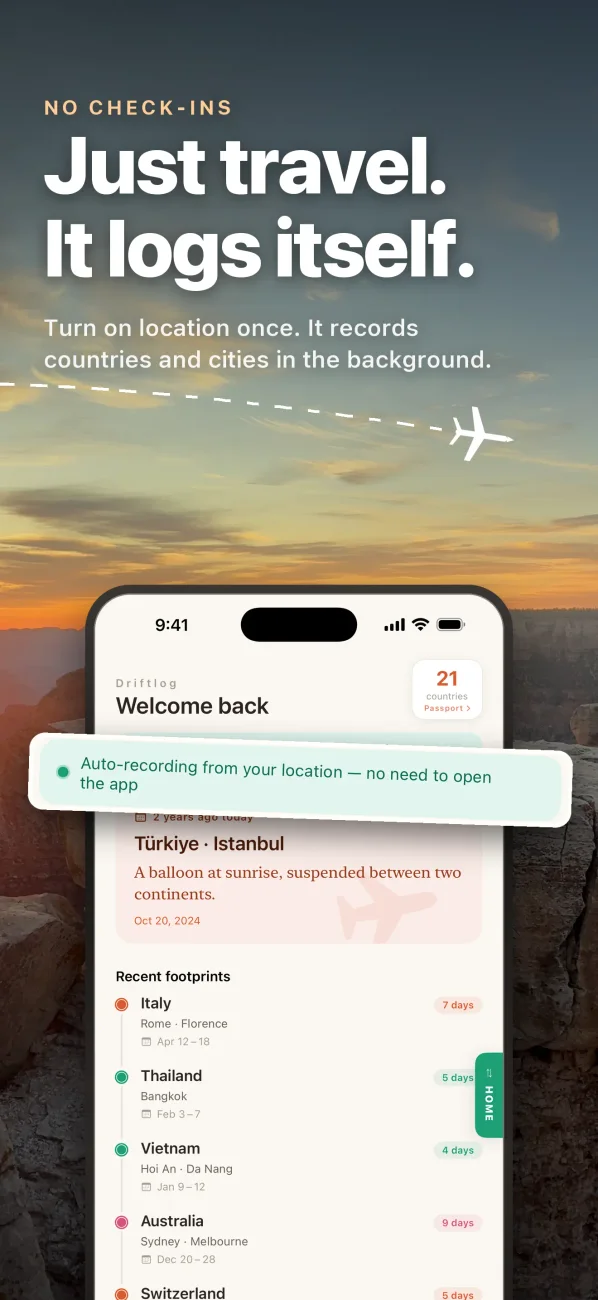
Turn on location once and leave it. Driftlog records the countries, cities and regions you pass through while it sits closed in the background. No check-ins. No writing anything down. Open it after six months and the map has been filling itself in the whole time.
WHAT YOU GET
- A world map that colors itself in, country by country
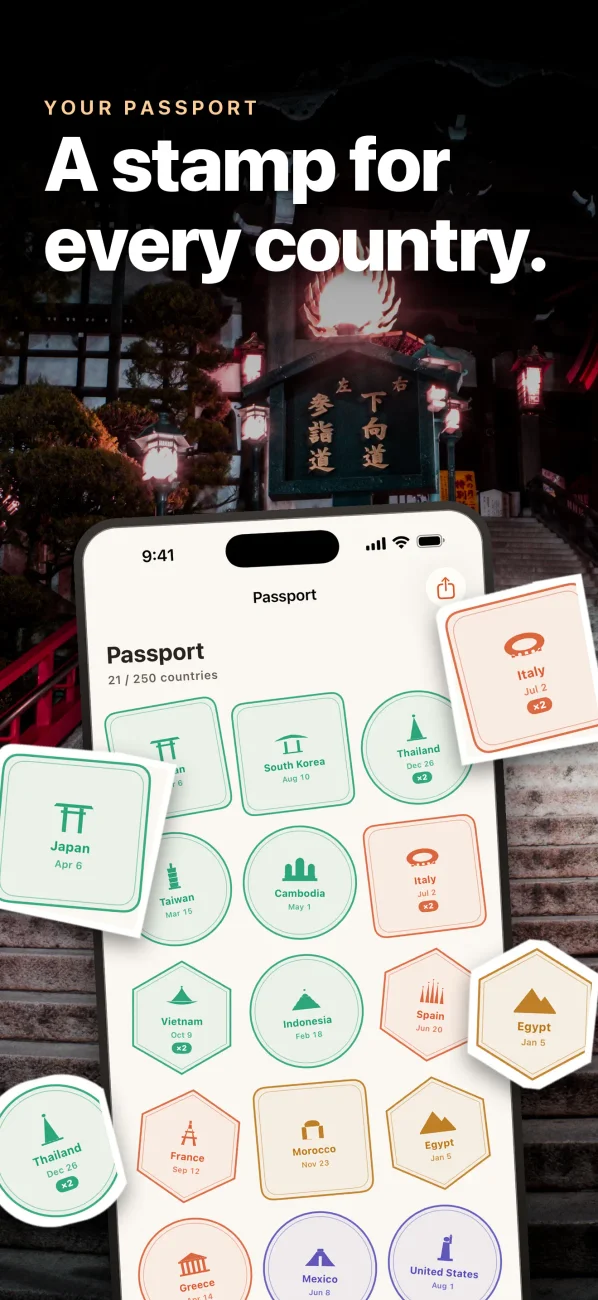
- A passport with a landmark stamp for every country you have visited
- A timeline by year, down to the cities you stayed in and the dates
- Memories: where you were on this day a year ago, and the year before that
- A welcome back recap when you get home
- Trip and year cards you can share
WHAT IT COSTS
Free to download.
Free forever, for everyone: the world map, the passport stamps, your country count, the timeline.
Free in full at home: the first three regions you visited in your home country (prefectures, states, provinces). Every city, stay date and linked photo in them, without paying anything.
Free abroad: your first foreign country, in full. That is the oldest one in your history.
From the second foreign country and the fourth home region onward, the details (dates, cities, notes, photos) open with one purchase. Those places still color in your map and count toward your totals. The price is shown on this page. You pay once. No subscription, no ads, no account.
WHAT LEAVES YOUR PHONE
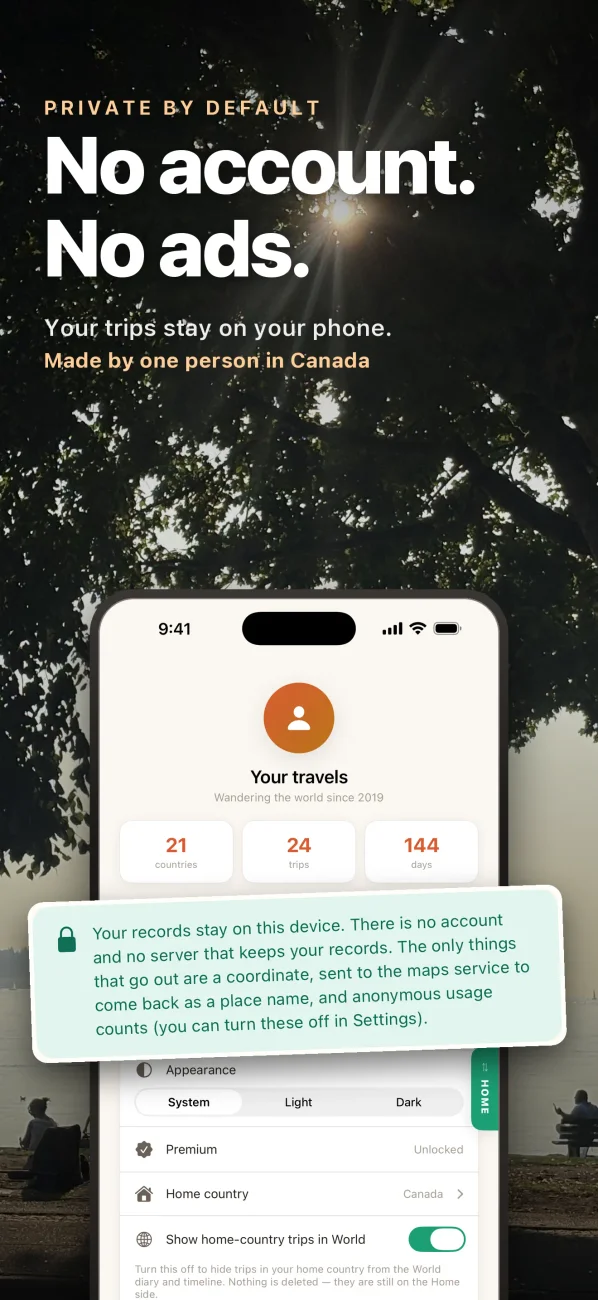
Your records stay on the device and in its own encrypted backup, which you can switch off in Settings. There is no account, and your trips are never sent to us. No ads, no tracking. The only thing the app sends us is anonymous usage counts, such as how often the purchase screen opens, and you can turn that off in the app's settings.
Place-name lookups do go out, and it is worth saying plainly. To turn coordinates into a name like "Lisbon, Portugal", the coordinates are sent to Apple's map service, and when you type a city name to add a trip by hand, that name is sent to find where it is. Nothing else about your trips leaves your phone. Not your history, not your photos.
BEFORE YOU START
Automatic recording needs Location set to Always, with Precise Location on. Nothing is recorded while your phone is off. Without a data connection (roaming off, for example), Driftlog still notes the country you arrive in, except near borders, and adds the city name once you are back online.
The photo import only sees photos that carry a location. Photos taken with camera location switched off are invisible to it. You can add a location to them later in the Photos app: select them, tap the info button, then Add Location, and run the import again. The import also needs Photos access set to Full Access. On Limited Access it only looks at the ones you picked.
A place counts as a trip when it has 3 or more photos on one day, or photos spanning 2 or more days and at least 6 hours apart, so a late-night landing plus a photo after midnight is not counted as an overnight stay. Shorter stops are treated as layovers and left out.
Your home area is excluded by default, inside a radius you can change in settings.
iPhone and iPad, iOS 17 or later. Portrait only. Made by one person.
Wander. It logs the rest.
What’s new
Version 1.7.8 · Nov 8, 2026
• Backup export is now free. Save all your trips to one file and bring them to a new phone. New installs also keep your records in this iPhone’s own encrypted backup; you can change that in Settings.
• “On this day” memories: the Diary card now shows the same trip as the morning notification, and tapping the notification opens that trip.
• A country or region you have already seen stays unlocked, even after you import older photos, delete a trip or change your home country.
• If you allowed location first, Driftlog now still offers to bring back past trips from your photos.
• Going back to a country no longer stretches your earlier trip there into one long trip. Trips already stretched over a long gap split back on their own after the update.
• Now also in Spanish, Portuguese, German, French, Italian, Dutch, Russian, Arabic, Indonesian and Simplified Chinese.
App privacy
What Akira Takashima declares on the App Store about how this app handles data.
-
Data not linked to you
May be collected but is not linked to your identity.
- Usage data
Privacy practices may vary, for example with the features you use or your age.
Information
- Seller
- Akira Takashima
- Category
- Travel
- Version
- 1.7.8
- Updated
- Nov 8, 2026
- Released
- Jul 6, 2026
- Size
- 11.1 MB
- Requires
- iOS 17.0 or later
- Age rating
- 4+
- Price
- Free
- In-app purchases
- Yes
- Languages
- English, Arabic, Dutch, French, German, Indonesian, Italian, Japanese, Korean, Portuguese, Russian, Simplified Chinese + 2 more
- Copyright
- © 2026 Shiori Studio
You might also like
-
 Nomadiary: Travel World MapTrack Every Country You Visit
-
 World Map: Countries VisitedBeen There Travel Trip Tracker
-
 TabiLog / 旅ログ - GPSで記録できる旅行アプリTravel
-
 たびあと - 行った場所がぜんぶ地図になるTravel
-
 RONDO - Places I've Been MapPrivate travel & photo journal
-
 SkyLog: Flight LogbookFlights, stays & Schengen
-
 Visited Map: Travel TrackerCountries, Regions & Trip Log
-
 Tabi Log: Travel Map & JournalGPS Tracking & Photo Albums
-
 Japan Travel Album - Photo LogMap your memories across Japan
-
 たびのしるしTravel