Driver4VR: Full Body Tracking
FBT in VRChat with easy setup
Designed for iPhone, iPad, iPod touch
Free · In-app purchases
- Age rating4+
- CategoryEntertainment
- DeveloperGrzegorz Bednarski
- LanguagesEnglish
- Size191.0 MB
Links to the official App Store page
Download.org hosts no file of Driver4VR: Full Body Tracking. The button opens its official App Store page, published by Grzegorz Bednarski. Listing last checked on Nov 25, 2026.
Screenshots




About
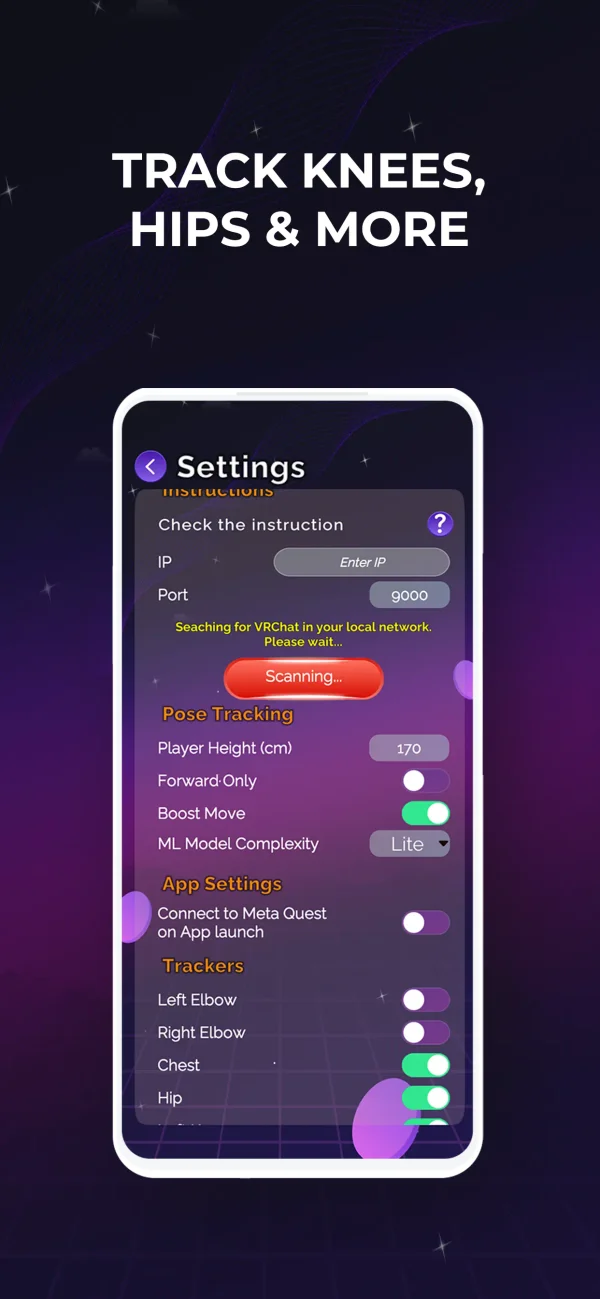
Move, groove, and pose! Driver4VR is an exceptional FBT (Full Body Tracking) system that detects your movements in more detail and recreates them with your personalized VRChat avatar. Unlock the hidden potential of virtual reality & make your experience more immersive. All that is possible just with your mobile phone & VR headset. Possibilities are endless - track your hips, knees & more!
HOW IT WORKS?
Deep learning determines the position of your body, captures all the moves, and sends it over to the local Wi-Fi to VRChat on your Meta Quest 2. There are no additional applications or drivers required. You can use a front or rear camera. The configuration is simple & you can start right away!
WHAT MAKES DRIVER4VR STAND OUT?
- Simple & powerful full body tracking solution - Years of experience in FBT - Easy setup & helpful tutorials
- New scan feature for quicker config
- Global Discord community
- You can use the camera right away
- Affordable price for the full premium version
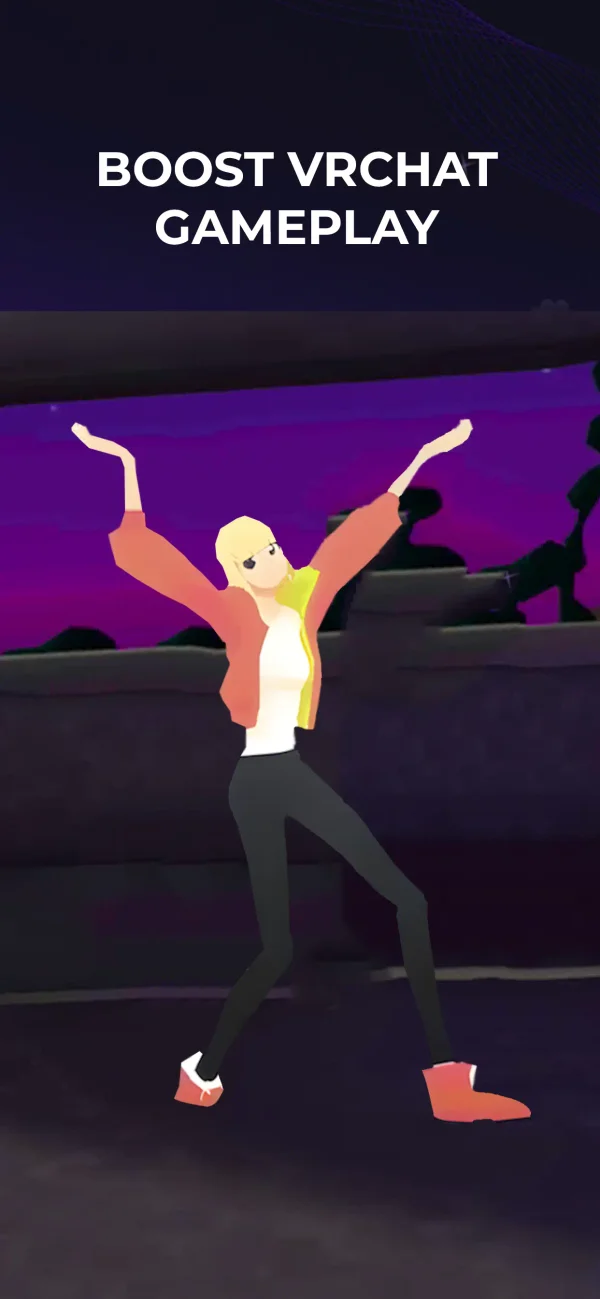
BOOST YOUR VRCHAT EXPERIENCE
Our VR tracker app lets you enhance your virtual reality gameplay & track your moves with more detail. Pose, dance, jump, or goof around – possibilities are endless. You will not regret trying this VRChat tracker.
PROVEN FBT APP
We have strong experience in mobile full-body tracking solutions and delivered many updates throughout the years. You can expect a good VR tracker at an affordable price, which sets it apart from the alternatives.
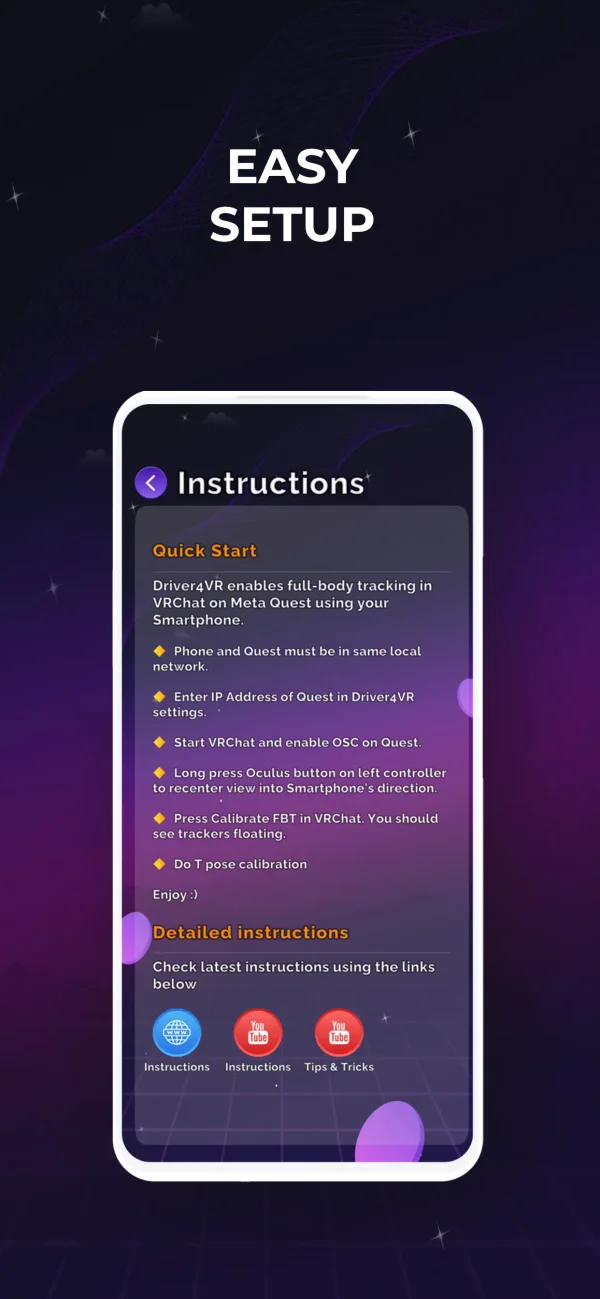
EASY & FAST SETUP
Our VRChat full body tracking app is designed to enable quick & simple configuration. You’re only a few steps away from using FBT in VRChat. Follow the instructions below & have fun with more immersive VR gameplay!
HOW TO CONFIGURE DRIVER4VR?
1. Phone and Quest/PC must be on the same local network.
2. Start VRChat on Quest or PC and enable OSC.
3. In the Driver4VR Settings press Scan button or manually enter the IP address of the PC or Meta Quest where VRChat is running.
4. Long press the Oculus button on the left controller to recenter the view in the smartphone's direction.
5. Press "Calibrate FBT" in VRChat. You should see trackers floating.
6. Do a T-pose calibration.
Want to know more? Get all need info from our detailed video tutorial which you can access in our app, website, or Youtube channel.
PREMIUM VERSION
With a convenient “pay once and use forever” option, our application offers great value for money. You can test the device with a free trial limited to hip tracking and then upgrade to the premium version for the remaining VR trackers when ready. To learn more about Driver4VR's Terms of Use and Privacy Policy, visit our official website.
What’s new
Version 0.60 · Oct 2, 2026
- New Heavy pose model: noticeably more accurate tracking. Switch Heavy/Full/Lite next to the AI FPS counter.
- Faster tracking: pose model runs on the GPU (OpenCL), kernel cache for quicker startup.
- Smoother trackers: steady 30 Hz output with extrapolation, no stutter at low frame rates.
- Feet: rotation from real foot landmarks, flat when you turn away, tilt when lifted.
- Fixed position filter lag and overshoot.
- New first-run intro, no overlapping panels.
- Cleaner HUD: one bottom bar.
App privacy
What Grzegorz Bednarski declares on the App Store about how this app handles data.
-
Data not collected
The developer does not collect any data from this app.
Privacy practices may vary, for example with the features you use or your age.
Information
- Seller
- Grzegorz Bednarski
- Category
- Entertainment
- Version
- 0.60
- Updated
- Oct 2, 2026
- Released
- Mar 28, 2023
- Size
- 191.0 MB
- Requires
- iOS 15.0 or later
- Age rating
- 4+
- Price
- Free
- In-app purchases
- Yes
- Languages
- English
- Copyright
- © 2018-2026 2MW. All rights reserved. Driver4VR and the Driver4VR logo are trademarks of 2MW. No Personal Information is collected by the application.
You might also like
-
 VR Movies 3D - Virtual Reality360° Roller Coaster Videos
-
 VoicemodVoice Changer & Soundboard
-
 VR Tube - 360° Video PlayerImmersive Panoramic Viewer
-
 Mooshi - Ah Shimeji PetsCute Widgets & Sticker Friends
-
 Meme Soundboard Buttons: Deezfunny sound effects board 2025
-
 Google CardboardEntertainment
-
 rPlayer: VR & 3D Video PlayerPowerful VR & 3D Video Player
-
 Soundboard Online - MemesPlay trending meme sounds, sfx
-
 Meme Soundboard 2016-2026Iconic & viral funny sounds
-
 Dorian: Romantasy Games HubChoose Your Fictional Date