
DriveScape: Drive Log
Routes and photos to share
Designed for iPhone
In-app purchases
- Age rating4+
- CategoryLifestyle
- DeveloperNaoki Takahashi
- LanguagesEnglish+ 1 more
- Size40.2 MB
Links to the official App Store page
Download.org hosts no file of DriveScape: Drive Log. The button opens its official App Store page, published by Naoki Takahashi. Listing last checked on Nov 23, 2026.
Screenshots


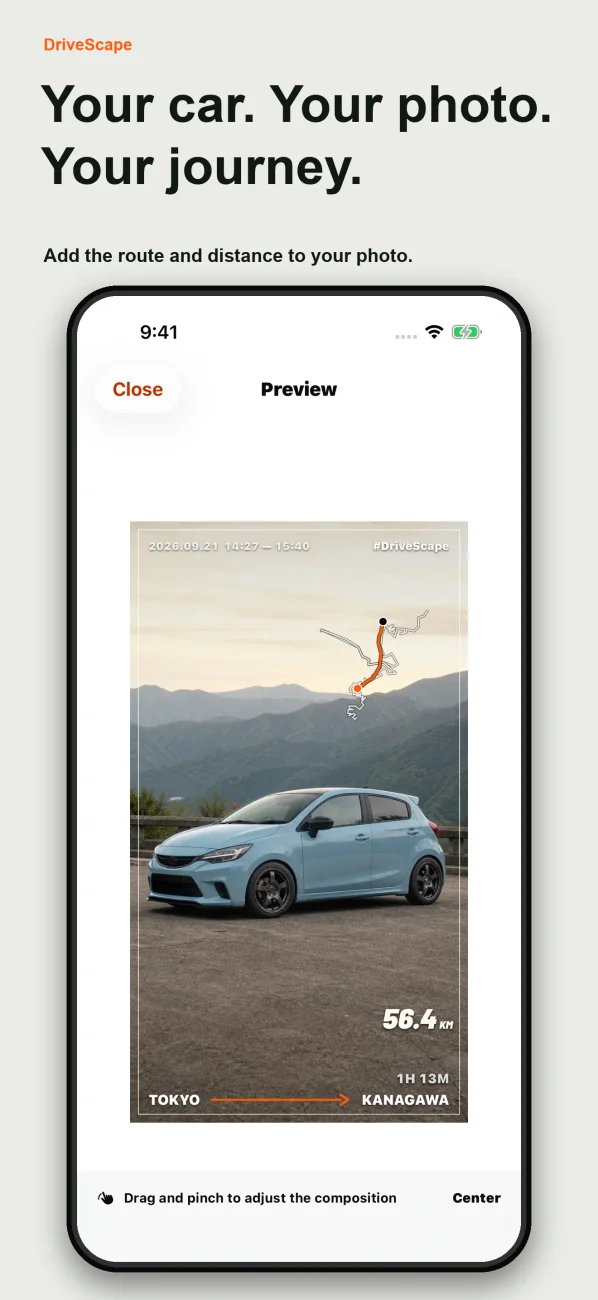
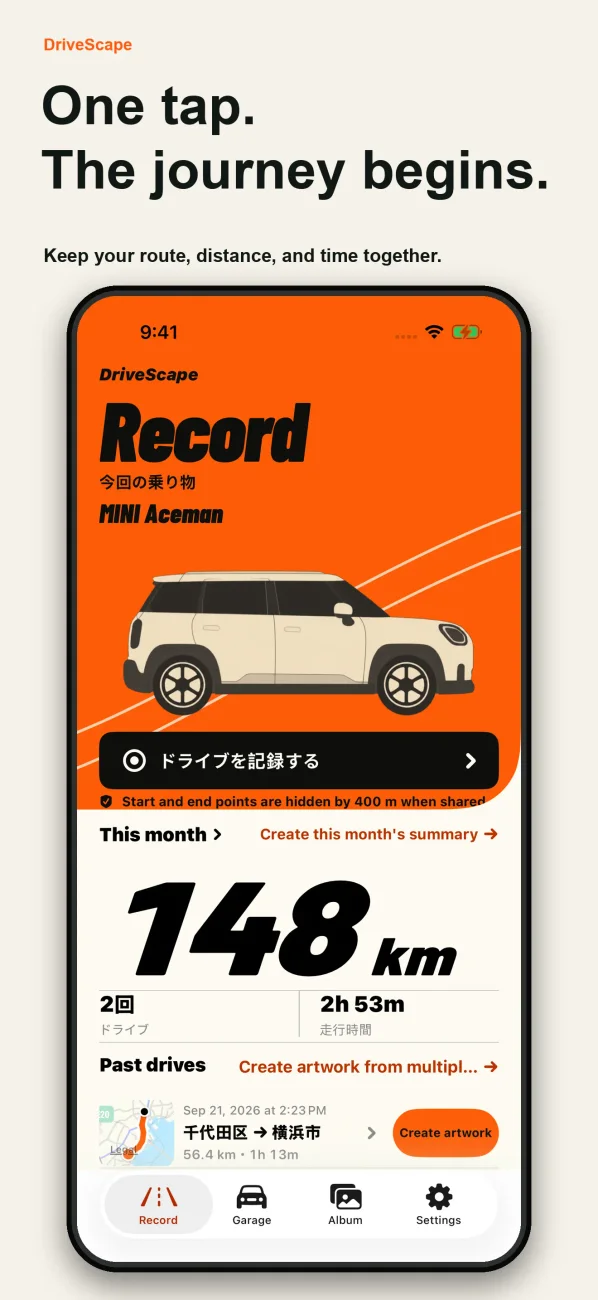

About
Your route and vehicle photos become one piece on the map. DriveScape turns the distance, time, photos, and videos from a drive into a Drive Log—a drive journal you can share without making the numbers the whole story.
Record a drive
Start a drive to save its GPS route, distance, duration, and date. Pause for a break, keep recording with the screen closed, and review when parked.
Make a map-led journey
Match saved photos to the public route by capture time and location. Matched photos appear at their route points in their original aspect ratio, then can become photo stops in a short silent video. On days without photos, create an image or video with an Apple map, distance, time, and place details. Choose separate portrait 9:16 or landscape 16:9 compositions, vehicle art, and Classic or Dynamic motion.
Add later, resume the same log
Add photos from Photos after the drive. Unmatched photos are never moved to another point. Resume a saved Drive Log into the same record; the unrecorded gap is excluded from distance. Keep each memory with its photos, videos, and finished piece.
Record cars, motorcycles, or bicycles
Choose the vehicle before recording and carry it into Review and sharing. Cycling records use a standard bicycle icon. Revisit monthly distance and vehicle statistics, or keep a travel memory from a road trip.
Share with privacy and context
Show or hide GPS-estimated maximum and moving-average speeds independently. There are no rankings or speed competition. Exact start and end points are hidden by default; choose the place detail to show, remove license-plate candidates one by one, and inspect the final preview.
For safety, capture, editing, and sharing are intended for when you are parked or a passenger can operate the app safely.
What’s new
Version 1.0.3 · Nov 14, 2026
• Fixed the replay map resetting its view when the same route is reloaded.
• Choose video settings before generating your video, with improvements to preview and sharing responsiveness.
• Improved access to drive photos and route playback.
App privacy
What Naoki Takahashi declares on the App Store about how this app handles data.
-
Data used to track you
May be used to track you across apps and websites owned by other companies.
- Identifiers
-
Data linked to you
May be collected and linked to your identity.
- Location
- Identifiers
- Usage data
-
Data not linked to you
May be collected but is not linked to your identity.
- Diagnostics
Privacy practices may vary, for example with the features you use or your age.
Information
- Seller
- Naoki Takahashi
- Category
- Lifestyle
- Version
- 1.0.3
- Updated
- Nov 14, 2026
- Released
- Sep 12, 2026
- Size
- 40.2 MB
- Requires
- iOS 17.0 or later
- Age rating
- 4+
- In-app purchases
- Yes
- Languages
- English, Japanese
- Copyright
- © 2026 Naoki Takahashi
You might also like
-
 Moons: Keep in TouchStay close to twelve people
-
 Saturday UnfoldsLittle wishes for your weekend
-
 Aquarium Care - TankMinderWater change & quality log
-
 Eco Electric Cars EV ChargerCharging Station Finder, Trip
-
 Bloodpress Mate- Heart TrackerBlood Pressure Health Tracking
-
 ProscenicSmart home
-
 REDMOND RobotREDMOND Group