Drone Scanner (gen.2)
Real-time drone detection tool
Designed for iPhone, iPad, iPod touch
Free
- Age rating4+
- CategoryUtilities
- DeveloperDronetag
- LanguagesEnglish
- Size75.5 MB
Links to the official App Store page
Download.org hosts no file of Drone Scanner (gen.2). The button opens its official App Store page, published by Dronetag. Listing last checked on Nov 12, 2026.
Screenshots

About
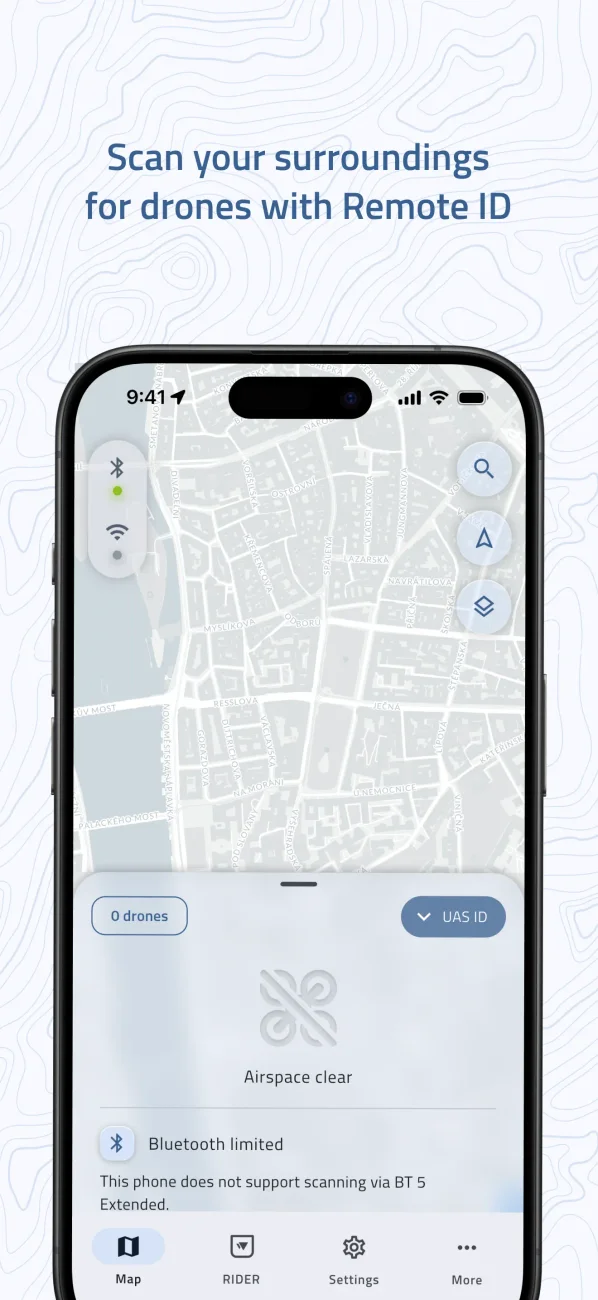
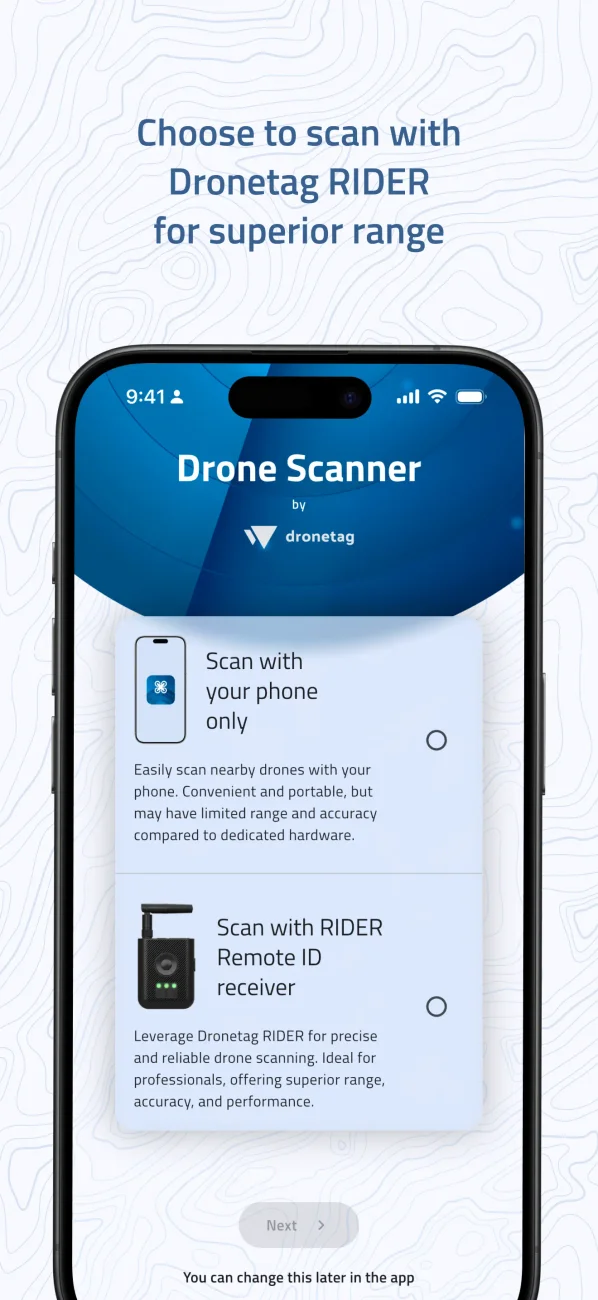
Drone Scanner by Dronetag transforms your iPhone into a real-time drone detection tool, allowing you to see what’s flying nearby, monitor drone activity, and gain visibility into the skies from your pocket. You can scan drones using your mobile device or connect to a Dronetag RIDER, our dedicated drone detector with significantly greater range. RIDER can detect drones up to 5 km (3 mi) away with its default antenna and up to 10 km (6 mi) with a directional antenna.
New in the next-generation Drone Scanner:
- A completely redesigned interface and an intuitive scans list
- Recent scans are stored locally on your phone and can be exported to open formats
- Scan using Dronetag RIDER for enhanced range and Wi-Fi scanning support on iPhones
Core Features:
- Detect drones using Bluetooth 4, Bluetooth 5, Wi-Fi Beacon, and Wi-Fi NAN
- Display pilot location (if available)
- Monitor height, direction, and operation type
- Browse nearby drones on a map or in list view
- Compatible with EU, US, and Japanese Remote ID regulations
- Developed by Dronetag, a global leader in drone Remote ID solutions
Feature availability depends on your device and OS limitations. iOS restricts access to certain Wi-Fi channels - only Bluetooth-based scanning may work. If you're using Drone Scanner on an iOS device, some drones that transmit their identification data via Wi-Fi may not be visible to you. This is a system-level restriction, not a bug in the app.
How It Works:
Remote ID is a feature that transmits identification and flight data from drones using wireless signals like Bluetooth or Wi-Fi. Manufacturers implement this in different ways, using various technologies. Drone Scanner captures these signals using your phone’s built-in hardware - or via the Dronetag RIDER for extended detection range and higher reliability.
What’s new
Version 2.11.1 · Nov 10, 2026
New onboarding with an improved guide and animations.
Redesigned settings and appearance (light/dark theme).
New map options—satellite view, offline maps, saved preferences. Improved drone cards with customizable data display options.
Expanded data export (airspace export, filters, formats).
Responsive interface for tablets.
Bug fixes and performance improvements.
App privacy
What Dronetag declares on the App Store about how this app handles data.
-
Data not linked to you
May be collected but is not linked to your identity.
- Identifiers
- Usage data
- Diagnostics
Privacy practices may vary, for example with the features you use or your age.
Information
- Seller
- Dronetag s.r.o.
- Category
- Utilities
- Version
- 2.11.1
- Updated
- Nov 10, 2026
- Released
- May 30, 2025
- Size
- 75.5 MB
- Requires
- iOS 15.0 or later
- Age rating
- 4+
- Price
- Free
- Languages
- English
- Copyright
- © 2025 Dronetag s.r.o.
You might also like
-
 DroneScout proSee drones flying near you
-
 RID ScannerDetect drone with A1 device
-
 Drone Buddy: Fly Drone SafelyDrone Pilots Best Friend
-
 Drone FinderUtilities
-
 Ruko ScannerUtilities
-
 Airdata UAVUtilities
-
 OpenSky - App for Drone FlyersFind where you can fly
-
 B4UFLY Drone Airspace SafetyPowered by FAA
-
 Drone TrackingUtilities
-
 Drone Go2Utilities