
Dropling: Lock Screen Learning
Learn anything over coffee
Designed for iPhone
In-app purchases
- Age rating4+
- CategoryEducation
- DeveloperDuckino s.r.o.
- LanguagesEnglish+ 4 more
- Size17.6 MB
Links to the official App Store page
Download.org hosts no file of Dropling: Lock Screen Learning. The button opens its official App Store page, published by Duckino s.r.o. Listing last checked on Nov 12, 2026.
Screenshots

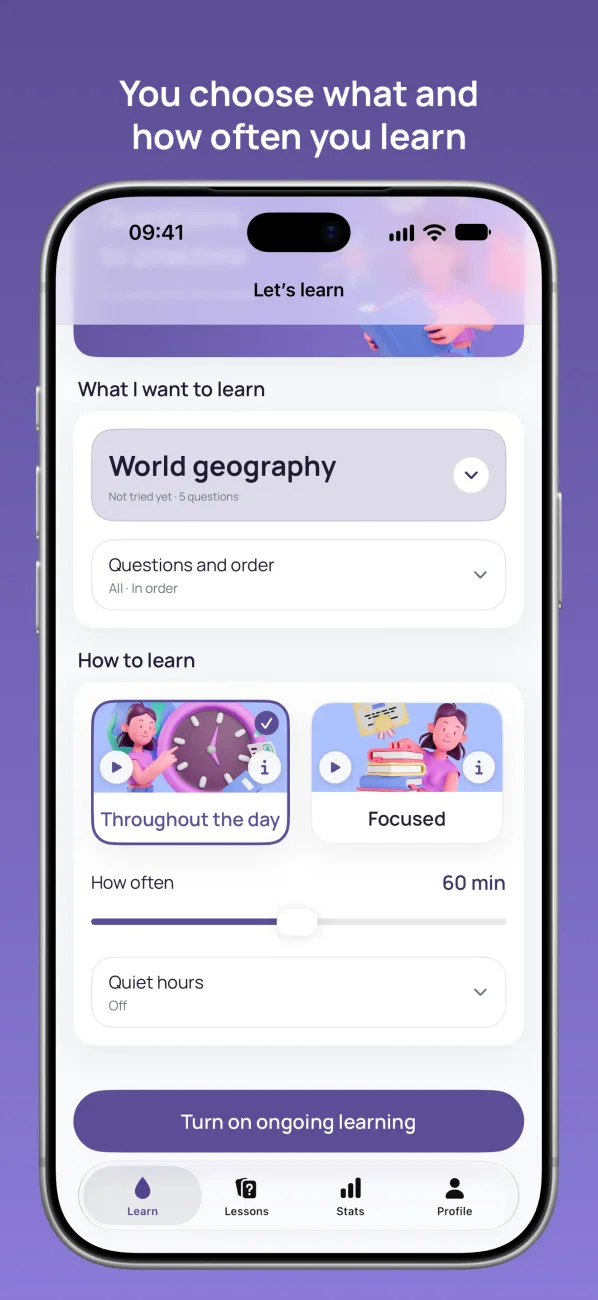
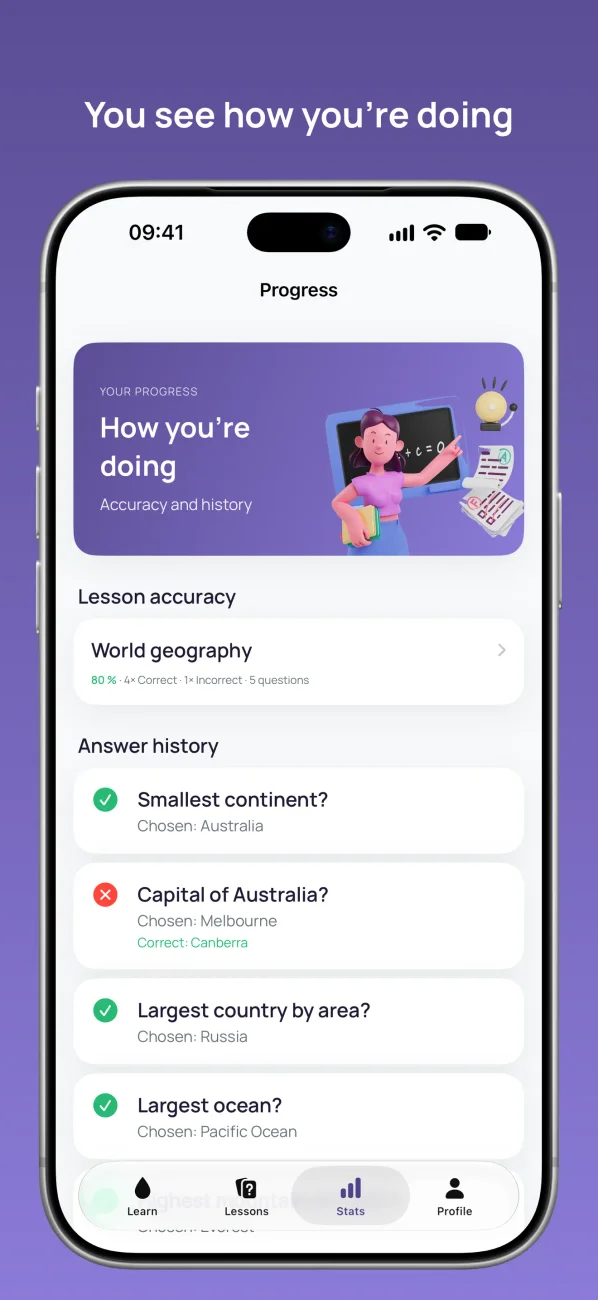

About
You don't have to find time to learn. It finds you.
A question pops up on your phone during the day. You answer right from the notification, without opening the app, and carry on with whatever you were doing. It fits between two sips of coffee.
What you learn is up to you: English vocabulary, exam prep, general knowledge or anything else. Make your own quiz, question by question. Or if you don't feel like it, type a topic, AI drafts it and you adjust it.
How it works
• Pick a lesson and set how often questions should come.
• A question waits in your notifications until you have a moment.
• Go through all the questions or only the ones you keep missing, in order or shuffled.
• Set quiet hours and questions wait until morning.
When you have a bit more time, on the bus for example, start a round right on your Lock Screen and questions come one after another for as long as you like. You can also answer on Apple Watch.
For each lesson you see what you already know and what deserves another round. A few questions a day add up nicely over a week and a month.
Free and Dropling+
Free gives you two lessons of up to ten questions, and AI can prepare two more for you. Dropling+ gives you as many lessons as you like, up to 80 questions in each, 10 AI lessons a month and sharing lessons by link.
You don't need an account and there are no ads. Your lessons and progress stay on your phone and reach your other devices through iCloud.
Dropling+ is an auto-renewable subscription. Payment is charged to your Apple ID at confirmation of purchase. It renews automatically unless cancelled at least 24 hours before the end of the current period; your account is charged for renewal within 24 hours prior to the end of the period. Manage or cancel anytime in your Account Settings after purchase.
Terms of Use (EULA): https://dropling.app/terms?lang=en
Privacy Policy: https://dropling.app/privacy?lang=en
What’s new
Version 1.6 · Nov 2, 2026
Dropling has a new look.
• A new icon and a welcome screen with a falling drop.
• Dark appearance, which you can turn on in Profile.
• A clearer Learn tab. Your lesson, how you learn and how often questions arrive are now set in one place.
• New icons in the bottom bar.
App privacy
What Duckino s.r.o. declares on the App Store about how this app handles data.
-
Data not linked to you
May be collected but is not linked to your identity.
- Purchases
- User content
- Identifiers
- Diagnostics
Privacy practices may vary, for example with the features you use or your age.
Information
- Seller
- Duckino s.r.o.
- Category
- Education
- Version
- 1.6
- Updated
- Nov 2, 2026
- Released
- Jun 22, 2026
- Size
- 17.6 MB
- Requires
- iOS 17.0 or later
- Age rating
- 4+
- In-app purchases
- Yes
- Languages
- English, Czech, German, Slovak, Spanish
- Copyright
- © 2026 Duckino s.r.o.
You might also like
-
 LingoDropLearn language, one drop a day
-
 Redo - Improve SpeakingBe Articulate, Improve Speech
-
 Faktly – Daily Facts & TriviaDaily Facts Trivia & Knowledge
-
 Vocab First: Word BuilderBetter words before you scroll
-
 SciencityHow the World Works
-
 Eloquence: Ritual LearningMaster a Language with AI
-
 Munin: General KnowledgeDaily lessons that stick
-
 WaablChinese word of the day
-
 句式 - Chinese Sentence PatternsBuild Real Chinese Sentences
-
 Orator: Speech CoachSpeak like a president