
- Age rating4+
- CategoryMusic
- DeveloperFrank Wockenfu
- LanguagesEnglish
- Size112.9 MB
Links to the official App Store page
Download.org hosts no file of Drumsheet Scanner. The button opens its official App Store page, published by Frank Wockenfu. Listing last checked on Nov 23, 2026.
Screenshots


About
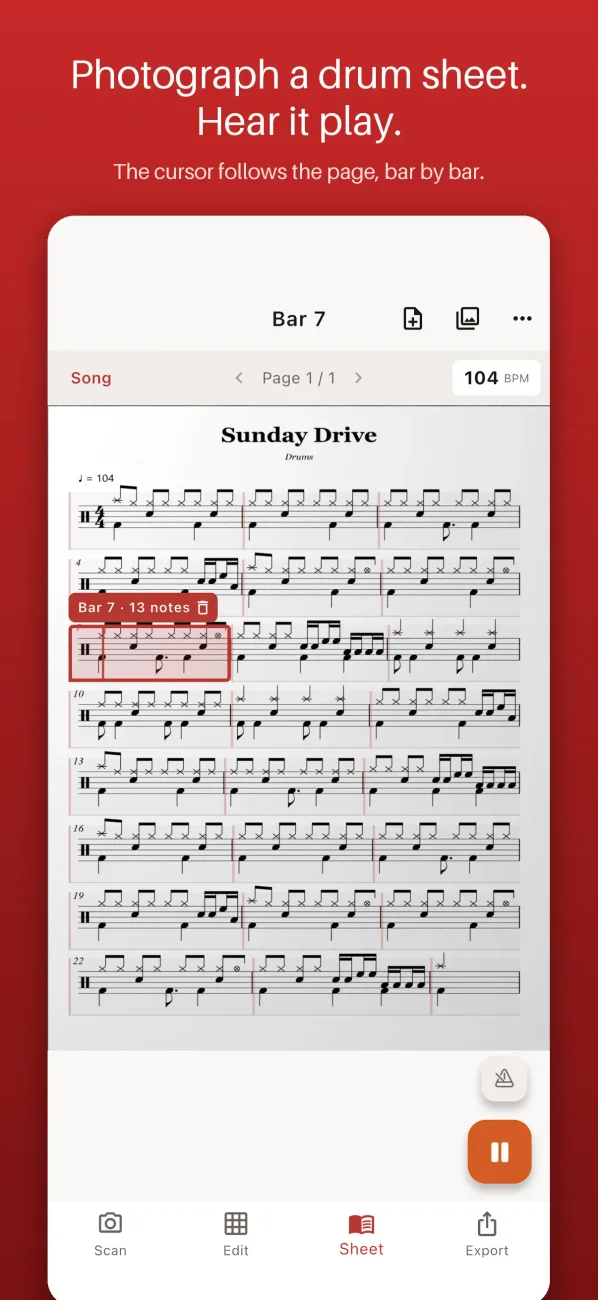
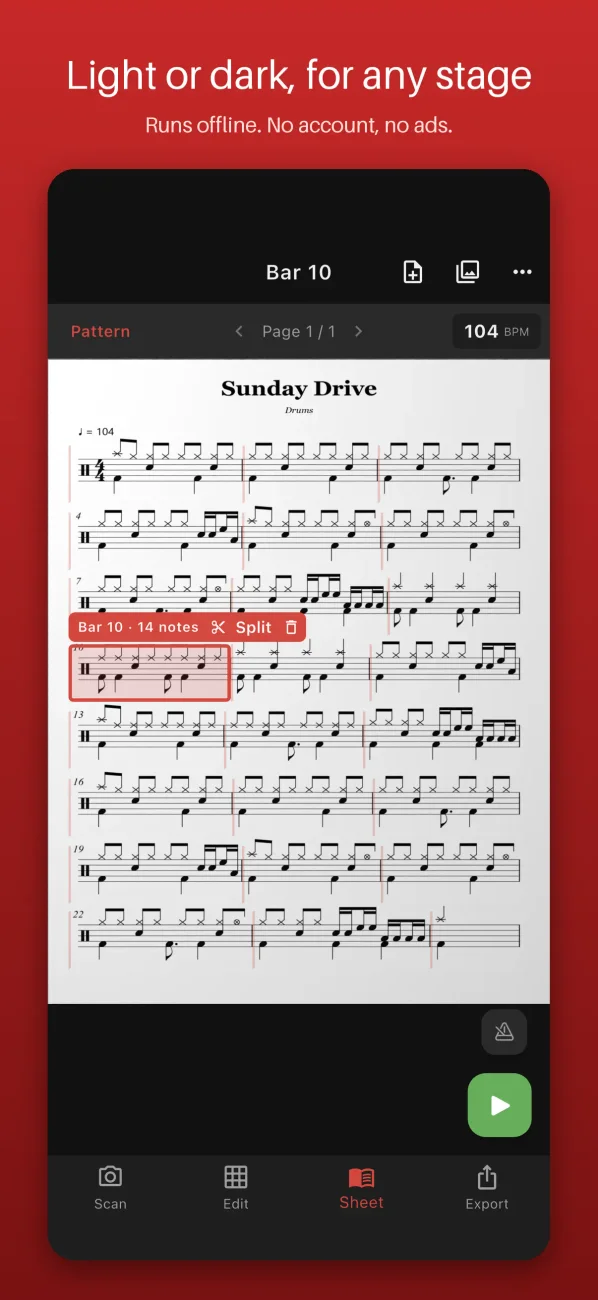
Photograph a page of drum notation and hear it play.
DrumSheetScanner reads a printed drum chart from a photo: it finds the staves, the bars and every notehead, reads the title, tempo and time signature, and turns the page into a song you can play, correct and export. Everything runs on your iPhone, offline.
SCAN A REAL PAGE
• Photograph the sheet on your stand or desk, or pick one from Photos, even a small picture forwarded from a messenger.
• The page is found and straightened for you. If the edge cannot be seen, such as white paper on a white table, drag the corners into place and it is read again.
• Songs of several pages stay together, in the order you choose.
• Reads 4/4, 6/8 and triplets, open and closed hi-hats, crash, ride, three toms, snare and kick.
HEAR IT, FOLLOW IT
• Playback with a real drum kit from a bundled SoundFont, full or simple.
• On the Sheet, the cursor runs along the photo of your page, so you see where the music is.
• A metronome, and a tempo trainer that raises the tempo step by step while you play.
LOOP WHAT YOU'RE LEARNING
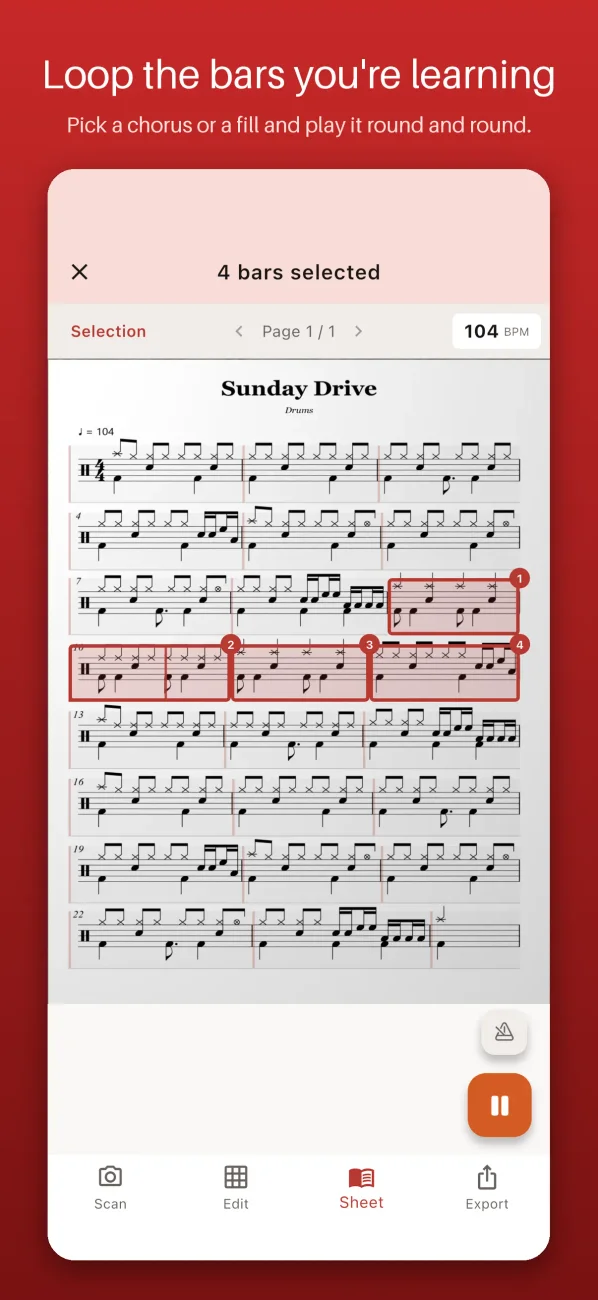
• Long-press a bar, tap more, and only those bars play, round and round, even across lines and pages.
FIX ANYTHING BY TAPPING
• Every bar lands in a step grid. Tap a cell to add or remove a hit, set accents and ghost notes, change tempo, time signature and resolution.
• Split a bar the scan merged, delete a bar, or remove every empty bar in one go.
YOUR SONGS, KEPT
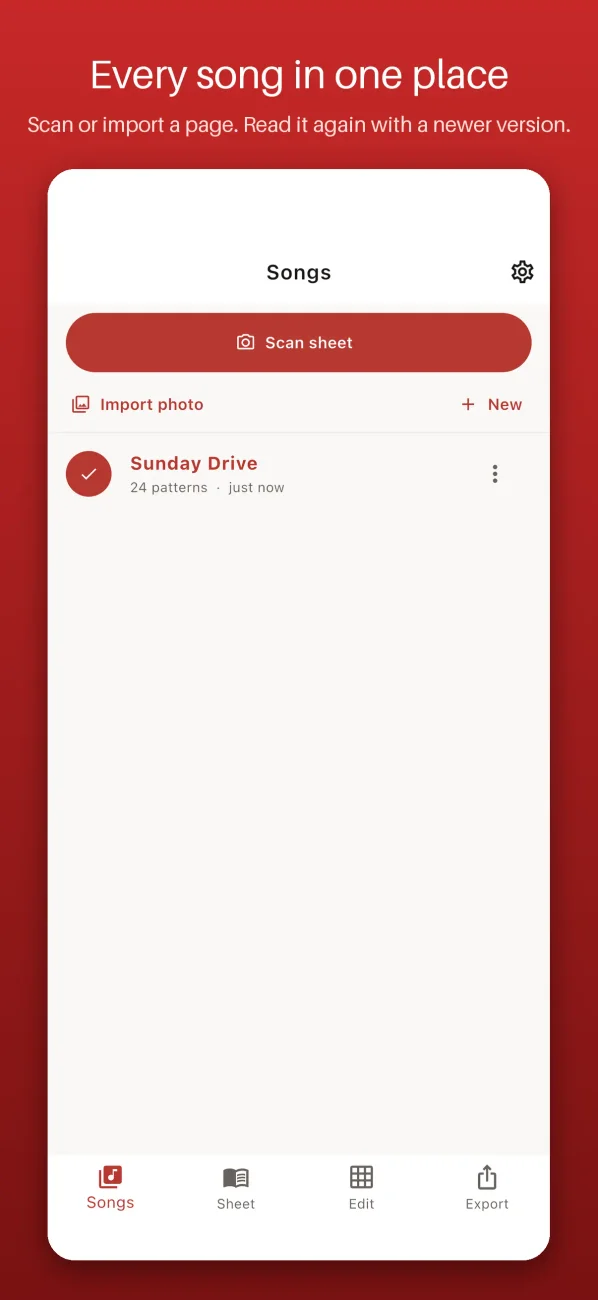
• Your songs open first, each one a tap away. Your original photos are kept, so a newer version of the app can read a song again without new photos.
• Back up every song, with its pages and photos, in one file, and restore it on this iPhone or a new one.
EXPORT
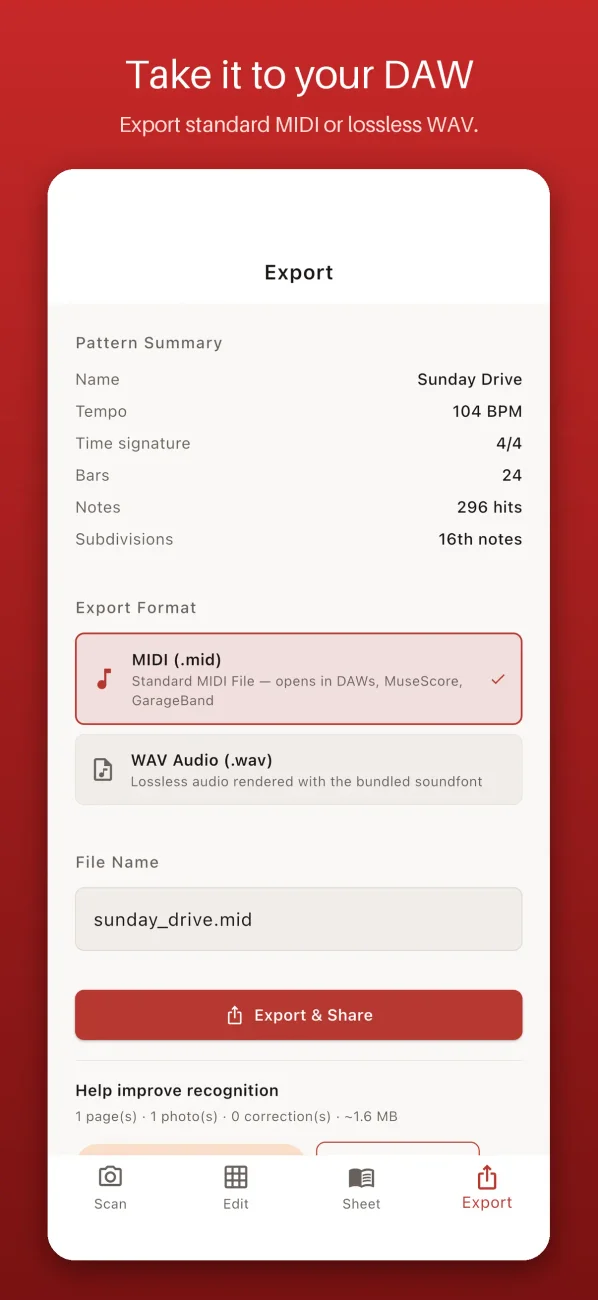
• Standard MIDI files for your DAW, MuseScore or GarageBand.
• Lossless WAV audio to share or practise along with.
PRIVATE BY DESIGN
• No account, no ads, no in-app purchases.
• Scanning, text recognition, playback and export all happen on your iPhone. Nothing is uploaded unless you share it yourself.
No scanner reads every chart perfectly. When a page comes out wrong, Export → Help improve recognition sends the developer that page and your fixes, so a later version reads it better.
For drummers, students and teachers who want to hear a groove before they play it, and practise the hard bars on repeat.
What’s new
Version 1.10 · Nov 19, 2026
- Your songs get a tab of their own: Songs opens first, with Scan sheet and Import photo on top, and a song opens on its page.
- Sheet now comes right after Songs.
- Back up every song, with its pages and photos, in one file and restore it on a new phone (Settings → Back up all sessions).
- Every hit now sounds exactly where it is written, swing swings and rolls roll, in playback and exports alike.
- Pages that print no tempo are read in about half the time.
App privacy
What Frank Wockenfu declares on the App Store about how this app handles data.
-
Data not collected
The developer does not collect any data from this app.
Privacy practices may vary, for example with the features you use or your age.
Information
- Seller
- Frank Wockenfu
- Category
- Music
- Version
- 1.10
- Updated
- Nov 19, 2026
- Released
- Sep 14, 2026
- Size
- 112.9 MB
- Requires
- iOS 16.0 or later
- Age rating
- 4+
- Price
- Free
- Languages
- English
- Copyright
- © 2026 Frank Wockenfuß
You might also like
-
 Rhythm Reader: Scan & PlayScan sheet music, hear it play
-
 Drummer Notes - AI Drum TabsTranscribe & Learn Any Song
-
 drummappRhythm Practice & Drum Trainer
-
 SheetScopeSheet music to MusicXML & MIDI
-
 Rudimo - Drum Practice40 rudiments · rhythm game
-
 GrooveSmith: Drum PracticeRudiments & groove trainer
-
 StickTime: Drum PracticeRudiments, tempo, reps
-
 LP AudiobookMusic
-
 Sheetly: Sheet Music ScannerScore Reader & AI Coach
-
 Gecko DrumsRudiment trainer & Metronome