dS Smart Home
The all new digitalSTROM app
Designed for iPhone, iPad, iPod touch
Free
- Age rating4+
- CategoryUtilities
- DeveloperdigitalSTROM AG
- LanguagesEnglish+ 3 more
- Size38.4 MB
Links to the official App Store page
Download.org hosts no file of dS Smart Home. The button opens its official App Store page, published by digitalSTROM AG. Listing last checked on Nov 12, 2026.
Screenshots



About
• Simple and convenient
The new dS Smart Home is the perfect app for the perfect smart home. Setting up and operating your digitalSTROM Smart Home has never been easier and more convenient. Whether light, shading or music - the app offers everything you need to make your life easier and more comfortable.
• Clear structure
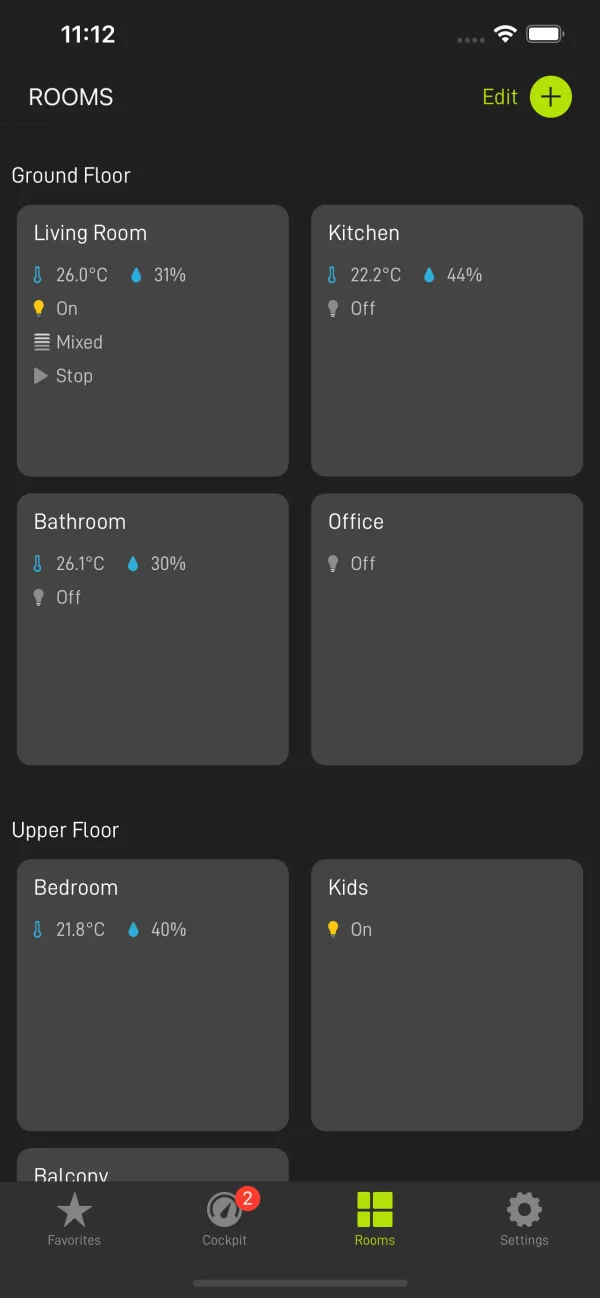
The app has four tabs (Favorites, Cockpit, Rooms, Settings) that help you to quickly switch between different features:
• Favorites: In the Favorites the most important scenarios of the whole flat are displayed. And you can add your personal favorites. These can be scenarios from the rooms, individual devices or user-defined actions.
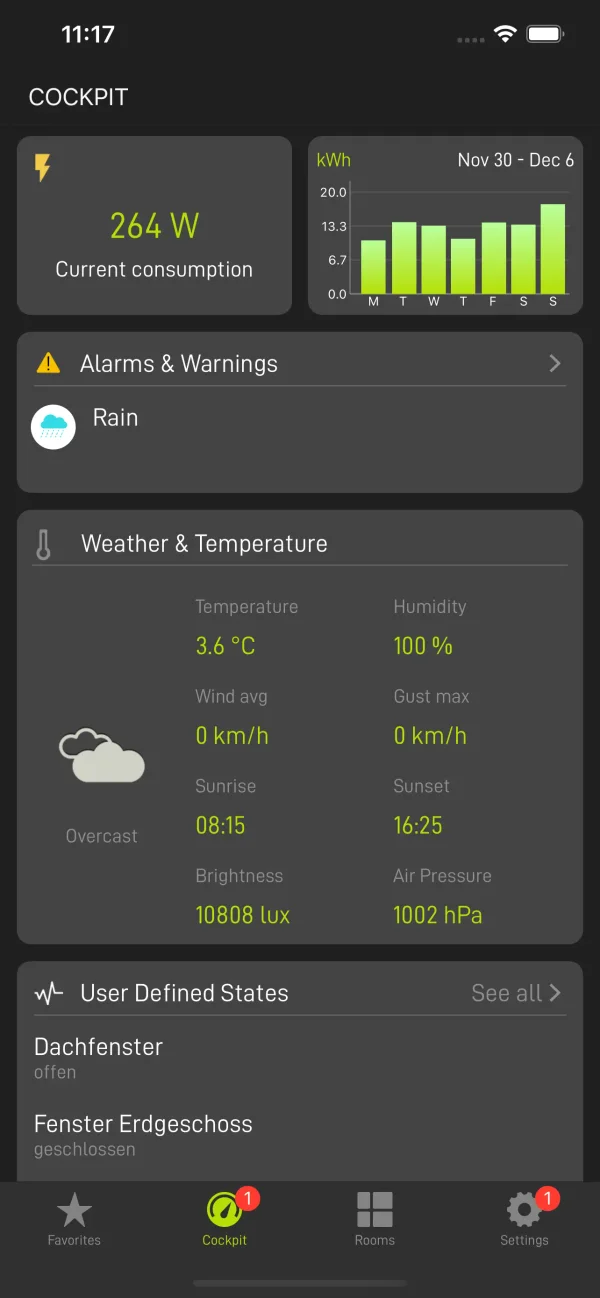
• Cockpit: the cockpit shows the current energy consumption and that of the last 7 days, weather and climate readings, current alarms and warnings, and user-defined states. In the detailed view of energy consumption, the individual circuits are displayed to the second. The climate data details show the temperature and humidity readings from the past days and weeks..
• Room overview: All rooms (including scenarios, devices and buttons) of your digitalSTROM Smart Home are displayed in the room overview and can be operated directly.
• Settings: In the settings you can add further installations (for example your holiday home) and have direct access to the tutorials or the help page.
• Custom actions
Add custom actions to your favorites and retrieve them at any time.
• Create and edit scenarios
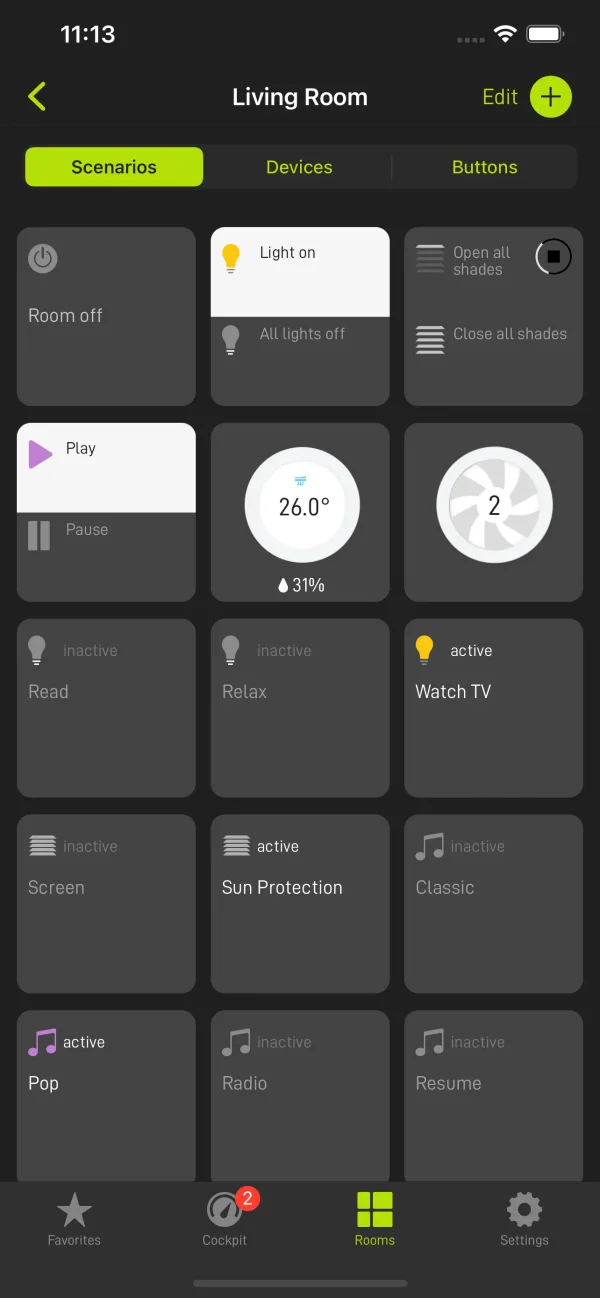
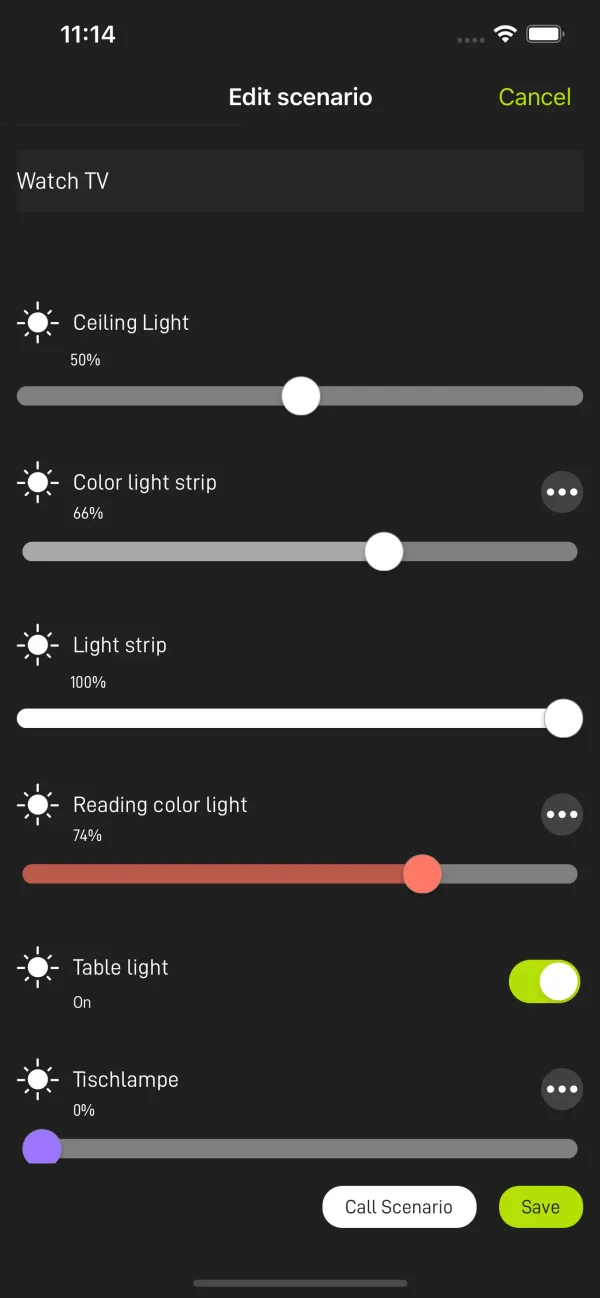
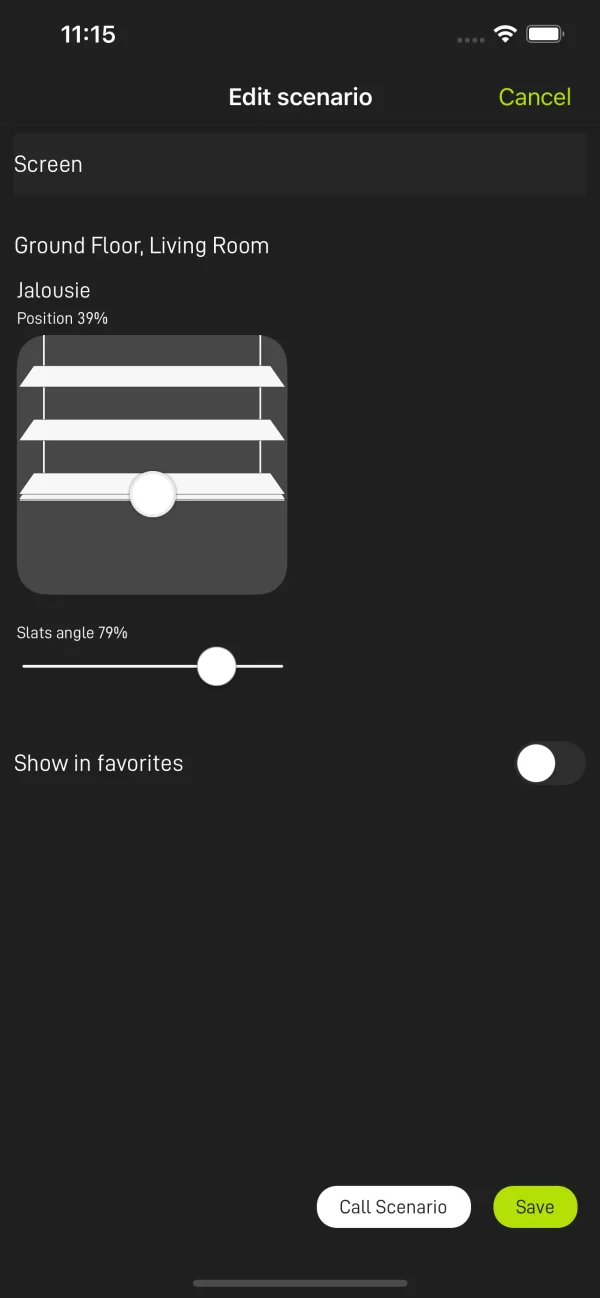
New scenarios can be easily and conveniently created and existing scenarios can be adjusted or deleted as needed.
• Control of the SONOS speakers
All SONOS speakers integrated into your digitalSTROM Smart Home can be operated via scenarios or the Play-Pause-function and the volume can be adjusted.
• Overview of rooms, scenarios and devices
Check the different measured values (e.g. temperature or humidity) and the current state of scenarios and all devices for "light" and "shading" for every room of your digitalSTROM Smart Home. Any changes made are displayed in the app immediately.
• Make temporary settings
Adjust the current brightness or color of lights and the position of shutters, blinds or awnings at any time easily. With a long click (3D-Touch) on a scenario or device you can open the temporary settings and make adjustments.
• Control your heating
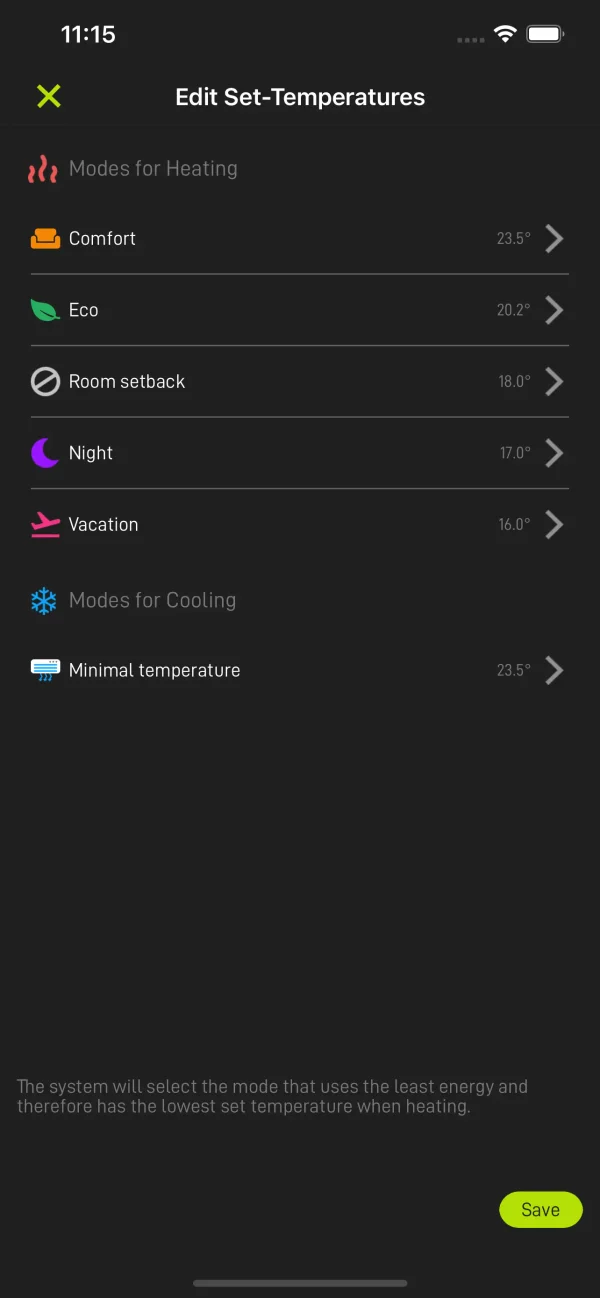
Check the current temperature in the rooms, choose between Comfort and Eco mode in each room and set the desired temperature for each mode and room.
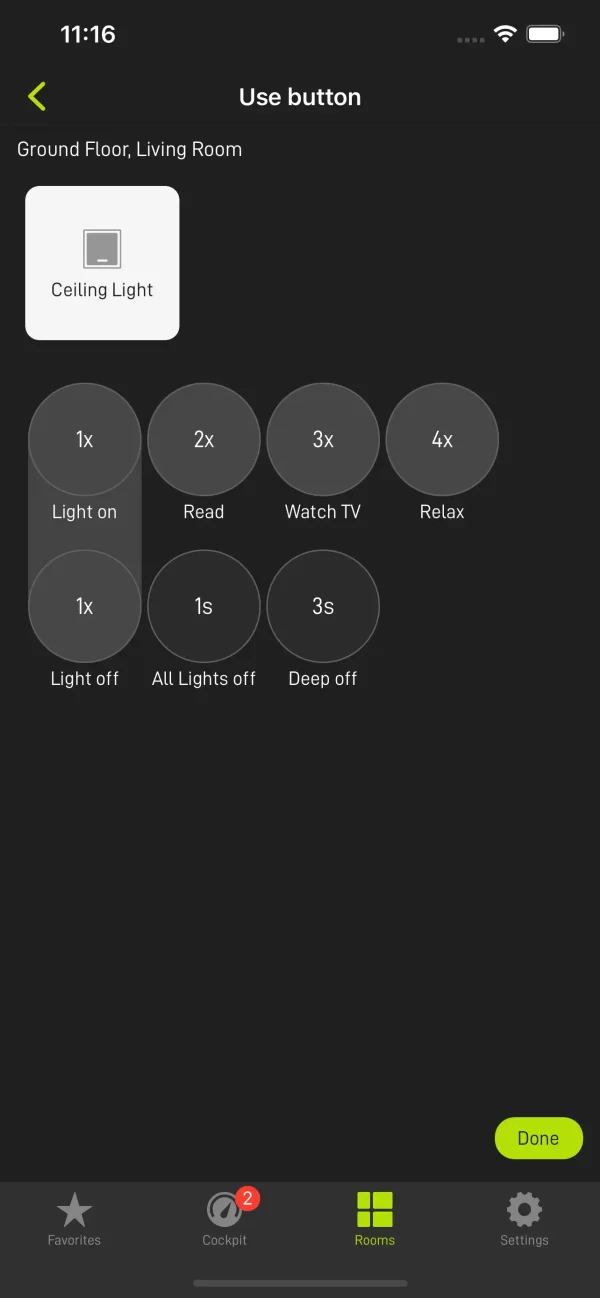
• Assignment of buttons
Try out how the various clicks on your light and shading buttons work and adapt the displayed scenarios to suit your requirements.
• The home at a glance
In the cockpit you will find information on current alarms and weather warnings, the user-defined states as well as the current energy consumption in your home.
What’s new
Version 1.18.0 · Mar 25, 2025
Fixed: Disconnecting from an apartment works now under Connected Home screen
Fixed: App no longer crashes when opening audio/video devices from a Room
Fixed: App no longer crashes when transitioning from local to cloud connection
Fixed: Energy flow screen display has been optimized
Fixed: Various crashes related to dashboard
App privacy
What digitalSTROM AG declares on the App Store about how this app handles data.
-
Data not linked to you
May be collected but is not linked to your identity.
- Usage data
- Diagnostics
Privacy practices may vary, for example with the features you use or your age.
Information
- Seller
- digitalSTROM AG
- Category
- Utilities
- Version
- 1.18.0
- Updated
- Mar 25, 2025
- Released
- Jun 5, 2019
- Size
- 38.4 MB
- Requires
- iOS 14.0 or later
- Age rating
- 4+
- Price
- Free
- Languages
- English, Dutch, French, German
- Copyright
- © 2025 digitalSTROM