Dual Camera: Back and Front
Front & Rear 4K Video Recorder
Designed for iPhone, iPad
Free · In-app purchases
- Age rating4+
- CategoryPhoto & Video
- DeveloperMd Khaled Hasan Manna
- LanguagesEnglish+ 32 more
- Size62.0 MB
Links to the official App Store page
Download.org hosts no file of Dual Camera: Back and Front. The button opens its official App Store page, published by Md Khaled Hasan Manna. Listing last checked on Nov 22, 2026.
Screenshots
About
SHOOT ONCE. GET BOTH.
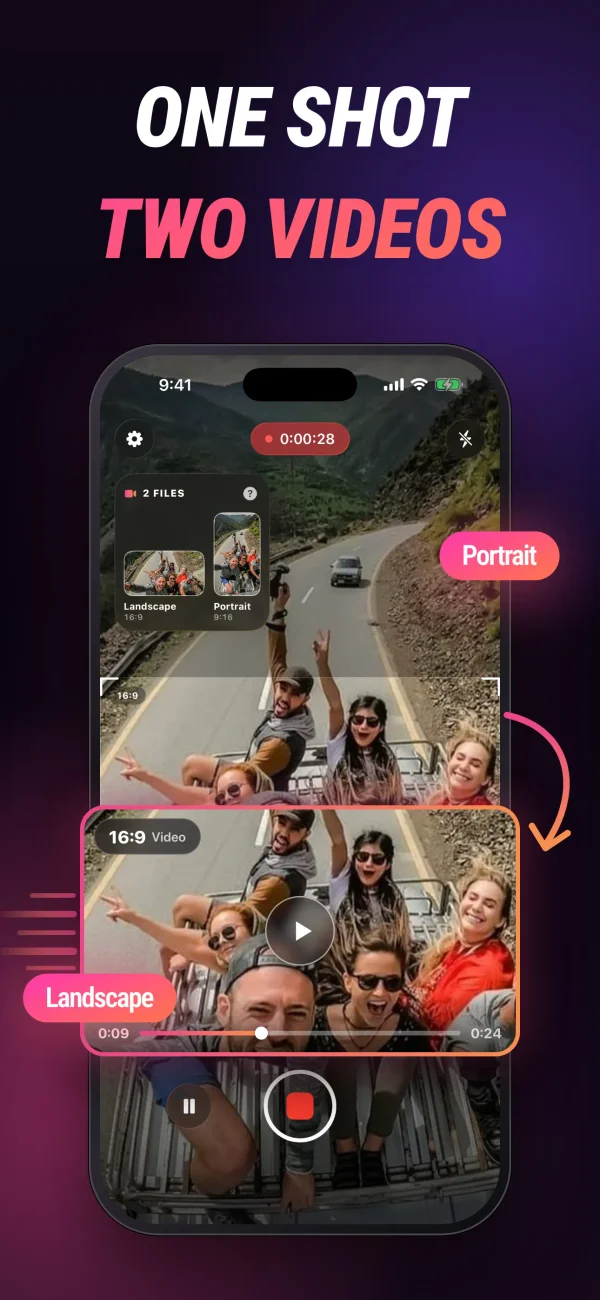
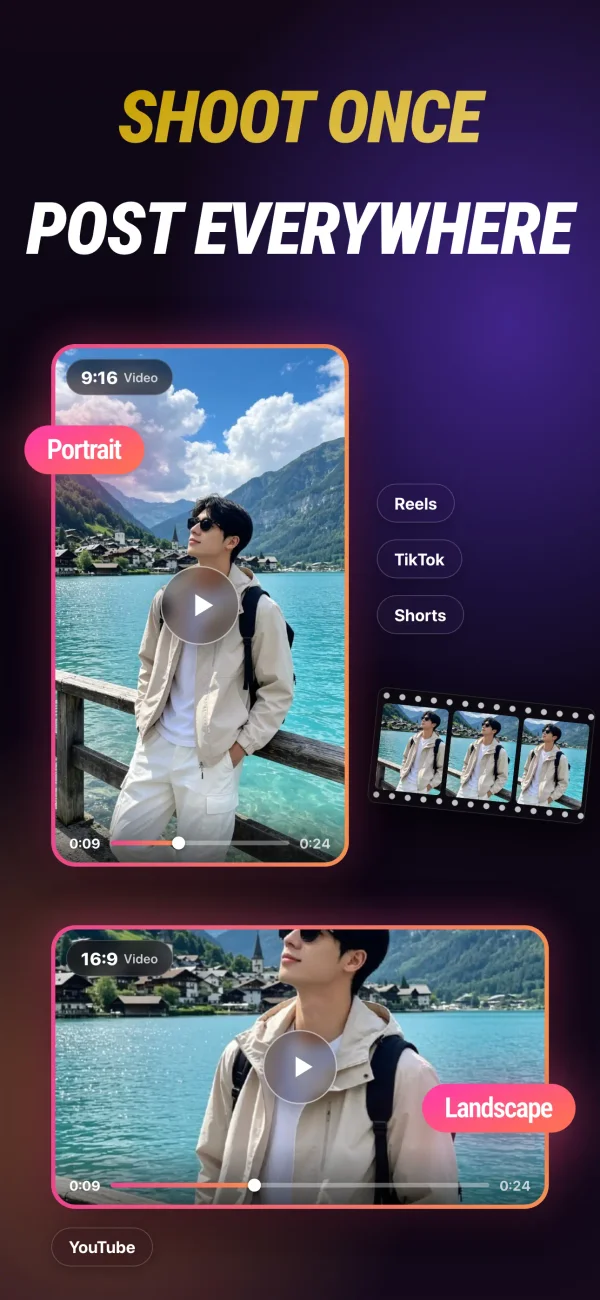
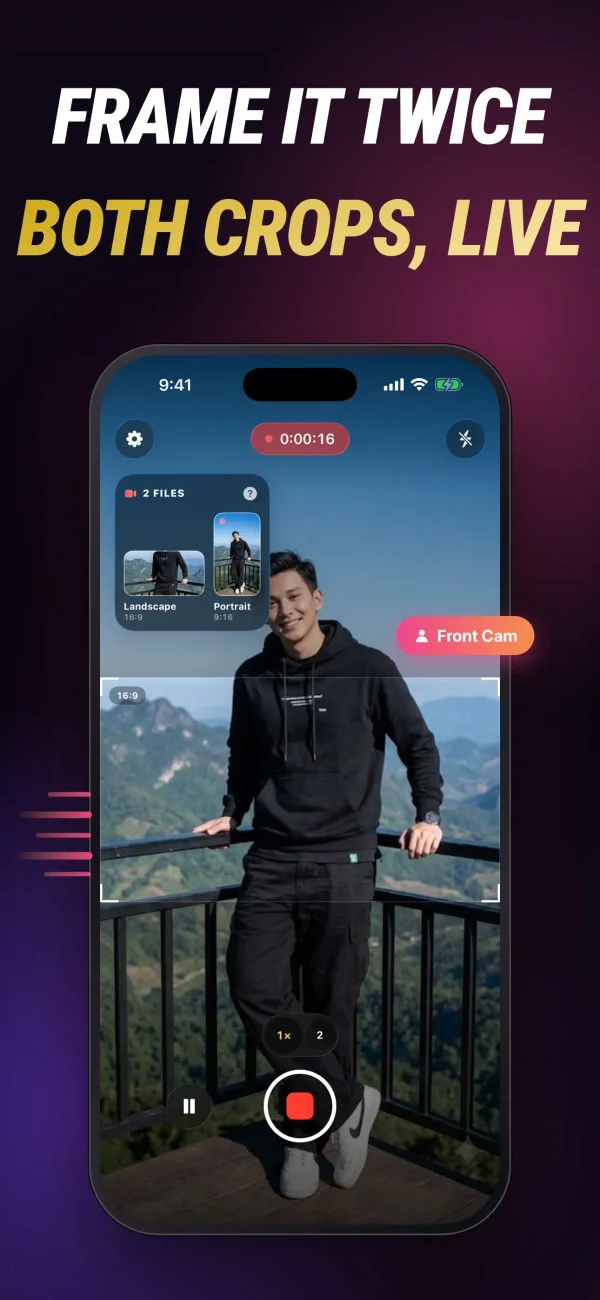
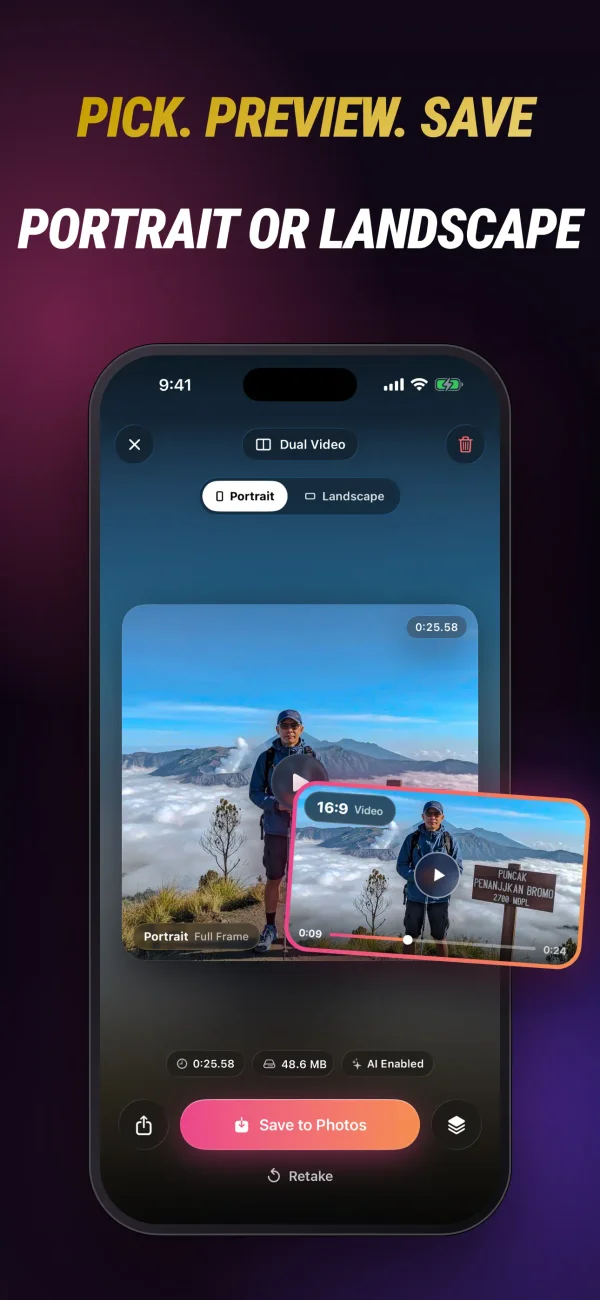
Dual Camera saves every shot twice: a wide 16:9 landscape and a tall 9:16 portrait, from a single capture. It can also run your front and rear cameras at the same time. No more shooting the same moment twice for different feeds.
LANDSCAPE + PORTRAIT IN ONE TAKE
• One photo or one recording gives you two files: the full portrait frame and a landscape crop
• A live card shows both results before you press the shutter
• Works with the rear camera or the front camera — tap Flip to switch
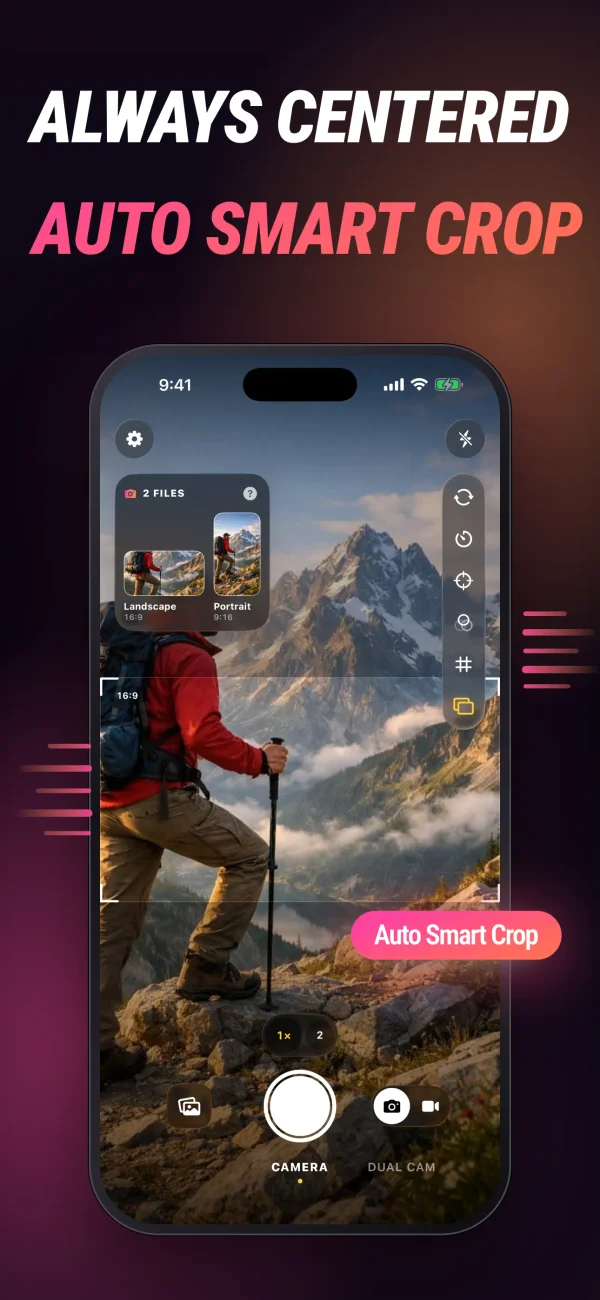
Auto SMART CROP AND Auto FOCUS
• Smart Crop follows a person, a face or the main subject so the landscape cut stays framed
• Auto Focus: tap any subject and the camera keeps focus, exposure and the crop on it
• Runs on your device using Apple's Vision framework
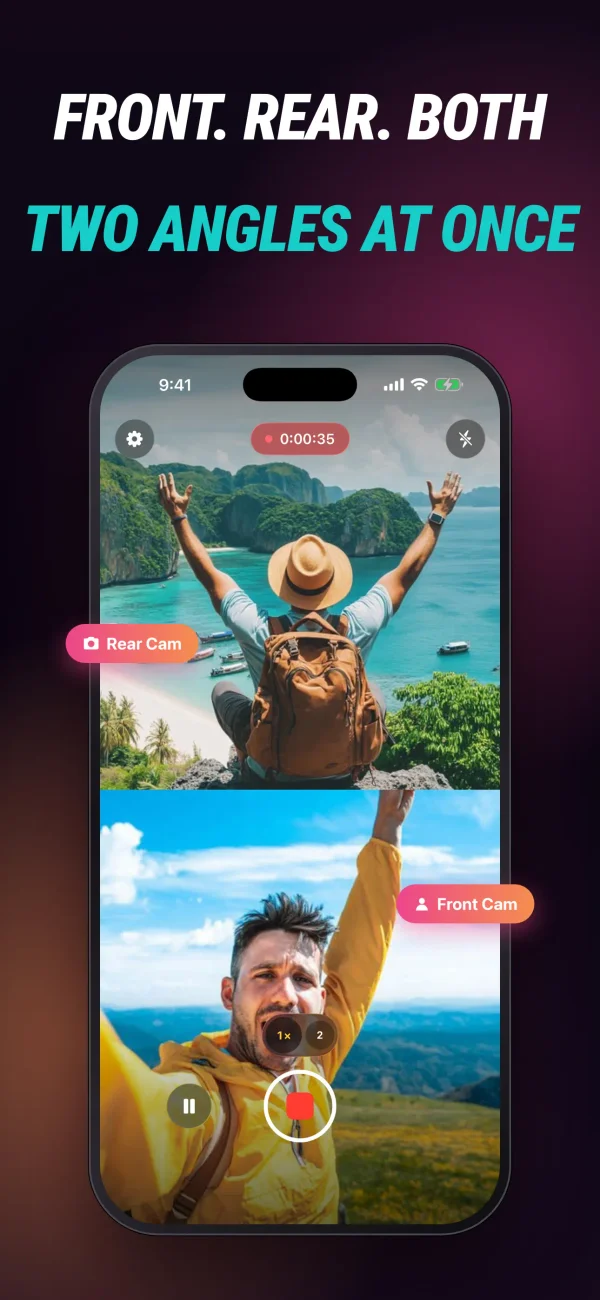
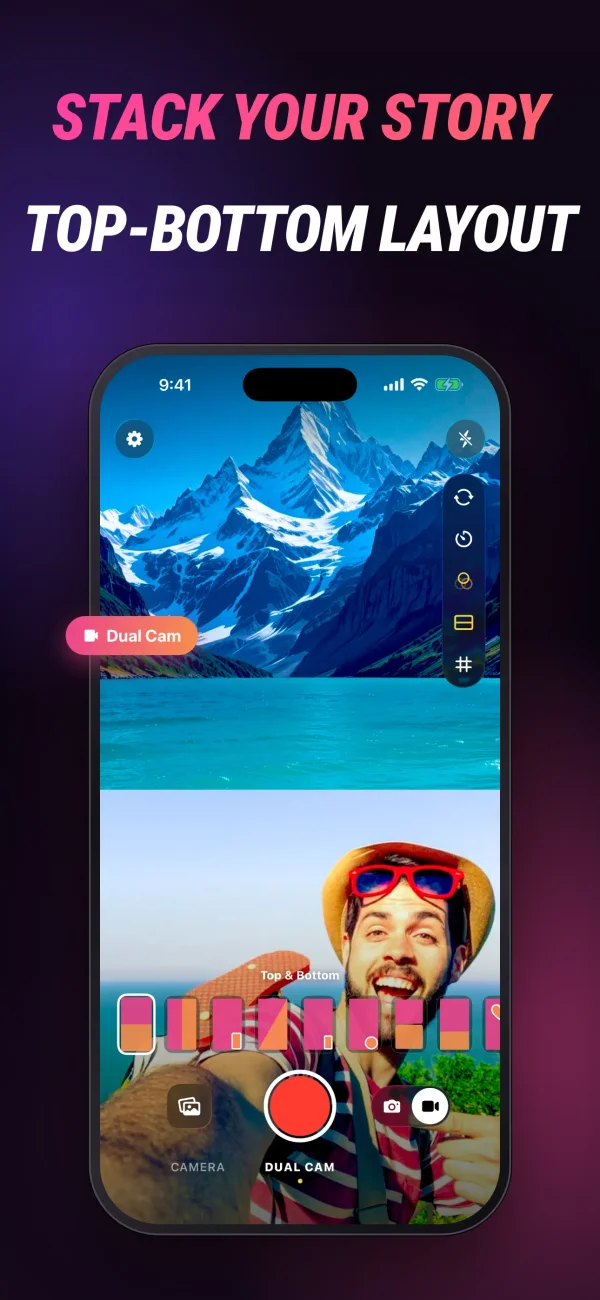
DUAL CAM: FRONT + REAR TOGETHER
• Record the scene and your reaction at once
• Nine layouts: Top & Bottom, Side by Side, Picture in Picture, Circle, Heart, Cards, Spotlight, Diagonal Split and Full + Mini
• The live view shows the layout exactly as it will be saved
• Each capture saves the combined frame plus the separate rear and front files
• Tap Flip to swap which camera is the main one
CAMERA TOOLS
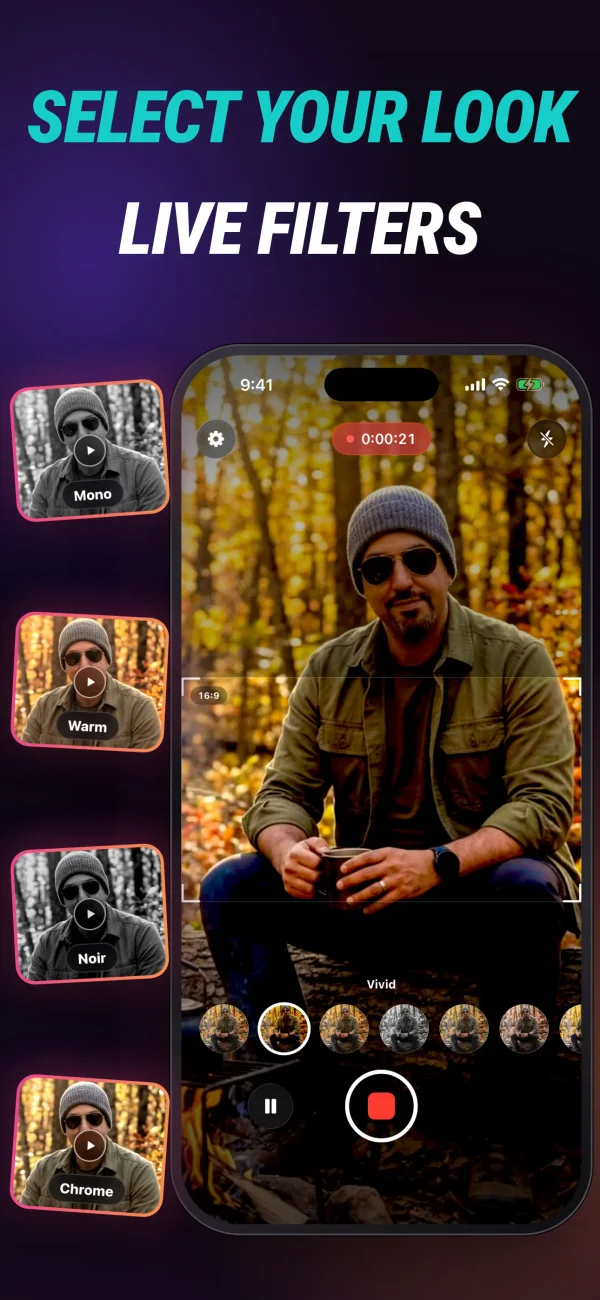
• Live filters, applied to the viewfinder and saved into your files
• Pinch to zoom, with lens buttons for the cameras your device has
• Self-timer: 3 or 10 seconds
• Grid overlays, tap to focus, long-press to lock focus and exposure, torch
• Pause and resume while recording
MY RECORDINGS
• Every capture is kept in an in-app library, as a grid or a list
• Review each output, save to Photos, share one file or all of them
• Select several captures to share or delete together
PRIVATE BY DESIGN
• No account, no ads, no analytics, no tracking
• Your photos and videos are processed on your device and are never uploaded
• Add-only access to Photos: the app can save your captures but cannot read your library
FREE AND PRO
Free: unlimited photos in every mode, all Dual Cam layouts, Auto Smart Crop, Auto Focus, self-timer, zoom and four filters. Free photos carry a small watermark.
Pro: video recording in every mode, six more filters, and no watermark.
Pro is available as a weekly or yearly auto-renewable subscription, or as a one-time lifetime purchase. Prices are shown in the app before you buy.
SUBSCRIPTION TERMS
Payment is charged to your Apple ID at confirmation of purchase. Subscriptions renew automatically unless cancelled at least 24 hours before the end of the current period. Your account is charged for renewal within 24 hours before the end of the current period. Manage or cancel in Settings > Apple ID > Subscriptions. The lifetime purchase is a single payment and does not renew.
Terms of Use (Apple Standard EULA): https://www.apple.com/legal/internet-services/itunes/dev/stdeula/
App-specific terms: https://dualcamerashots.web.app/terms
Privacy Policy: https://dualcamerashots.web.app/privacy
REQUIREMENTS
iOS 17 or later. Dual Cam needs a device that supports simultaneous front and rear capture (iPhone XS or later, and supported iPad models). Lens options depend on your device's cameras.
What’s new
Version 2.0 · Nov 20, 2026
A new look and a lot of new tools.
• Redesigned camera, review and settings screens
• Live filters, saved into your photos and videos
• Auto Focus: tap a subject to keep focus and the landscape crop on it
• Pinch to zoom, with lens buttons
• Self-timer (3 s / 10 s)
• Four new Dual Cam layouts: Circle, Heart, Cards and Spotlight
• The Dual Cam viewfinder now shows the layout exactly as it will be saved
• My recordings: an in-app library to review, share and delete captures
• Auto Smart Crop is now free for everyone
• Fixes: the review screen now always appears after a capture, the shutter no longer plays its sound twice, and the shutter no longer gets stuck
App privacy
What Md Khaled Hasan Manna declares on the App Store about how this app handles data.
-
Data not collected
The developer does not collect any data from this app.
Privacy practices may vary, for example with the features you use or your age.
Information
- Seller
- Md Khaled Hasan Manna
- Category
- Photo & Video
- Version
- 2.0
- Updated
- Nov 20, 2026
- Released
- Apr 13, 2026
- Size
- 62.0 MB
- Requires
- iOS 17.0 or later
- Age rating
- 4+
- Price
- Free
- In-app purchases
- Yes
- Languages
- English, Arabic, Catalan, Croatian, Czech, Danish, Dutch, Finnish, French, German, Greek, Hebrew + 21 more
- Copyright
- © 2026 Md Khaled Hasan Manna
You might also like
-
 Dual Camera Recorder: OmnishotVlog, react & capture together
-
 DualFrame: Dual Camera VideoMulticam recorder, front/back
-
 DualShot: Dual Camera RecorderPortrait + Landscape Videos
-
 DualCam: Dual Video RecorderVertical & Horizontal Camera
-
 Dual Camera: Front & Back PiPFace Cam Reaction & Vlog Video
-
 Dual Camera: Double Take VideoFront & Back Shot Recorder
-
 DualCam - Dual Shot RecorderLandscape + Portrait Recording
-
 Dual Camera: Front & Rear CamSide by Side & PiP in One Shot
-
 Dual Camera RecorderRecord Front & Back Video
-
 Dual Cam Recorder: OneTakePortrait & Landscape Video