- Age rating4+
- CategoryPhoto & Video
- DeveloperRong Gu
- LanguagesEnglish+ 9 more
- Size10.1 MB
Links to the official App Store page
Download.org hosts no file of Dual Cams. The button opens its official App Store page, published by Rong Gu. Listing last checked on Nov 26, 2026.
Screenshots



About
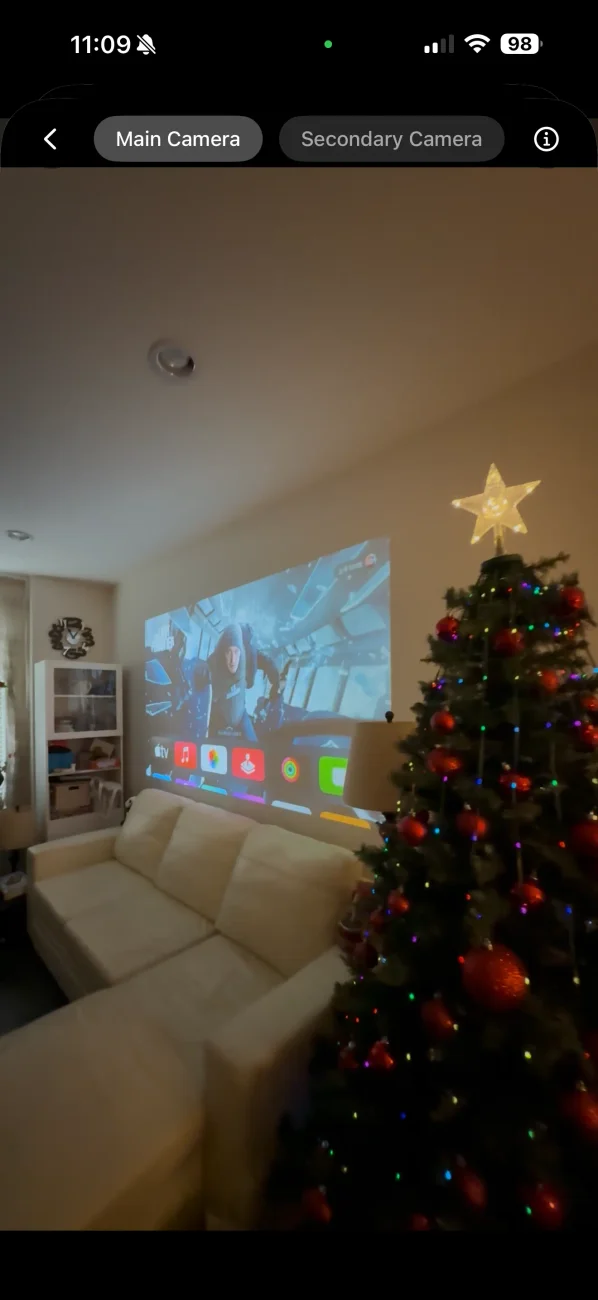
DualCams is a dual-camera video recorder for iPhone. Choose any two lenses (Ultra Wide, Wide, Tele, or Selfie) and capture two angles at the same time. Use a main + secondary live preview, tap to swap views, and fine-tune image settings for each camera.
DUAL-CAMERA RECORDING
- Record up to two cameras simultaneously
- Flexible lens selection: Ultra Wide, Wide, Tele, and Selfie
- Main + secondary preview with tap-to-swap
- Full Frame and Full Screen preview modes
FORMAT & QUALITY CONTROL
- Compatible format detection for dual-camera setups
- Choose resolution and frame rate per camera (HD/4K where supported)
- Quick format picker for single-camera mode
MANUAL CONTROLS
- Tap to focus/exposure with AE/AF lock
- White balance lock and temperature/tint adjustment
- ISO lock and dual-camera sync
- A/B mode for focus or zoom presets
- Smooth zoom gestures with on-screen zoom readout
HIGHLIGHTS & EDITING
- One-tap highlight capture with adjustable duration
- Auto-extract highlights or favorite-only mode
- Optional delete original after extraction
- Highlight editor with segment switching, speed changes, slow motion, preview, and export
LIBRARY & MERGE
- Detailed video info, favorites, share, and delete
- Batch selection tools
- Merge pairs in multiple modes, including picture-in-picture
- Trim to the last seconds before merge and adjust PiP opacity
SEND TO STUDIO (NEW)
- Pair with Dual Cams Studio on an iPad or Mac with a 6-digit code, over Wi-Fi or your phone's hotspot
- Every Highlight and Goal clip is cut in the background and sent to Studio automatically, with resume
- Remote control: Studio can start and stop recording, press Highlight and Goal, zoom and take photos on all paired phones at once
- Studio follows your player and renders a vertical 9:16 video (Dual Cams Studio is a separate app)
- Everything works without Studio exactly as before; nothing leaves your local network
LANGUAGES
- English, French, Spanish, German, Italian, Portuguese, Simplified Chinese, Traditional Chinese, Japanese, Korean
Videos are saved to your Photos library in the DualCams album.
What’s new
Version 1.4 · Nov 25, 2026
Gimbals turn slowly and need someone to steer them. Now one tap sends yours to the left goal, centre or right goal, fast and on target.
- Set the three points once, then tap to go there, or tap the picture to aim
- Auto level and smooth stops
- Works with Bluetooth gimbals: DJI Osmo Mobile and DJI RS series for now, more to come (Settings › Gimbal)
Plus fixes and improvements.
App privacy
What Rong Gu declares on the App Store about how this app handles data.
-
Data not collected
The developer does not collect any data from this app.
Privacy practices may vary, for example with the features you use or your age.
Information
- Seller
- Rong Gu
- Category
- Photo & Video
- Version
- 1.4
- Updated
- Nov 25, 2026
- Released
- Dec 30, 2025
- Size
- 10.1 MB
- Requires
- iOS 17.0 or later
- Age rating
- 4+
- Price
- Free
- Languages
- English, French, German, Italian, Japanese, Korean, Portuguese, Simplified Chinese, Spanish, Traditional Chinese
- Copyright
- © Rong Gu
You might also like
-
 Cheese - Say Cheese!Voice Activated Camera App
-
 SnapRenew: Restore Old PhotosHeadshots, AI Art & Enhance
-
 Radiant Landscape CameraTravel Photo & Video Editor
-
 SubStamp –Transcribe&TranslateBurn subtitles into any video
-
 Old Photo Restore - ObjectsAIFix Blurry Photos & AI Eraser
-
 Photo Collage Maker - SehoryPhoto Layout, Grid Editor
-
 Video Volume BoosterVideo Audio Enhancer
-
 MixReels - AI Video EditorTemplates, Glitch & Captions
-
 CutPicCapture Video Frames as Images
-
 Dual Camera RecorderRecord Front & Back Video