
- Age rating9+
- CategoryFinance
- DeveloperStephan Mett
- LanguagesEnglish+ 2 more
- Size40.5 MB
Links to the official App Store page
Download.org hosts no file of DueScope. The button opens its official App Store page, published by Stephan Mett. Listing last checked on Nov 17, 2026.
Screenshots


About
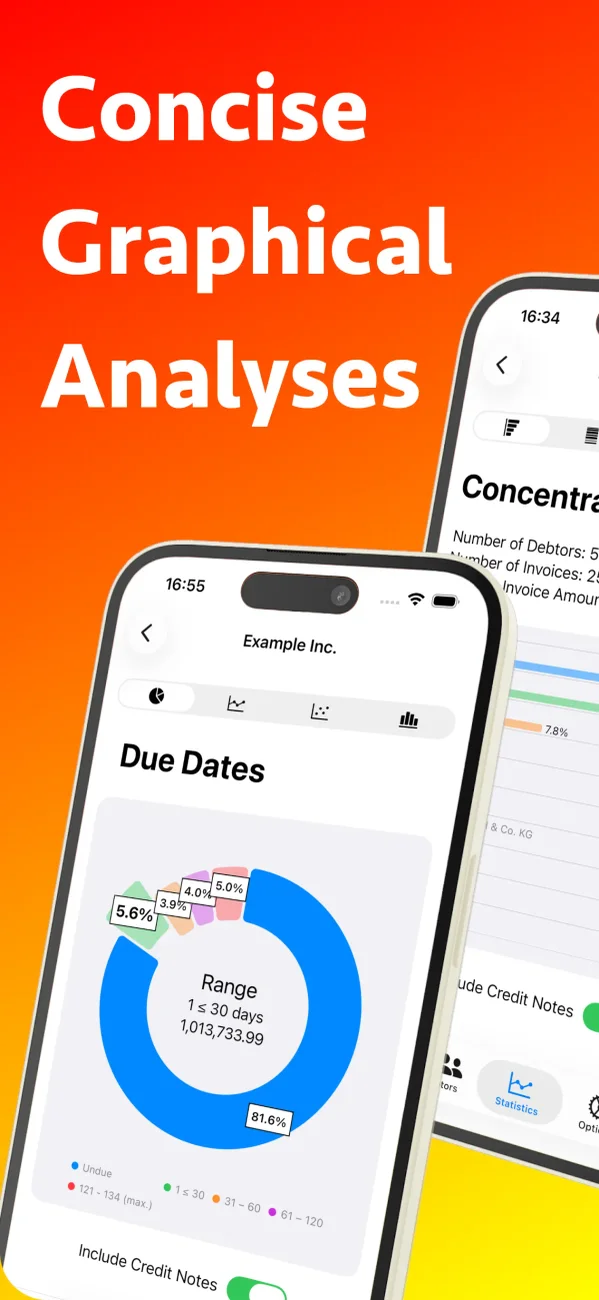
The app makes it easier for you to manage your receivables and payables. You can sort your created invoices by due date and analyze your payment obligations.
It is possible to assign the individual invoice amounts to variably definable time intervals in order to identify which amounts are due for payment within which periods.
Graphical evaluations visualize the situation.
The analysis is based on your CSV file, which must contain three pieces of information:
1. Debtors (your debtors) or creditors (your creditors)
2. Invoice amounts
3. Due dates
The evaluated due date structure can be exported in CSV format.
The app is primarily aimed at small and medium-sized entrepreneurs and external auditors in factoring.
Procedure:
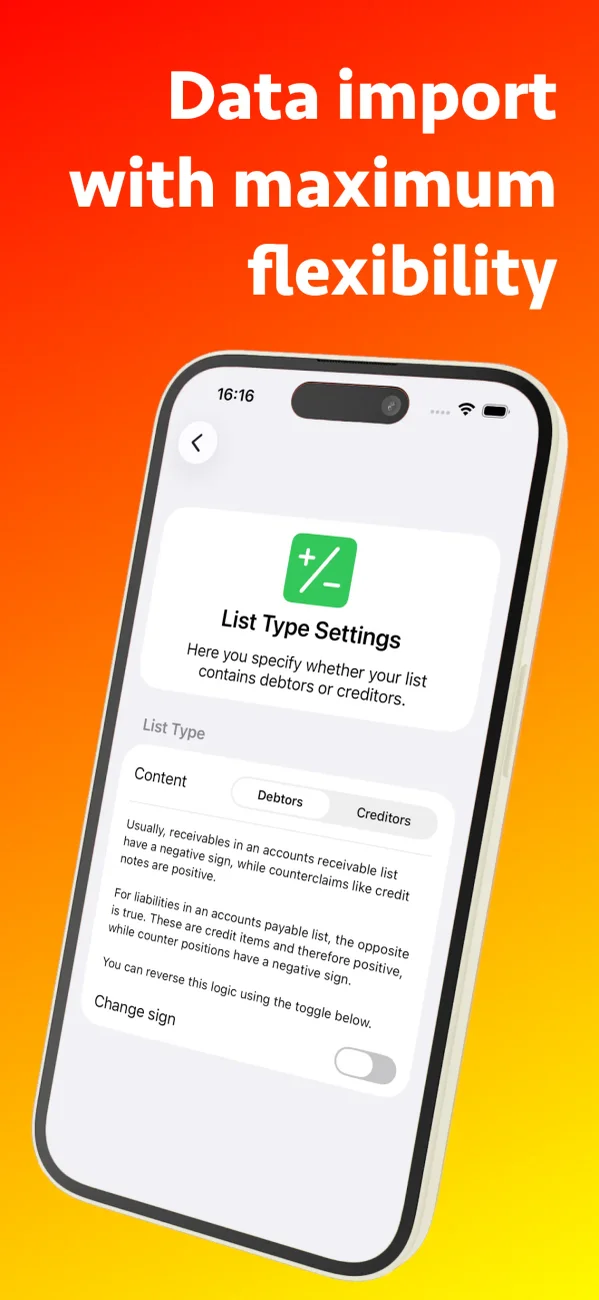
Specify whether you want to evaluate your receivables or payables.
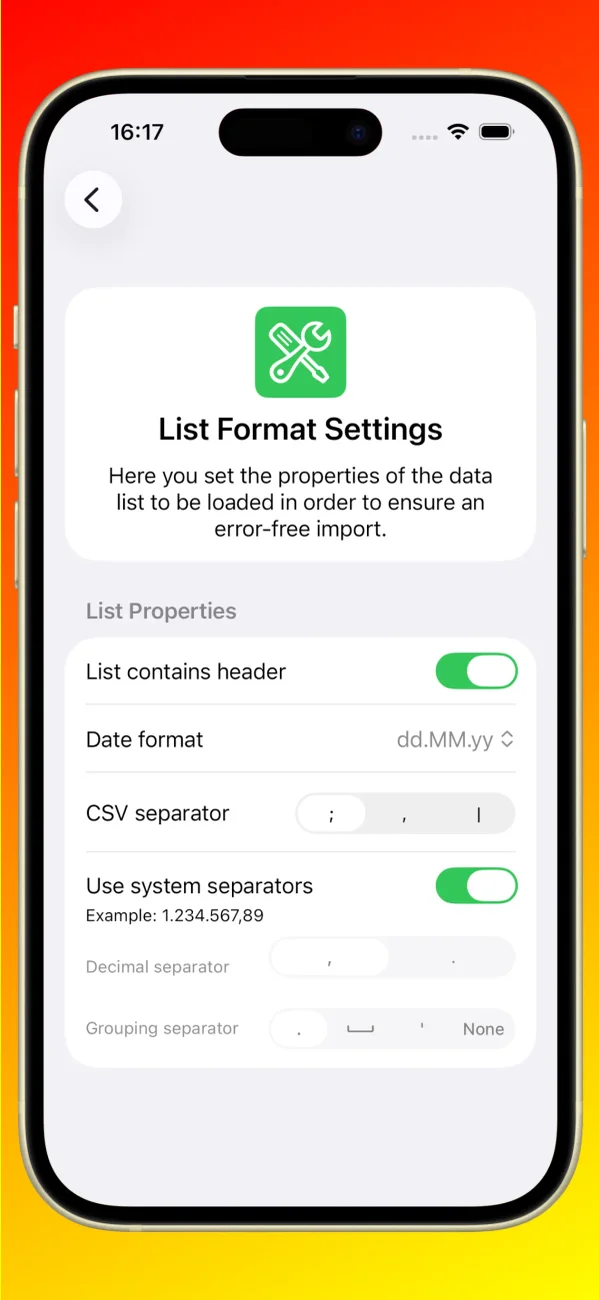
Specify which number format (e.g., thousand or decimal separator), which date format, and which separator your CSV file uses (e.g., comma or semicolon). This allows you to remain independent of the export format of your accounting program.
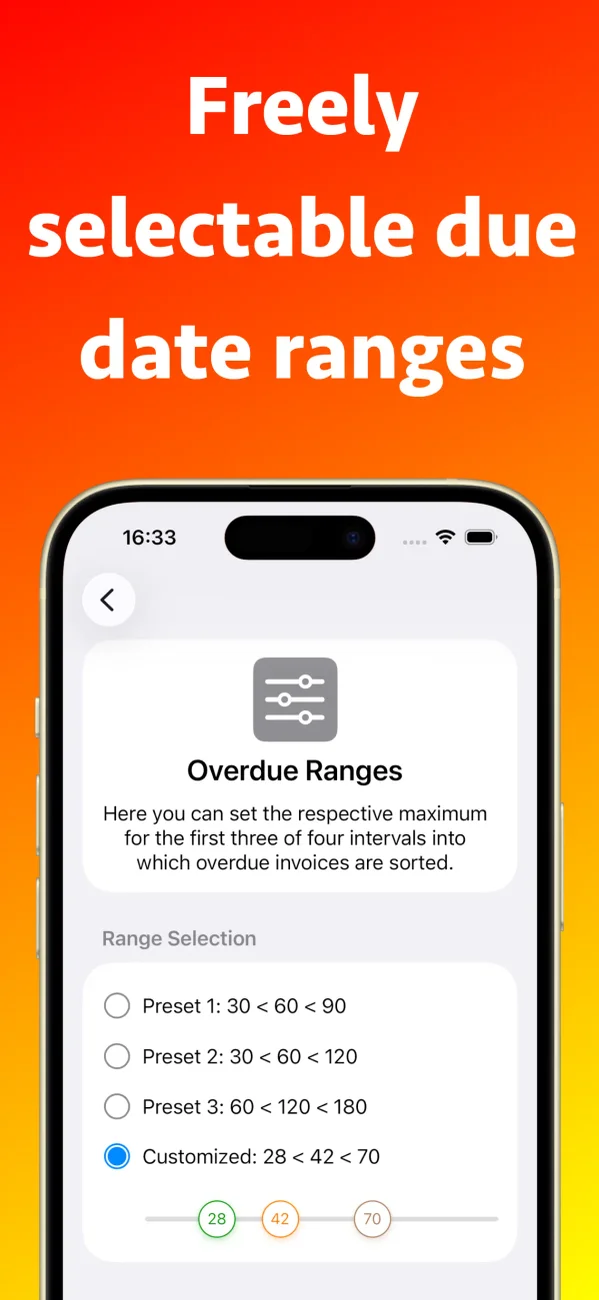
Would you like to know which invoices are 30, 60, or 90 days past due? Decide for yourself which time intervals are of interest to you. The individual periods can be freely selected.
Then simply upload a list of outstanding receivables or payables to the app. Before doing so, make sure that your list contains the payers or payees, the respective invoice amounts, and the corresponding due dates. Alternatively, you can generate sample data to test the app's functions.
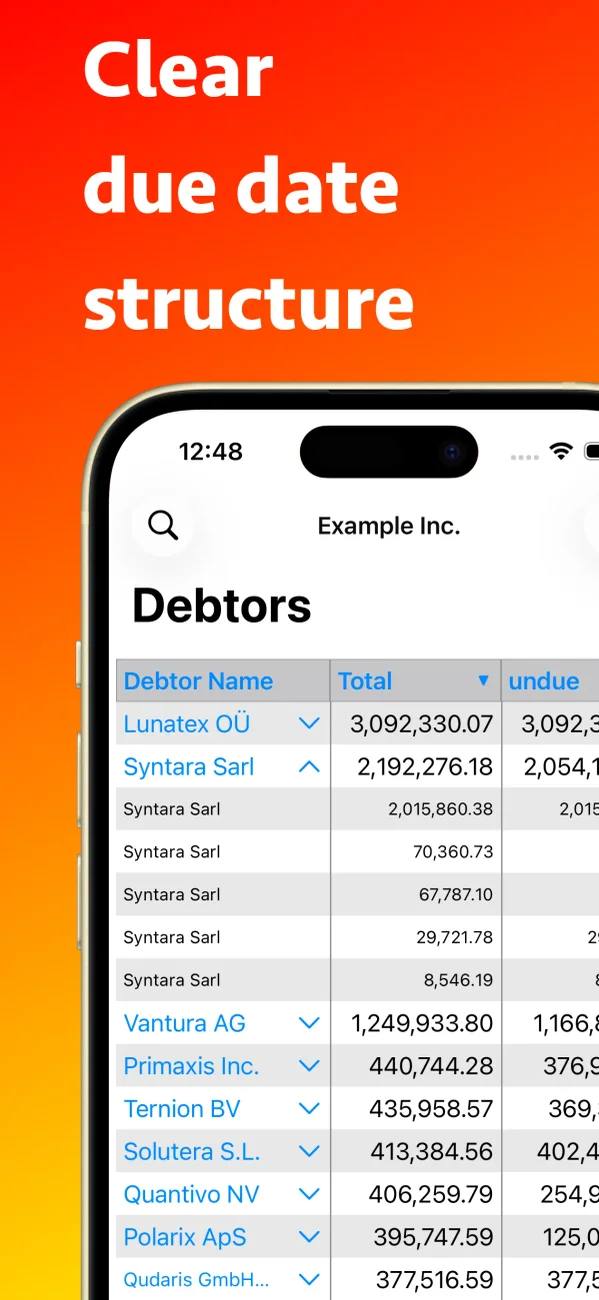
Now view the invoice amounts aggregated per debtor or creditor, which have been automatically assigned to the due date intervals you defined. Review your individual due date structure in various chart types. Who is your largest debtor or creditor? Graphical evaluations of concentrations facilitate analysis.
Export the due date structure table to further process the information in other applications.
What’s new
Version 1.2 · Dec 15, 2025
Version number in the welcome screen
Bug fixes (no change in sign during import, hiding extreme values on Gini bars if Gini is close to 0 or 1)
App privacy
What Stephan Mett declares on the App Store about how this app handles data.
-
Data not collected
The developer does not collect any data from this app.
Privacy practices may vary, for example with the features you use or your age.
Information
- Seller
- Stephan Mett
- Category
- Finance
- Version
- 1.2
- Updated
- Dec 15, 2025
- Released
- Nov 8, 2025
- Size
- 40.5 MB
- Requires
- iOS 17.6 or later
- Age rating
- 9+
- Price
- Free
- Languages
- English, French, German
- Copyright
- © 2025 Stephan Mett. Alle Rechte vorbehalten.
You might also like
-
 Sub RadarTrack your subscriptions
-
 Stock Average Calculator ProTrack Stock Cost Basis
-
 Crypto Pulse ExplorerCrypto's pulse in your pocket.
-
 Expense Tracker - SpendoMoney Manager, budget planner
-
 The MoneyTrackerExpense tracker
-
 Forra FamilyShared Budget & Shopping List
-
 Budgit: Money ManagerEasy Expense & Budget Tracker
-
 FlosnaBudget, Expenses & Savings
-
 Debtors list LiteTrack who owes you money
-
 Subscription Tracker - RenumeeBill & Subscription Reminders