
DunCrux: Smart Task Manager
Auto-Prioritized To-Do List
Designed for iPhone, iPad, Mac
Free · In-app purchases
- Age rating4+
- CategoryProductivity
- DeveloperMichael Jones
- LanguagesEnglish
- Size72.8 MB
Links to the official App Store page
Download.org hosts no file of DunCrux: Smart Task Manager. The button opens its official App Store page, published by Michael Jones. Listing last checked on Nov 23, 2026.
Screenshots

About
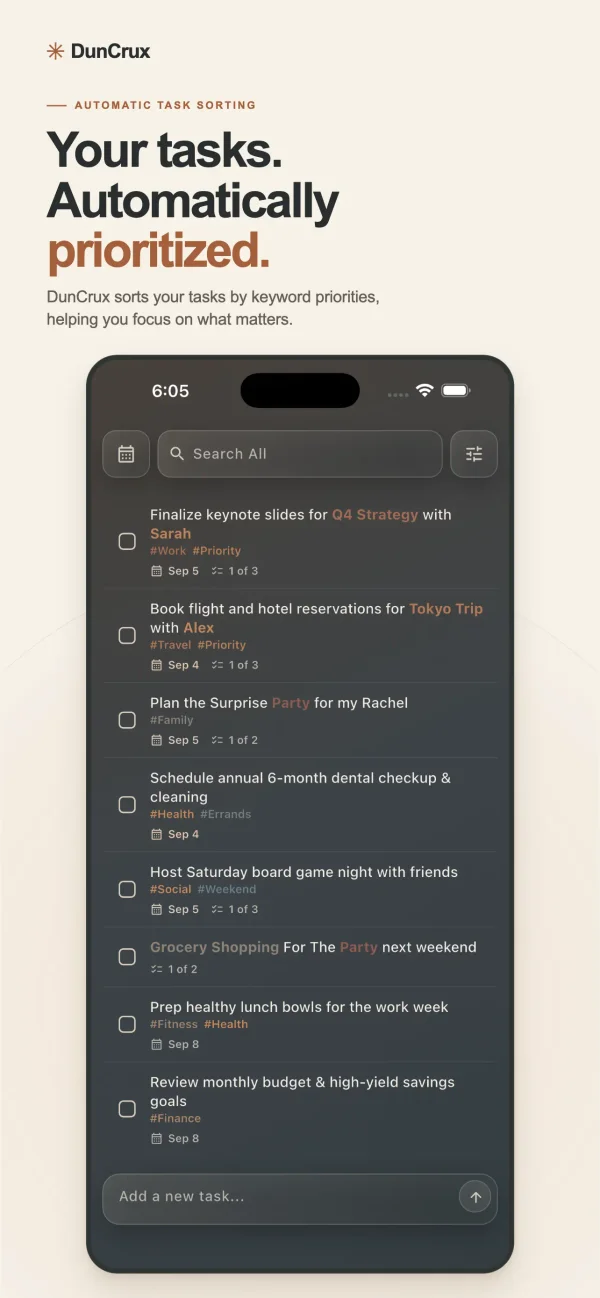
DunCrux is a task manager that helps you focus on what matters most.
Instead of making you maintain a rigid priority list, DunCrux organizes tasks using keywords. Each keyword has an “elevation” that represents its importance. Tasks with higher-priority keywords rise toward the top automatically.
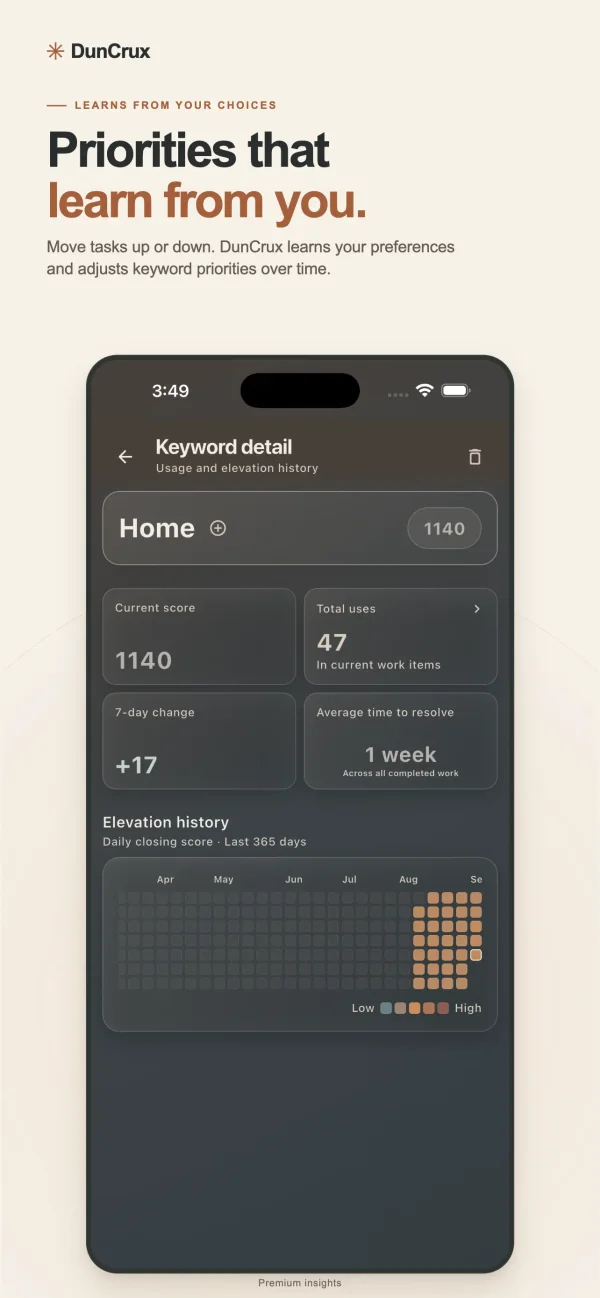
-- Priorities That Adapt --
Move a task up or down to show DunCrux what matters to you. Its keyword priorities adjust over time, allowing your task list to evolve alongside your goals.
-- Capture And Organize --
• Create tasks quickly
• Add due dates and snooze tasks until later
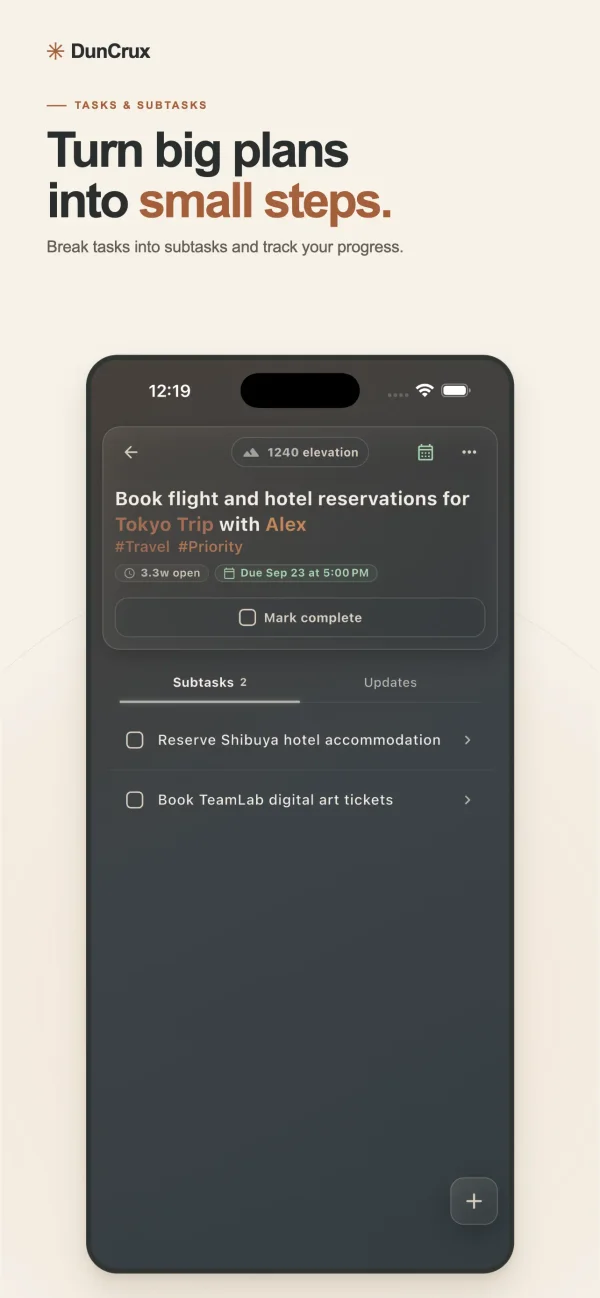
• Break large tasks into nested subtasks
• Use @keywords in task text or add #tags
• Search and filter your work
• Create saved task views
• Review upcoming and completed tasks
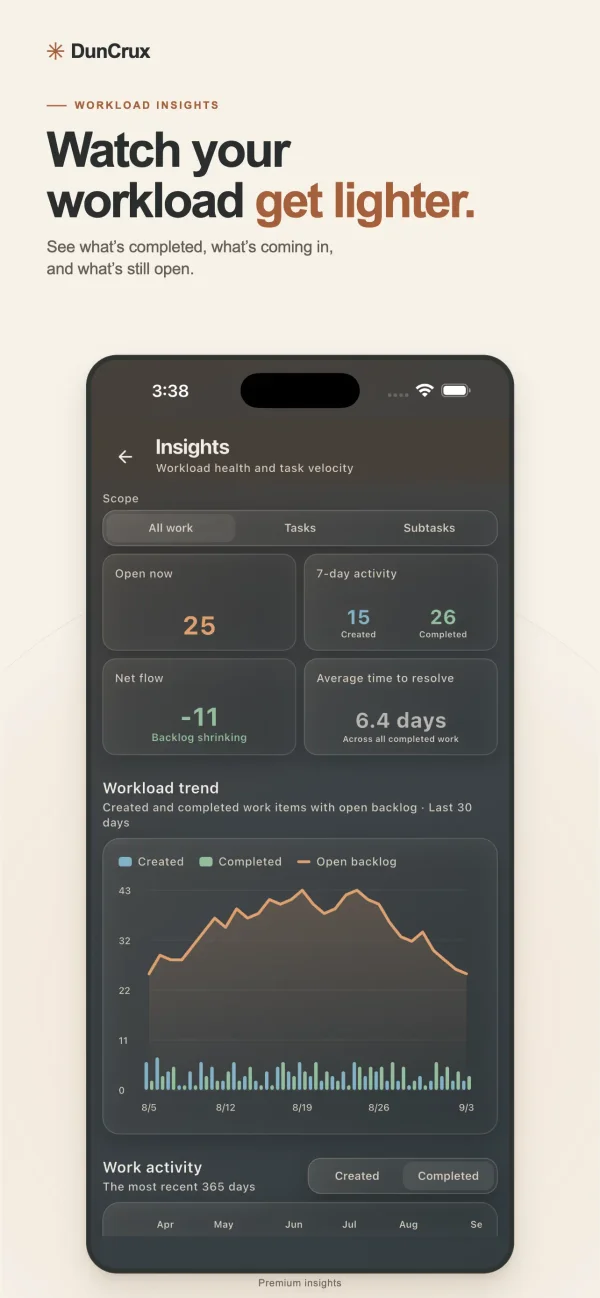
-- Understand Your Workload --
Explore insights into completed tasks, open work, keyword priorities, and activity patterns. See how your workload changes and discover when you are most productive.
-- Local First By Design --
DunCrux’s core task-management features work without an account. Your workspace remains available locally on your device, even when you are offline.
Cloud sync is optional. Sign in when you want to keep your DunCrux workspace synchronized across supported devices. You can also export your data whenever you choose.
Some advanced features require DunCrux Pro. With the free version you have unlimited tasks but are limited to 10 Keywords for tracking priorities. Additionally paying for or subscribing to DunCrux Pro unlocks saved views. Subscribing to DunCrux Pro+Synch will unlock cloud syncing across multiple devices.
Spend less time deciding what to do next—and more time making meaningful progress.
Terms of Service: https://www.apple.com/legal/internet-services/itunes/dev/stdeula/
What’s new
Version 1.0.129 · Nov 20, 2026
- Search sub tasks and Updates
- More filter options in saved views
App privacy
What Michael Jones declares on the App Store about how this app handles data.
-
Data linked to you
May be collected and linked to your identity.
- Purchases
- Location
- Contact info
- User content
- Identifiers
- Usage data
- Diagnostics
-
Data not linked to you
May be collected but is not linked to your identity.
- Diagnostics
Privacy practices may vary, for example with the features you use or your age.
Information
- Seller
- Michael Jones
- Category
- Productivity
- Version
- 1.0.129
- Updated
- Nov 20, 2026
- Released
- Sep 14, 2026
- Size
- 72.8 MB
- Requires
- iOS 17.6 or later
- Age rating
- 4+
- Price
- Free
- In-app purchases
- Yes
- Languages
- English
- Copyright
- © Mike Jones 2026
You might also like
-
 Matter: Tasks, Notes, CalendarDaily to-do list for Mac & iOS
-
 Kept: Private Link LibraryYour links. Private by design.
-
 WeekPlansMake your week more productive
-
 Chronaya: Deadline TrackerWarranty, Return & Renewal
-
 Semnia: Screenshot ManagerClickable screenshots, sorted
-
 ProductiviTProductivity that lasts
-
 Tangents.Collect Your Thoughts.
-
 Pomodoro RPG: Focus TimerTurn Focus Into Real Progress
-
 LittleProgress - Habit TrackerDaily routines & Goal planner
-
 Domorrow.Do it tomorrow.