
- Age rating12+
- CategoryBooks
- DeveloperJay Welshofer
- LanguagesEnglish+ 9 more
- Size532.2 MB
Links to the official App Store page
Download.org hosts no file of Duodecimo. The button opens its official App Store page, published by Jay Welshofer. Listing last checked on Nov 17, 2026.
Screenshots




About
A personal library, ready when you are.
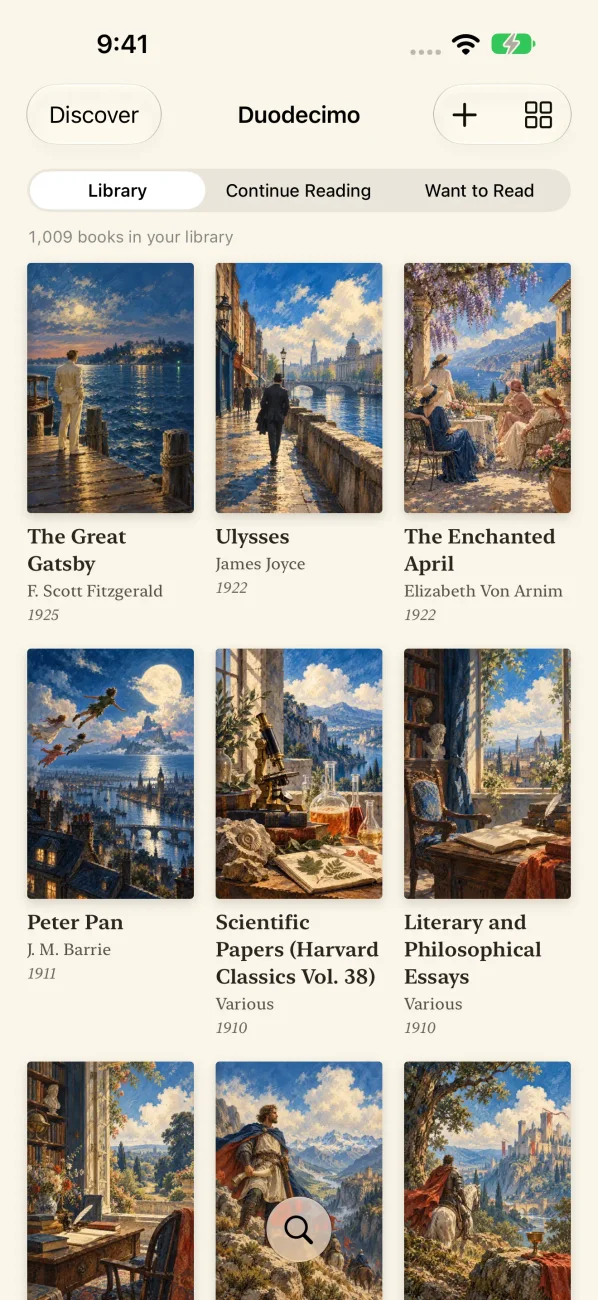
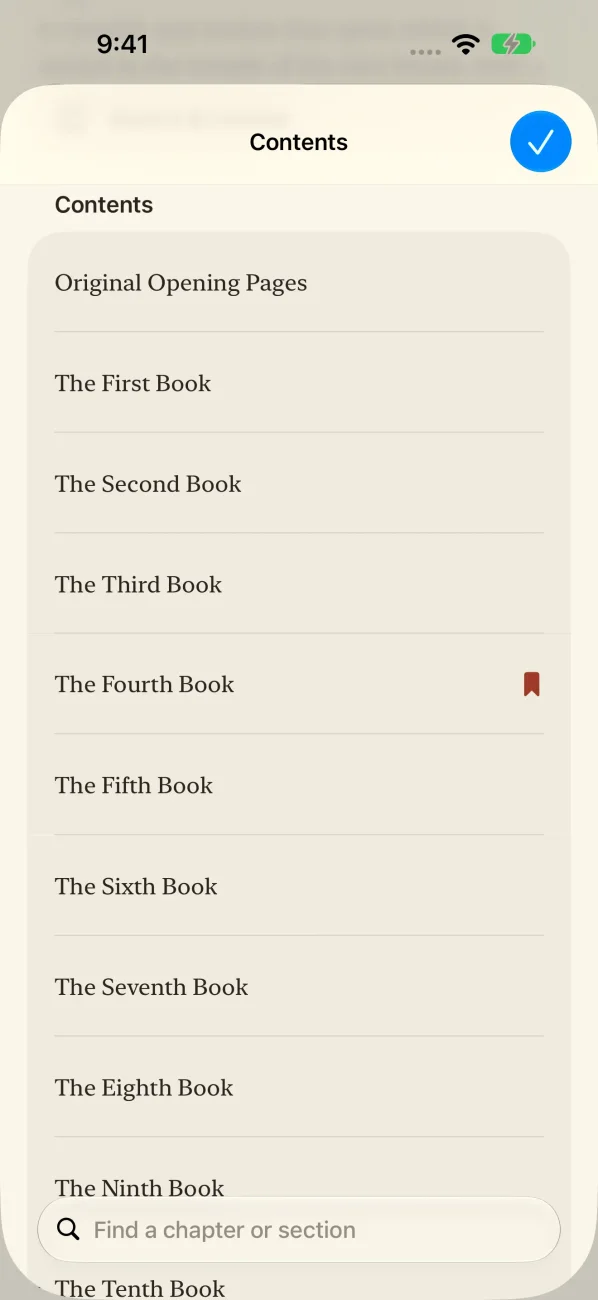
Duodecimo brings 1,009 classic works to your iPhone and iPad. Every bundled book, its individual painted cover, and its reviewed reading guides are included for offline reading. No app account, advertising, paid content, or subscription is required.
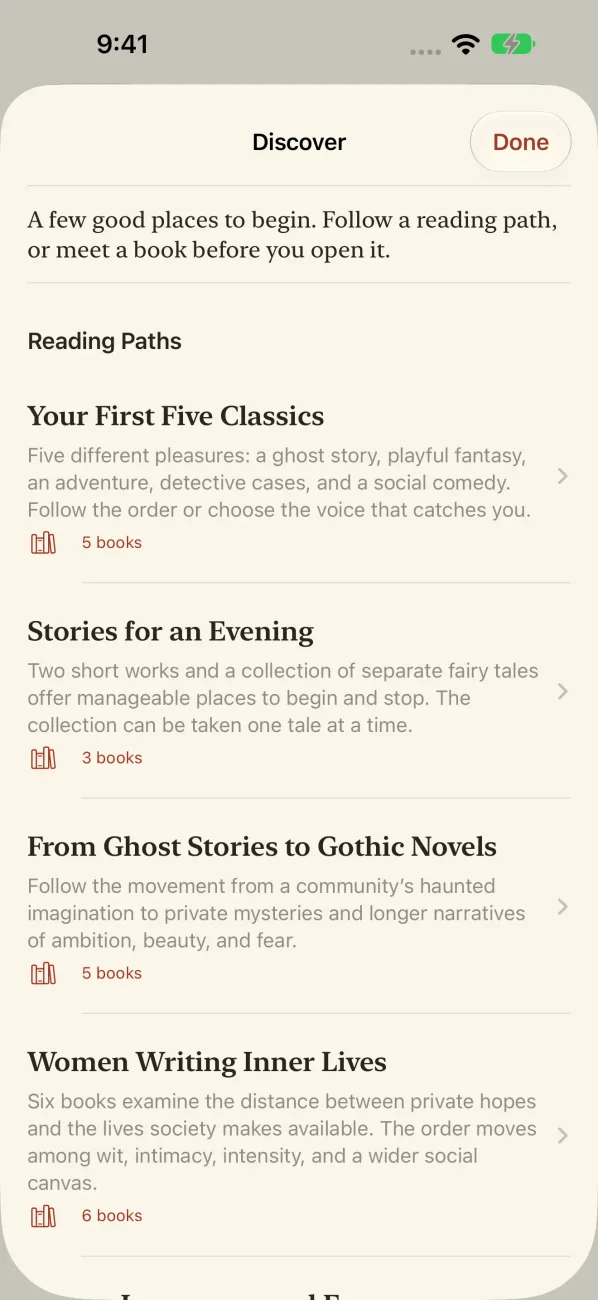
Find a familiar favorite or discover something new. Book introductions, estimated reading times, and curated reading paths help you choose. Continue Reading keeps your current books close in Grid or List, while Want to Read gives the next ones a place of their own.
Add more books from Project Gutenberg. Search its catalog by title, author, or edition number, choose a language, and review the edition before downloading. Supported plain-text editions join your personal library with locally generated covers. Catalog and book downloads require an internet connection; downloaded books can then be read offline.
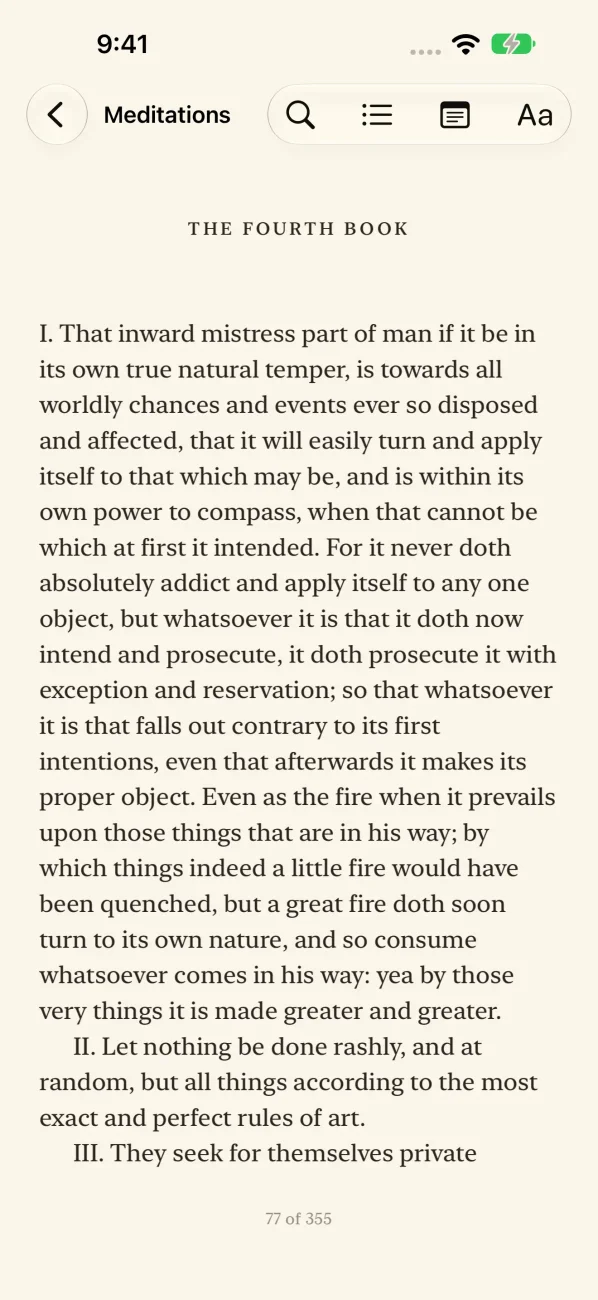
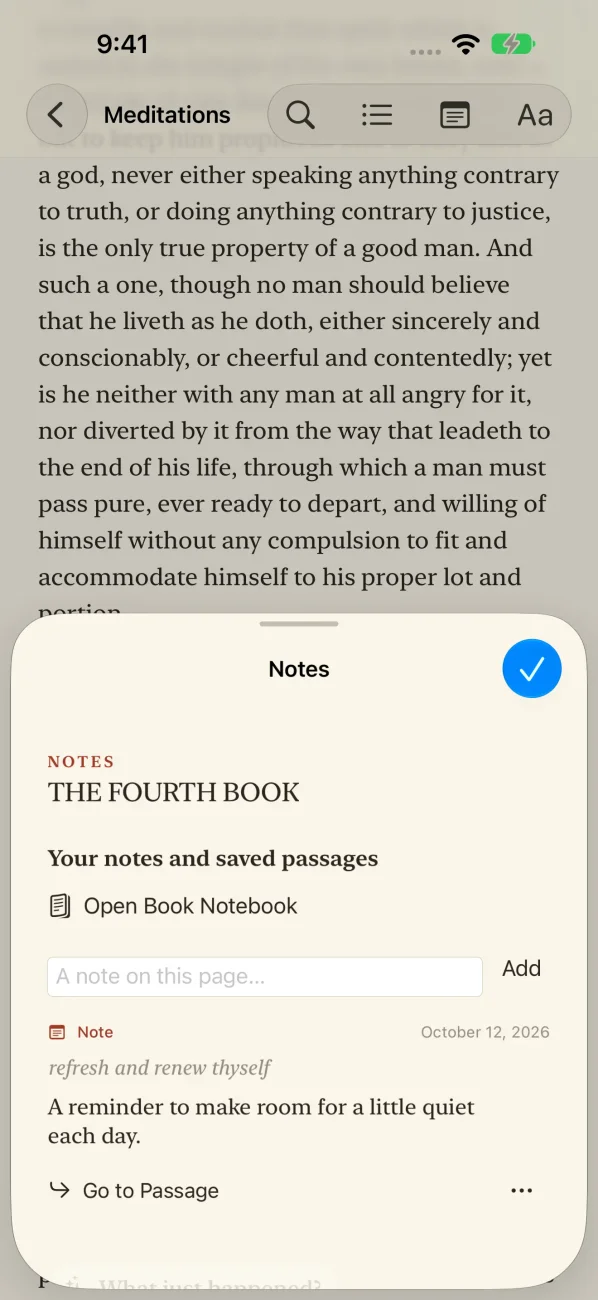
Settle into Book, Scroll, or Study, with fonts, spacing, margins, and appearance choices that suit you. Search the text, mark a page, highlight a passage, and keep your thoughts in a searchable notebook. Return to the source from your notes, export your commonplace book, or make a portable reading backup.
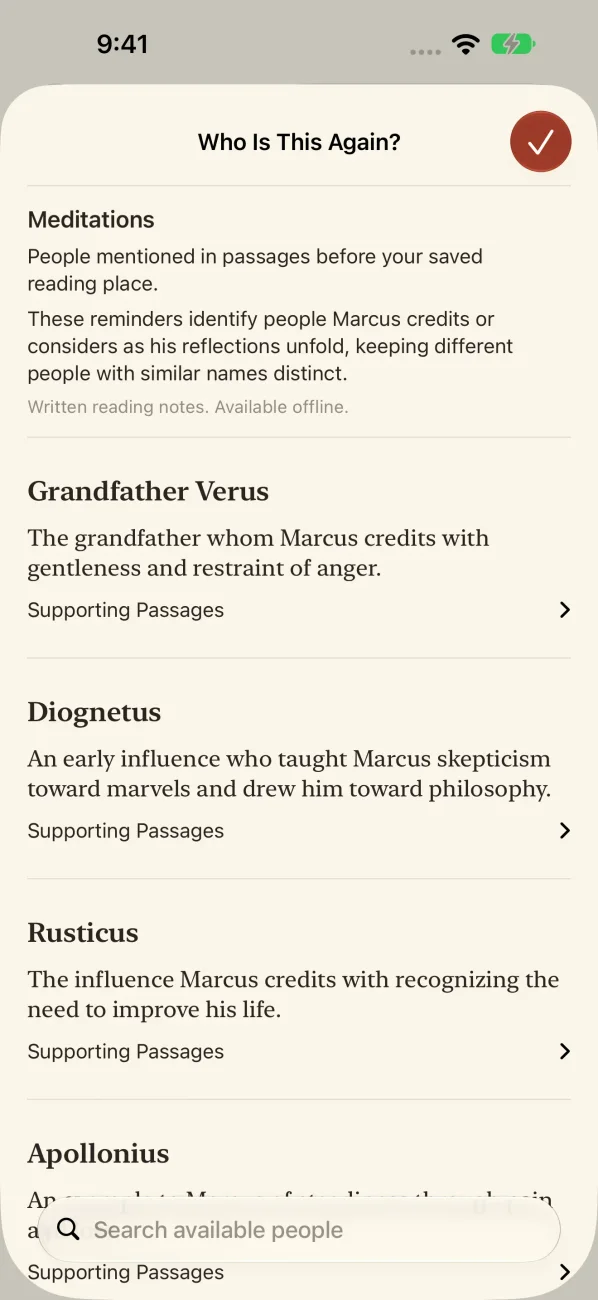
For bundled classics, Before You Begin offers context for every book. Who Is This Again? helps you recall people you have encountered, with reminders tied to passages you have already reached. These reviewed guides work offline without Apple Intelligence. On supported devices with Apple Intelligence ready, optional passage explanations and recaps use Apple's on-device models. Generated reading help can be inaccurate. Personal imports include the ordinary reader tools and on-device “What just happened?” recaps when Apple Intelligence is available. Curated Classics Companion guides and selected-passage explanations remain exclusive to bundled books.
Listen with Apple's installed system voices, choose a pace, set a sleep timer, and return to your saved listening place. Imported editions use a suitable installed voice for their language, or let you choose an installed voice explicitly. Set an optional daily reading target, look back over your reading calendar, and use the Continue Reading widget to open your book.
Optional iCloud continuity synchronizes supported reading data for bundled books. Personal imports and their reading data stay outside this synchronization. Portable reading backups include personal reading data and edition identifiers, but not book text; restoring an import may require the same edition again. Repair unavailable imports from saved source text when possible, or delete an imported book and its associated local reading data.
The bundled collection includes all six annotated volumes of Gibbon's Decline and Fall of the Roman Empire, the collected works of the American novelist Winston Churchill, and Sun Tzu's The Art of War in Lionel Giles's annotated translation.
The collection uses historical editions in the public domain in the United States. Source, edition, and license details are available in the app. Historical literature may contain mature themes, violence, and language reflecting its time.
The interface supports English and nine additional languages: French, German, Spanish, Italian, Japanese, Korean, Brazilian Portuguese, Simplified Chinese, and Traditional Chinese. Books, edition-specific source notes, and written reading guides retain their source language.
Follow your reading with an overview of books in progress and estimated page totals for Lifetime, Month, Week and Day. Open any book for your saved place and recent reading. Page activity stays on this device; saved places can sync separately through iCloud.
What’s new
Version 2.0.6 · Nov 10, 2026
• See every book you’re reading together in a new Reading Progress overview.
• Track reading on this device with estimated page totals for Lifetime, Month, Week and Day.
• Explore each book’s progress, saved place and recent reading, or check the current book directly from the reader.
• Keep earlier reading in view with a one-time Lifetime estimate from your saved place, without assigning it to a day, week or month.
• Tap the chart again to return from the overview or a book’s progress to the same library tab and scroll position.
App privacy
What Jay Welshofer declares on the App Store about how this app handles data.
-
Data not collected
The developer does not collect any data from this app.
Privacy practices may vary, for example with the features you use or your age.
Information
- Seller
- Jay Welshofer
- Category
- Books
- Version
- 2.0.6
- Updated
- Nov 10, 2026
- Released
- Oct 22, 2026
- Size
- 532.2 MB
- Requires
- iOS 26.0 or later
- Age rating
- 12+
- Price
- Free
- Languages
- English, French, German, Italian, Japanese, Korean, Portuguese, Simplified Chinese, Spanish, Traditional Chinese
- Copyright
- © 2026 Jay Welshofer
You might also like
-
 KaratuNative reader. Your sources.
-
 StoriLuna: Book SummariesChapter Recaps & Series Guides
-
 Audiobook Co-opFor Audiobookshelf servers
-
 Greenlight PublishingOriginal books & audiobooks
-
 Morsel: Bite-Sized ClassicsRead great books, 10 min a day
-
 Shelfie: Audiobooks & EbooksYour Audiobookshelf library
-
 spine - bookshelfA shelf for what you've read
-
 Cadence: Read AloudYour books read aloud
-
 Shelf: Books with FriendsTrack books, read with friends
-
 Clemens: Ebook & Manga ReaderAudiobooks, EPUB & PDF