- Age rating4+
- CategoryPhoto & Video
- Developermarsel preci
- LanguagesEnglish
- Size48.2 MB
Links to the official App Store page
Download.org hosts no file of Duovid. The button opens its official App Store page, published by marsel preci. Listing last checked on Nov 23, 2026.
Screenshots



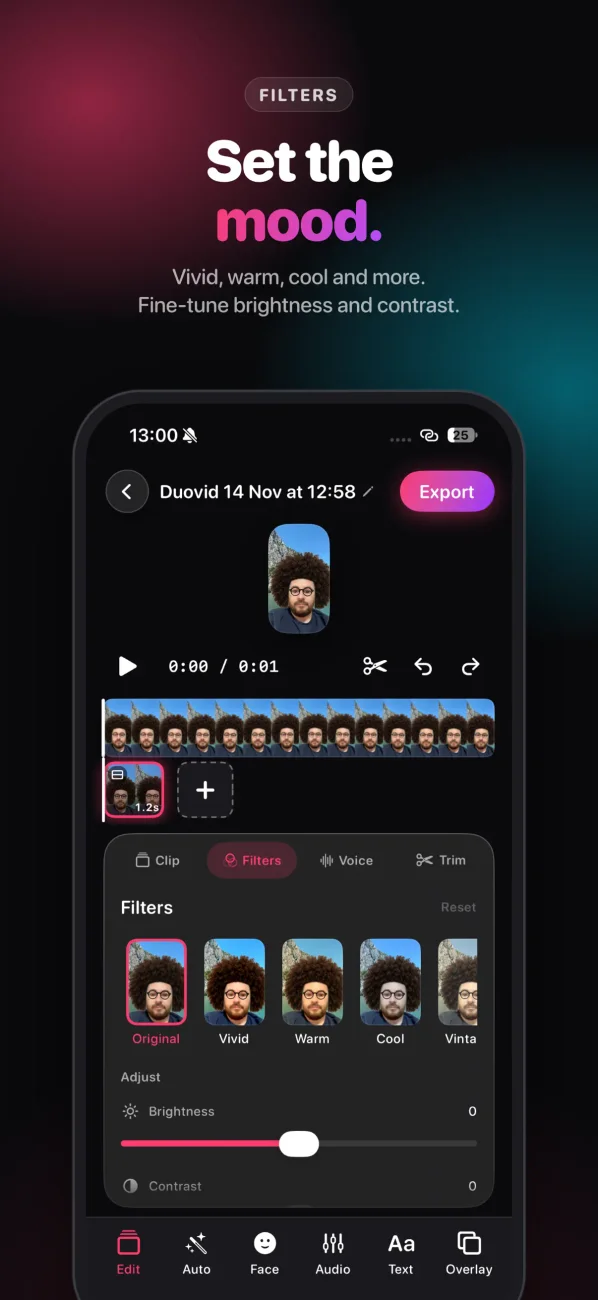
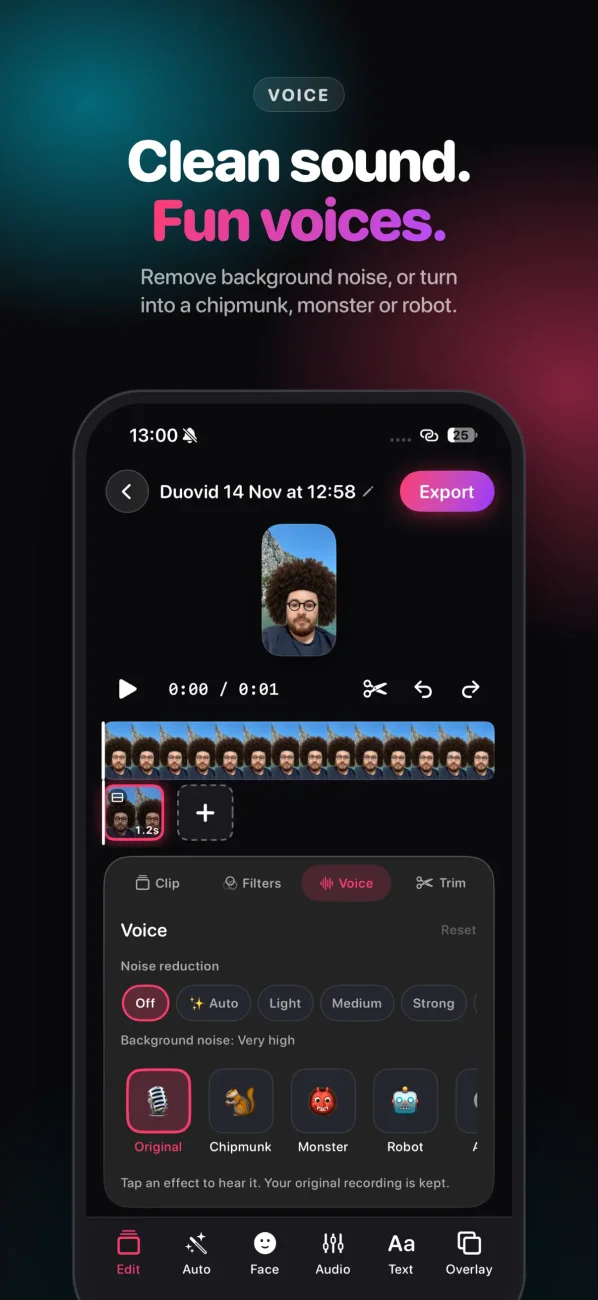

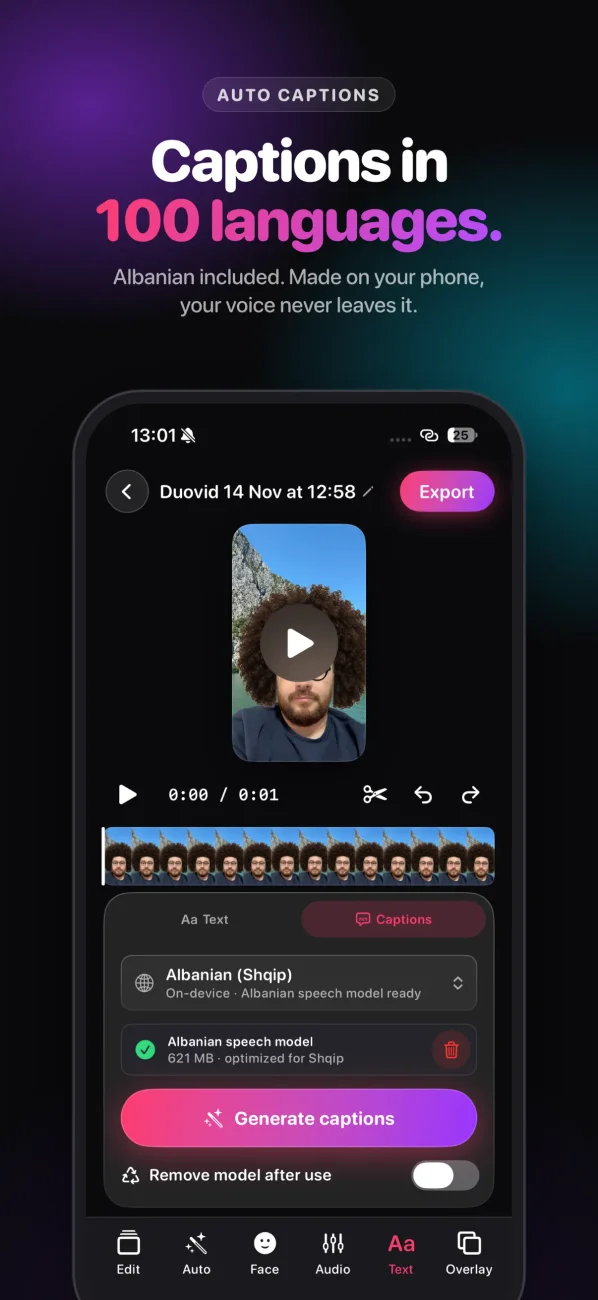
About
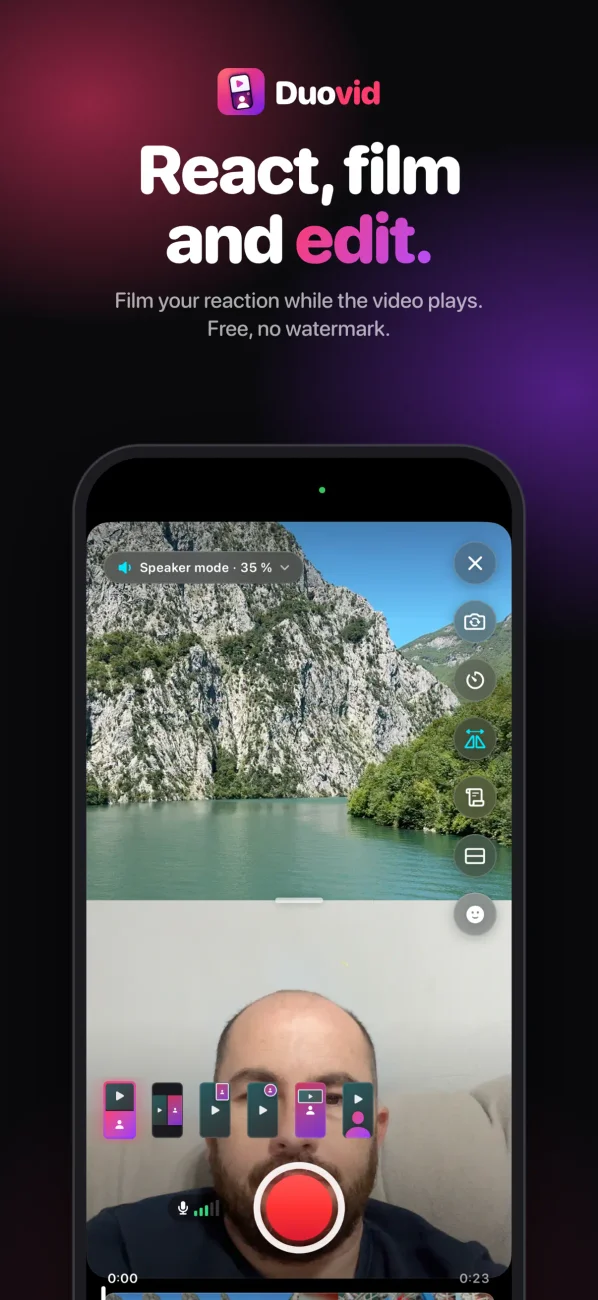
React, film and edit — one vertical video, ready to post anywhere.
Duovid plays a video while you record your reaction next to it. Or film just yourself, or edit the clips
you already have. Add captions, text and music, then export without a watermark. Free, no account needed.
THREE WAYS TO START
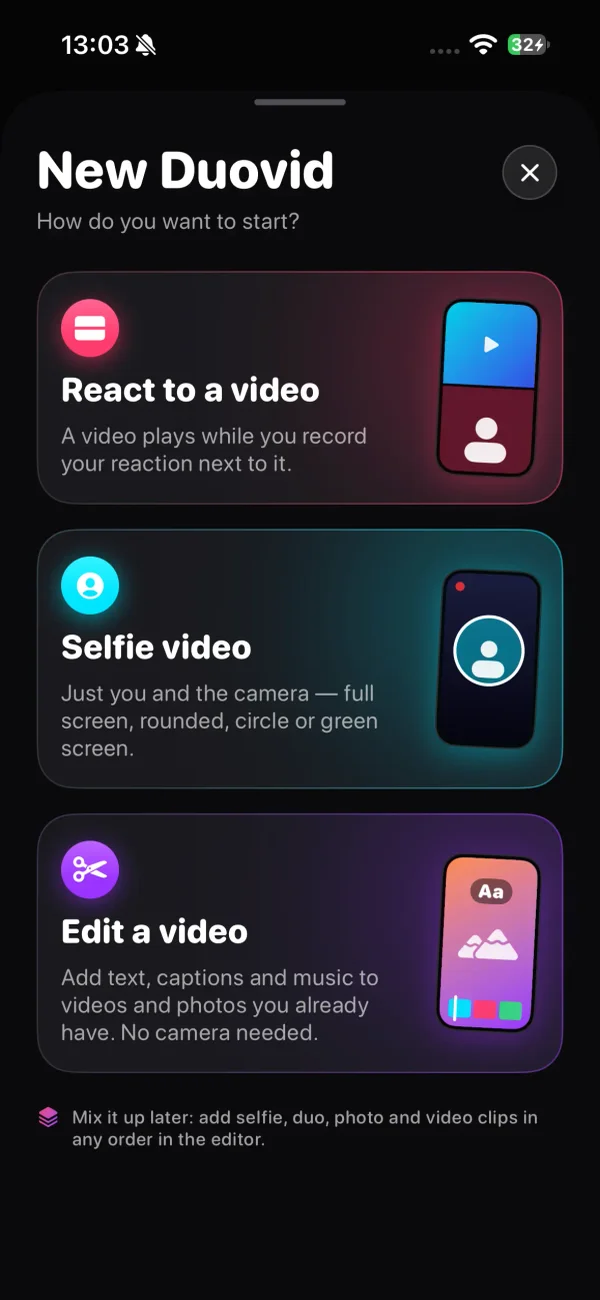
• React to a video – a video plays while you record your reaction next to it. Pause, resume and retake
whenever you want; the sound stays in sync.
• Selfie video – just you and the camera: full screen, rounded, circle or green screen.
• Edit a video – no camera needed. Add text, captions and music to videos and photos you already have.
Mix it up later: selfie, duo, photo and video clips can go into the same project in any order.
6 REACTION LAYOUTS
Top / Bottom, Side by Side, Bubble, Circle, Reverse Bubble and Green Screen. Switch layouts while
recording or afterwards, drag and resize the bubble, and mirror your selfie.
BUILT-IN TELEPROMPTER
The prompter sits right under the front camera, so you keep eye contact while you read.
• Write or paste scripts and keep a library of them
• Adjust speed, text size and colours, with a reading line and mirror mode
• Move, resize or hide the window
• Countdown before the text starts scrolling
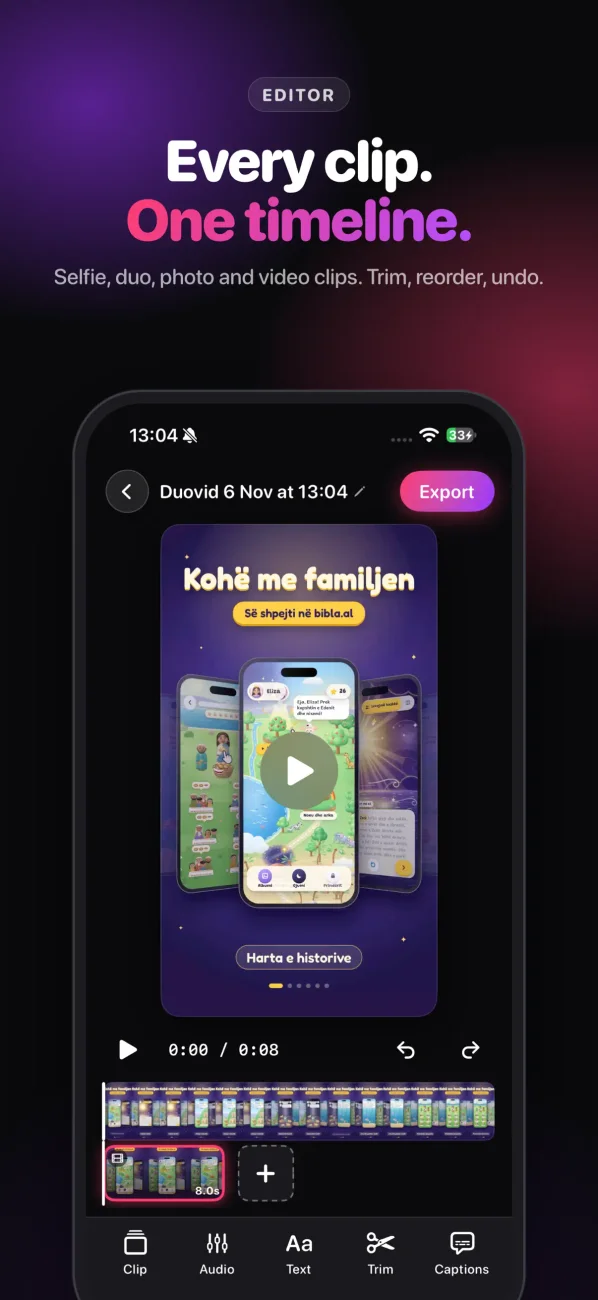
EVERY CLIP, ONE TIMELINE
• Line up selfie, reaction, photo and video clips and rearrange them
• Trim clips, change the layout after recording and undo anything
• What you see in the preview is exactly what you export
• Drafts are saved automatically
AUTO CAPTIONS IN 100 LANGUAGES
Duovid listens to your voice and writes the captions for you, right on your iPhone. Your voice is never
uploaded, and once a language is ready it works without internet. Fix any word or timing line by line,
then pick a style. Includes a dedicated Albanian speech model for accurate captions in Shqip.
TITLES THAT POP
• Add titles, captions and credits
• Drag, pinch and rotate text right on the video, and choose when each one appears
• Rounded, Classic, Serif, Mono and Condensed fonts
• Plain, outline, box or neon styles, in any colour and size
• Stack, duplicate and layer as many texts as you like
MUSIC, SOUNDS AND VOICE-OVER
• Add background music from your Files
• Use the soundtrack of another video
• Record a voice-over while the video plays back
• Set the volume of every track separately, balance the original video against your voice and fine-tune
their sync
EXPORT AND SHARE
Export in 720p, 1080p or 4K. Save to Photos or share straight to your favourite apps. You can also send a
video to Duovid from the share sheet of another app and start reacting right away.
PRIVATE BY DESIGN
Your videos stay on your phone. No account, no sign-up, no watermark.
What’s new
Version 2.2 · Nov 21, 2026
bug fix
App privacy
What marsel preci declares on the App Store about how this app handles data.
-
Data not collected
The developer does not collect any data from this app.
Privacy practices may vary, for example with the features you use or your age.
Information
- Seller
- marsel preci
- Category
- Photo & Video
- Version
- 2.2
- Updated
- Nov 21, 2026
- Released
- Nov 7, 2026
- Size
- 48.2 MB
- Requires
- iOS 17.0 or later
- Age rating
- 4+
- Price
- Free
- Languages
- English
- Copyright
- © gremza.com
You might also like
-
 ClipUnder: Video CompressorBatch, MB Limit & MP3
-
 VideoDownsizerHEVC & MOV to tiny MP4
-
 Verso: Dual Film CameraFront & Back Retro Selfie Cam
-
 Verify Camera: Timestamp GPSGPS Map, Date & Time Camera
-
 Unpinned: Photo PrivacyRemove location & metadata
-
 ShotStitch - Screenshot JoinerJoin screenshots in one image
-
 SellReelPhoto & Video
-
 Real ProCamManual ISO, Shutter & f-Stop
-
 Montavo: Video EditorOpen film studio, no watermark
-
 Crudics IPTV Smart PlayerYour playlists, native player