- Age rating4+
- CategoryProductivity
- DeveloperRushabh Soni
- LanguagesJapanese+ 1 more
- Size11.1 MB
Links to the official App Store page
Download.org hosts no file of DutyCal. The button opens its official App Store page, published by Rushabh Soni. Listing last checked on Nov 23, 2026.
Screenshots


About
DutyCal pulls your roster from your crew portal and syncs it to iPhone Calendar. It also prints a clean monthly sheet so your family can see what's happening at a glance.
For pilots and cabin crew who fly out at 4 a.m. and want their household to know the month ahead. No chat group. No screenshots. No explaining it again over breakfast.
DutyCal Plus subscription required to sync your roster after a 3-day free trial. Cancel anytime. DutyCal currently supports crew at Peach (MM), StarFlyer (7G), and Avelo (XP). Additional airlines on the roadmap. Other portals will not sync.
ROSTER, ON YOUR PHONE
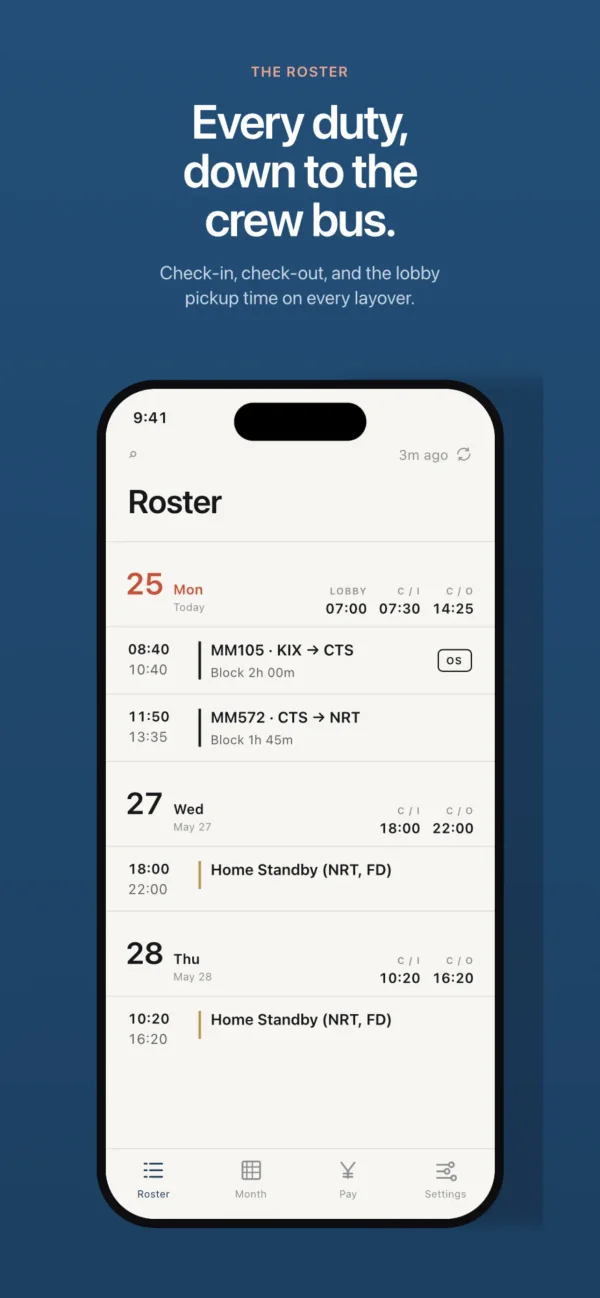
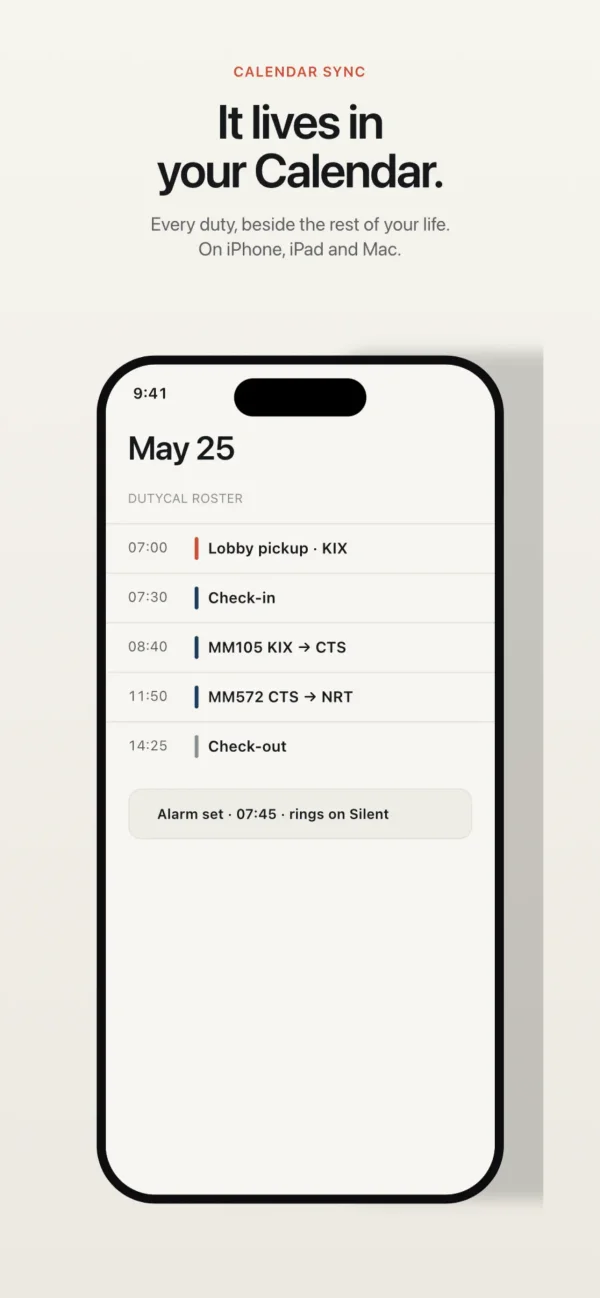
Log in once with your crew portal credentials. DutyCal fetches your duty schedule, reconciles changes across publishes, and writes every flight, standby, training day, and day off to a dedicated calendar on your iPhone. Flight rows read departure and arrival in each airport's own clock, with the Zulu window right on the row for a quick TAF and NOTAM crossref. Works offline once a roster is loaded.
WEATHER ON YOUR FLYING DAYS
A METAR line on every leg you fly, with the raw METAR and TAF one tap away, and up to two alternates per leg.
THE FRIDGE SHEET
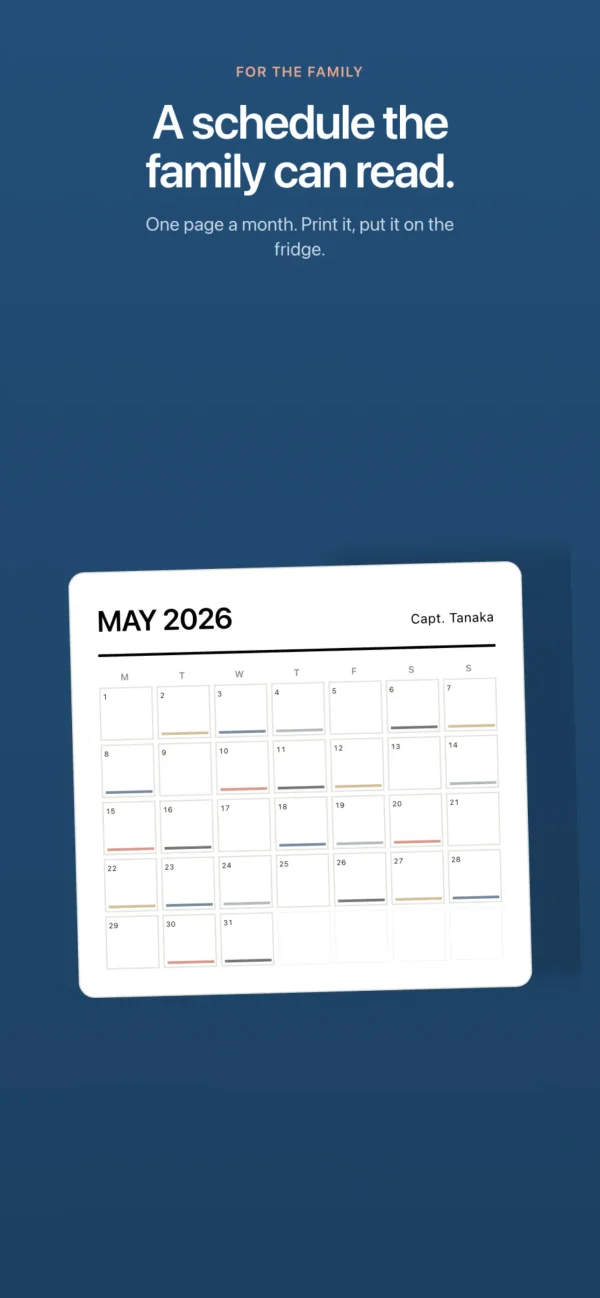
A printable A4 landscape view, one row per day, color-coded for flight duty, airport standby, home standby, training, sick, and off. Stick it on the fridge. Your partner stops asking. Designed to be readable at arm's length.
ALARMS THAT WAKE YOU
Pre-departure alarms set themselves on every flight day and airport standby. They ring through Silent mode and Focus, the way the iOS Clock app does, and stop only when you dismiss them. You choose your at-base lead time. No accidental snooze.
A MONTHLY PAY ESTIMATE
A running pre-tax estimate of the month so far, built from your duty hours, sectors, and credit. Past months compared against your original published roster. Avelo crews see their paychecks the way they land, on the 7th and the 22nd. No payslip data leaves the phone.
THE LOGBOOK, READY TO COPY
Peach and StarFlyer flight crew can import their company records and print JCAB pages, fifteen rows each, ready to copy into the paper logbook. The paper book stays the official record.
FOR AVELO CREWS
FAR 117 at a glance, worked out from the roster on your phone, with a quiet watch that warns you the evening before a tight duty. Station Operations: type any station and read its whole day, departures and arrivals with aircraft, crew, pax, fuel and movement notes, straight from the portal. And a heads-up when your next leg is a different aircraft.
PRIVATE BY DESIGN
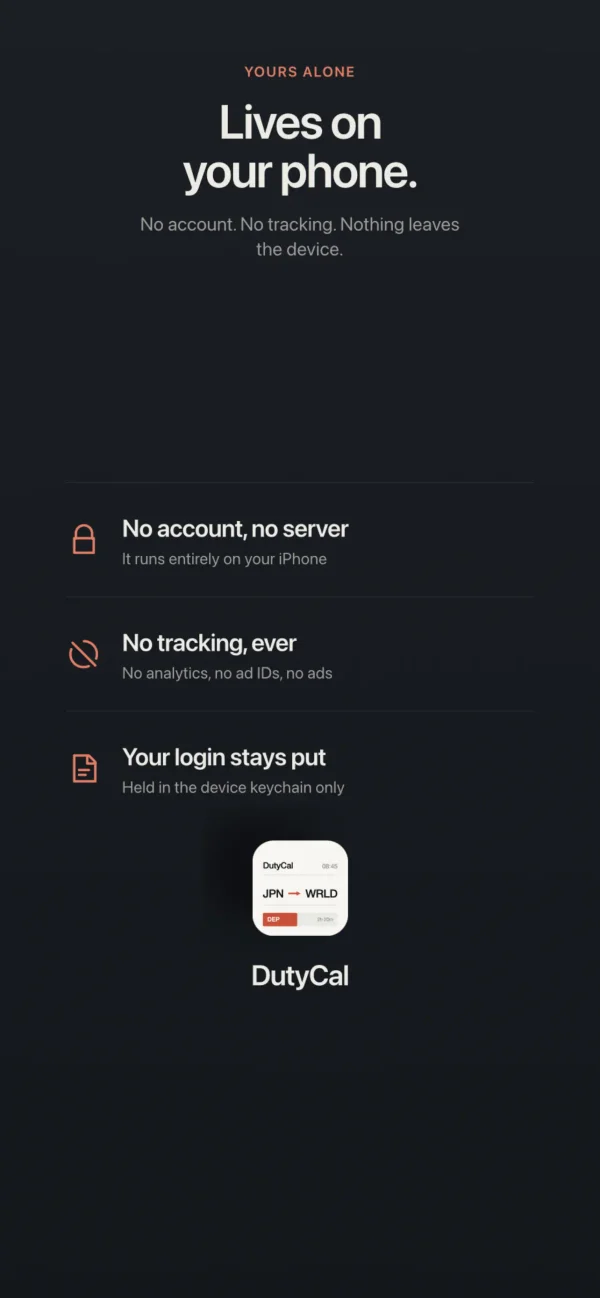
Your login is stored in iOS Keychain, locked to your device. No account creation. No DutyCal servers. No analytics. No third-party trackers. Face ID protects the app on launch.
BUILT BILINGUAL
Full English and Japanese throughout, including the fridge sheet. Switch languages without restarting.
WHAT IT COSTS
3-day free trial on both plans, then DutyCal Plus subscription required to continue.
- Monthly: ¥550/month
- Yearly: ¥5,000/year
Prices are shown in your local currency at checkout.
Payment is charged to your Apple ID account at confirmation of purchase. Subscriptions auto-renew at the same price unless auto-renew is turned off at least 24 hours before the end of the current period. Your account is charged for renewal within 24 hours prior to the end of the current period. You can manage and cancel your subscription anytime in iPhone Settings → Apple ID → Subscriptions. No ads. No data sold.
DutyCal is built for crew. Try it free for 3 days and see your next month in one view.
Privacy Policy: https://dutycal.app/privacy
Terms of Use: https://dutycal.app/terms
What’s new
Version 1.17 · Nov 20, 2026
Your report time, first
• C/I, or LOBBY after a night stop, now sits in a soft blue block on every day, so it never gets mistaken for a departure time.
• On today's duty, a live countdown shows how long until you report.
Track your flight, or your aircraft (MM and 7G)
• Today's flights open in FlightAware by flight number, nothing to type.
• Add the aircraft registration, like JA226P or 10VA, and Track follows the aircraft itself, so you can see where your inbound is and how late it's running.
A clearer fridge sheet
• Nights away sit in the bottom right corner of each day.
• Travel days list their legs, simulator days read SIM, and ground days show their own codes, like ME or GSS.
• A day with any duty on it never prints as a day off.
Also in this update
• Days off sit on their own date in Apple Calendar, wherever your phone's time zone is set.
• Avelo: times at McKinney (DTX) read in local Central time, and your alarm time reads in the local time of the airport you depart from.
• MM: when a day off becomes a flying day on the same day, the day off clears from your roster.
• 7G: medical (ME) and ground school (GSS) days are recognised.
App privacy
What Rushabh Soni declares on the App Store about how this app handles data.
-
Data not collected
The developer does not collect any data from this app.
Privacy practices may vary, for example with the features you use or your age.
Information
- Seller
- Rushabh Soni
- Category
- Productivity
- Version
- 1.17
- Updated
- Nov 20, 2026
- Released
- Jun 7, 2026
- Size
- 11.1 MB
- Requires
- iOS 18.0 or later
- Age rating
- 4+
- In-app purchases
- Yes
- Languages
- Japanese, English
- Copyright
- © 2026 Rushabh Soni
You might also like
-
 Flight Log ScannerProductivity
-
 Spread PlannerWeekly & monthly paper planner
-
 やすみどり: 休みと連休のカレンダー・休日計画Productivity
-
 Copy Paste Keyboard - QuicklyAI Canned Replies & Snippets
-
 PasteSync: AI Snippet KeyboardClipboard sync & text expander
-
 CrewMate - Crew ScheduleCrew schedule & OFF matching
-
 Pick Up ToDoPick up things to do today
-
 VPASS - visitor managementvisitor access management
-
 CrewLine for CrewCrew schedule, chat, community
-
 AKOiHeartProductivity