- Age rating4+
- CategoryUtilities
- DeveloperConnected Mate
- LanguagesEnglish+ 4 more
- Size15.4 MB
Links to the official App Store page
Download.org hosts no file of Dys Keyboards. The button opens its official App Store page, published by Connected Mate. Listing last checked on Nov 15, 2026.
Screenshots

About
Here’s the cleaned-up version:
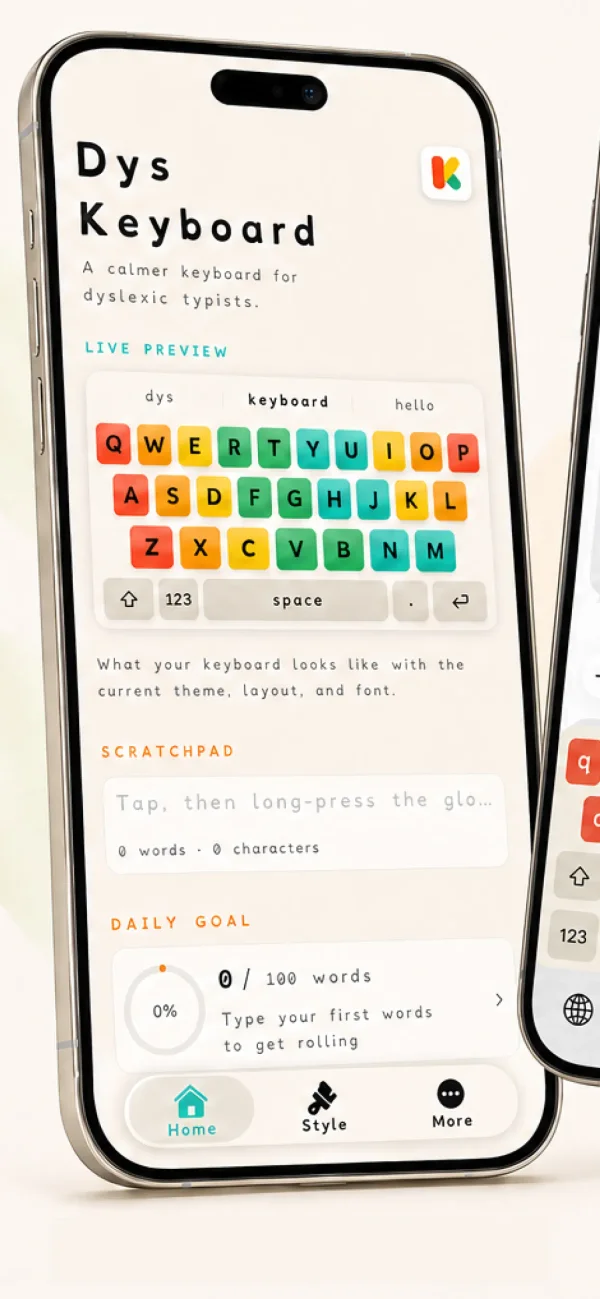
If typing on a keyboard tires you out, trips you up, or slows you down, Dys Keyboard is for you.
WHO IT’S FOR
Dys is built for people who struggle with keyboards — dyslexia, dyspraxia, dysgraphia, attention difficulties, visual fatigue, or simply fingers that hesitate.
No miracle cure. No medical claim. Just a keyboard that stops rushing you.
WHAT CHANGES
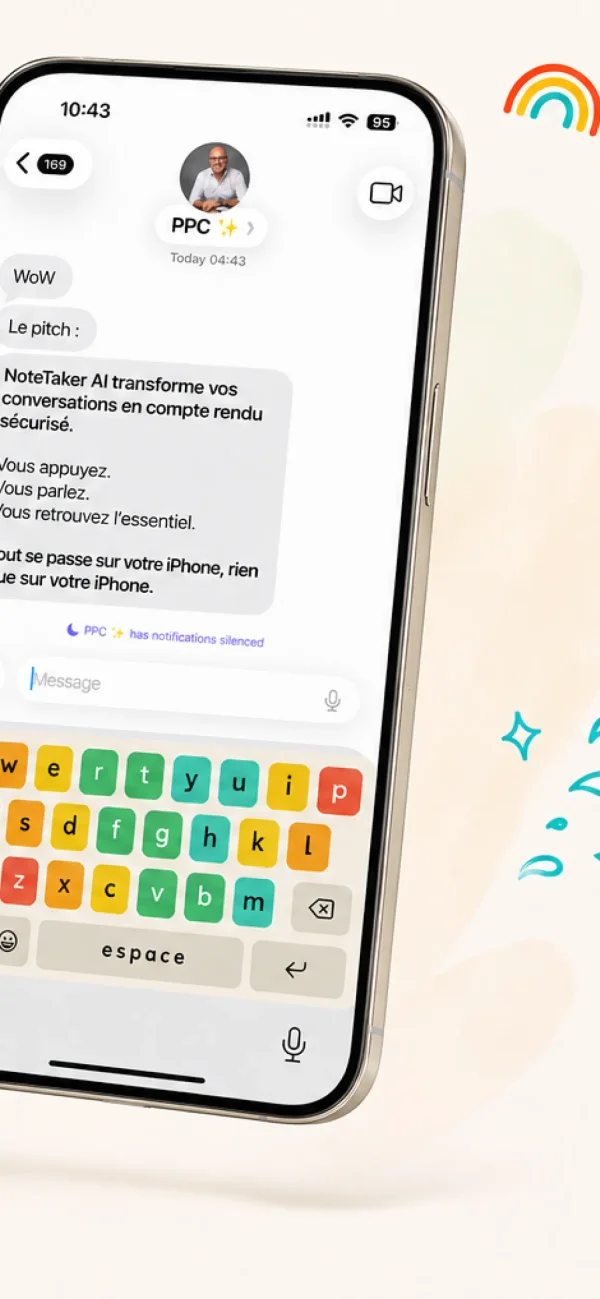
• Bigger, better-spaced, higher-contrast keys
• Color-coded finger zones to retrain touch typing without looking
• Fonts chosen to reduce confusion between b/d, p/q, and m/n
• High-contrast themes for tired eyes
• Autocorrect that suggests instead of overriding
• Generous long-press timing: fewer mistypes, fewer backspaces
• Gentle haptic feedback to confirm each tap
• No tiny buttons you keep hitting by accident
NO PRESSURE
Set a daily word goal at your own pace. Track your progress without judgment.
Every day you type on Dys counts — with seven streak milestones to unlock, from your first day to day 365.
YOU STAY IN CONTROL
• 11 layouts, including AZERTY, QWERTY, Dvorak, Colemak, and more
• 6 signature themes, including High Contrast and Dark
• Adjustable key size
• Tunable haptics and sound, or none at all
• Multi-language writing with fast switching
• Custom text replacements for the words you always struggle with
PRIVACY, SERIOUSLY
Dys never reads what you type.
No data leaves your device. No telemetry. No account. No cloud.
Your hesitations are your own.
ACCESSIBILITY
VoiceOver, Dynamic Type, and Reduce Motion are supported. WCAG AA contrast across every theme.
Designed to be used with tired eyes, hesitant fingers, and on bad days.
HOW TO ENABLE
Go to:
Settings › General › Keyboard › Keyboards › Add New Keyboard › Dys Keyboard
Then long-press the globe key to switch.
Designed in France, by and for people who had a hard time writing this text.
App privacy
What Connected Mate declares on the App Store about how this app handles data.
-
Data not collected
The developer does not collect any data from this app.
Privacy practices may vary, for example with the features you use or your age.
Information
- Seller
- Connected Mate
- Category
- Utilities
- Version
- 1.0
- Updated
- Jul 18, 2026
- Released
- Jul 18, 2026
- Size
- 15.4 MB
- Requires
- iOS 18.6 or later
- Age rating
- 4+
- Price
- Free
- Languages
- English, French, German, Italian, Spanish
- Copyright
- © 2026 ConnectedMate. All Right Reserved.
You might also like
-
 jKey: Big Keys KeyboardLow vision, easy-tap typing
-
 CardioMetric AIMonitor Heart, BP & Stress
-
 Boomerang One-Hand KeyboardUtilities
-
 AppSizeApp Size comparison tool
-
 Roulette Payout Calc ProUtilities
-
 Wumble - MumbleModern Mumble Client
-
 Accessibility KeyboardClearer custom keyboard
-
 3D Time ZonesUtilities
-
 StoneKey - Custom Keyboard3D Design and Color Themes
-
 WashLib - Car Wash & DetailingCar wash & detailing near you