
- Age rating4+
- CategoryLifestyle
- DeveloperKawaii
- LanguagesEnglish
- Size26.4 MB
Links to the official App Store page
Download.org hosts no file of E-Card. The button opens its official App Store page, published by Kawaii. Listing last checked on Nov 17, 2026.
Screenshots

About
Send a card that doesn't look like everyone else's.
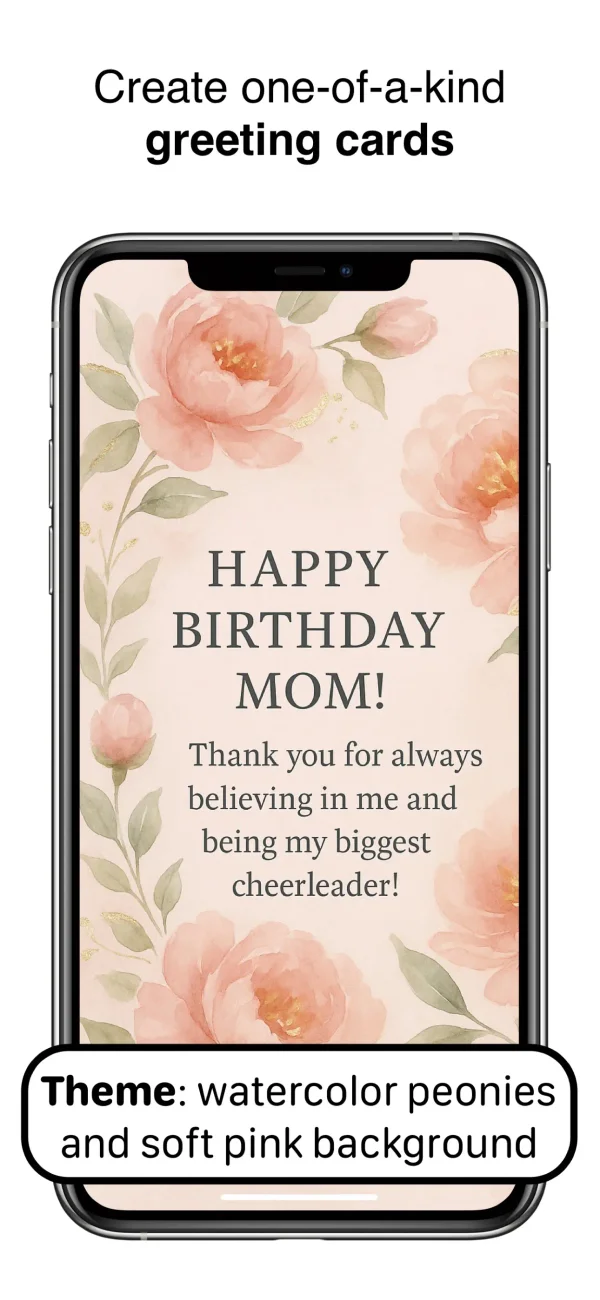
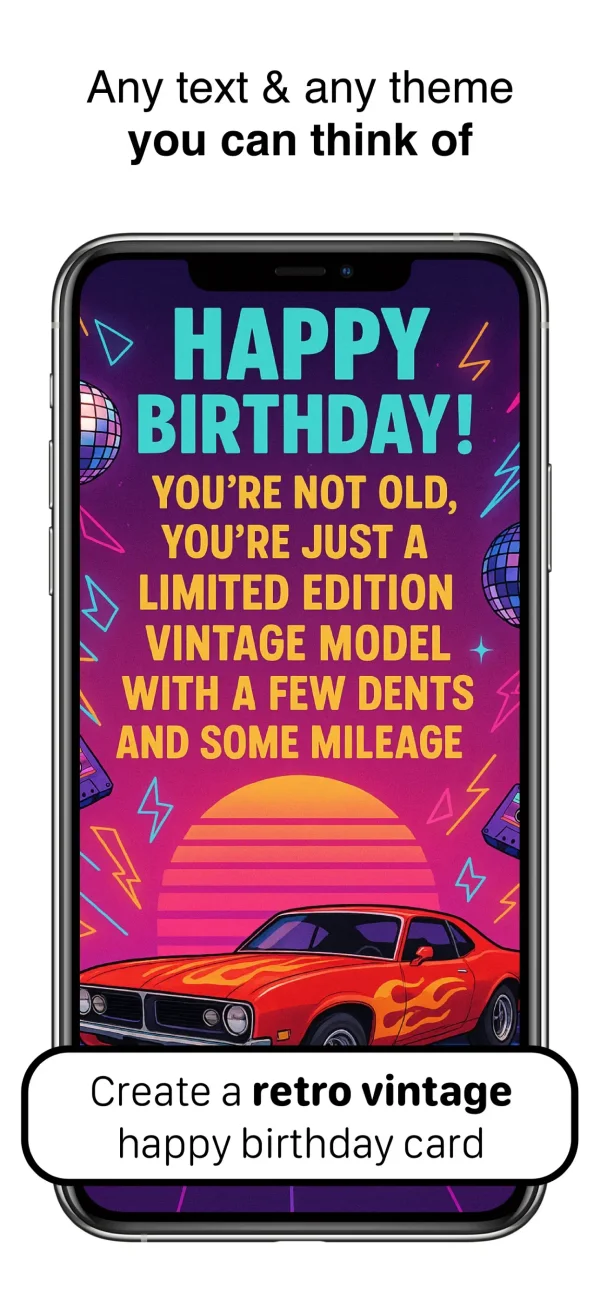
E-Card.com lets you create stunning, one-of-a-kind greeting cards in seconds — powered by AI. Type your message, pick an art theme, and the app crafts a beautifully designed card just for you. No design skills required.
WHY PEOPLE LOVE E-CARD
• Truly unique cards. Every card is generated fresh — no templates, no clip art. Your "Happy Birthday Mom" card will never look like anyone else's.
• Just type what you want. Enter the message for the card and a theme — flowers, watercolor, vintage, neon, anime, whatever you can describe — and the AI handles the rest.
• Add your own photo. Drop in a picture of the recipient — your friend, partner, pet, grandkid — and the AI integrates it into the card in a stylized artistic way that fits the theme.
• Choose your quality. Pick Basic for everyday cards, Standard for crisp results, or High for show-stopping detail.
• Public or private. Share your creations to the community gallery for inspiration, or keep them private — visible only to you.
• Save and share instantly. Download to your camera roll, send via iMessage or any sharing app, or post to social. Cards are full-resolution and ready to print.
PERFECT FOR
• Birthdays, anniversaries, weddings
• Holidays — Christmas, Easter, Mother's Day, Father's Day, Valentine's Day, Hanukkah, Eid, Diwali, Lunar New Year
• Get-well, sympathy, encouragement
• Thank-yous, congrats, "just because"
• Save-the-dates and party invites
• Cute messages for kids, partners, friends, coworkers
HOW IT WORKS
1. Type your message ("Happy Birthday Sara!")
2. Choose a theme ("watercolor flowers", "retro neon", or anything you can imagine)
3. Optionally upload a photo to feature on the card
4. Tap Create — your card is ready in about a minute
BROWSE THE COMMUNITY
Stuck for ideas? Scroll through Recent Creations to see what others are making. Search any theme — birthday, sunset, kawaii, calligraphy — and find beautiful cards instantly for inspiration.
Send something thoughtful today. Download E-Card.com and create your first card in under a minute.
What’s new
Version 1.0.8 · Apr 29, 2026
- Bug fixes
App privacy
What Kawaii declares on the App Store about how this app handles data.
-
Data linked to you
May be collected and linked to your identity.
- User content
- Search history
- Identifiers
- Usage data
- Diagnostics
Privacy practices may vary, for example with the features you use or your age.
Information
- Seller
- Kawaii, Incorporated
- Category
- Lifestyle
- Version
- 1.0.8
- Updated
- Apr 29, 2026
- Released
- Jan 18, 2024
- Size
- 26.4 MB
- Requires
- iOS 17.0 or later
- Age rating
- 4+
- Price
- Free
- In-app purchases
- Yes
- Languages
- English
- Copyright
- © E-Card.com
You might also like
-
 Greetify eCards,Birthday cardsGreeting Cards, Card Maker
-
 Thank You, Blessing CardGratitude, Appreciation
-
 2050cardsBeautifully Animated eCards
-
 Greeting & Birthday Card MakerMake Greeting Card in minutes
-
 Felt: Greeting Cards & Giftsbirthday, thank you, holiday
-
 BirthdayAlarm: Reminders CardsCountdown, Wishes & eGifts
-
 Daily quotes: Motivation & GodStart your morning inspired
-
 Good Morning Messages & WishesDailyWish: Greetings & Quotes
-
 Good Morning Messages & ImagesDaily Quotes, Cards, Blessings
-
 CardSnacks: ecards, greetingsBirthday, Gift Cards, e cards