- Age rating4+
- CategoryProductivity
- DeveloperMasamichi Maeda
- LanguagesJapanese+ 7 more
- Size6.1 MB
Links to the official App Store page
Download.org hosts no file of Ear Recorder. The button opens its official App Store page, published by Masamichi Maeda. Listing last checked on Nov 16, 2026.
Screenshots

About
Ear Recorder is a simple voice recorder for capturing conversations, ideas, and moments you want to revisit.
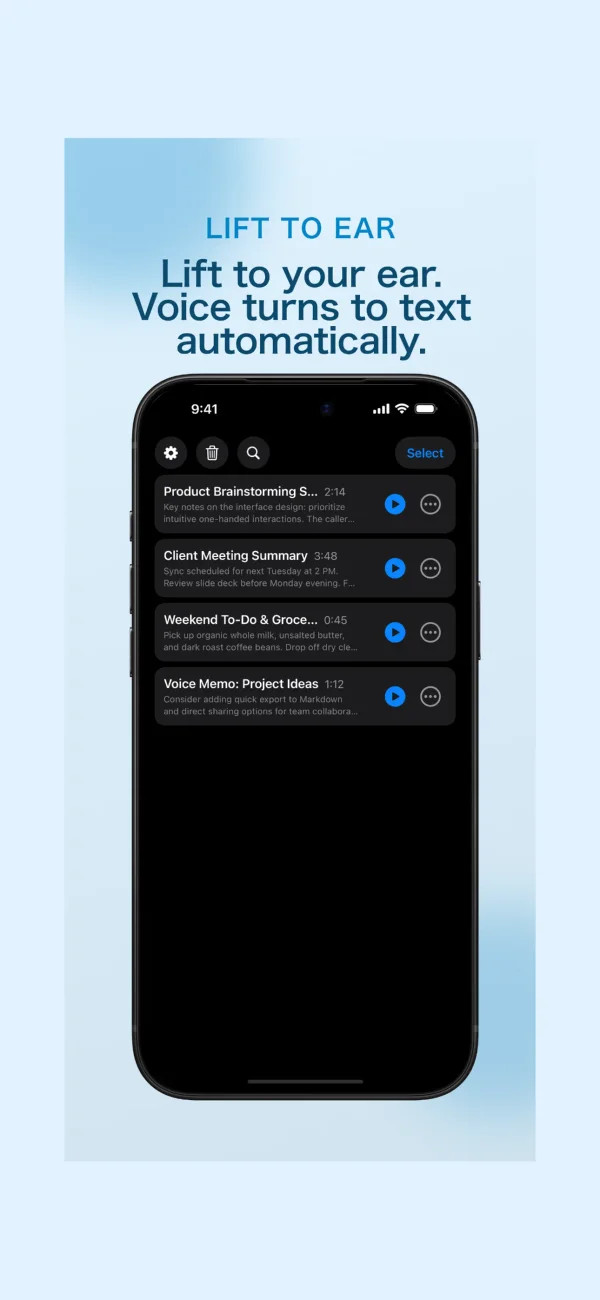
Bring your iPhone to your ear to start recording, then move it away to save. With less to think about on screen, you can focus on what you want to remember.
Key Features
Start recording by bringing your iPhone to your ear
Use the proximity sensor to start recording when your iPhone is close to your ear. Move it away to save your recording.
Find recordings when you need them
Browse your recordings by date and duration. Search by title or transcription text to quickly find the moment you are looking for.
Easy playback controls
Open any recording to play, pause, and move through the timeline. Switch playback between the earpiece and speaker to suit your surroundings.
Transcriptions & Effortless Editing
On supported devices, OS versions, and languages, you can transcribe saved recordings. Edit transcriptions with dedicated safe controls (Cancel and Save) that prevent accidental dismissals. Copy, retranscribe, search, and share transcription text with ease.
iCloud Drive Auto-Sync & Backup
Enable auto-sync to automatically organize and save audio files (.m4a) and transcription text (.txt) directly into your "iCloud Drive > Ear Recorder" folder by year and month. Seamlessly access and share your recordings across Mac and iPad via the Files app.
Share audio or transcription text
Share the original audio file, or share a formatted transcription that includes the recording title, date, and duration. When no transcription is available, you can still share the audio.
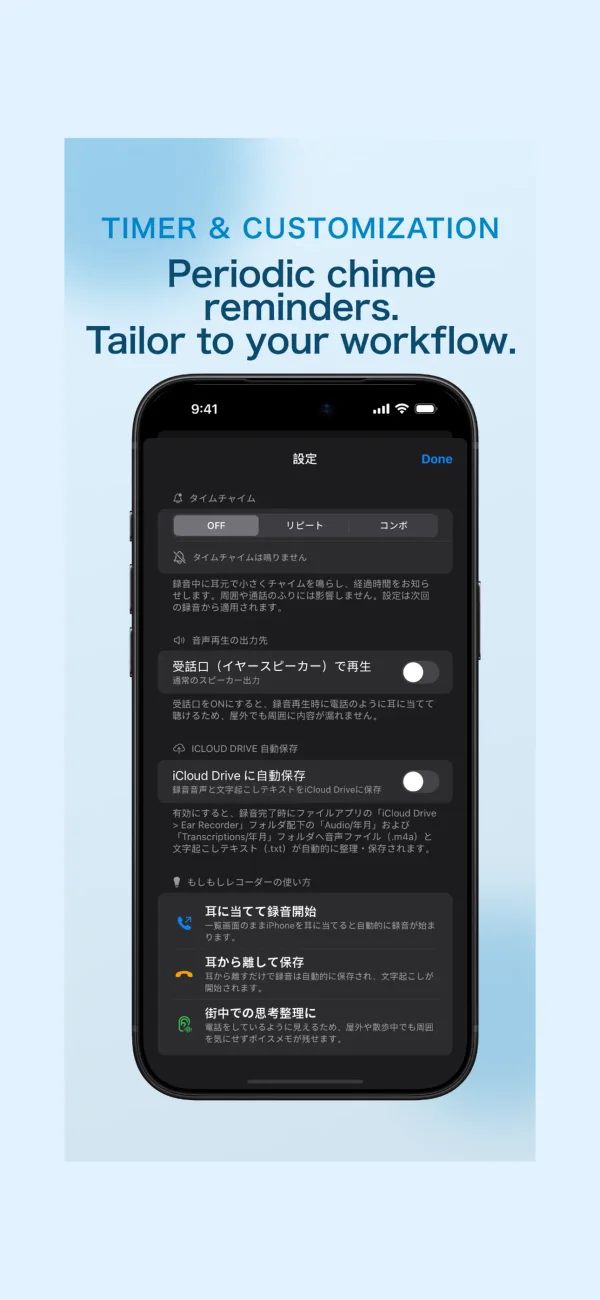
Time Chime
Set a Time Chime to keep track of elapsed recording time. Choose a repeating interval or use Combo mode to set two custom reminder times.
Safer deletion and restore
Confirm before deleting a recording. Deleted recordings can be checked and restored from the Trash, helping you recover important recordings when needed.
Designed for accessibility
EarRecorder supports Larger Text, VoiceOver, and Reduce Motion.
Privacy
Recordings are stored on your iPhone. Transcription processing may vary depending on your device, OS version, and language.
When recording conversations, please be considerate of others and make sure you follow all applicable laws, regulations, and contractual rules.
What’s new
Version 3.0.0 · Nov 13, 2026
[What's New in Version 3.0 Major Update]
- Manual Record Button: Added a clean bottom record button alongside lift-to-ear gesture recording.
- Background Recording: Manual recording now continues seamlessly when switching apps or locking screen.
- 2-Second Ear Safety Buffer: Prevents accidental cutoffs when moving iPhone away from ear. Supports auto-stop upon ear departure for manual recordings too.
- Auto iCloud Sync on Home Wi-Fi: Recordings made on the go are automatically synced to iCloud Drive in the background once you return to Wi-Fi.
- Refreshed Timer UI: Clean, native iOS SF Pro typography for improved clarity.
- Stability improvements and refined on-device performance.
App privacy
What Masamichi Maeda declares on the App Store about how this app handles data.
-
Data used to track you
May be used to track you across apps and websites owned by other companies.
- Identifiers
- Usage data
- Diagnostics
-
Data linked to you
May be collected and linked to your identity.
- Identifiers
- Usage data
- Diagnostics
Privacy practices may vary, for example with the features you use or your age.
Information
- Seller
- Masamichi Maeda
- Category
- Productivity
- Version
- 3.0.0
- Updated
- Nov 13, 2026
- Released
- Jun 8, 2026
- Size
- 6.1 MB
- Requires
- iOS 18.0 or later
- Age rating
- 4+
- Languages
- Japanese, Spanish, German, French, Simplified Chinese, Traditional Chinese, English, Korean
- Copyright
- © Masamichi Maeda
You might also like
-
 Haberdashery: Bookmark LibrarySave posts, links, screenshots
-
 TenetsAnnual planning. Life-first.
-
 TAME Format ConvertText, Markdown, JSON, CSV
-
 Ears for AI: Memory & JournalNo record button. It remembers
-
 PaperDrawerPrivate document scanner
-
 CellNotes AppMarkdown, code & math notes
-
 Galleyhear: Proofread AloudHear manuscripts by ear
-
 S3 File ManagerSleek S3 Compatible client
-
 Nvoice: Note for VoiceAI Transcriber & Prompter
-
 RemorrowRemember what is coming.