
Earn My Scroll: Screen Time
Walk, Focus, Unlock Apps
Designed for iPhone
Free · In-app purchases
- Age rating4+
- CategoryProductivity
- DeveloperSurya Prakash
- LanguagesEnglish
- Size23.7 MB
Links to the official App Store page
Download.org hosts no file of Earn My Scroll: Screen Time. The button opens its official App Store page, published by Surya Prakash. Listing last checked on Nov 28, 2026.
Screenshots
About
Use your phone on your terms.
Earn My Scroll turns screen time into something you earn. Walk, focus, work out or take a mindful moment to build a balance of minutes, then spend them when you choose to unlock the apps you protect. When your time is up, they lock again on their own.
HOW IT WORKS
• Choose the apps you want Earn My Scroll to protect.
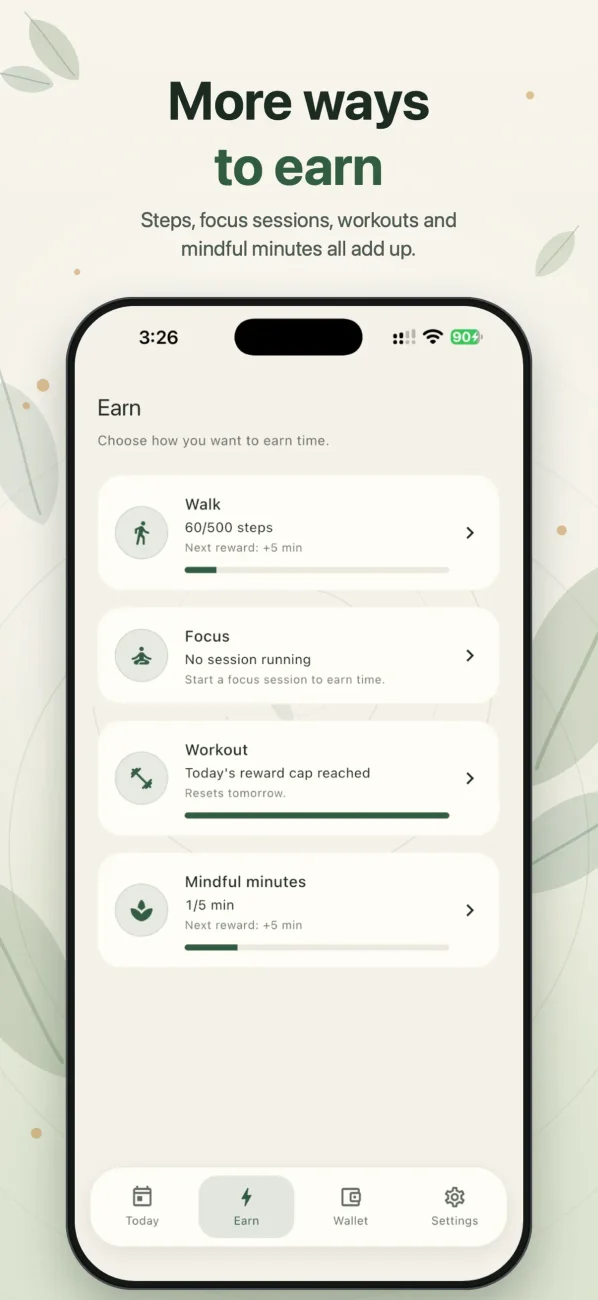
• Earn minutes by walking or finishing a focus session. With Pro, workouts and mindful minutes from Apple Health earn too.
• Keep your minutes in your wallet.
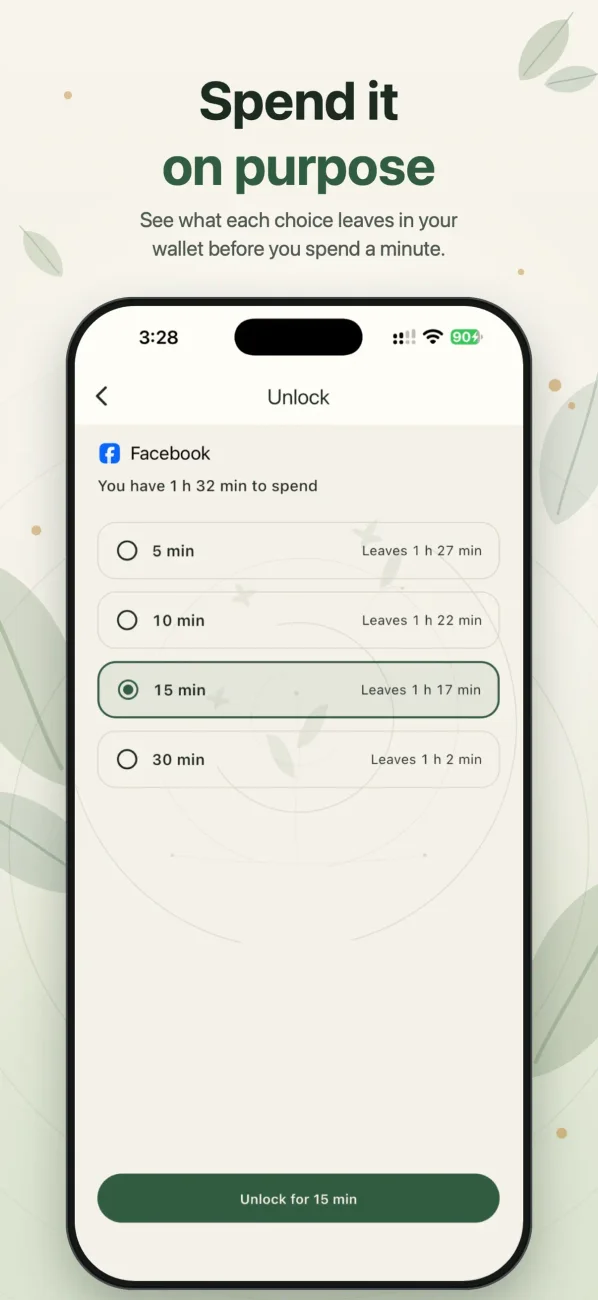
• Unlock an app for 5, 10, 15 or 30 minutes and see what each choice leaves in your wallet.
• When the time runs out, the app locks again automatically.
A MOMENT OF INTENTION
Earn My Scroll is not about quitting the apps you enjoy. It adds a small pause between impulse and access, and rewards things you already want to do.
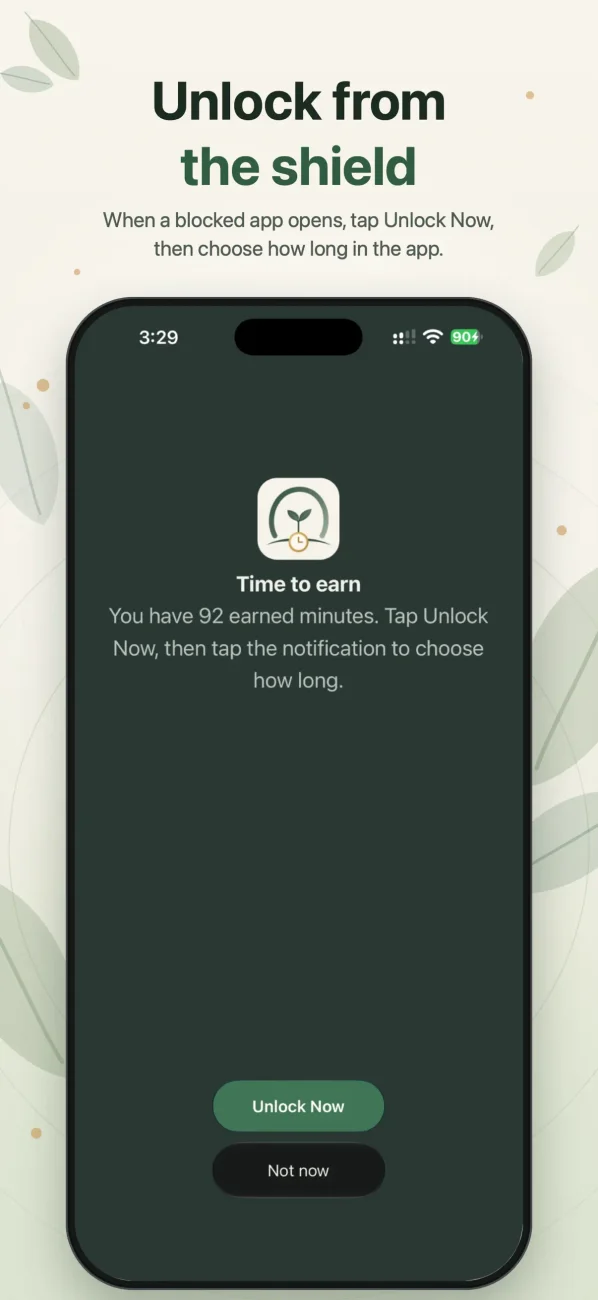
• Unlock Now: when a blocked app opens, tap Unlock Now, then choose how long.
• Pause before unlock: an optional 5-second breath before minutes are spent.
• Lock now: end an unlock early and get the rest of your time back.
• Grace access: a short pass for real emergencies, up to two every 30 days.
SEE YOUR DAY
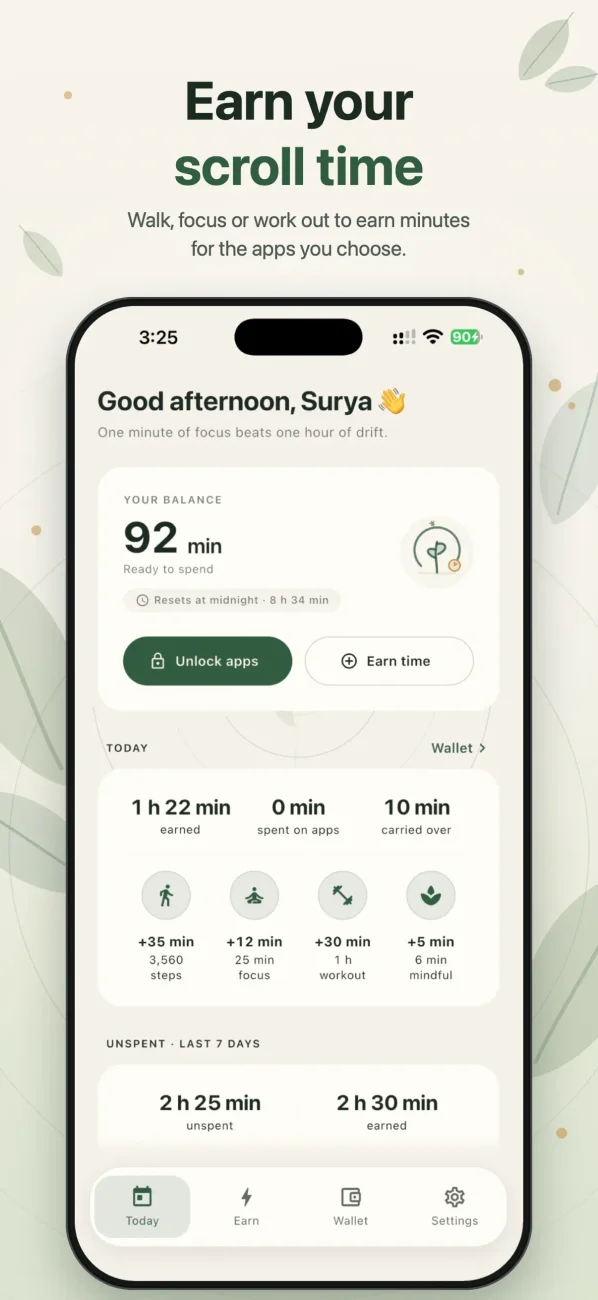
Today shows your balance, what you earned, spent and carried over, what each activity added, and how many minutes you kept unspent over the last 7 days. At your daily reset, up to 10 unused minutes carry over to tomorrow.
ALWAYS WITHIN REACH
• A live countdown on the Lock Screen and in the Dynamic Island while an app is unlocked.
• Home Screen and Lock Screen widgets for your balance.
• Ask Siri how many minutes you have, or start a focus session from Control Center (iOS 18 or later).
FREE TO START
You can use Earn My Scroll without paying. The free plan includes:
• Protection for one app selection.
• Minutes earned by walking.
• The full earn, unlock and re-lock experience.
Earn My Scroll Pro adds:
• Unlimited protected apps.
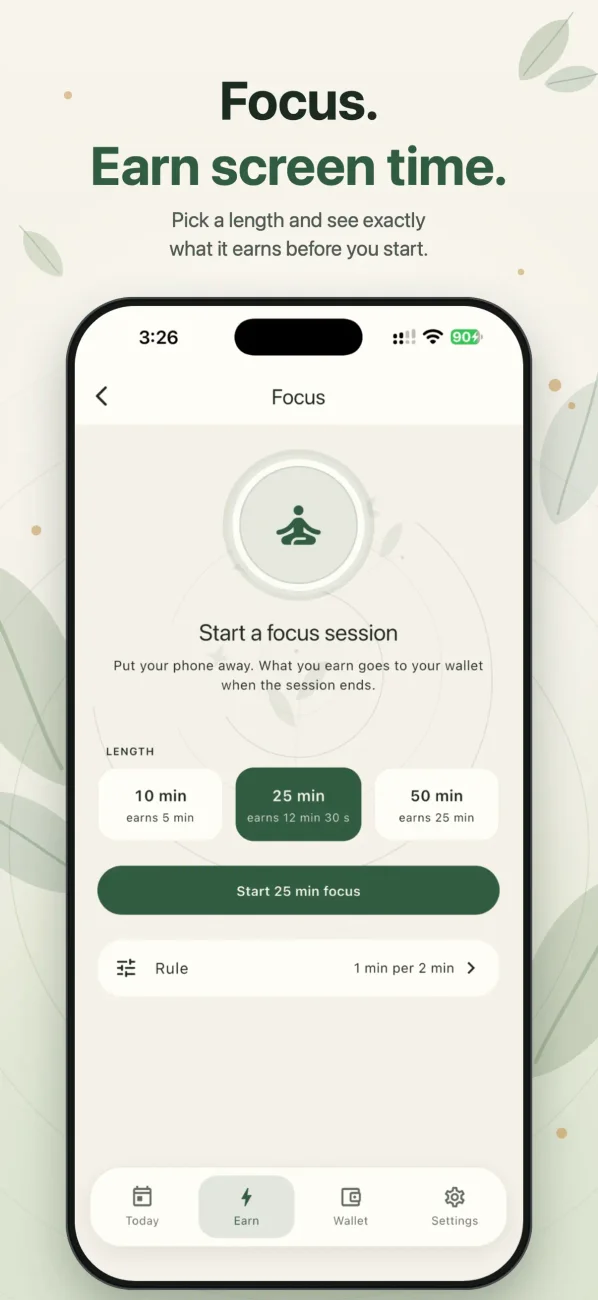
• Focus sessions.
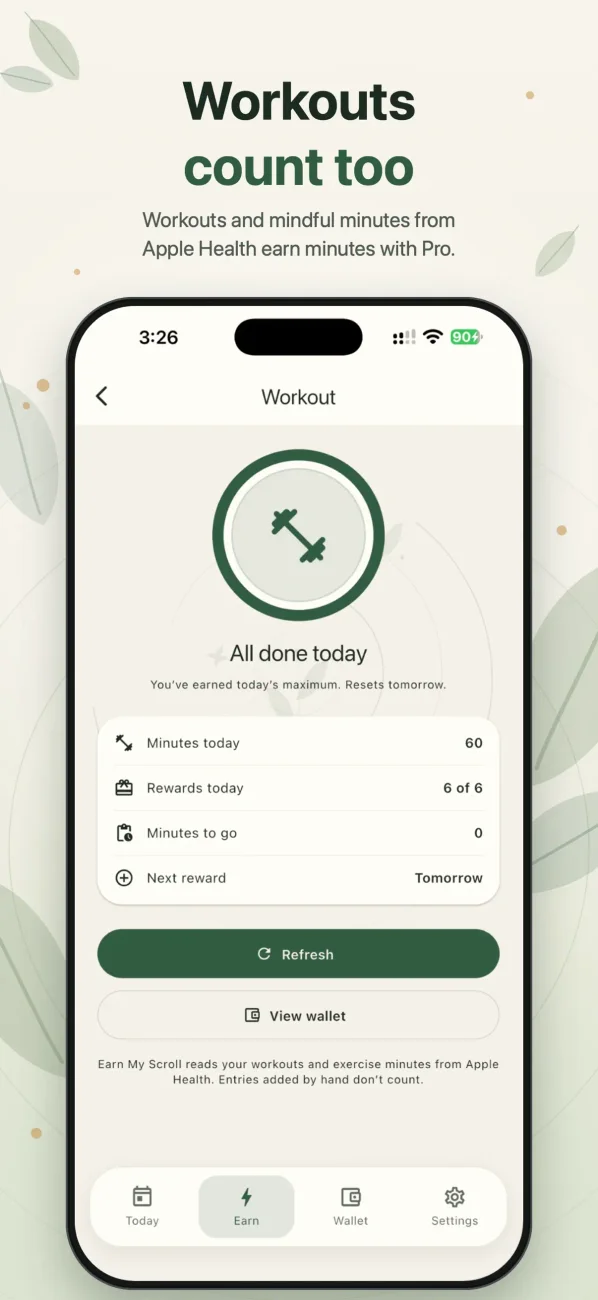
• Workouts and mindful minutes from Apple Health.
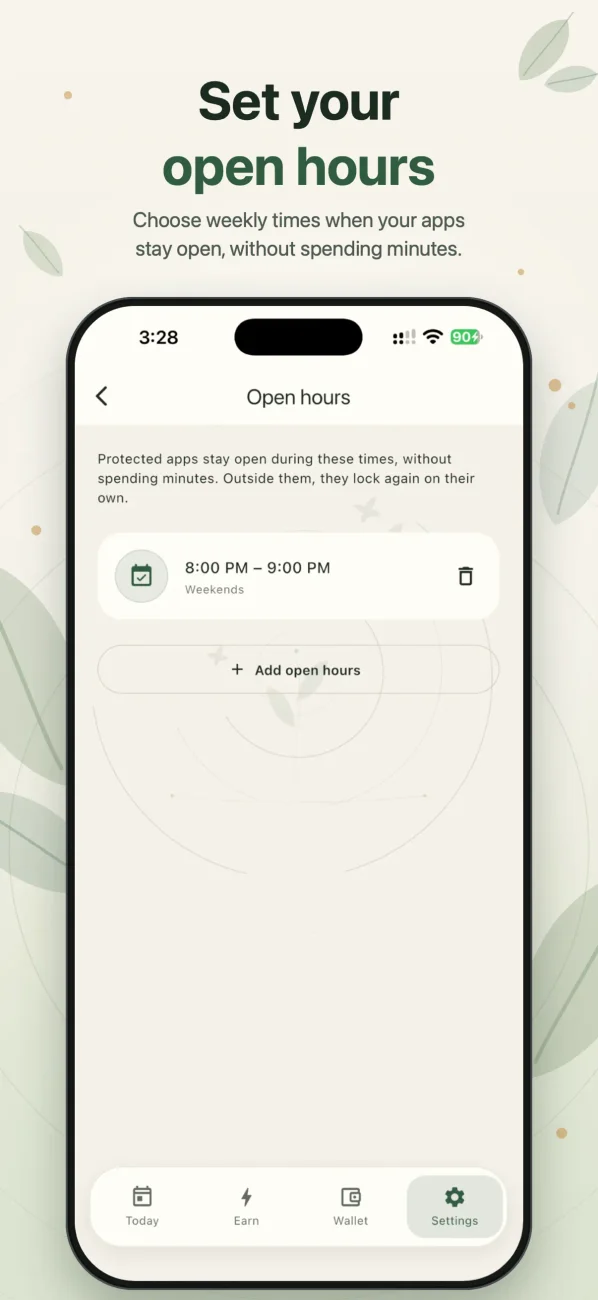
• Open hours: weekly times when your apps stay open.
Pro is available as a monthly or annual subscription, or as a one-time lifetime purchase. Subscriptions renew automatically unless cancelled at least 24 hours before the end of the current period, and can be managed in your Apple Account settings.
PRIVACY FIRST
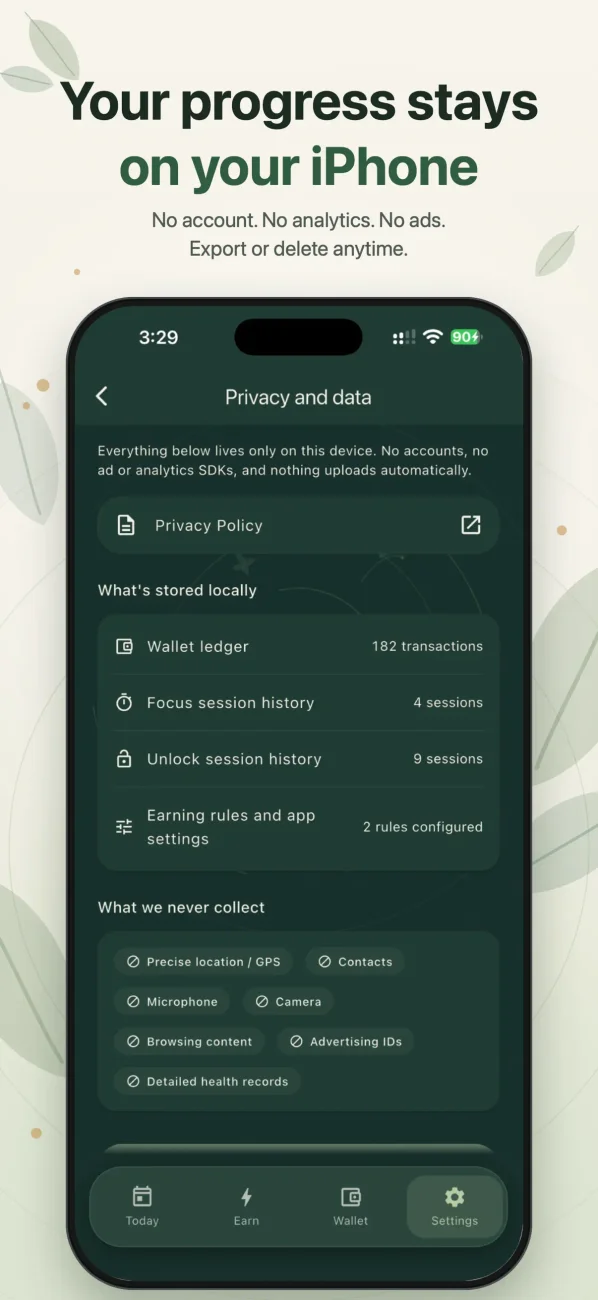
No account. No ads. No tracking. No analytics.
Your wallet, history, focus sessions, unlocks, earning rules and settings stay on your iPhone.
Apple Health is read only, to credit rewards: your step count, and with Pro your workouts, exercise minutes and mindful minutes. Earn My Scroll never writes to Health, and entries typed in by hand don't count. Screen Time access is used only to protect the apps you choose.
You can export or delete your data at any time.
Earn your scroll time. Keep the rest for your life.
Terms of Use (EULA):
https://www.apple.com/legal/internet-services/itunes/dev/stdeula/
Privacy Policy:
https://wellmosphere.com/earn-my-scroll/privacy
What’s new
Version 1.1.0 · Nov 27, 2026
Earn My Scroll 1.1 is our biggest update yet.
UNLOCK FROM THE SHIELD
When a blocked app opens and you have at least 5 earned minutes, tap Unlock Now on the shield, then the notification, to choose how long. This needs notifications turned on.
PAUSE BEFORE UNLOCK
An optional 5-second breath before minutes are spent, so you can decide whether you really want to open the app. Turn it on or off in Settings.
MORE WAYS TO EARN (PRO)
Workouts, exercise minutes and mindful minutes in Apple Health now earn minutes, from Apple Fitness or any app that saves them to Health. Entries typed in by hand don't count.
OPEN HOURS (PRO)
Choose weekly times when your protected apps stay open without spending minutes, like weekend evenings.
YOUR UNLOCK AT A GLANCE
A live countdown on the Lock Screen and in the Dynamic Island while an app is unlocked, plus Home Screen and Lock Screen widgets that show your balance.
SIRI AND CONTROL CENTER
Ask Siri "How many minutes do I have in Earn My Scroll?" On iOS 18 or later, add a Start focus button to Control Center.
A CLEARER TODAY
See what you earned, spent and carried over today, what each activity added, and how many minutes you kept unspent over the last 7 days. A banner shows when open hours or grace access are on.
FEWER STEPS TO UNLOCK
With one protected app you go straight to choosing a time. Each choice shows what it leaves in your wallet, and the active unlock screen shows when the app locks again, with Lock now to get the rest of your time back.
A CALMER LOOK EVERYWHERE
A new look for Earn, Focus, Wallet and Settings. Focus shows what each length earns before you start. Wallet groups activity by day. Settings shows each setting's value at a glance. A new What's new page in Settings explains the main features.
YOUR CHOICE
You can now stop blocking every app, whatever your plan.
SMOOTHER AND STURDIER
Apps lock again exactly on time, your plan is recognised reliably right after an update, and steps added by hand in Health no longer count.
App privacy
What Surya Prakash declares on the App Store about how this app handles data.
-
Data not collected
The developer does not collect any data from this app.
Privacy practices may vary, for example with the features you use or your age.
Information
- Seller
- Surya Prakash
- Category
- Productivity
- Version
- 1.1.0
- Updated
- Nov 27, 2026
- Released
- Sep 28, 2026
- Size
- 23.7 MB
- Requires
- iOS 16.0 or later
- Age rating
- 4+
- Price
- Free
- In-app purchases
- Yes
- Languages
- English
- Copyright
- © 2026 Surya Prakash
You might also like
-
 Focus Friend: ADHD Focus TimerPomodoro, Study & Calm Sounds
-
 Team Up'sProductivity
-
 OysterVPN: Secure and Fast VPNVPN for Privacy and Streaming
-
 BlockRot: Screen Time ControlFinish Tasks, Earn Screen Time
-
 Thruday: Visual Daily PlannerADHD/Autism: Routines & Tasks
-
 myHQ: Coworking SpacesAccess coworking and work cafe
-
 PAUSED: Limit Screen TimeApp Blocker, Dopamine Detox
-
 DhandaTool to grow your business!
-
 Jomo - App Blocker & FocusScreen Time Control & Limits
-
 Rev: Record & TranscribeTurn Transcripts Into Insights