EarnLock: App Blocker & Focus
Your steps unlock screen time
Designed for iPhone
In-app purchases
- Age rating4+
- CategoryProductivity
- DeveloperAntti Aittamaa
- LanguagesPortuguese+ 32 more
- Size15.7 MB
Links to the official App Store page
Download.org hosts no file of EarnLock: App Blocker & Focus. The button opens its official App Store page, published by Antti Aittamaa. Listing last checked on Nov 10, 2026.
Screenshots
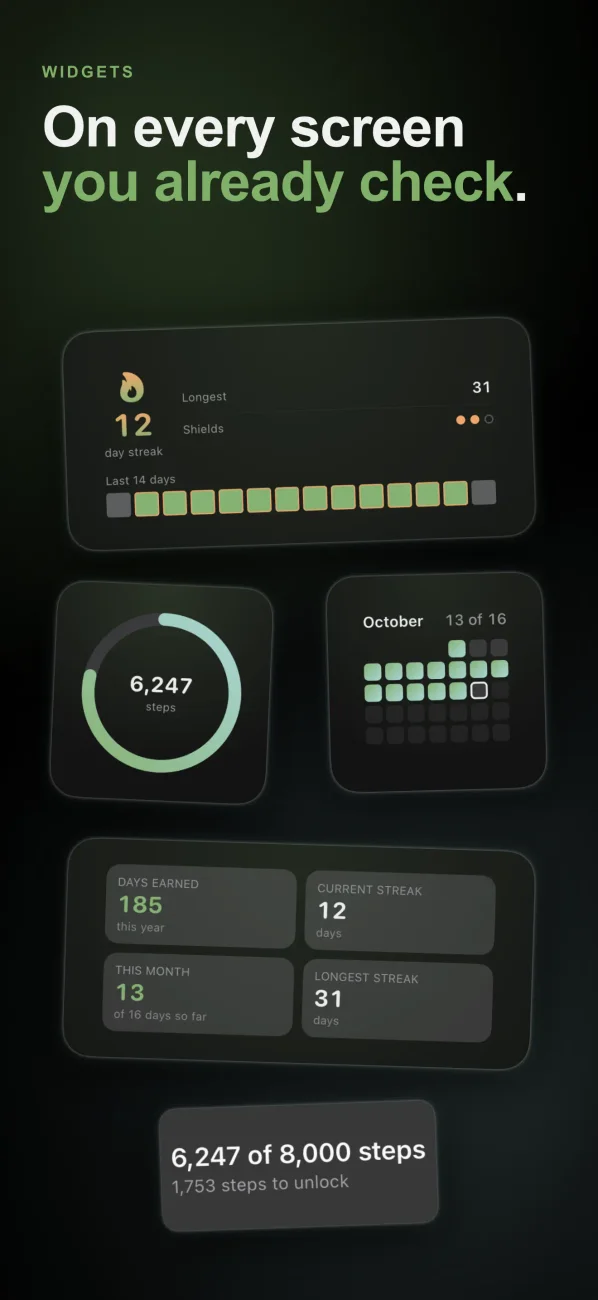


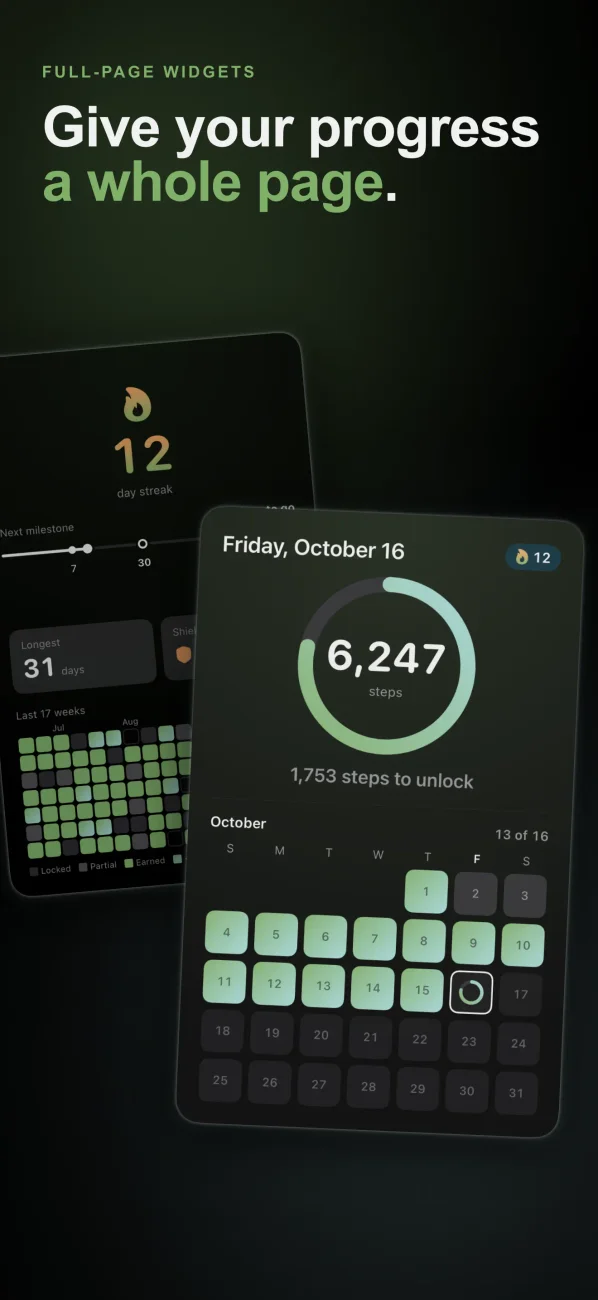
About
It's 11pm again, and you couldn't name a single thing you saw.
You opened one app for a minute, and the evening went with it. Willpower lost that argument, the way it usually does at that hour. EarnLock hands the decision to your daily activity goal instead, and Apple Health keeps the count.
MOVE FIRST. SCROLL LATER.
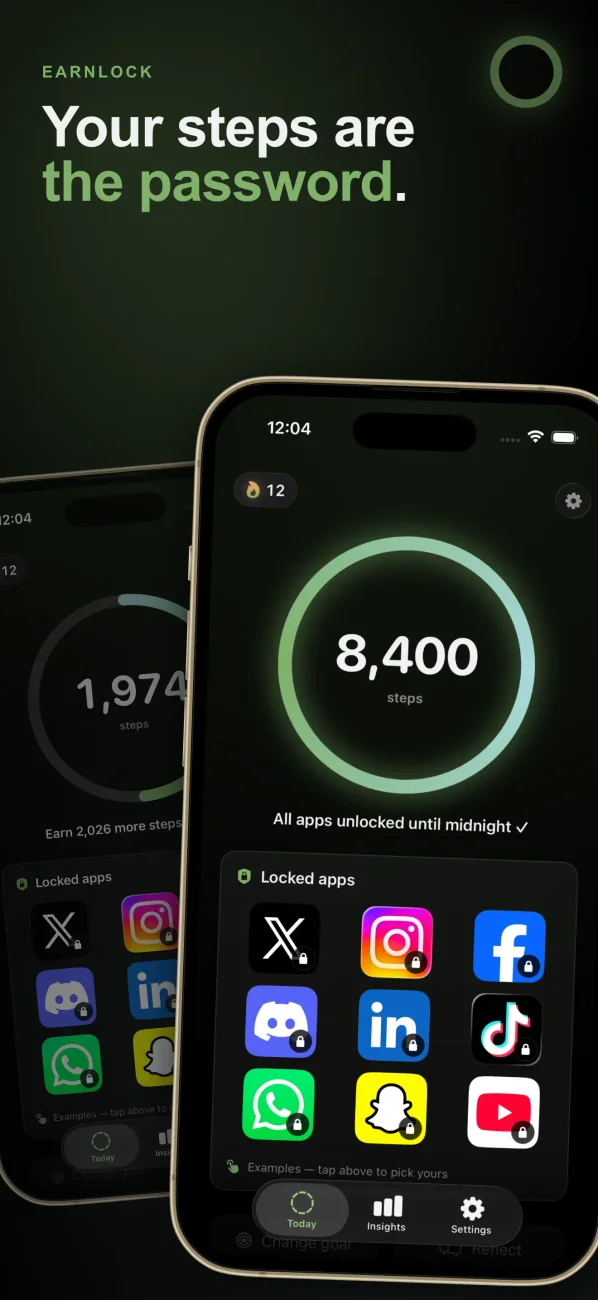
Pick the apps that keep eating your evenings. Set a daily goal in steps, or in active minutes or active calories with Premium. Until you reach it, those apps stay locked. Reach it, and they open by themselves until midnight.
Half a goal still counts. Halfway there, some of your locked apps open for about an hour, once a day.
WHERE THE KEY LIVES
Other blockers leave the key in your pocket: a password you set yourself, or a delay you can wait out. EarnLock keeps it on the far side of your daily goal. You can always get in. You have to move first.
A WEEK OF WATCHING FIRST
For your first week, EarnLock blocks nothing. It watches, so you see your real pattern before any lock begins.
WHAT YOU GET
• Lock any app or category with Apple's own Screen Time controls
• Open a locked app and see how many steps stand between you and it
• Answer "what am I actually looking for right now?" in one tap
• A math-gated emergency unlock for real needs, once a day
• Every widget in every size for free, including full-page widgets on iOS 27
• Available in 33 languages
PRIVATE BY DESIGN
Nothing leaves your iPhone. You don't create an account, and EarnLock has no server or analytics to send your data to. It's made for locking your own apps on your own iPhone.
FREE TO START
Free forever: lock one app or category, earn with steps, and use every widget.
Premium adds:
• Unlimited locked apps and categories
• Active minutes and active calories as your goal
• Smart Schedules, with separate goals for workdays, evenings, and weekends
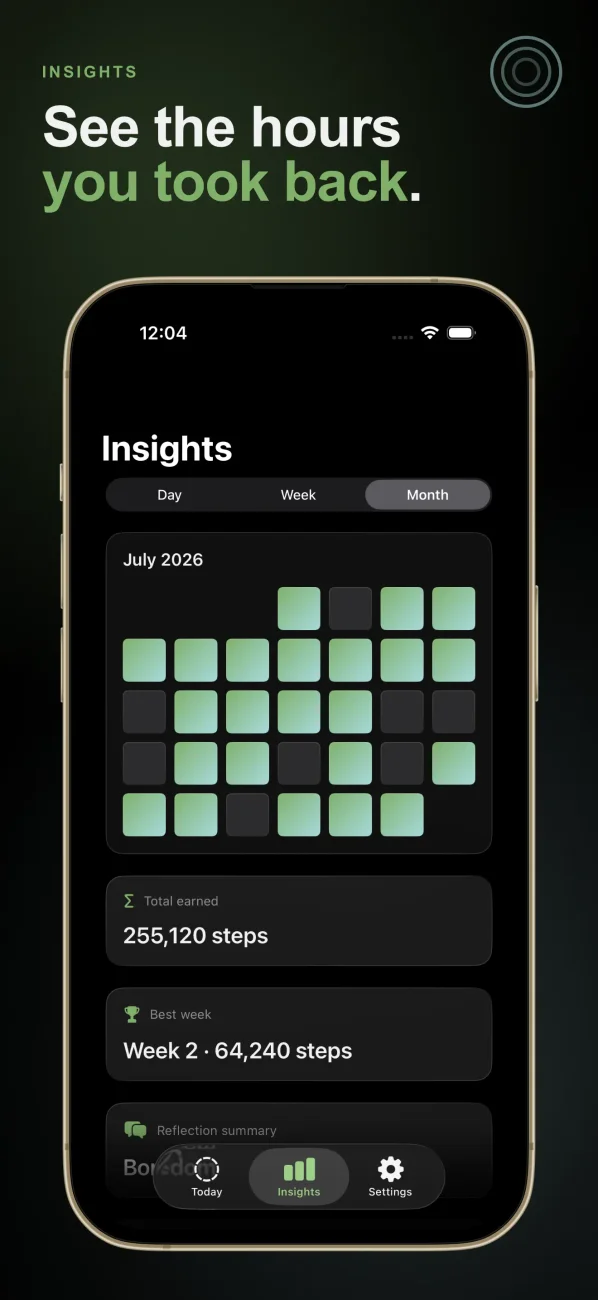
• Insights
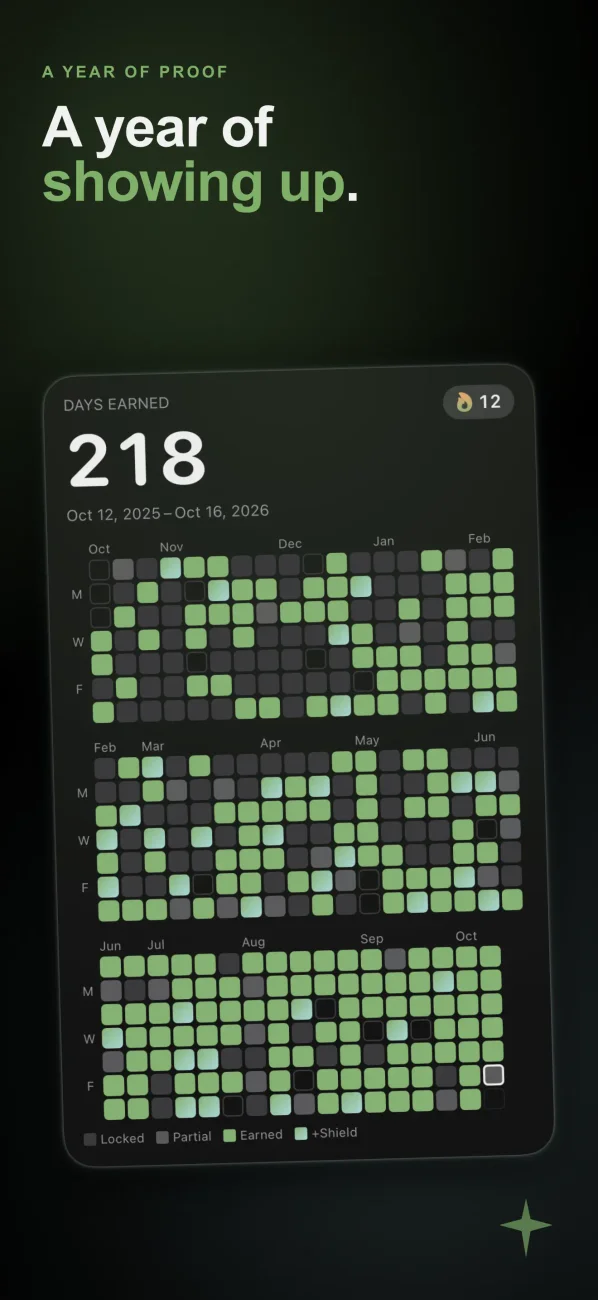
• Streak shields: rest days you bank by going further
• A Live Activity with a Dynamic Island countdown
• Focus sessions
• A weekly bypass for the goal cooldown
• Alternate app icons
Monthly and Yearly each start with a one-week free trial. Or pay once for Lifetime. Every plan works with Family Sharing, for you and up to five family members.
Start with one app for free. Move first. Scroll later.
Payment is charged to your Apple Account at confirmation. Subscriptions renew automatically unless cancelled at least 24 hours before the end of the current period. Manage or cancel anytime in your Apple Account settings.
Terms of Use: https://www.apple.com/legal/internet-services/itunes/dev/stdeula/
What’s new
Version 1.9.3 · Nov 6, 2026
This update makes room for iPhone Duo, and the halfway point on Today now says exactly what you've earned.
MADE FOR IPHONE DUO
Lists keep a clean margin beside the Duo's side rail, and your streak moves into the rail so the ring gets more room. Unfolded, Today sets the ring beside your locked apps, and Insights puts the calendar next to its numbers, so the wider screen isn't one stretched column.
ICONS FOR YOUR HOME SCREEN STYLE
The EarnLock icon and the Midnight, Ember, and Mono alternates now come in Dark and Tinted versions for iOS 18 and later, so EarnLock matches the rest of your Home Screen.
HALFWAY, IN PLAIN NUMBERS
At 50% of your goal, Today now shows how many of your locked apps are open, counts down to when they relock, and tells you what waits for 100%. The halfway window opens once a day, and an emergency unlock doesn't use it up.
NOTIFICATIONS ON YOUR TERMS
The "relocking soon" warning now arrives 10 minutes before your halfway window ends. Shield and rest-day notifications wait until your quiet hours are over instead of getting lost, and quiet hours keep the exact minutes you set. A snoozed evening nudge stays snoozed. If you switched on re-engagement reminders, they now arrive.
PLANS, SPELLED OUT
The paywall shows the one-week free trial only when your Apple Account can still use it. Streak shields are now part of Premium, and your weekly rest day stays free. The free plan's limit of one locked app or category now applies from your first setup. Smart Schedules start switched off on new installs, so nothing changes until you turn one on.
SMALLER FIXES
You can now save a milestone card to Photos. The screen over a locked app and the Screen Time step in setup say EarnLock in every language. Change goal and other sheets fit on smaller screens. If your Apple Account isn't signed in, setup tells you so instead of blaming your region. Day Insights now counts apps you locked through a category, widgets stop showing Premium once it has expired, and the full-unlock animation respects Reduce Motion.
Move first. Scroll later.
App privacy
What Antti Aittamaa declares on the App Store about how this app handles data.
-
Data not collected
The developer does not collect any data from this app.
Privacy practices may vary, for example with the features you use or your age.
Information
- Seller
- Antti Aittamaa
- Category
- Productivity
- Version
- 1.9.3
- Updated
- Nov 6, 2026
- Released
- May 25, 2026
- Size
- 15.7 MB
- Requires
- iOS 17.0 or later
- Age rating
- 4+
- In-app purchases
- Yes
- Languages
- Portuguese, German, Catalan, Czech, Simplified Chinese, Traditional Chinese, Korean, Croatian, Danish, Slovak, Spanish, Finnish + 21 more
- Copyright
- © 2026 Aittamaa
You might also like
-
 Budli: Screen Time PetApp Blocker & Focus Buddy
-
 Limit screen time, apps lockerAppblock, Home Workout, Squats
-
 Omit: Screen Time ControlApp Blocker & Focus Timer
-
 Sapiens: Screen Time ControlApp Blocker & Focus Timer
-
 Unscroll: Earn Screen TimeTime's Up? Earn It Back.
-
 Onyx Focus: App BlockerStop doomscrolling for good
-
 ScrollPause: Stop the ScrollPause it. Lock it. Keep it.
-
 Screen Time & Focus: PausoraApp Blocker, Study & Detox
-
 App Blocker Focus Fomo FastScreen time limits that hold
-
 Wick-Deep Work, Study & FocusPomodoro timer & app blocker