Easy Copy Paste & Memo List
One-tap copy, plus a memo list
Designed for iPhone, iPad, Mac, iPod touch
In-app purchases
- Age rating4+
- CategoryUtilities
- DeveloperKenichi Ando
- LanguagesGerman+ 9 more
- Size27.7 MB
Links to the official App Store page
Download.org hosts no file of Easy Copy Paste & Memo List. The button opens its official App Store page, published by Kenichi Ando. Listing last checked on Nov 23, 2026.
Screenshots
About
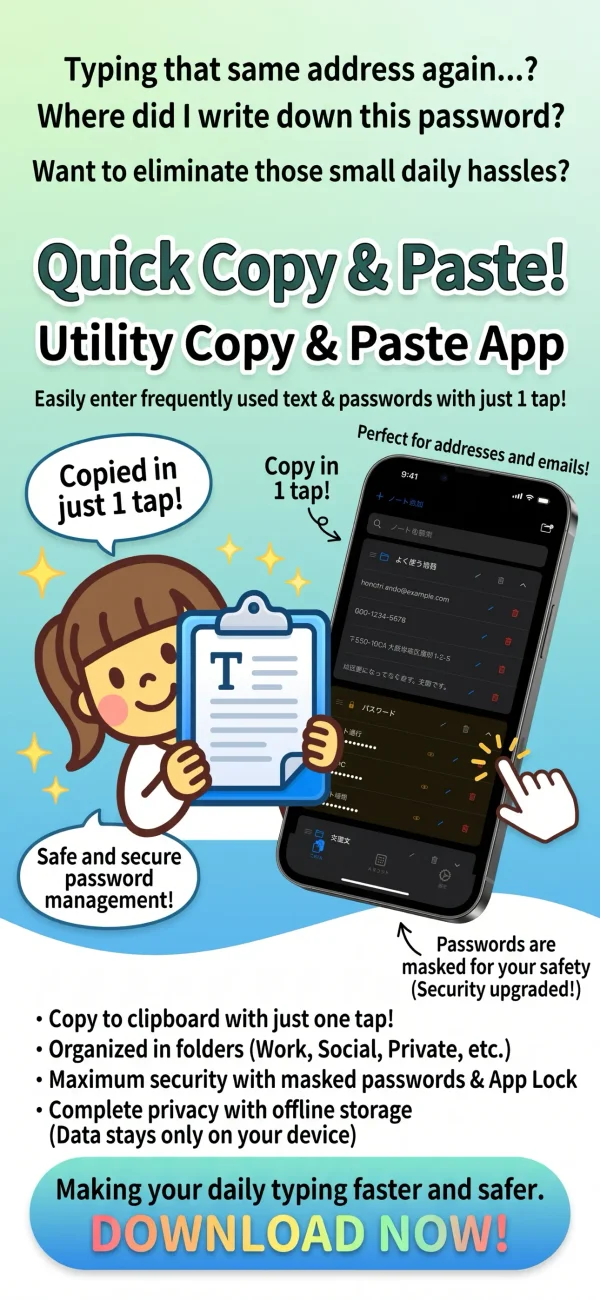
"Do I really have to type that address again?"
"Where did I write down that password?"
Easy Copy Paste & Memo List takes those small daily chores away. Save the text you use most often, and one tap puts it on the clipboard. All that is left is to paste.
MAIN FEATURES
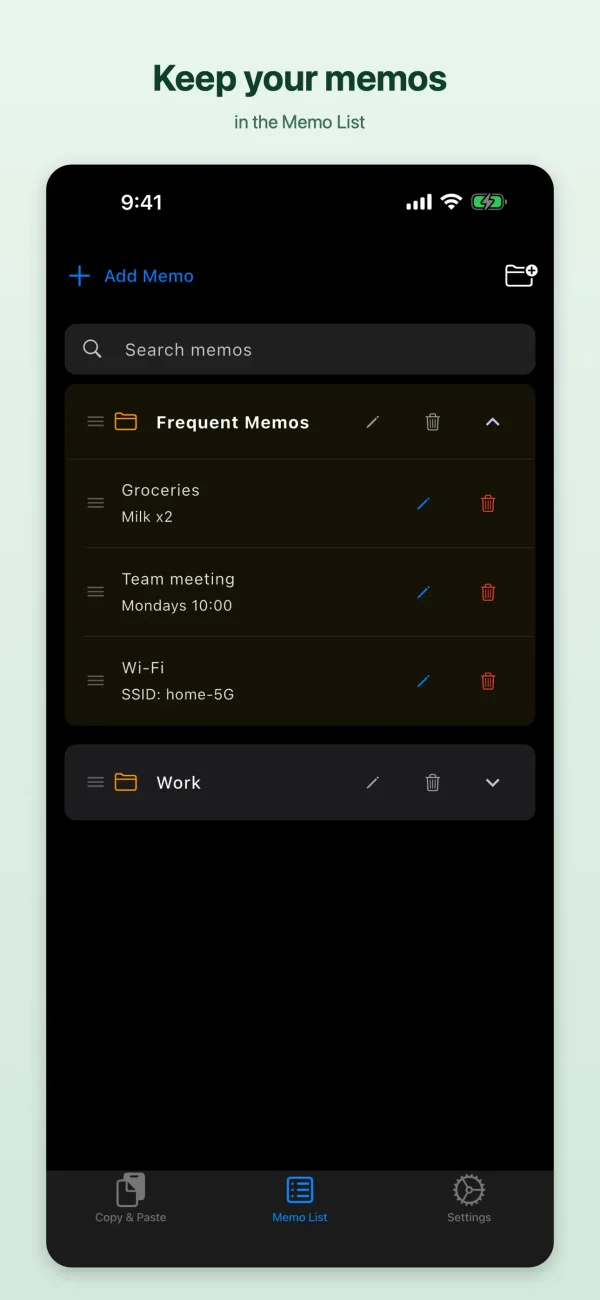
Memo List (new in 2.2.0, free)
- Keep memos with a title and body, sorted into folders.
- Shopping lists, meeting notes, Wi-Fi details - things you want to read again.
- Search titles and text at once.
- Copy an open memo with one tap.
- Switch between Copy & Paste, Memo List and Settings with the tabs at the bottom.
One-tap copying
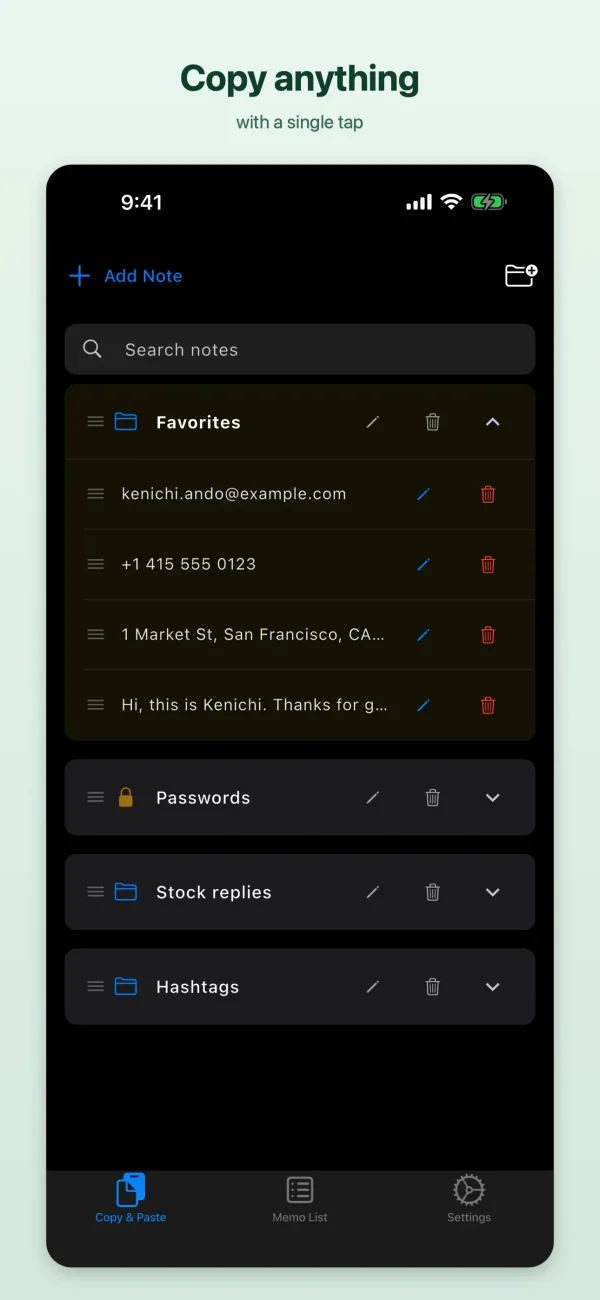
- Tap a saved entry and it is copied. That is the whole interaction.
- Email addresses, phone numbers, postal addresses, greetings, emoticons, hashtags - anything you type more than once.
- Paste it into any other app, exactly as you saved it.
Folders to keep things tidy
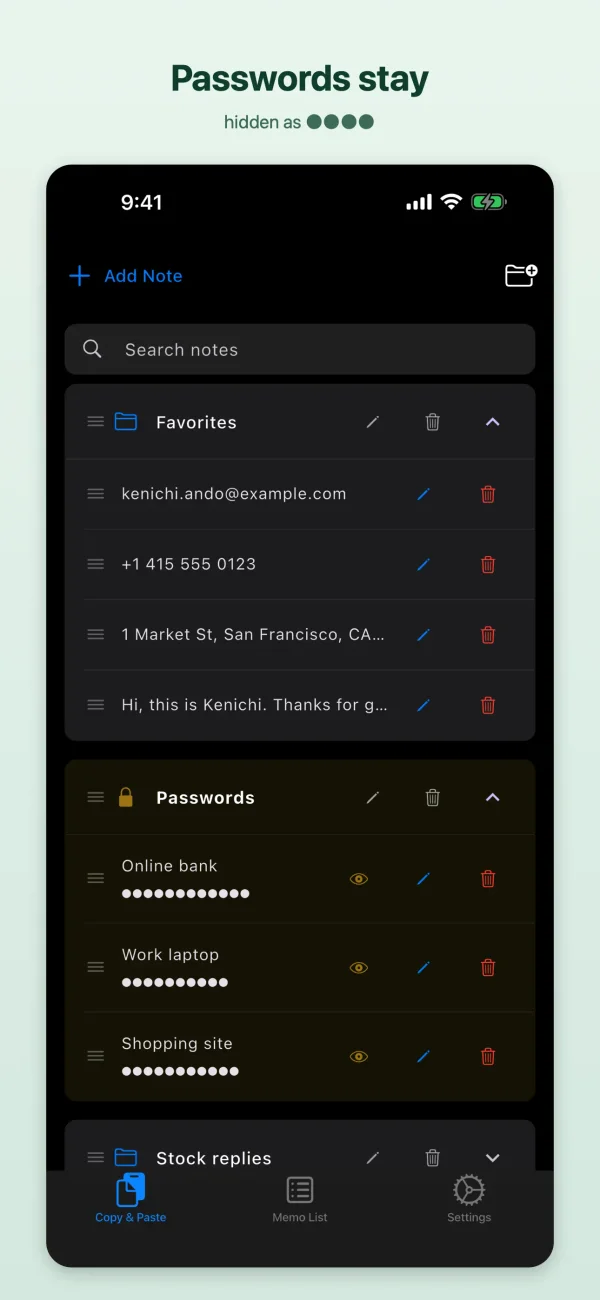
- Create folders such as Work, Social, or Passwords.
- Reorder entries by dragging them.
- Search across folder names and note text at once.
- Swipe an entry to the left to move it to another folder, so you can reorganise later as your list grows.
Protected folders (Premium)
- Turn on protection and the contents are shown as ●●●●.
- The list shows only the names you chose, such as "Online bank" or "Work laptop". The contents never appear on screen.
- You can still tap a hidden entry to copy it, so it is safe to use in front of other people.
- To check the contents, tap the eye icon and confirm it is you.
- Protected entries are left out of search results.
Clipboard auto-clear (Premium)
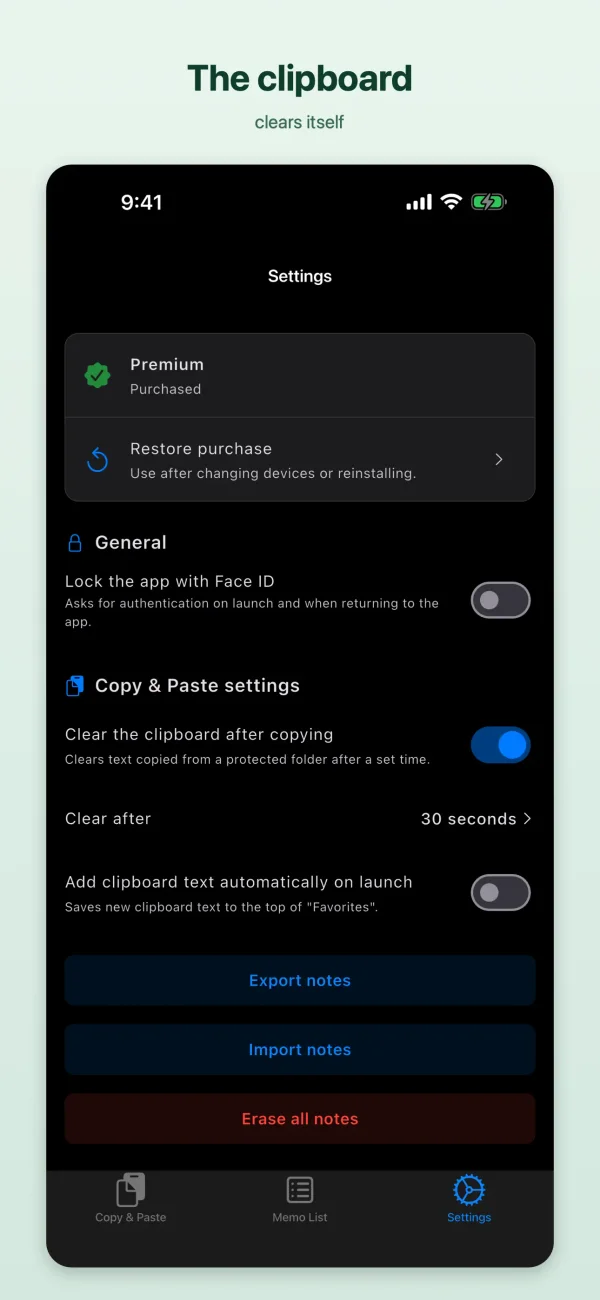
- Text copied from a protected folder is removed from the clipboard after a set time.
- Choose anything from 20 seconds to 3 minutes.
- Nothing sensitive is left sitting on the clipboard after you have pasted it.
App lock (Premium)
- Lock the whole app with Face ID or Touch ID.
- You are not asked to authenticate every time you switch apps - only when you come back after a while.
Backup and moving to a new device
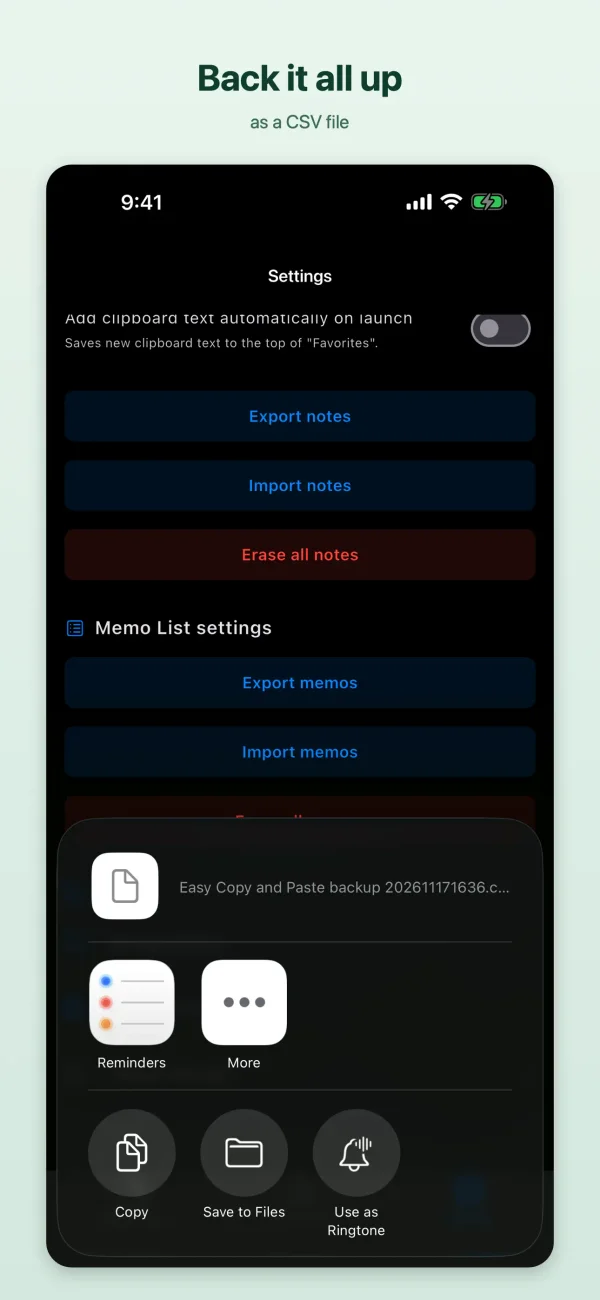
- Export everything you have saved as a CSV file.
- Useful when you change devices, or when you would rather edit the list on a computer.
- Save the exported file by email, to the Files app, or however you prefer.
And also
- Optionally add the clipboard contents automatically when the app opens.
- Light and dark mode, following your device.
- Works on iPhone and iPad.
- Available in English, Japanese, French, German, Italian, Spanish, Portuguese, Chinese (Simplified and Traditional) and Korean.
PREMIUM
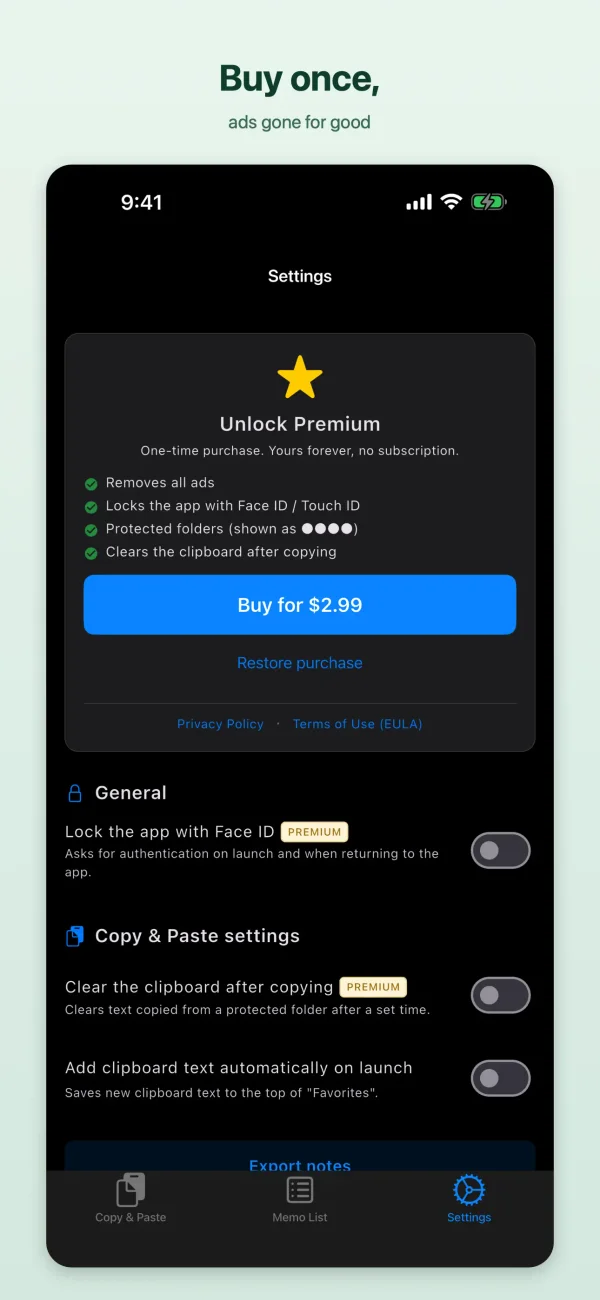
A single purchase. No monthly fee, no automatic renewal - buy it once and it stays yours.
It unlocks:
- Protected folders with hidden contents
- Automatic clipboard clearing after copying
- App lock with Face ID and Touch ID
- Complete removal of ads
After changing devices or reinstalling, use "Restore purchase" in Settings to get it back.
WHO IT IS FOR
- Anyone who types the same text over and over
- Anyone tired of retyping email addresses and postal addresses
- Anyone who handles passwords where others can see the screen
- Anyone using a phone at work or on a shared computer
- Anyone who wants hashtags and stock replies within reach
- Anyone who keeps a collection of emoticons and emoji
- Anyone moving their data to a new device
PRIVACY
The notes you save stay on your device. This app never sends them to any server. The developer cannot see what you have saved.
The masking in protected folders is there to stop people reading your screen over your shoulder.
The free version shows ads through Google AdMob. Serving those ads may use your device identifier. You choose whether to allow tracking in the dialog shown the first time you open the app. Buying Premium removes the ads.
Privacy policy:
https://tenmais.jp/privacy.php
CONTACT
Requests and bug reports are welcome:
https://tenmais.jp/contact/
Make your daily typing faster, and safer.
What’s new
Version 2.2.3 · Nov 17, 2026
Thank you for using the app.
• Reorder items in a folder by dragging the handle (three lines) on the left (Copy & Paste and Memo List)
• Drop an item onto another folder’s name to move it there
App privacy
What Kenichi Ando declares on the App Store about how this app handles data.
-
Data used to track you
May be used to track you across apps and websites owned by other companies.
- Location
- Identifiers
- Usage data
-
Data linked to you
May be collected and linked to your identity.
- Location
- Identifiers
- Usage data
-
Data not linked to you
May be collected but is not linked to your identity.
- Location
- Identifiers
- Usage data
Privacy practices may vary, for example with the features you use or your age.
Information
- Seller
- Kenichi Ando
- Category
- Utilities
- Version
- 2.2.3
- Updated
- Nov 17, 2026
- Released
- Mar 2, 2026
- Size
- 27.7 MB
- Requires
- iOS 15.0 or later
- Age rating
- 4+
- In-app purchases
- Yes
- Languages
- German, English, French, Italian, Japanese, Korean, Portuguese, Spanish, Traditional Chinese, Simplified Chinese
- Copyright
- © Kenichi Ando
You might also like
-
 Copy gentlemanCopy saved texts with one tap
-
 無限に読み上げるUtilities
-
 ClipStack - Save & Reuse TextClipboard history & templates
-
 Text Snippet Keyboard - SnipItAI Prompt Templates & Macros
-
 らくタグUtilities
-
 PDF Viewer-UltraPDFAll-in-One PDF Toolkit
-
 CopyAndPaste ManagerA simple copy-and-paste app.
-
 ClipKit - Clipboard ManagerSave, search & paste history
-
 コピペ帳 ウィジェットでコピー&ペーストUtilities
-
 KeyPaste - Clipboard ManagerAuto Copy & Paste Keyboard