
Easy CSV Editor Mobile
Elegant & powerful CSV editor
Designed for iPhone, iPad
Free · In-app purchases
- Age rating4+
- CategoryDeveloper Tools
- DeveloperVDT LABS S.R.L.
- LanguagesEnglish
- Size15.2 MB
Links to the official App Store page
Download.org hosts no file of Easy CSV Editor Mobile. The button opens its official App Store page, published by VDT LABS S.R.L. Listing last checked on Nov 12, 2026.
Screenshots


About
Easy CSV Editor is one of the best editors for CSV and TSV files available on the market.
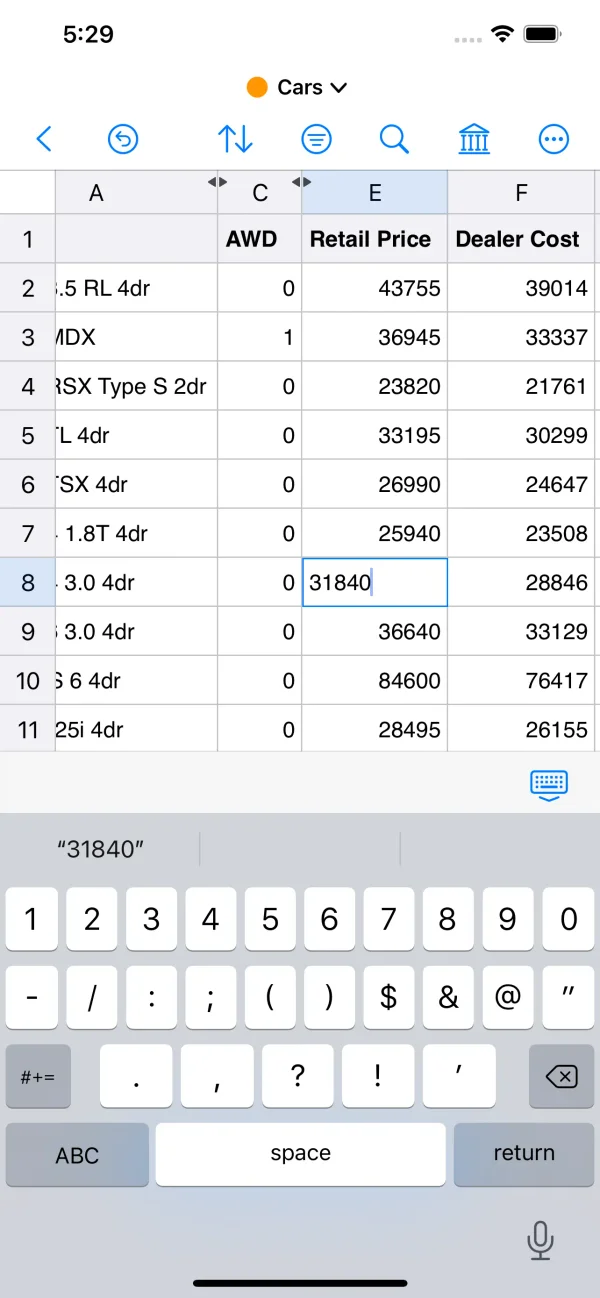
In a clean and user-friendly interface it offers simplicity and flexibility to visualize and edit both small and large documents.
The app is built entirely using the native technologies provided by Apple and specifically optimized for iPhones & iPads. That's why you'll feel right at home from the moment you open the app.
We greatly value your privacy, so everything you do in the app is done locally, nothing leaves your device. No analytics, no servers, no phoning home.
IMPORTANT: Easy CSV Editor is available as free to download, but there are a few limitations: i.e. the number of displayed rows is limited to 20, saving documents is not available.
In order to get the most out of the app, and to remove the aforementioned limitations, "Premium" is recommended to be purchased ("Premium" is a one-time in-app purchase).
Core Features
• Open, create, edit and save CSV files even if they are not properly formatted, like don't have the same number of fields in each row
• Data preservation - your data remains unchanged, exactly as you expect, including numbers with leading zeroes
• Auto-detect CSV format, while providing you the option to adjust the detected parameters
• Auto-detect numbers & dates
• Progress indicator along with a time estimate when loading large files
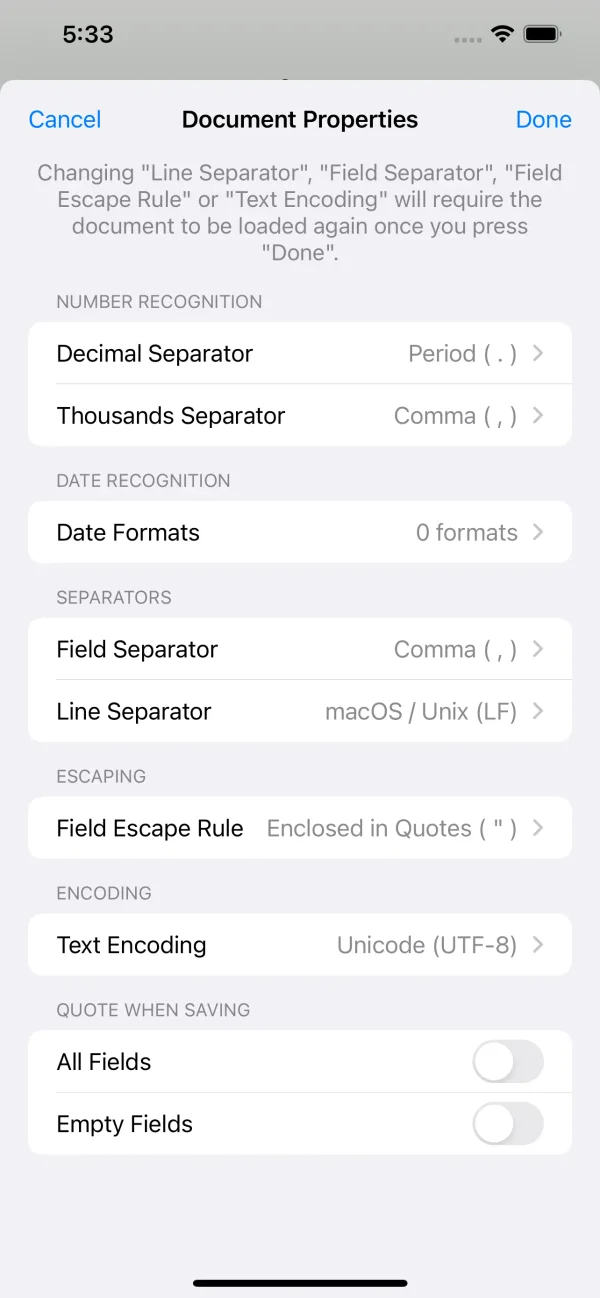
• Visualize and change the properties of an opened CSV document
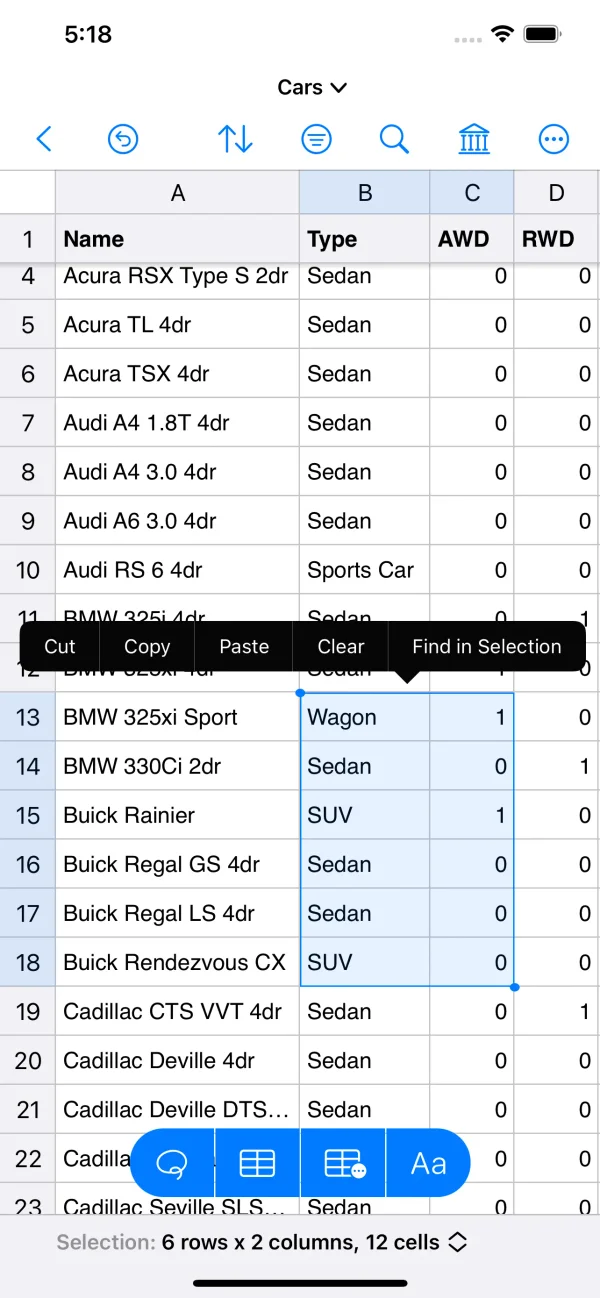
• Copy, cut or clear a group of cells or entire rows or columns
• Paste tabular data from other applications or in the same document
• Set as header rows up to 10 rows and up to 10 columns as header columns
• Resize rows and columns so you can easily see the whole content
• Move rows, columns and cell by drag and drop
• Hide rows and columns
• Shuffle entire rows or selected cells by row
• Text transformations for the selected cells: trim, enclose, HTML escape/unescape & more
• Fill the selected cells using text of your choice
• Status bar at the bottom of the window, showing various statistics and calculations
• If your iPhone or iPad has a keyboard connected to it (or you're using "Universal Control" on the iPad) then you can easily navigate the document using well established shortcuts (check "More -> Keyboard Shortcuts" for all of them)
• Export to PDF & CSV/TSV
• Print
• Undo & Redo
• Dark mode
• Portrait & landscape
• Split view and slide over for iPad
• Many options available in "More -> Settings" to make the app look and behave exactly the way you want
Reformat Dates & Numbers
• Reformat dates - i.e. change from month/day/year to day/month/year
• Reformat numbers - i.e. set a certain number of decimal digits
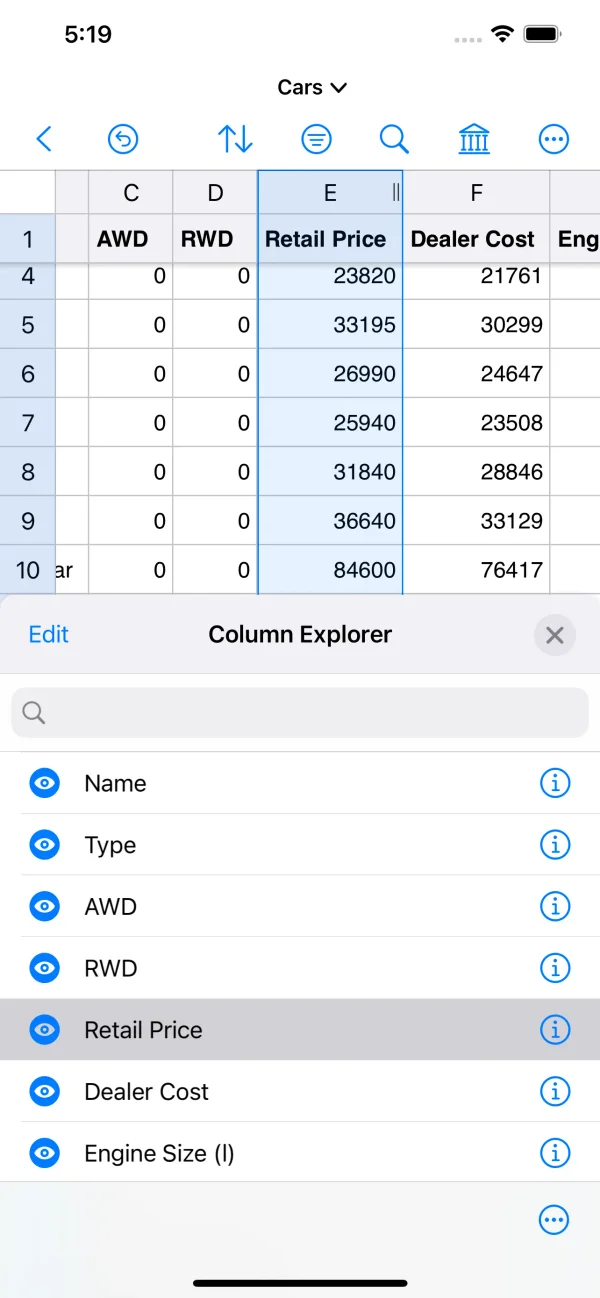
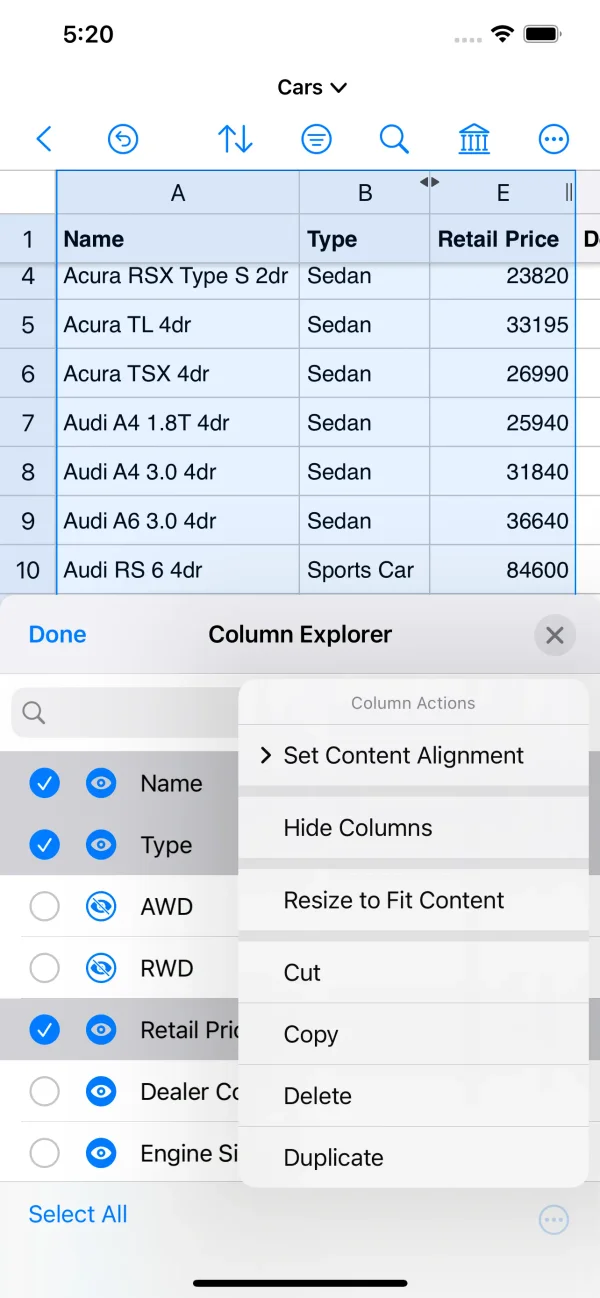
Column Explorer
• Compact interface to explore and manage the columns from the document in a very easy and intuitive way
• Perform various actions on a single or multiple columns: cut copy, delete, duplicate, sort, hide & more
• Reorder the columns and set their content alignment
• Drill down to get more statistics for those columns which are of interest to you
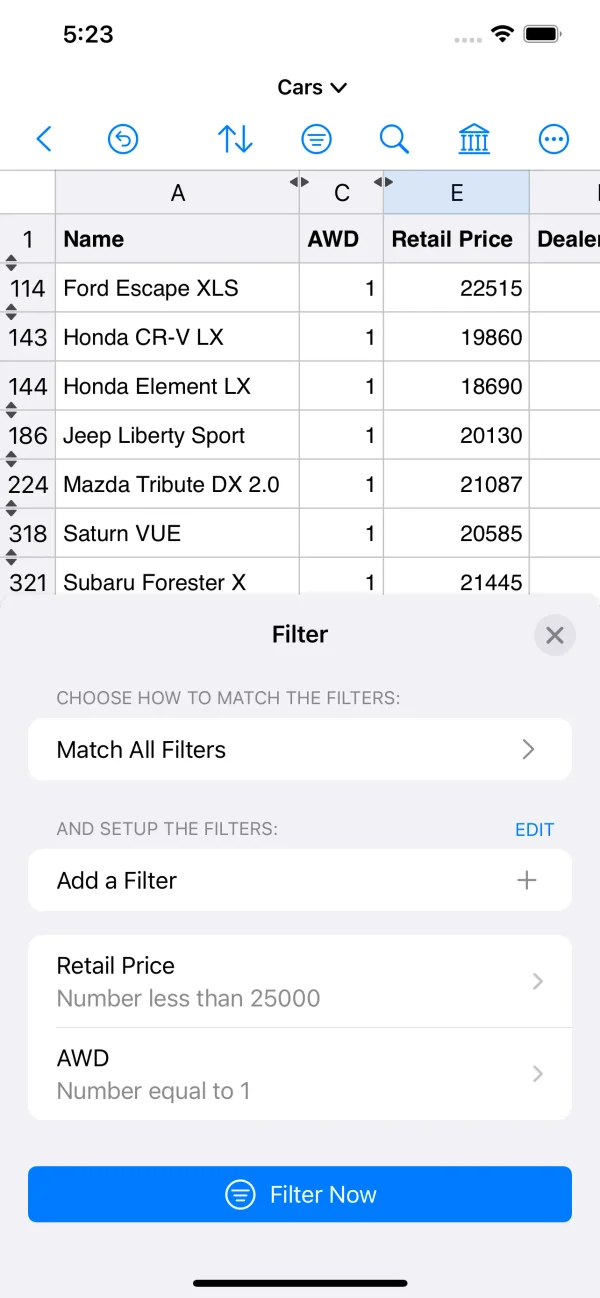
Filter
• Focus on the very specific data that you want to check by using the powerful filtering capabilities existing in the app
• Filter by multiple columns and choose from the many rules which are available
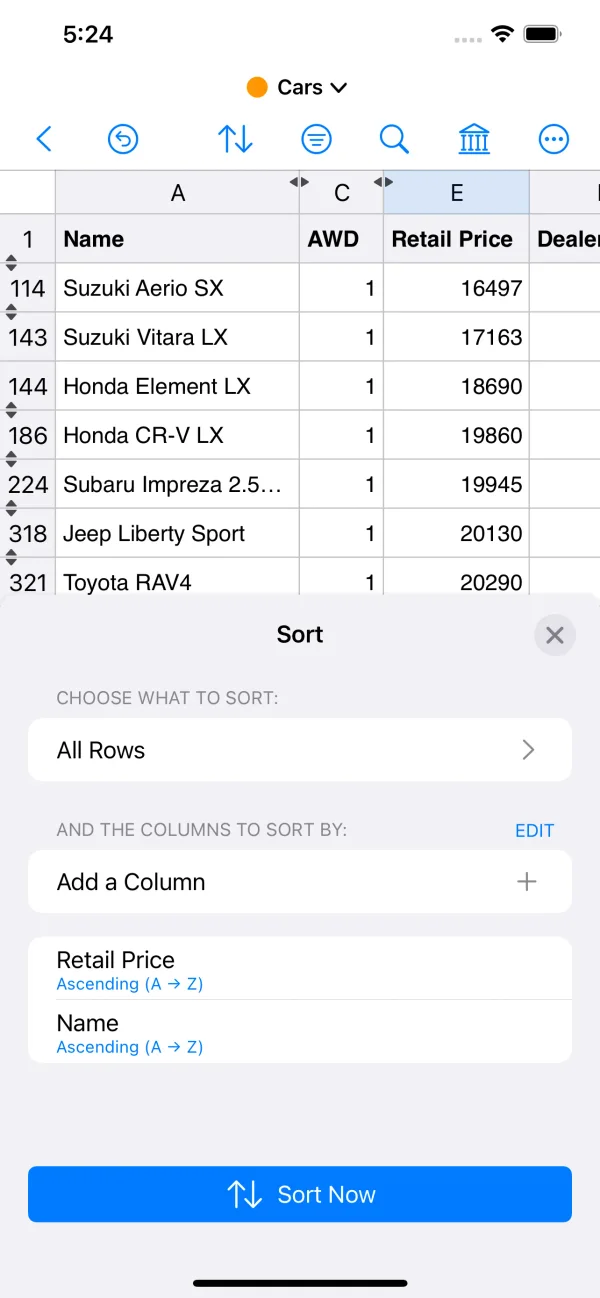
Sort
• Sort selected rows or entire document or just specific cells
• Fine tune the sorting by including multiple columns
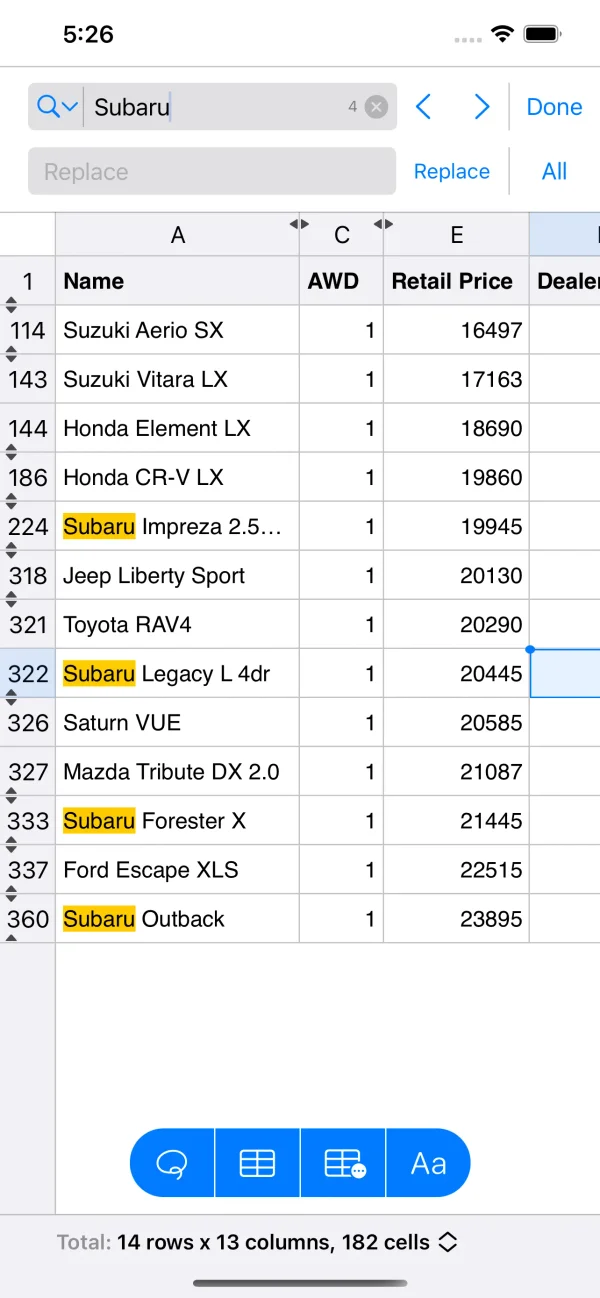
Find & Replace
• Find & replace text using a powerful interface
• For power users there's support for ICU regular expressions (both for find & for replace) but there's also support to search for built in patterns (i.e. empty fields, email addresses, phone numbers or web addresses)
• Choose where to search: in the entire document or specific columns, rows or cells
• Search for specific patterns like: emails, phones and web address
For more info & screenshots visit https://vdt-labs.com/easy-csv-editor-mobile
If you're also interested in the Mac version of this app visit https://vdt-labs.com/easy-csv-editor
What’s new
Version 1.26 · Aug 15, 2026
Improvements
• To better make a difference between the header rows and data rows, the labels for header rows are now prefixed with "H" and the numbering for data rows starts from "1" (or "0", depending on your settings). To revert to the old functionality, where the header rows are not prefixed and the numbering of data rows continue where the numbering of header rows ended, you can turn off "Different Labels for Header Rows" option, available in "More → Settings" screen.
• The actions that can be performed on the matches of "Find" (available in the "Find" bar, by tapping the "loupe" button), are now applied on the data cells (or data rows), while the header rows are excluded. This behavior better matches what users of the app expect.
• Other improvements and fixes so the app to work properly on iOS 26.
―――
If you enjoy Easy CSV Editor Mobile and find it useful, please also consider Easy CSV Editor, the sibling app specifically made for Mac.
We constantly want to improve the quality of our apps. For any feedback, questions and ideas please contact us at easy.csv.editor@gmail.com
App privacy
What VDT LABS S.R.L. declares on the App Store about how this app handles data.
-
Data not collected
The developer does not collect any data from this app.
Privacy practices may vary, for example with the features you use or your age.
Information
- Seller
- VDT LABS S.R.L.
- Category
- Developer Tools
- Version
- 1.26
- Updated
- Aug 15, 2026
- Released
- Aug 4, 2022
- Size
- 15.2 MB
- Requires
- iOS 18.6 or later
- Age rating
- 4+
- Price
- Free
- In-app purchases
- Yes
- Languages
- English
- Copyright
- © 2025 VDT Labs S.R.L.
You might also like
-
 SQLite Mobile ClientDeveloper Tools
-
 JellyCutsSupercharge your Shortcuts
-
 Docker Server AdminDocker, Linux Stats, SSH, SFTP
-
 MySQL Mobile ClientDeveloper Tools
-
 React Native PaperDeveloper Tools
-
 PostgreSQL ClientDeveloper Tools
-
 Uptime Kuma ManagerServer Monitoring on the Go
-
 PortX - SSH (Deprecated)Terminal, SSH, and SFTP
-
 Font Book - Discover fontsEasily discover font on device
-
 Photos RotatorRotate & Flip collectively.