
- Age rating4+
- CategoryBusiness
- DeveloperNAOYA ONO
- LanguagesEnglish+ 1 more
- Size7.5 MB
Links to the official App Store page
Download.org hosts no file of Easy Shift Planner. The button opens its official App Store page, published by NAOYA ONO. Listing last checked on Nov 13, 2026.
Screenshots
About
A simple and easy-to-use shift management app.
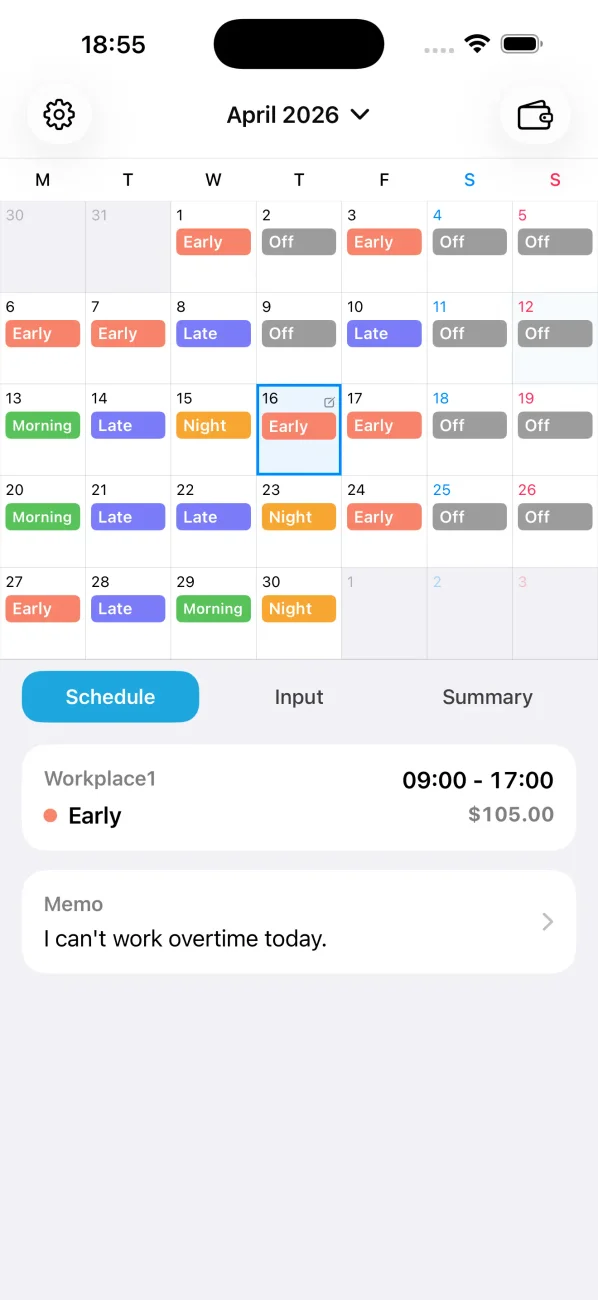
You can register shifts such as early shifts, late shifts, night shifts, and days off by date, and manage your daily work schedule clearly on a calendar.
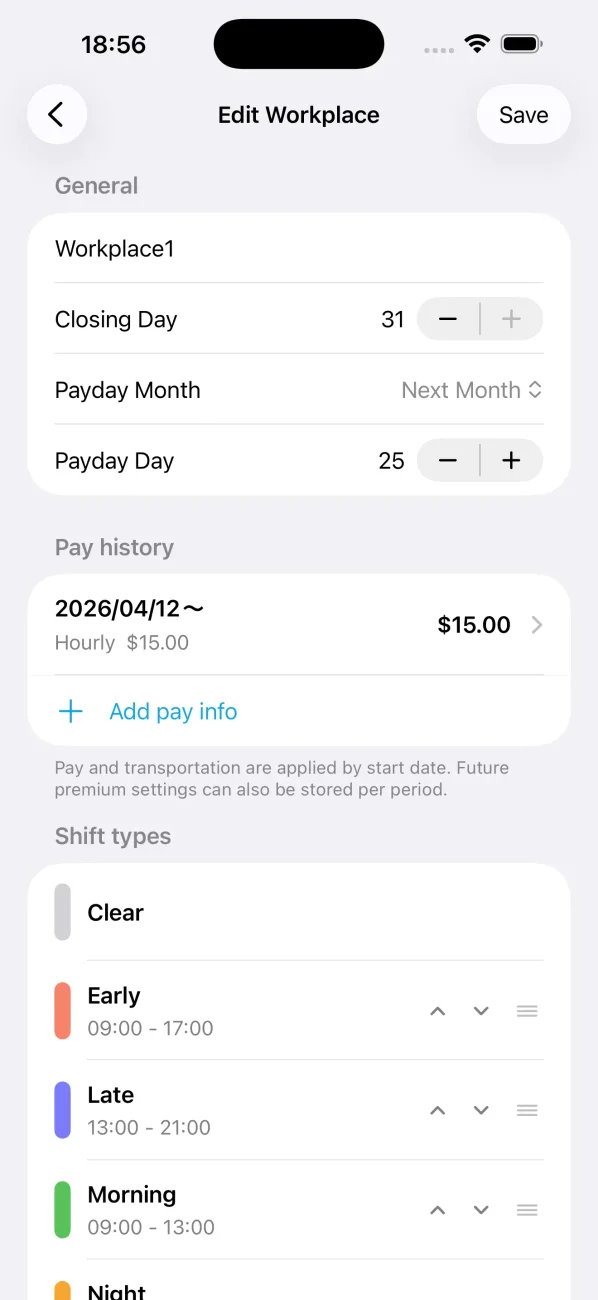
You can save shift types and pay information for each workplace, making it easy to manage multiple part-time jobs in one place.
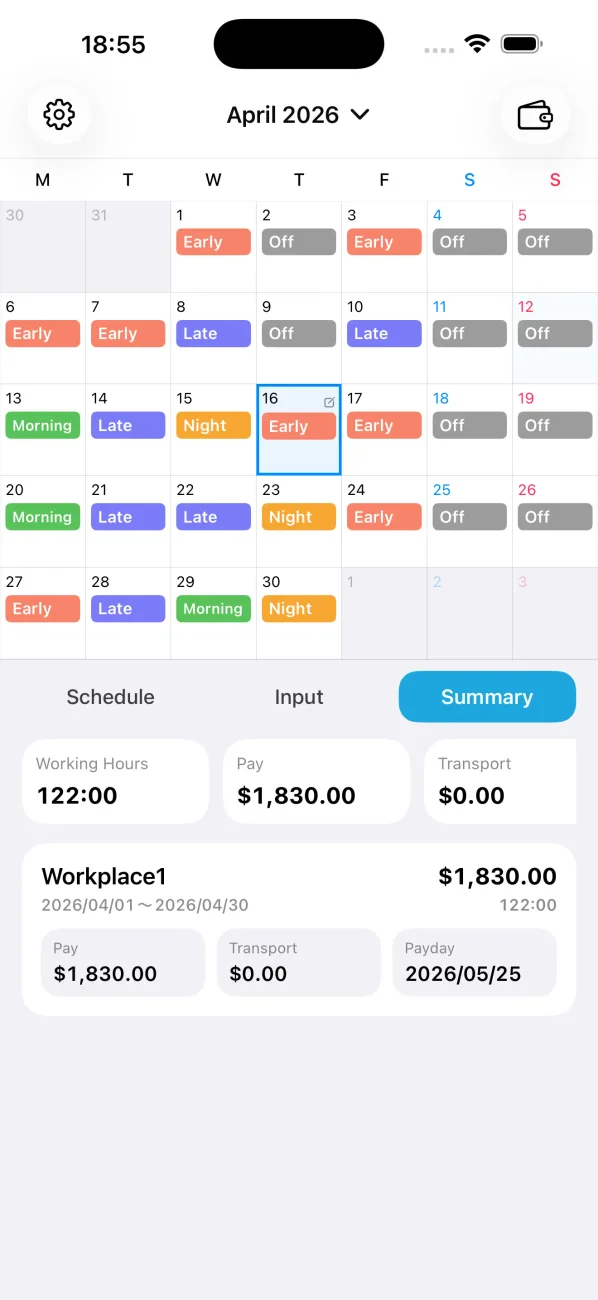
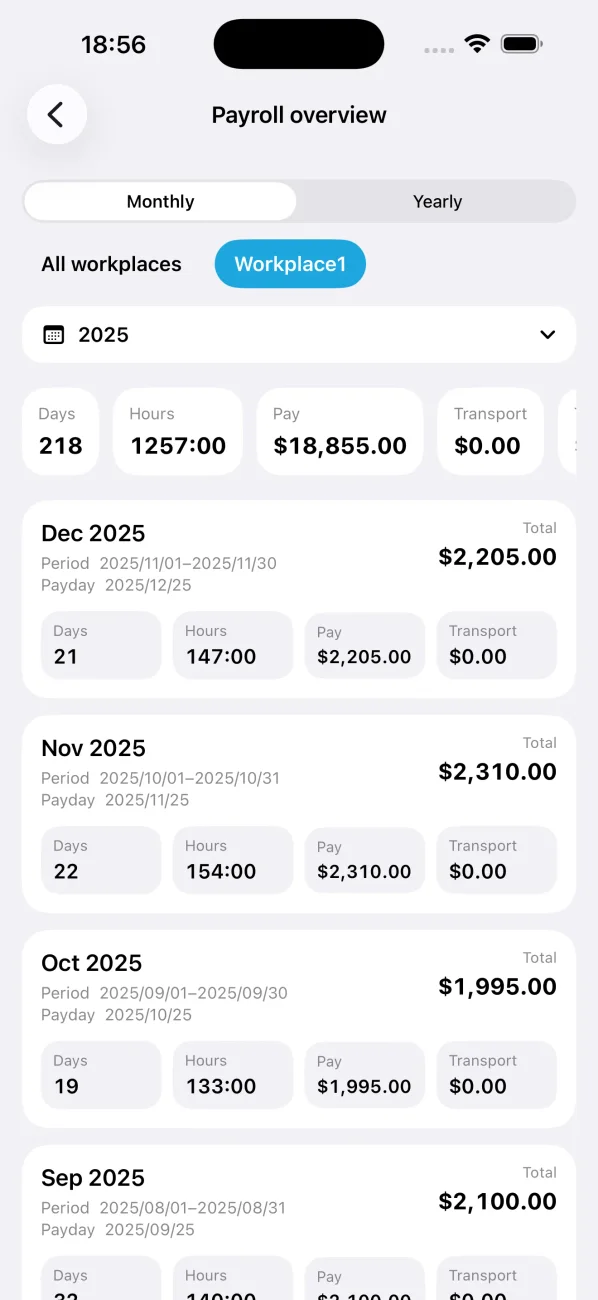
It also supports closing-date-based calculations and payroll tracking, so you can quickly check work hours, transportation costs, and expected payment amounts.
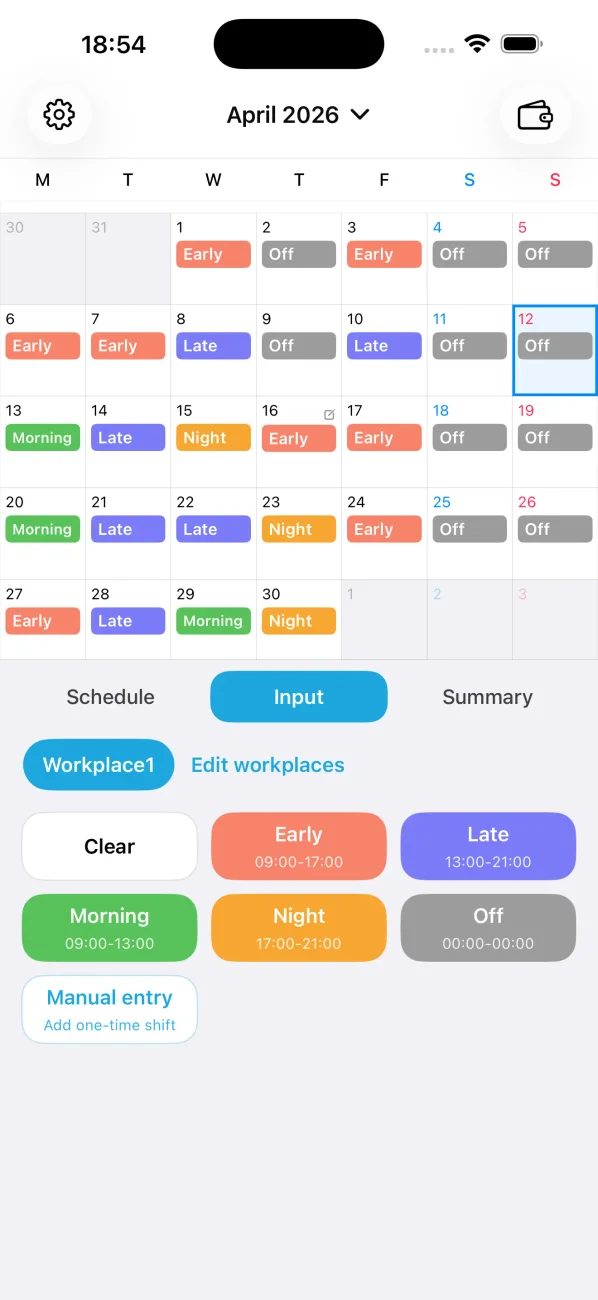
Registered shifts can be viewed directly on the calendar, and you can quickly check or edit them from the schedule list or input screen.
Manual entry is also supported, making it easy to record irregular shifts outside your usual schedule.
● Main Features
[Quick and Easy Shift Entry]
・Register shifts by date
・Save shift types such as early shift, late shift, night shift, and day off
・Tap to enter shifts quickly
・Supports manual entry
・Automatically moves to the next day after input for faster continuous entry
・Save notes for each day
[Manage Clearly with a Calendar]
・View shifts in a monthly calendar
・Tap a date to check that day’s schedule
・See multiple schedules for the same day in a list
・Swipe to move to the previous or next month
・Jump directly by selecting year and month
[Manage Multiple Workplaces]
・Register multiple workplaces
・Manage shift types for each workplace
・Set hourly pay, daily pay, transportation costs, closing date, and payday
・Pay information can be managed with effective start dates, allowing support for pay raises
・Supports sorting and editing
[Check Pay and Work Hours]
・Automatically calculate work hours and pay based on the closing date
・View pay and transportation costs separately
・See monthly work hours, workdays, and pay in a list
・Also supports yearly totals
・Includes a payroll screen based on payment month
[Easy-to-Check Schedule List]
・View the day’s schedules in a list
・Keep registered shifts organized and easy to read
・Edit manually entered schedules directly from the list
・Delete unnecessary schedules with swipe actions
・Check notes together with schedules
[Flexible Currency and Display Settings]
・Set currency automatically or manually
・Supports amount display based on the selected currency
・Change the starting day of the week
[No Login or Sign-Up Required]
・Start using the app right away with no account required
Perfect for daily shift management as well as checking work hours and pay.
A simple, clear, and easy-to-use shift management app for part-time and casual work.
App privacy
What NAOYA ONO declares on the App Store about how this app handles data.
-
Data used to track you
May be used to track you across apps and websites owned by other companies.
- Location
- Identifiers
- Usage data
- Diagnostics
-
Data not linked to you
May be collected but is not linked to your identity.
- Location
- Identifiers
- Usage data
- Diagnostics
Privacy practices may vary, for example with the features you use or your age.
Information
- Seller
- NAOYA ONO
- Category
- Business
- Version
- 1.0
- Updated
- Apr 15, 2026
- Released
- Apr 15, 2026
- Size
- 7.5 MB
- Requires
- iOS 17.6 or later
- Age rating
- 4+
- Price
- Free
- Languages
- English, Japanese
- Copyright
- © NAOYA ONO
You might also like
-
 My Shift Planner - CalendarPlan Roster Shifts & Time Off
-
 Shift Calendar / ScheduleProductivity
-
 Shift Calendar - Work ScheduleShift Work Calendar
-
 Shift Work Calendar | ScheduleShared Planner & Hours Tracker
-
 Shift Work Calendar & ScheduleMy shifts planner & tracker
-
 Shift Day Work Calendar: SpokeSchedule Planner Hours Tracker
-
 Supershift - Shift CalendarWork Schedule, Job Day Planner
-
 Work Shift Calendar (Shifter)The best app for shift workers
-
 Shyft - Shift Swap, ScheduleThe #1 app for shift teams
-
 T. Rowe Price Personal®INVEST WITH CONFIDENCE®