
Easy Stop Motion Camera Lite
Claymation & toy movie maker
Designed for iPhone, iPad, iPod touch
Free
- Age rating4+
- CategoryPhoto & Video
- DeveloperKOJI HARA
- LanguagesEnglish+ 9 more
- Size14.6 MB
Links to the official App Store page
Download.org hosts no file of Easy Stop Motion Camera Lite. The button opens its official App Store page, published by KOJI HARA. Listing last checked on Nov 15, 2026.
Screenshots
About
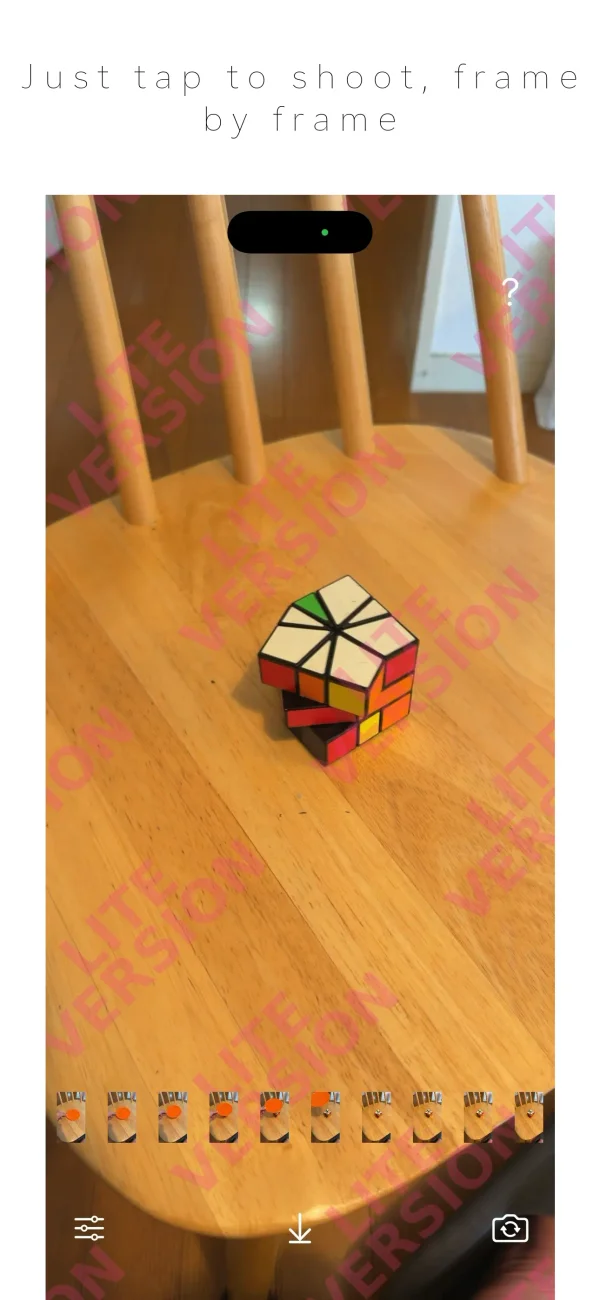
◆Tap the screen and what the camera sees at that moment is recorded as one frame. Move your subject a little, tap again, and repeat: that is all it takes to build a stop-motion video.
◆No ads. No notifications. No account needed. Everything from shooting to saving happens on your device, so it works without an internet connection. Your photos and videos are never sent anywhere.
◆The previous frame stays on screen semi-transparently, so lining up the next one is easy. Move your subject a little at a time and you can make things jump, vanish or multiply exactly as you intend. It suits clay animation with modelling clay, figures, dolls and miniatures.
◆Work in progress is saved automatically inside the app. The frames you are still working on live only inside the app; only the finished video ends up in your photo library. Quit the app or restart your device and you can pick up where you left off, so you can take your time over a long piece.
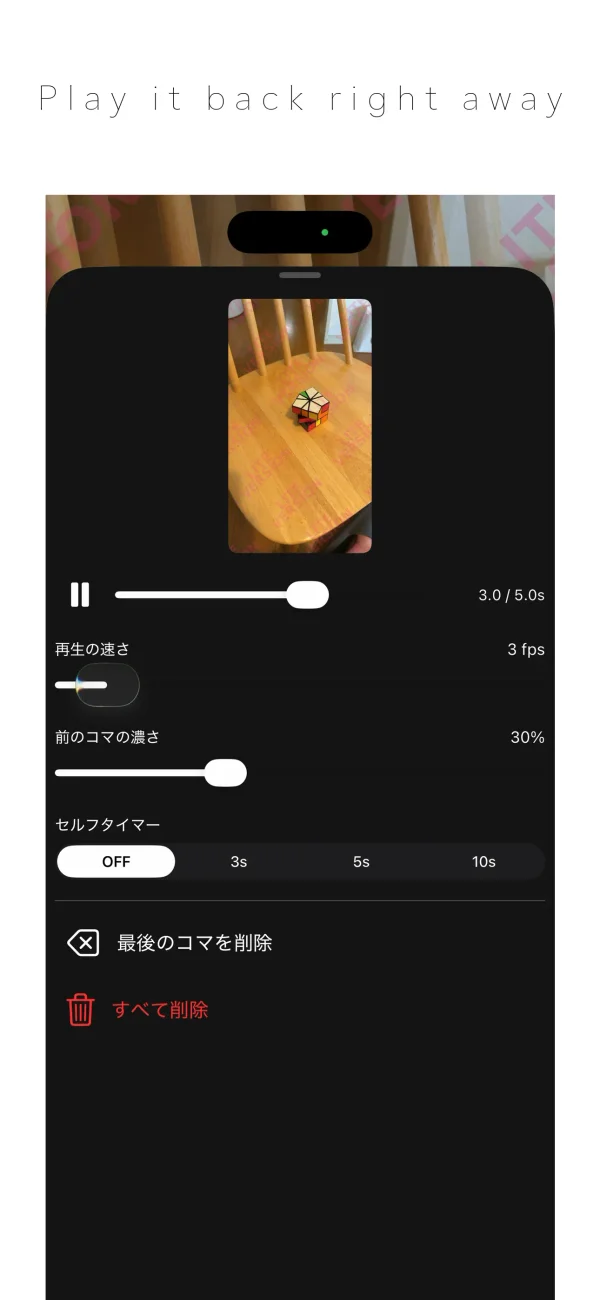
◆Playback speed, the opacity of the previous frame and the self-timer can be changed at any point. Playback speed is not only for the preview: it is also the frame rate of the video you export. You can play back what you have so far without leaving the shoot.
◆This is the free Lite version
Videos you save carry a LITE VERSION watermark. There is no limit on the number of frames. To save without the watermark, please use the paid version.
*Before buying the paid version, please check that this Lite version runs well on your device.
What’s new
Version 9 · Aug 23, 2026
Thank you for your continued support.
◆ We've removed the 30-frame shooting limit.
◆ Your frames are now saved automatically. Quit the app or restart your device, and the next time you open it you can carry on from where you left off.
◆ We've added a settings screen. You can play your frames back right there to check how they look.
◆ You can now set Playback Speed, Previous Frame Opacity and the Self-Timer. Playback Speed is also the frame rate of the video you export.
◆ Delete Last Frame lets you redo just the frame you took most recently.
◆ We've tidied up the buttons on the shooting screen: settings at the bottom left, save at the bottom centre, camera flip at the bottom right and help at the top right.
◆ The app is now available in 10 languages.
◆ Other bug fixes and small improvements
We will continue to make improvements and add new features.
Please contact us via the "Suggestions?" button.
Your feedback will be used to improve our service.
App privacy
What KOJI HARA declares on the App Store about how this app handles data.
-
Data not collected
The developer does not collect any data from this app.
Privacy practices may vary, for example with the features you use or your age.
Information
- Seller
- KOJI HARA
- Category
- Photo & Video
- Version
- 9
- Updated
- Aug 23, 2026
- Released
- May 5, 2017
- Size
- 14.6 MB
- Requires
- iOS 15 or later
- Age rating
- 4+
- Price
- Free
- Languages
- English, Arabic, French, German, Hindi, Japanese, Korean, Simplified Chinese, Spanish, Traditional Chinese
- Copyright
- © 2017- ParpooFruit
You might also like
-
 Easy Reel Camera : Stop MotionBecome a Master Filmmaker
-
 Animatives - stop motion makerAnything can be animated
-
 Stop Motion LabFrame-by-frame animation
-
 Piximakey StudioPhoto & Video
-
 Stop Motion MTPhoto & Video
-
 Stop AnimatorStop Motion Videos—Simplified
-
 Photo Motion: Stop MotionAnimate Pictures Into Videos
-
 Stopmotion Animation StudioLet's Make a Movie!
-
 Stop Motion Video EditorStop Motion Maker Vlog Studio
-
 Stop Motion MagicCreate Stop Motion Animations