
Vision Check - Visual Acuity
Eye Chart & Eyesight Tracker
Designed for iPhone, iPad, iPod touch
Free · In-app purchases
- Age rating4+
- CategoryHealth & Fitness
- DeveloperKentaro Hosokawa
- LanguagesEnglish+ 1 more
- Size147.5 MB
Links to the official App Store page
Download.org hosts no file of Vision Check - Visual Acuity. The button opens its official App Store page, published by Kentaro Hosokawa. Listing last checked on Nov 23, 2026.
Screenshots


About
Version 2.0 - Completely Redesigned!
Over 350,000 downloads!
Our easy-to-use vision check app has been completely redesigned with a fresh new look!
The familiar, simple controls remain the same, with new features and additional customization options.
If you're updating from a previous version, all your saved records and settings will be preserved.
【About This App】
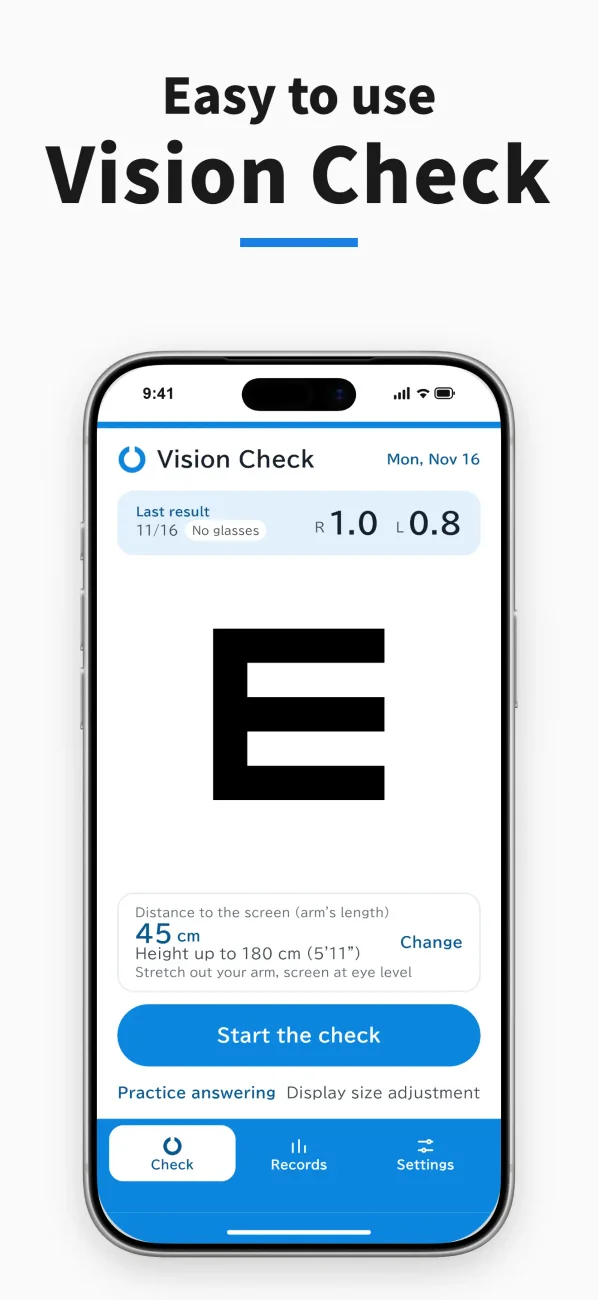
An easy way to check your vision using your iPhone or iPad.
Simply swipe in the direction of the opening in the Landolt C displayed on the screen. No special equipment is needed to get a general estimate of your visual acuity.
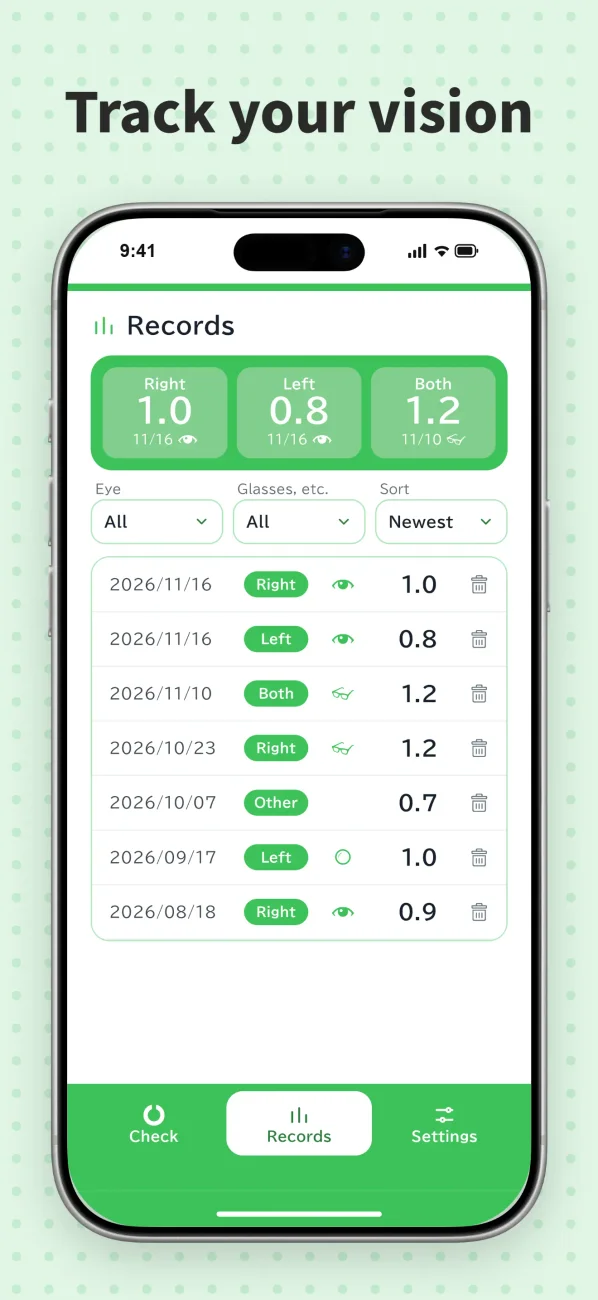
Your results can be saved by date, making it easy to review changes in your vision and compare your left and right eyes over time.
The app supports visual acuity values of 0.1 and below, as well as 1.0 and above.
You can also record results for unaided vision, glasses, and contact lenses.
Use it for everyday vision checks or whenever you want to keep track of changes in your eyesight.
【Easy and Intuitive Vision Check】
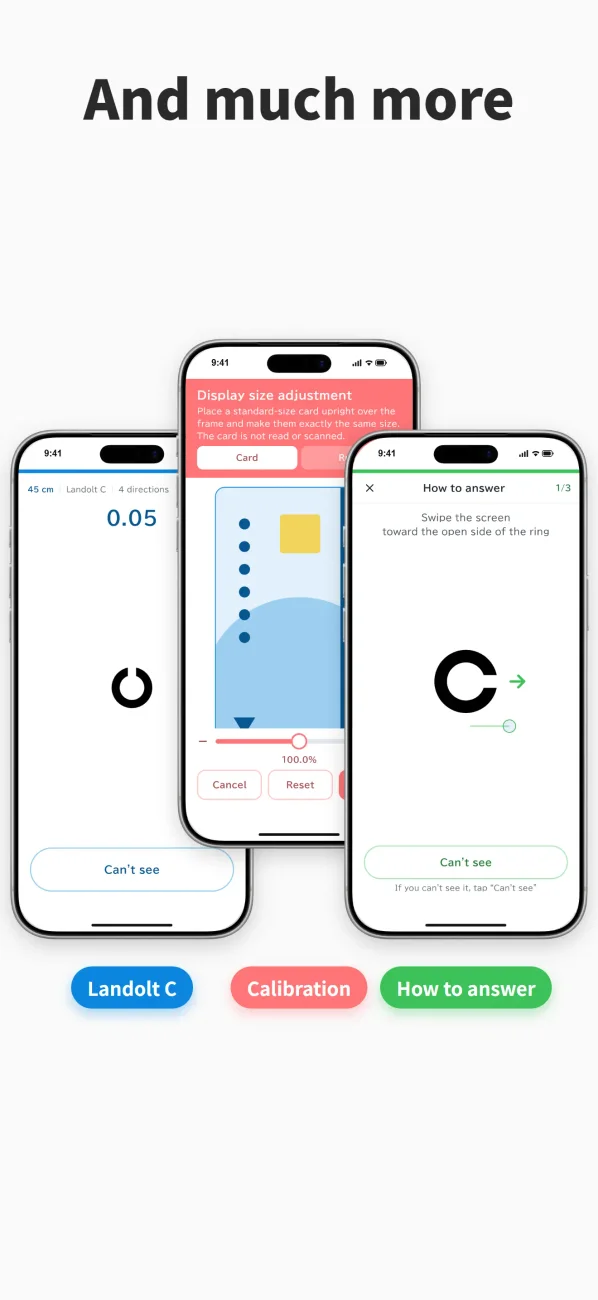
Simply swipe in the direction of the opening in the Landolt C to answer.
On iPads, you can also use the buttons on either side of the screen, allowing you to hold your device comfortably with both hands.
If you cannot see the opening clearly, just tap the "I don't know" button.
A three-question practice mode is also available to help first-time users get familiar with the controls.
【Customize Your Vision Check】
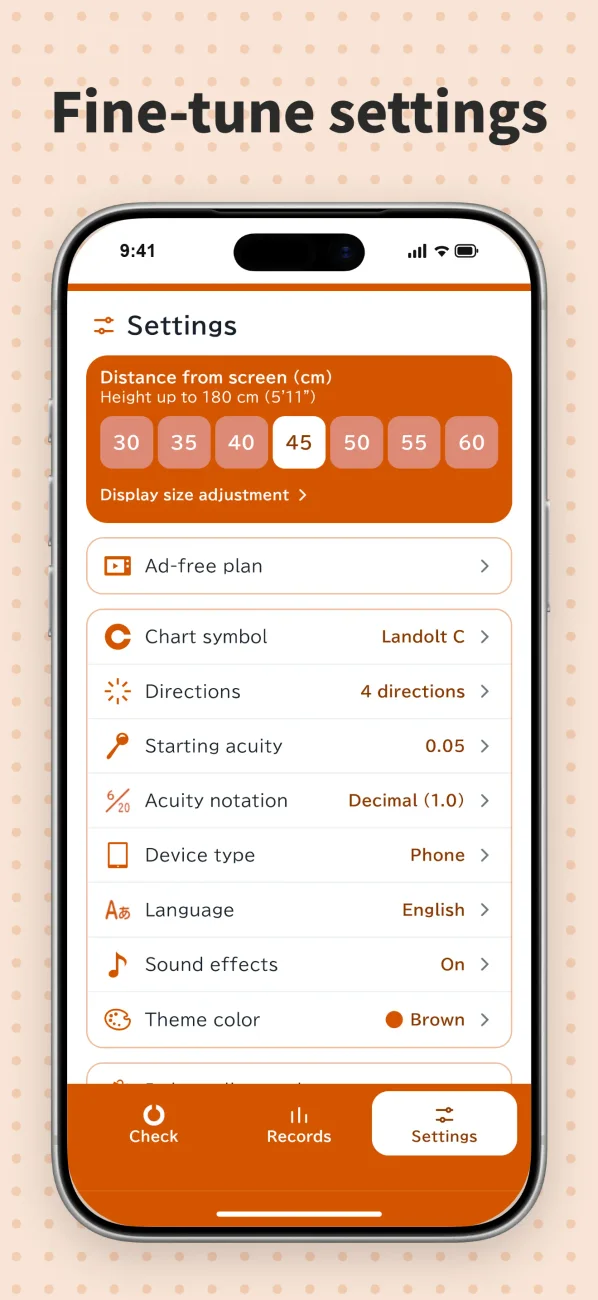
Set the viewing distance between 30 and 60 cm in 5 cm increments. The size of the chart symbol is adjusted according to your selected distance.
The display size is automatically adjusted for your device, but you can also fine-tune it manually using a standard-sized card or a ruler.
Additional settings include:
・Eye chart: Landolt C / Tumbling E
・Directions: 4 or 8 (Tumbling E supports 4 directions only)
・Visual acuity notation: Decimal (1.0) / Fraction (20/20 or 6/6)
・Theme colors: Blue / Pink / Green / Brown
【Save and Manage Your Vision Records】
Save your results along with the date of each check.
You can record which eye was checked (right, left, or both), as well as whether the check was performed without correction, with glasses, or with contact lenses.
Review your history in a convenient list, with options to filter and sort your records.
You can also view your latest results for each eye at a glance.
Results can be shared as images through social media and other apps.
Keep a personal record of your vision and easily review your results over time.
【Ad-Free Options】
All vision checking, recording, and management features are available without purchasing a plan.
For those who prefer an ad-free experience, we also offer a monthly subscription and a one-time purchase option to remove all ads.
+++【Important Notice】+++
This app provides a simplified vision check for general reference only. Results may vary depending on your device's display and viewing environment.
The results are not intended for medical diagnosis. For an accurate assessment of your visual acuity, please consult an eye care professional.
+++【Credits】+++
Illustrations: TOPECONHEROES / Shinomi / yu nakajima / Taiko / Murabito / Shijimi / Illust AC
Fonts: M+ FONTS
Sound Effects: OtoLogic
+++【Disclaimer】+++
・The developer shall not be held liable for any damages or losses arising from the use of this app.
・The developer reserves the right to modify, update, suspend, or discontinue the app or its services without prior notice.
What’s new
Version 2.0.1 · Nov 17, 2026
Version 2.0.0 - Complete Redesign
- Completely refreshed the app's design
- Your existing records and settings are preserved
- Added a practice mode for first-time users
- Added display size adjustment using a card or ruler
- Added ad-free options (monthly subscription or one-time purchase)
Thank you for using Vision Check!
App privacy
What Kentaro Hosokawa declares on the App Store about how this app handles data.
-
Data used to track you
May be used to track you across apps and websites owned by other companies.
- Location
- Identifiers
- Usage data
- Diagnostics
-
Data linked to you
May be collected and linked to your identity.
- Location
- Identifiers
- Usage data
- Diagnostics
Privacy practices may vary, for example with the features you use or your age.
Information
- Seller
- Kentaro Hosokawa
- Category
- Health & Fitness
- Version
- 2.0.1
- Updated
- Nov 17, 2026
- Released
- Aug 30, 2020
- Size
- 147.5 MB
- Requires
- iOS 15.0 or later
- Age rating
- 4+
- Price
- Free
- In-app purchases
- Yes
- Languages
- English, Japanese
- Copyright
- © 2020 Barbaroi Ware
You might also like
-
 Chart2020 LiteDigital Eye Test Chart
-
 Eye Recovery TrainingGabor patches for eyes trainer
-
 Vision test and Eye exercisesEyesight, exam, myopia & chart
-
 Eye Workout: Recovery ExerciseEyesight improver, rest & care
-
 Eyes + Vision: training & careEyesight exercises & workouts
-
 Vision Workout : Eye TrainingEye Tracking & Aim Trainer
-
 Eye PatientOptometry and Ophthalmology
-
 Health ChecksVision & Hearing tests
-
 EyeCTester Self-Check TrialKeep An Eye On Your Vision
-
 VisionCare - Eye ExamsEye problems? No more