
- Age rating9+
- CategoryLifestyle
- DeveloperMohammad Shokriyan
- LanguagesEnglish
- Size18.8 MB
Links to the official App Store page
Download.org hosts no file of EasyWay Budget. The button opens its official App Store page, published by Mohammad Shokriyan. Listing last checked on Nov 12, 2026.
Screenshots


About
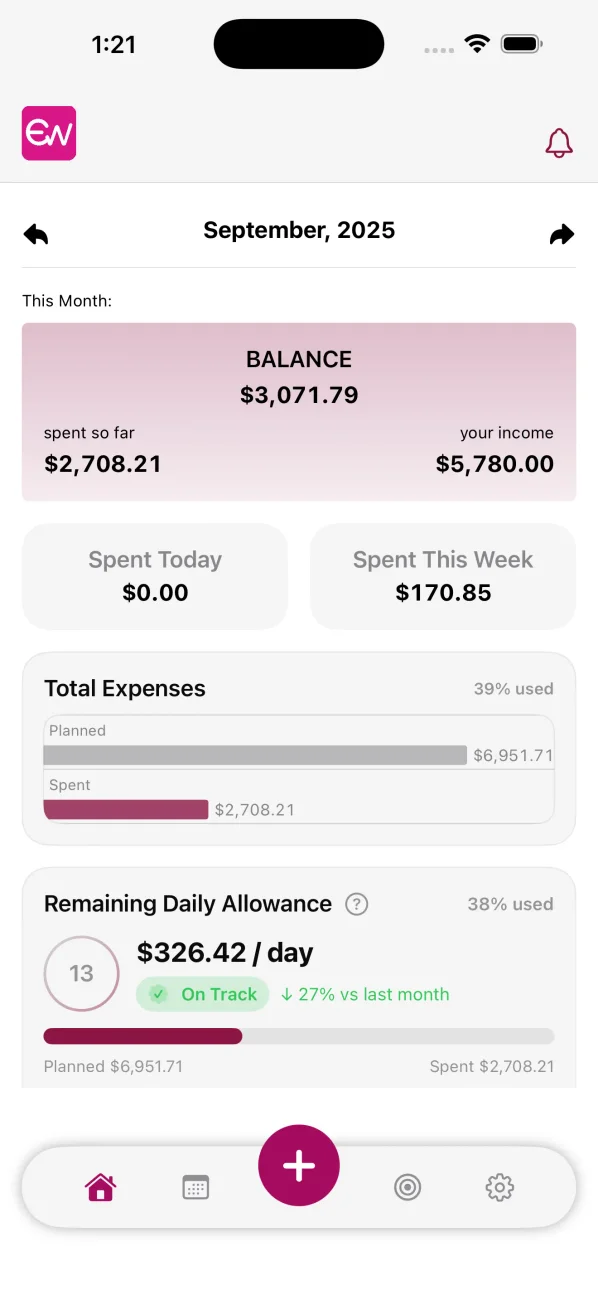
EasyWay Budget helps you plan your month, track every expense, and grow your savings — with clear visuals and a friendly Coach that turns your numbers into simple next steps.
TRACK YOUR SPENDING
• Log an expense in seconds. Your most-used categories are always one tap away.
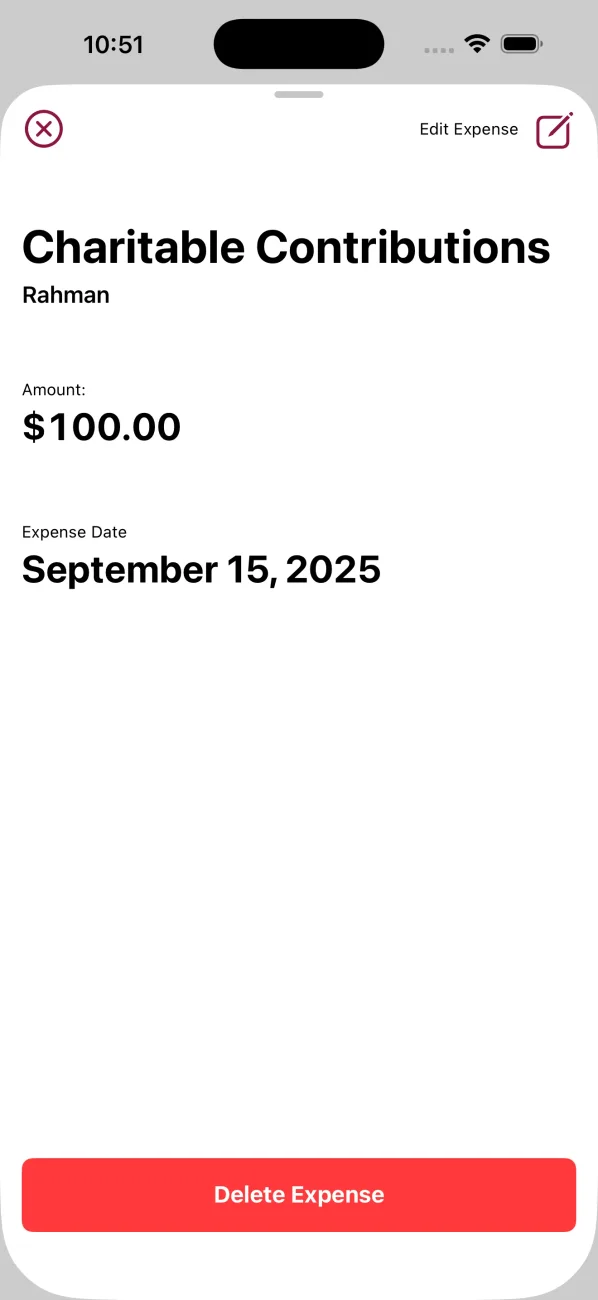
• Organize spending into categories and subcategories, with optional notes.
• Set spending limits per category as a share of your income and see at a glance what's on track, getting close, or over.
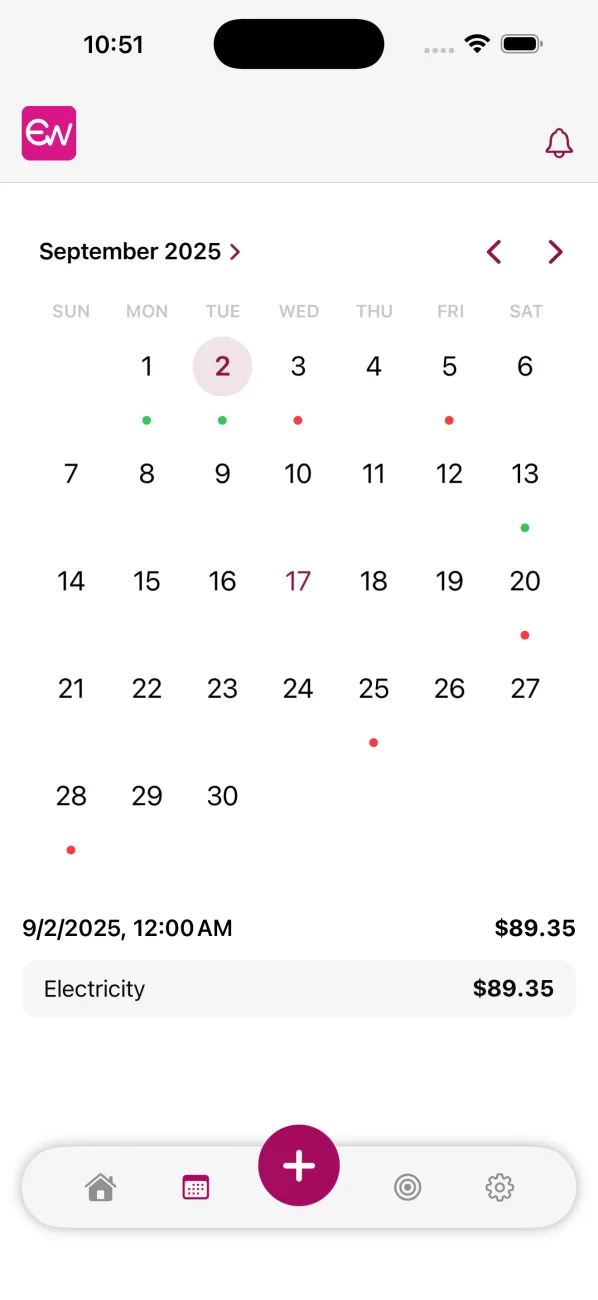
• Review any month with a clear overview, a category breakdown, and every transaction in one place.
• Compare the last 3 or 6 months, or a whole year, to spot trends.
PLAN AHEAD
• Plan next month before it starts: income, bills, and planned expenses.
• Get reminders before planned expenses are due.
• Mark a planned expense as paid and it's added to your budget automatically.
• See what's coming up next right on your home screen.
SAVE FOR WHAT MATTERS
• Create saving goals with a target amount, date, and priority.
• Link expenses to goals and watch your progress grow.
• See which goals are on pace and how much to set aside to reach them on time.
• Optional weekly reminders keep you motivated, and you'll get a little celebration when you reach a goal.
YOUR COACH
After your first full month, the Coach gives you a monthly check-up:
• Your savings and where your money went, compared with the month before
• A few simple ideas to grow your savings — set a limit, plan a transfer to a goal, or move a goal date — that you confirm in one tap and can undo anytime
• A look back at how last month's changes worked out, so you can keep them or adjust them
• A month-ahead outlook: what's likely left after your planned bills and usual spending, and a heads-up before a busy bill week
• New to budgeting? A starter set of limits for your income, savings included, that you can tune before applying
• Short lessons that build good money habits, one step at a time
• Goal pace and a quick what-if to find money for what matters
The Coach works on your phone without AI. AI tips are optional and only turn on after you agree to their terms. They use category totals and goal amounts, with goals labeled instead of named. Your name, email, account ID, memos, and goal names never leave your phone. You can see exactly what's shared in "What the coach sees." AI tips are for information only and are not financial, legal, or tax advice.
MADE FOR YOUR MONEY, YOUR WAY
• Choose your currency and a monthly base income that carries into each new month.
• A clean home dashboard with this month's spending, savings, and upcoming plans.
• Light and dark mode.
• Delete your account and all of your data at any time from Settings.
No bank connections needed: you stay in control of exactly what you track.
Start planning your month the easy way.
What’s new
Version 4.0.0 · Oct 21, 2026
What's new in 4.0
• Meet your Coach. The new Coach tab replaces the AI Advisor with a monthly check-up of the month that just ended: your savings, where your money went, and how your goals are pacing.
• Room to grow. Get a few simple ideas each month, like a spending limit, a planned transfer to a goal, or moving a goal date. Review the change, confirm it in one tap, and undo it anytime.
• New to budgeting? Get a starter set of limits for your income, savings included. Keep the ones you like and tune each one.
• Last month's changes. See how the ideas you tried worked out, then keep them or adjust them.
• Look ahead. See what's likely left at the end of the month after your planned bills and usual spending, with a heads-up before a busy bill week.
• You're learning. Seven short lessons, from logging every month to putting leftover money to work. Habits you already have are ticked off right away.
• Goal pace and what-if. See which goals are on pace and try a quick what-if to find money for them.
• Works without AI. Everything runs on your phone. Turn on AI tips for a friendly monthly summary. Your name, email, memos and goal names never leave your phone.
• Mark as Paid now keeps a planned expense's goal and memo.
Thanks for budgeting with EasyWay! If you enjoy the update, a quick rating means a lot.
App privacy
What Mohammad Shokriyan declares on the App Store about how this app handles data.
-
Data linked to you
May be collected and linked to your identity.
- Contact info
-
Data not linked to you
May be collected but is not linked to your identity.
- Location
- Identifiers
- Usage data
- Diagnostics
Privacy practices may vary, for example with the features you use or your age.
Information
- Seller
- Mohammad Shokriyan
- Category
- Lifestyle
- Version
- 4.0.0
- Updated
- Oct 21, 2026
- Released
- Sep 29, 2025
- Size
- 18.8 MB
- Requires
- iOS 26.0 or later
- Age rating
- 9+
- Languages
- English
- Copyright
- © EasyApps@2026
You might also like
-
 Momento: expense diaryEvery spend has story to tell
-
 Motivation: Daily Quotes AppPositive Affirmations & Wisdom
-
 Still Waters DevotionalDaily Devotionals & Journaling
-
 FaithFlow – Prayer JournalProphecy, Testimony & Record
-
 ViewSparkLifestyle
-
 The Natural Hair SalonLifestyle
-
 Prayer Request NotesIndividual and group prayers
-
 GoodVue NetworkFaith-based TV Streaming
-
 Jesus Redeems MinistriesJesus Redeems Mobile App