
- Age rating4+
- CategoryHealth & Fitness
- DeveloperChristos Kesidis
- LanguagesEnglish+ 4 more
- Size23.5 MB
Links to the official App Store page
Download.org hosts no file of ECG Reports. The button opens its official App Store page, published by Christos Kesidis. Listing last checked on Nov 23, 2026.
Screenshots




About
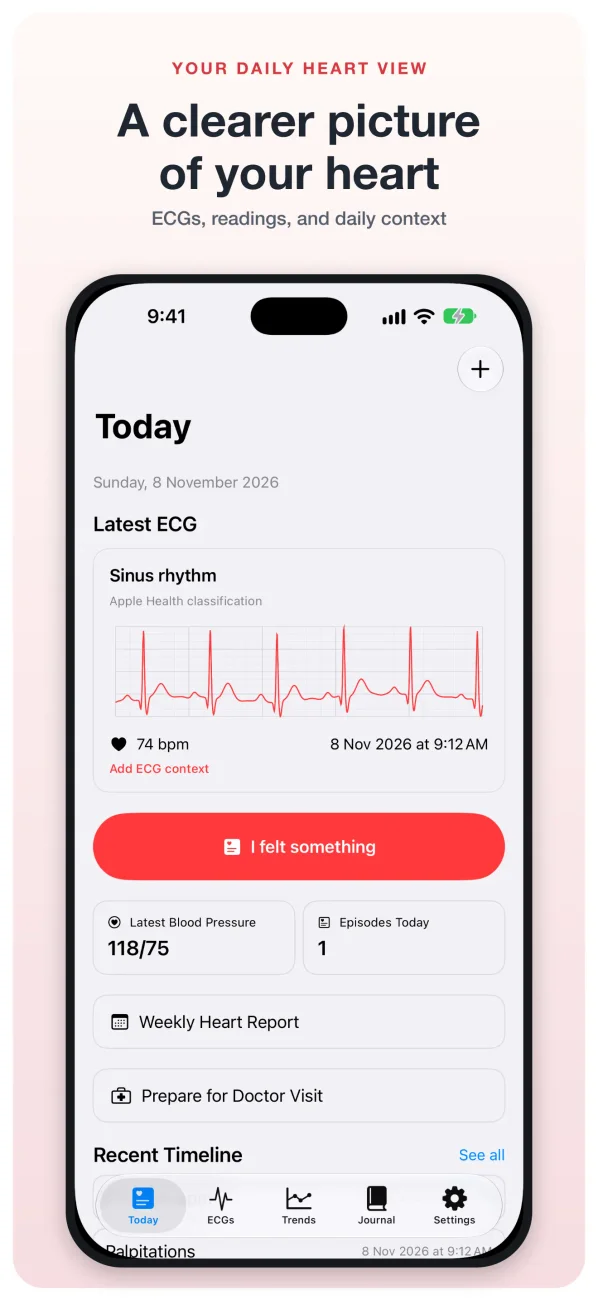
I built ECG Reports so that when someone asks “What happened that day?”, you can find the recording the note you wrote and the questions you wanted to ask. Bring ECGs from Apple Health, your Apple Watch journal and your own observations together on iPhone or iPad.
Get ready for an appointment
Try a fictional example before buying Private AI. Start with two ECGs and a note, open the original entries and preview the appointment PDF. Then add one more recording. You can see what changed and read the updated PDF with your question still in it.
Private AI, powered by Apple Intelligence
On a compatible iPhone or iPad, the default chat runs on your device using Apple’s on-device model. Ask for last week’s recordings, follow up with “only the ones with notes”, or prepare a brief for an appointment. Compare two periods, keep questions in your own words, save an editable summary and update it as new entries arrive. Save a routine to use the same choices again. You can review your wording, sources and available charts before exporting a PDF. Private AI is an optional one-time in-app purchase. On-device generation requires Apple Intelligence to be enabled, its model ready and the selected language supported.
Prefer your own AI provider? Online Chat is a separate, optional mode. In Settings, add your own API key for OpenAI, Anthropic or DeepSeek. You choose whether to enable sharing. In that mode, your messages and journal information retrieved for the conversation go directly to the provider you select. The key stays in this device’s Keychain. The provider’s terms and any API charges apply separately.
Look back at a recording
Open a waveform, select a personal reference ECG and compare the two side by side or overlaid on the same scale. ECG Event Context brings together available heart rate variability, resting heart rate, sleep, wrist temperature and steps from the 24, 48 or 72 hours beforehand. Where there is enough comparable history, explore how often a pattern appeared. Missing observations are labelled. These comparisons describe your records and cannot establish a cause or predict an arrhythmia.
Keep the day to day details together
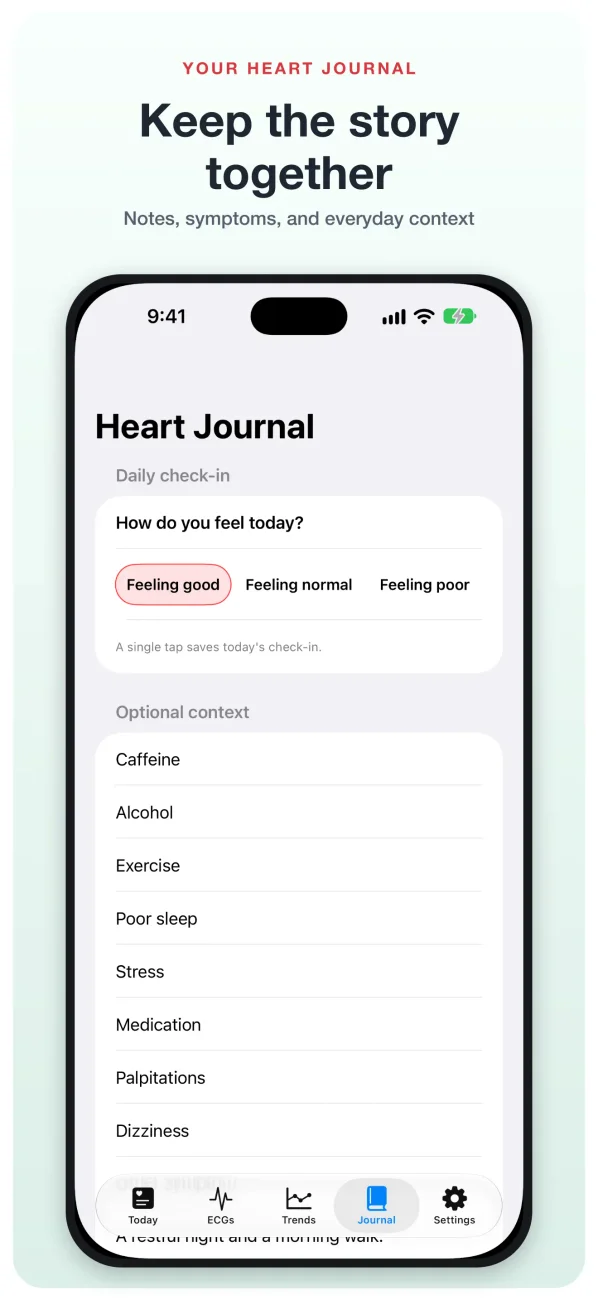
• Add symptoms, notes, medication entries and everyday events as you go. Set an optional reminder to finish an episode later or record your daily ECG.
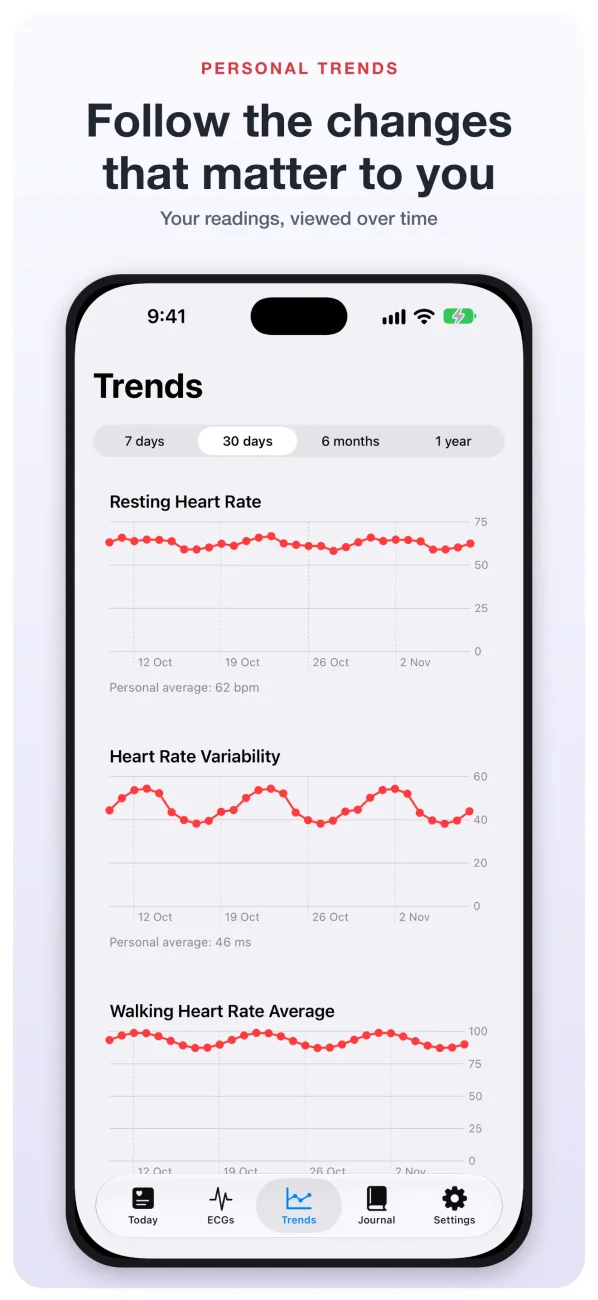
• Tag or favourite several entries at once, save a filter, and tap a point on a trend to read its value.
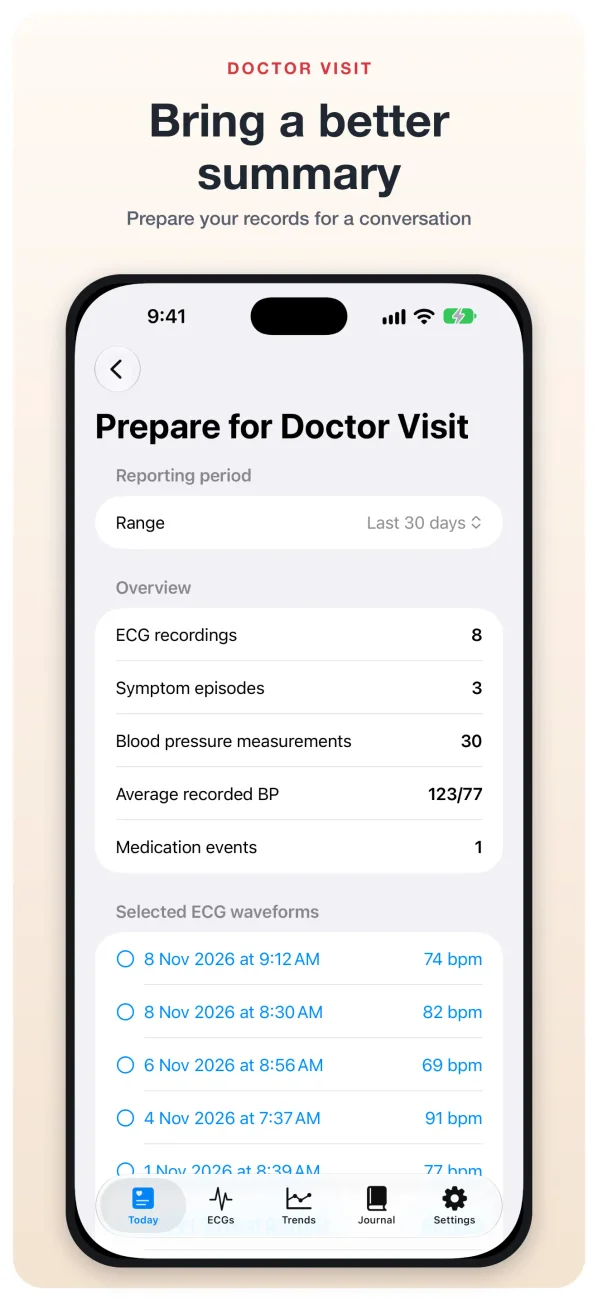
• Take a reviewed Doctor Pack to an appointment, export a CSV, make a password-protected PDF or move your journal with an encrypted backup and a preview of what will merge.
• Use the Apple Watch app for quick entries and see when the paired iPhone last confirmed receipt. Optional widgets show the latest available heart rate, ECG preview and Watch battery reading.
• Optional Siri shortcuts open your latest ECG, a comparison or a symptom form. Enable these separately. Siri follows Apple’s own settings.
The app reads ECGs already saved in Apple Health. Recording and available measurements depend on your device and permissions. ECG Reports helps organise your history for discussion with a clinician. It does not diagnose conditions, recommend treatment or assess emergencies.
What’s new
Version 4.1 · Nov 22, 2026
You can now ask follow-up questions in Private AI without explaining which ECG you mean all over again. Try “Show me my last two ECGs,” then ask “What did I write about the second one?” When you’re ready for your appointment, ask it to put both recordings and your note in a PDF. You can check the draft and change your mind about what goes in.
ECG Reports now speaks German, Italian and Spanish. Choose your language in Settings and you’ll see it throughout the app, in your conversations with on-device Private AI and in the PDFs you share. Your own notes stay just as you wrote them.
If you’ve already unlocked Private AI, these improvements are included. Thanks for telling me what you’d like it to do next.
App privacy
What Christos Kesidis declares on the App Store about how this app handles data.
-
Data linked to you
May be collected and linked to your identity.
- Health and fitness
- User content
- Identifiers
Privacy practices may vary, for example with the features you use or your age.
Information
- Seller
- Christos Kesidis
- Category
- Health & Fitness
- Version
- 4.1
- Updated
- Nov 22, 2026
- Released
- Jun 26, 2026
- Size
- 23.5 MB
- Requires
- iOS 17.0 or later
- Age rating
- 4+
- Price
- $0.99
- In-app purchases
- Yes
- Languages
- English, German, Greek, Italian, Spanish
- Copyright
- © ECGReports Christos Kesidis
You might also like
-
 ecg app for watch: PulseBytepulse tracker, check hrv, bpm
-
 ECG Tracker+ Watch EKG ReaderHRV & QTc for Apple Watch
-
 AF MonitorRecord & display AFib episodes
-
 ECG Analyzer: Watch EKG & QTcAFib, Early Beats, HRV, Report
-
 ECG HeartLab: EKG for WatchECG Reader: QTc, PVC & AFib
-
 Atrial Fibrillation TrackerHeart Rhythm & Episode Diary
-
 Heartsense ECGMedical grade ECG monitoring
-
 CardioSense - Heart MonitoringPulse rate, ECG, HRV and more
-
 HeartScan: Heart Rate MonitorInstant Pulse & Rhythm Check
-
 Health Hive: Fitness Age & VO2Biological Age, HRV & Recovery