
- Age rating4+
- CategoryEntertainment
- DeveloperLong Ju
- LanguagesEnglish+ 12 more
- Size66.6 MB
Links to the official App Store page
Download.org hosts no file of Edendale. The button opens its official App Store page, published by Long Ju. Listing last checked on Nov 23, 2026.
Screenshots



About
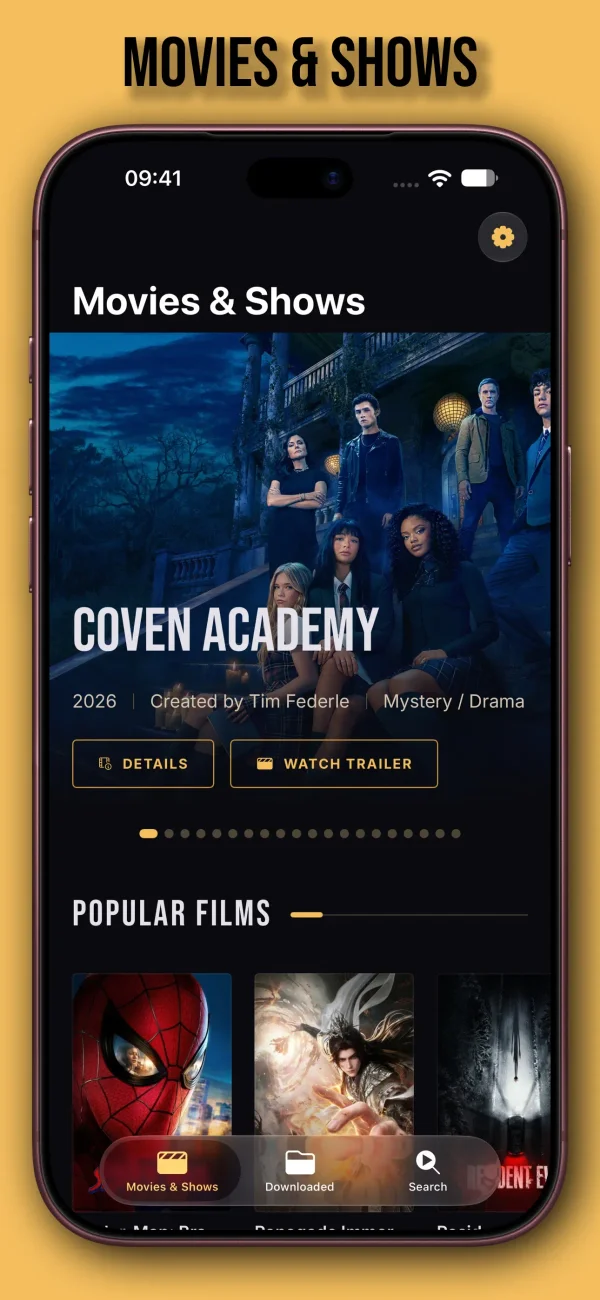
Edendale is a free, open-source video player and personal watch tracker for iPhone and iPad. It plays video files you already own and organizes them into a private library: no account, no ads, no analytics. Edendale does not provide, host, or stream any movies or TV shows.
PLAY YOUR OWN VIDEO FILES
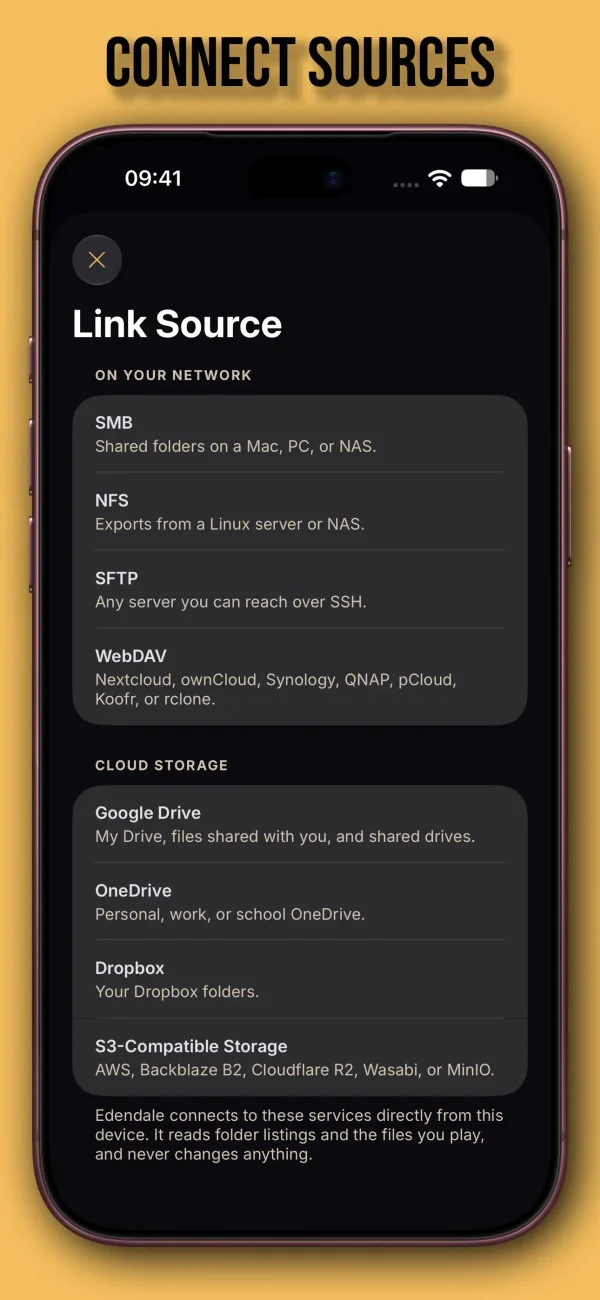
- Open individual video files, import whole folders, or connect your own network shares (SMB).
- Smooth playback with gesture controls, chapters, playlists, and audio and subtitle track selection.
- Search and load online subtitles on demand, or use the tracks already inside your files.
ORGANIZE YOUR PERSONAL COLLECTION
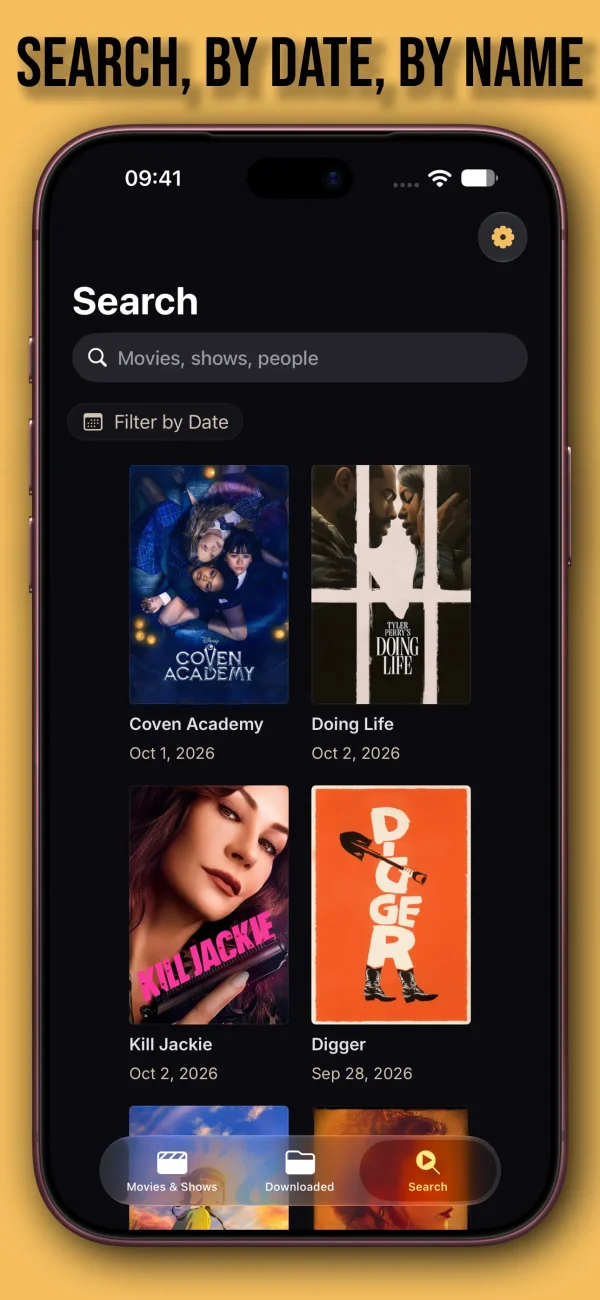
- Edendale reads your filenames locally, then optionally enriches them with catalogue information from The Movie Database (TMDB).
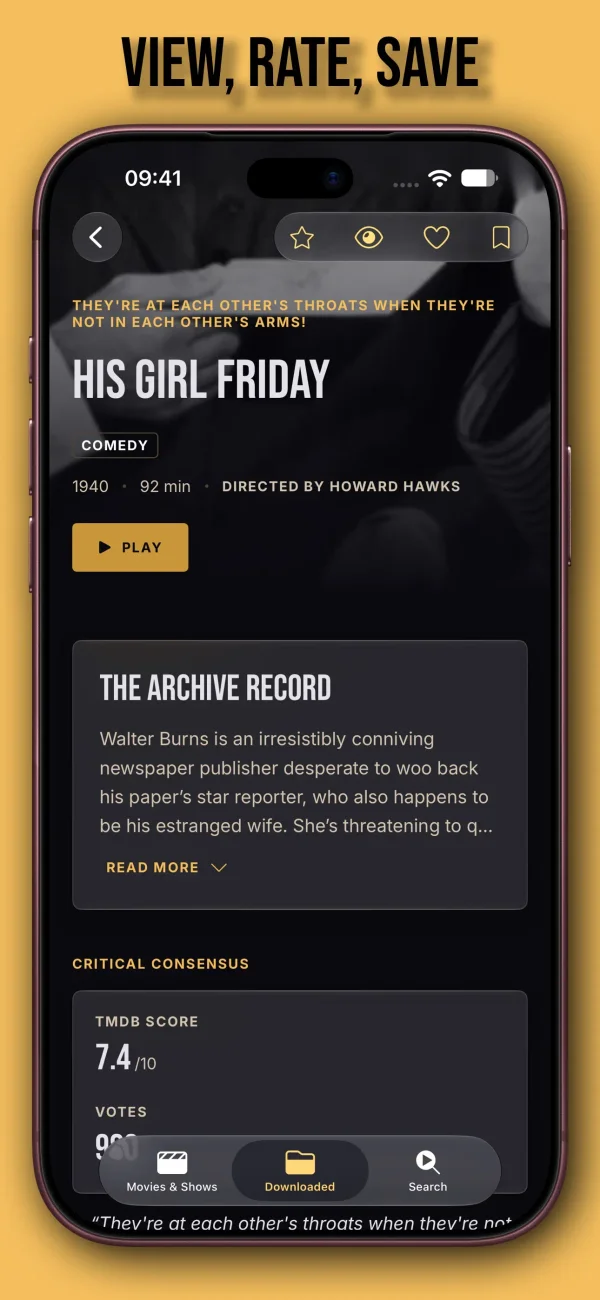
- View titles, seasons, episodes, cast, crew, release dates, and trailers sourced from TMDB.
- Trailers only ever open after you tap play.
TRACK YOUR VIEWING
- Pick up where you left off with Continue Watching.
- Rate what you have seen, write private reviews, and keep a Watchlist of what is next.
- A Young Audience filter keeps age-appropriate content front and center.
HOME SCREEN WIDGETS
- Continue Watching and Trending widgets put your library one tap away.
PRIVATE BY DESIGN
- There is no Edendale account and no tracking. Your library and watch history live on your device and the services you choose to connect.
All catalogue metadata and artwork displayed in Edendale is provided by the TMDB API for informational purposes. Edendale uses the TMDB API but is not endorsed or certified by TMDB. Screenshots show the app interface with sample data from TMDB.
What’s new
Version 27.1 · Nov 16, 2026
What's New in Version 27.1:
• Sync between devices: Keep progress, favorites, watchlist and ratings the same on your devices, including Edendale on Android and Windows. In Settings > Sync, choose a folder, iCloud Drive, Google Drive, OneDrive, Dropbox, WebDAV, SMB or SFTP.
• Set Up Another Device: Pair with a QR code to send your sync location and chosen accounts to another device on your network, encrypted.
• Settings categories: Player Controls, Audio, Subtitles, Library, Sync, Accounts, Parental Controls and About.
• Play From: A video in several sources now shows one card. Play From, beside Play, picks the copy.
• Player: The left-side swipe now changes the screen's brightness, and iPhones with Face ID show the time and battery in landscape.
• Smoother playback: Library matching no longer causes lag, frames no longer drop every ten seconds, and slow network streams pause to refill.
App privacy
What Long Ju declares on the App Store about how this app handles data.
-
Data not collected
The developer does not collect any data from this app.
Privacy practices may vary, for example with the features you use or your age.
Information
- Seller
- Long Ju
- Category
- Entertainment
- Version
- 27.1
- Updated
- Nov 16, 2026
- Released
- Aug 14, 2026
- Size
- 66.6 MB
- Requires
- iOS 18.0 or later
- Age rating
- 4+
- Price
- Free
- Languages
- English, Dutch, French, German, Italian, Japanese, Korean, Portuguese, Russian, Simplified Chinese, Spanish, Swedish + 1 more
- Copyright
- © 2026 Long Ju
You might also like
-
 Davvy: WebDAV Video PlayerNAS streaming, MKV & subtitles
-
 VisoriumYour NAS home theater
-
 Miner: Video & Music PlayerYour Media. Every Screen.
-
 ZeoPlayerWide Format Support for Video
-
 AllPlayer ProMultifunction Media Player
-
 NightbeamSFTP Media Streaming
-
 Mercury PlayerYour home media, elevated
-
 Loge ProFilm player for your own drive
-
 LASTROWYour media, from your NAS
-
 AfterThoughtsLog. Rate. Discover. Your Way.