EditAll
Edit All Photos Instantly
Designed for iPhone, iPad
Free · In-app purchases
- Age rating4+
- CategoryPhoto & Video
- DeveloperJonnathan Griffin
- LanguagesEnglish+ 5 more
- Size77.3 MB
Links to the official App Store page
Download.org hosts no file of EditAll. The button opens its official App Store page, published by Jonnathan Griffin. Listing last checked on Nov 13, 2026.
Screenshots


About
Your photos already tell the story. EditAll gives them one unmistakable style.
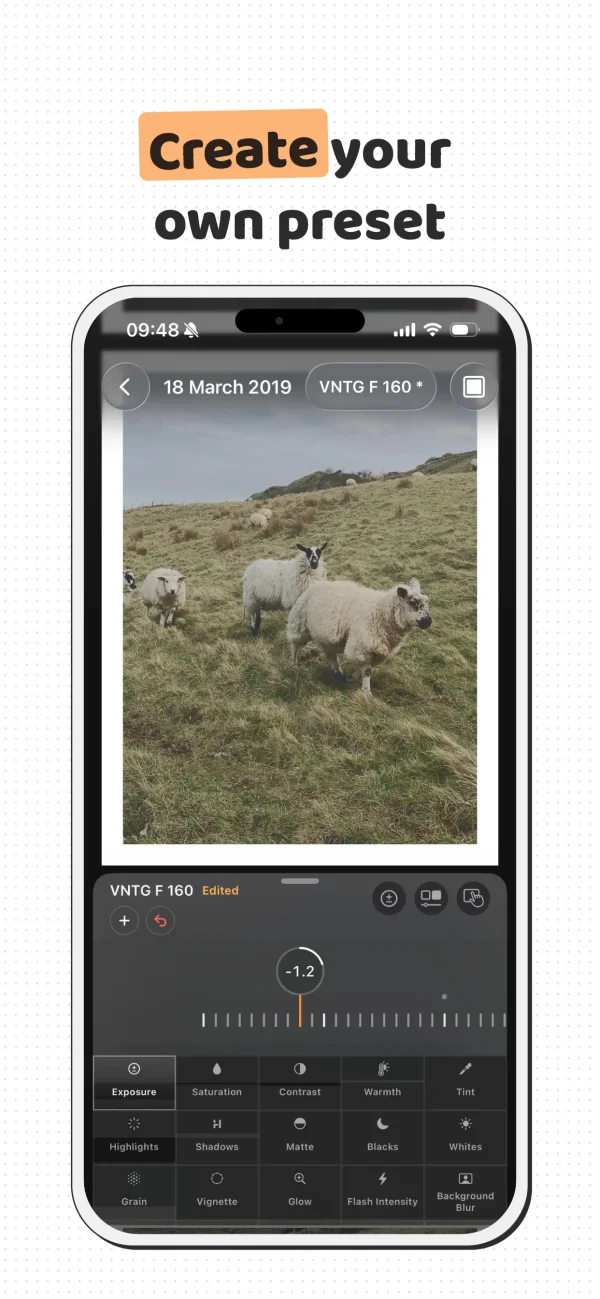
Choose a film-inspired preset and see it across your photo library as you browse. Fine-tune color and tone, add grain or a clean border, capture with the look live, and share a finished photo or video—without changing the original.
Browsing, editing, exporting, sharing, and the camera are free, with no watermark. Try any Pro preset or tool in two free Pro exports; create and keep updating two custom presets for free. EditAll Pro unlocks Pro presets and tools without limits, including Dodge & Burn, Remove, slow shutter, RAW, batch export, collage sharing, and Lightroom and .cube LUT conversion, plus more custom presets. Choose Monthly or Yearly with an Apple-managed one-month introductory trial, or buy Lifetime once.
ONE LOOK ACROSS YOUR LIBRARY
• Apply one preset to your whole browsing experience
• Preview the look across photos and videos as you scroll
• Move through your timeline and revisit any edit
• Pinch the grid from 1 to 30 columns, frame photos in collages, and pick square or 3:4 cells
• Browse iCloud Photos; EditAll downloads originals when needed
MAKE EVERY PRESET YOURS
• Start with a collection of film-inspired color and black-and-white looks
• Adjust exposure, contrast, saturation, warmth, tint, highlights, shadows, blacks, whites, vibrance, clarity, texture, dehaze, sharpness, vignette, and grain
• Shape color with RGB and HSL controls
• Add borders, tilt shift, dodge & burn, object removal, and finishing effects
• Create and update two custom presets for free; unlock more with EditAll Pro
• Convert Lightroom presets and .cube LUTs into EditAll presets with EditAll Pro
CAPTURE THE LOOK LIVE
• Preview presets in the camera before you press the shutter
• Capture photos and videos with your chosen look
• Use RAW and Apple ProRAW capture on supported devices
• Explore creative camera tools like slow shutter and graduated effects
RELIVE YOUR MEMORIES
• On This Day brings back photos from this date in past years
• Curated memories gather seasons, favorites, weekends, outings, things, and named people you love
• Watch a memory as a slideshow in your look, then share it as a video
• Rename memories, hide any photo from them, and choose a quiet reminder a few times a week at most
• Add the On This Day widget to your Home Screen
FIND, FINISH, AND SHARE
• Organize moments with search by date, place, or thing, and collections
• Make a collage in the Collage tab: pick a layout, a print size like 4×6 or 10×15, and portrait or landscape; swap photos, add dates, and choose a background; share it with EditAll Pro, even to an Instagram Story
• Turn on People to group photos by the people and pets in them, then name, merge, or hide them
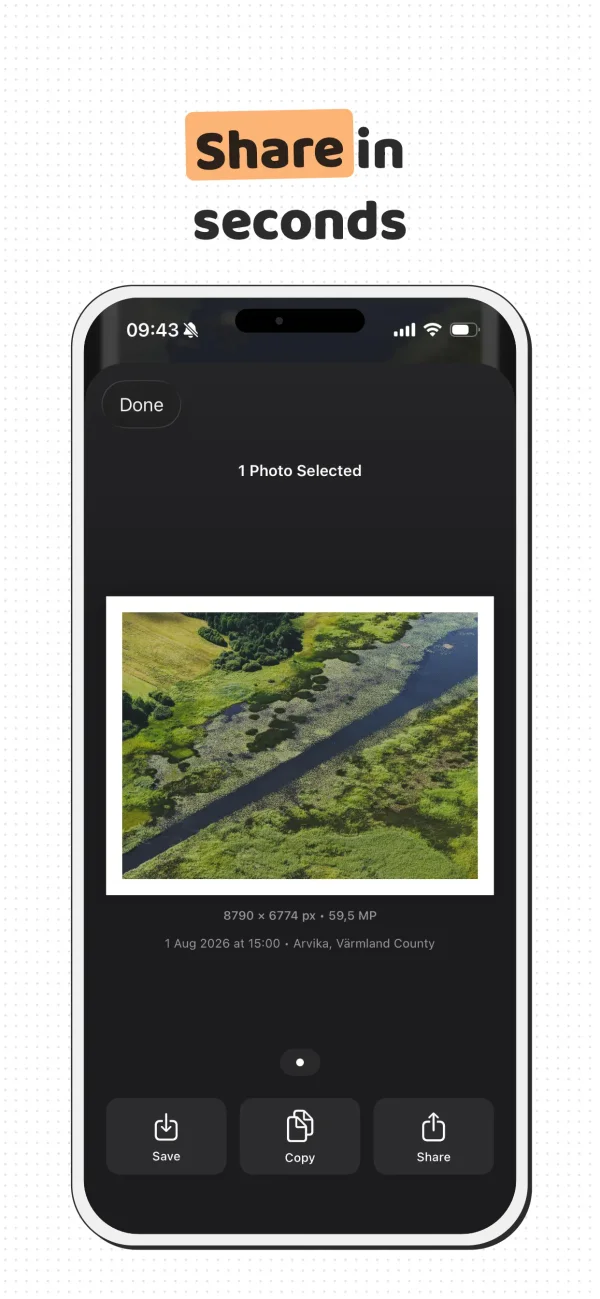
• Export photos and videos for free, with no watermark; batch export comes with EditAll Pro
• Share to Messages, Mail, social apps, and more for free
• Use Home Screen widgets for favorite photos and faster camera access
• Send a photo to EditAll from the iOS share sheet
PRIVATE BY DESIGN
No account. No ads. No cross-app tracking. Photo and video processing happens on your device, and your originals remain untouched. Your media leaves EditAll only when you choose to export or share it. People is optional: faces and pets are analyzed on your device, that data never leaves it, and turning People off deletes it. Apple handles purchases. PostHog receives product-usage events, crash diagnostics, and sampled, masked interface recordings linked to a random installation identifier—not your photos or videos.
Some features require supported hardware, permissions, or an internet connection for iCloud downloads. Monthly and Yearly renew automatically after the one-month introductory trial unless canceled. Lifetime is a one-time purchase. Users who first acquired EditAll before October 10, 2026 at 00:00 UTC receive permanent Pro access, verified by Apple.
Terms of Use: https://editall.app/terms/
What’s new
Version 1.9.0 · Nov 8, 2026
New: the Collage tab, pets in People, .cube LUT conversion, and free exports with no watermark.
Collage
• A new Collage tab opens the photo picker and then the collage editor
• Print sizes follow your region: 4×6, 5×7, 8×10 and Letter, or 10×15, 13×18, A4, A3 and A2, exported at print resolution
• Rotate a page between portrait and landscape
• Replace now puts the photo you pick in the selected slot, and pinch and drag zoom follow your fingers
People & pets
• People now groups your cats and dogs too, in their own Pets section, all on your device
Presets
• Convert .cube LUTs into EditAll presets, with a report of how close the match is
Free, with Pro to try
• Export, share, and use the camera as much as you like, free and with no watermark
• Try any Pro preset or tool in two free Pro exports; PRO badges show which presets and tools are Pro
• Sharing a preset is free, and the EditAll Pro page lists every Pro preset and tool
App privacy
What Jonnathan Griffin declares on the App Store about how this app handles data.
-
Data not collected
The developer does not collect any data from this app.
Privacy practices may vary, for example with the features you use or your age.
Information
- Seller
- Jonnathan Griffin
- Category
- Photo & Video
- Version
- 1.9.0
- Updated
- Nov 8, 2026
- Released
- Sep 11, 2026
- Size
- 77.3 MB
- Requires
- iOS 17.0 or later
- Age rating
- 4+
- Price
- Free
- In-app purchases
- Yes
- Languages
- English, French, German, Norwegian Bokmål, Spanish, Traditional Chinese
- Copyright
- © 2026 Jonny Griffin
You might also like
-
 Shuffled MemoriesRediscover Photos at Random
-
 Message Pics :No crop in TextsFull Photos in Message Bubbles
-
 Img IDDetect if image is AI-created
-
 Iriora: AI Photo CleanerFind Duplicates, Free Space
-
 Pawlbum - Pet Photo AlbumCollage,Movie,Wallpaper,Dedup
-
 Quiet Camera: Still & VideoQuiet shots, lovely moments
-
 Polola: simple photo editorPresets, grain & soft tones
-
 PIM CAM: Instant Film CameraRetro Filters, Selfies, Prints
-
 StraightPic: Straighten PhotosFix Perspective & Tilt
-
 MetaClean: GPS EXIF CleanerPhoto Video Metadata Remover