
EditFast: AI Video Editor
Cuts, captions & motion by AI
Designed for iPhone
Free · In-app purchases
- Age rating4+
- CategoryPhoto & Video
- Developerabdelrahman tawfik
- LanguagesEnglish+ 1 more
- Size180.1 MB
Links to the official App Store page
Download.org hosts no file of EditFast: AI Video Editor. The button opens its official App Store page, published by abdelrahman tawfik. Listing last checked on Nov 24, 2026.
Screenshots

About
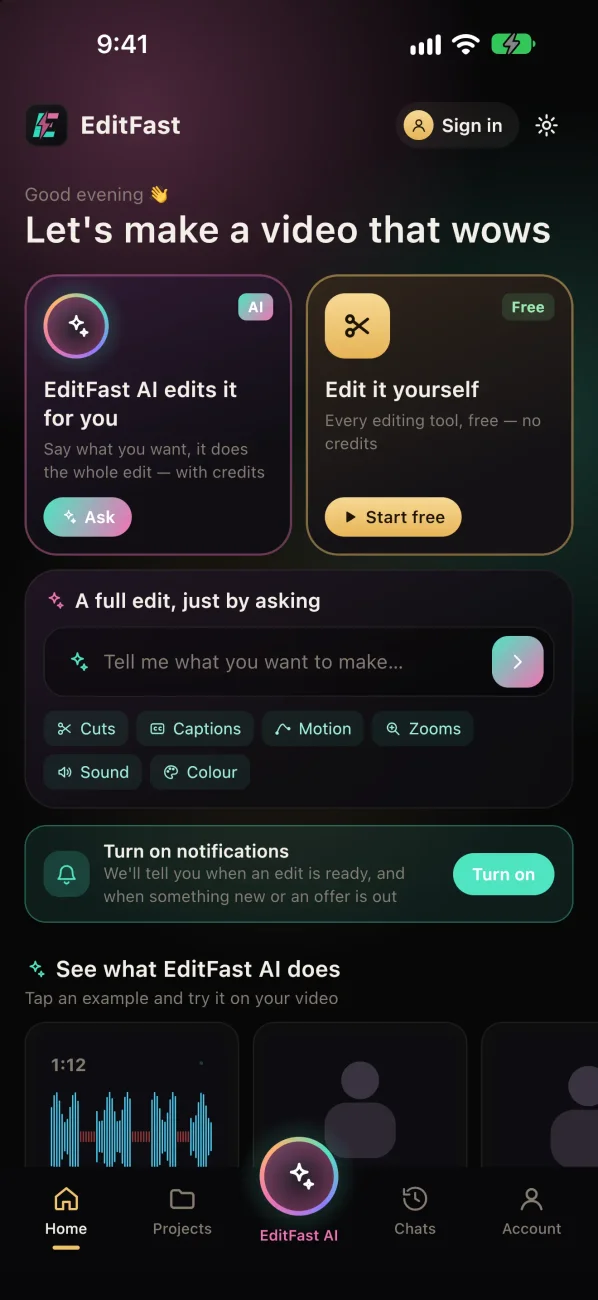
EditFast is the AI video editor that works like a real editor in your pocket. Pick a video, tell it what you want in plain words, and get a finished edit back, right on your phone.
WHAT EDITFAST AI DOES
• Cuts pauses, repeats and mistakes so your video is tight
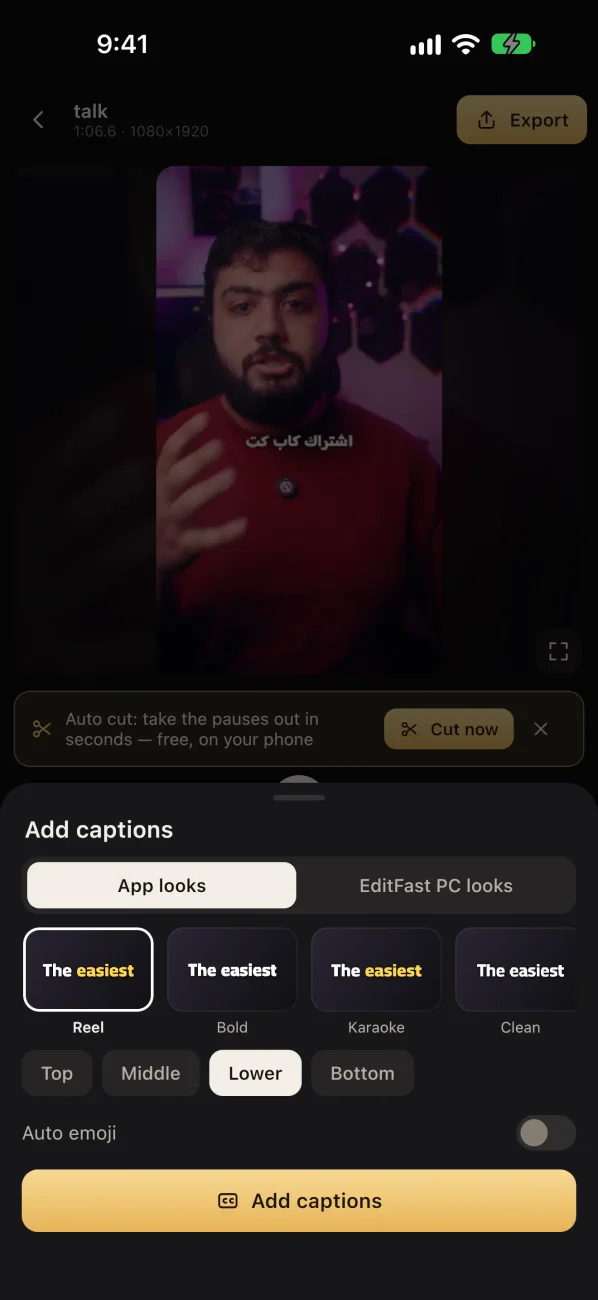
• Word-by-word captions synced to your voice, in styles made for Reels and TikTok, with per-word animation and automatic emoji
• Motion graphics designed for what you say: numbers that count up, comparisons, lists, titles
• Zooms at the right moments, sound effects and music
• Turns a long video into short reels, each with a score so you know what to post first
• Captions in another language, under your words or instead of them
• AI voice-over from your script, and one-tap voice cleaning that takes out noise and echo
• Removes "um", "uh" and other filler words in one tap
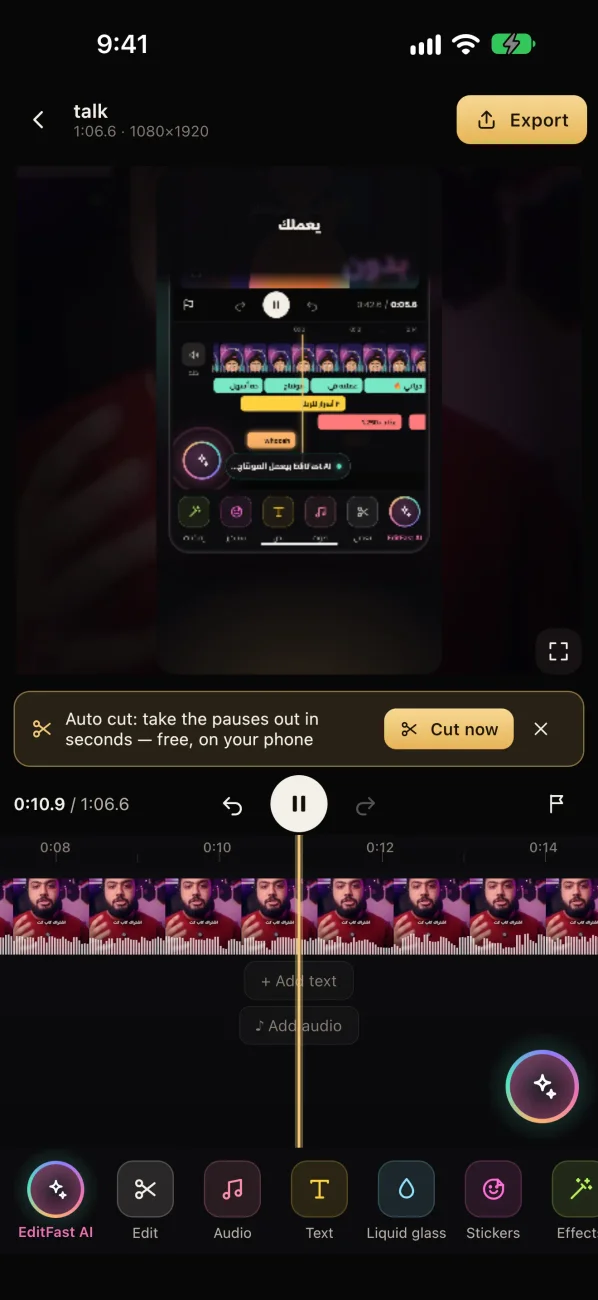
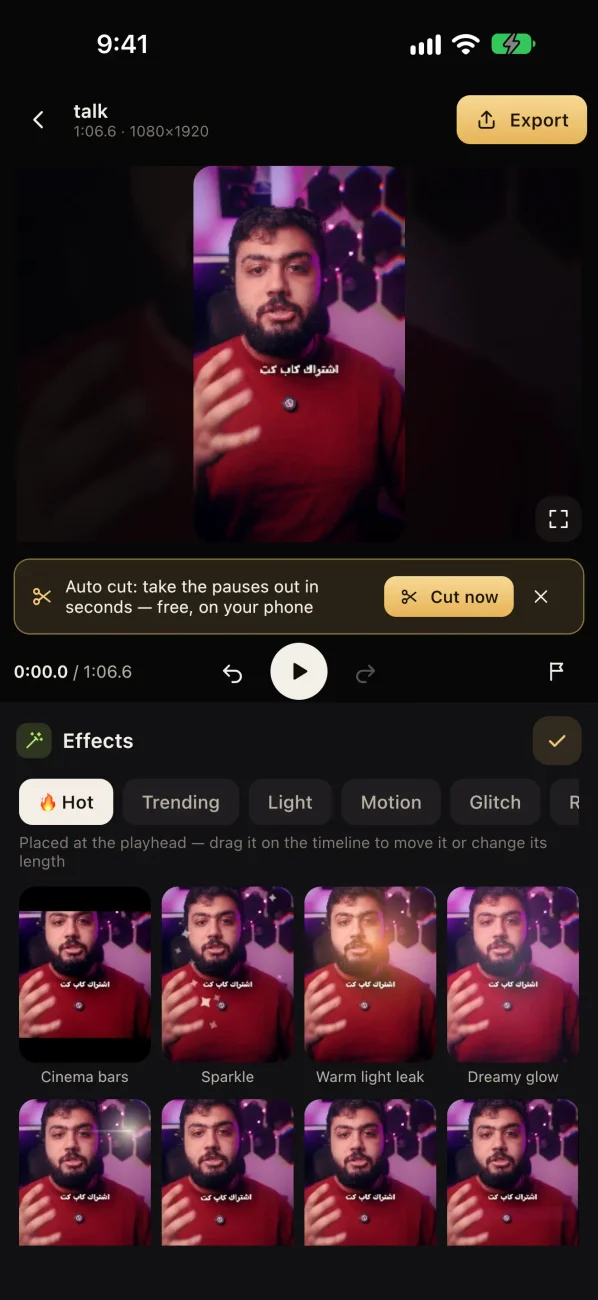
• Auto cut: removes the pauses as soon as you add a video
• Remembers your style and your brand: logo, colors, handle
EDIT IT YOURSELF — FREE
A full editor like the apps you know: a timeline, 125 video effects, 66 transitions, 70 caption styles, animated stickers, 236 sound effects, music, text and filters — no credits needed. Split, trim and reorder clips, change the speed with speed curves, reverse, stabilize, add keyframes and masks, set the volume of each part, and resize for TikTok, Reels or YouTube with the speaker kept in frame. Captions are free every day too.
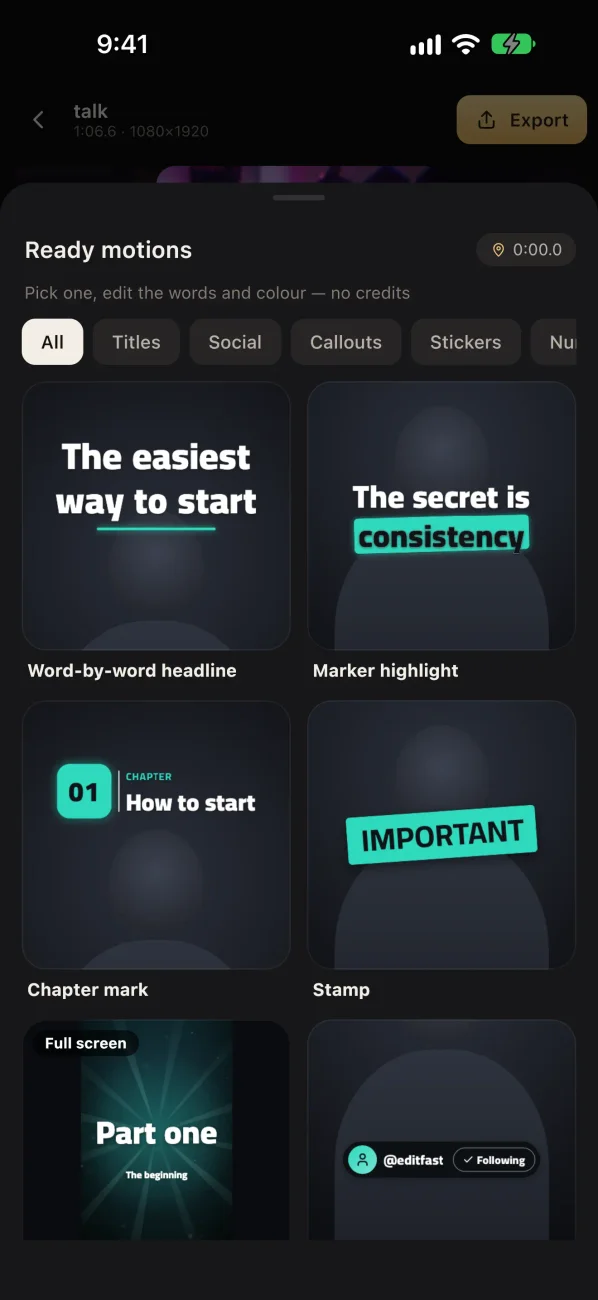
READY MOTIONS
A library of almost 80 ready motion graphics: headlines, follow and subscribe buttons, counters and charts, chat bubbles, frames and name tags. Edit the words and the color, and drop them on your video. No credits needed.
YOU STAY IN CONTROL
Every layer stays editable: move it, trim it, change its words — or just ask the AI to change it.
PRIVATE BY DESIGN
Your video is edited and exported on your phone, and the file never leaves your device. Only what the edit needs (frames from the video and the audio to transcribe) is processed securely.
CREDITS
AI edits, voice-overs and voice cleaning use credits, and the price is shown before anything is made. Editing by hand and your daily captions are free. Buy a pack in the app whenever you need more.
What’s new
Version 1.6 · Nov 23, 2026
New in 1.6:
• Templates fixed: long words fit, a template's own words clear as you type, and export shows its progress
• New: Pop Out — your video becomes a card and your head pops out of it
• New: Text stretch — Arabic words stretch like a calligrapher's
• New: 3D scenes, and every scene now comes tall and wide
• 66 caption styles, split screen, Apple glass and a flash on the moment
• Notifications on iPhone, and the video's size before you export
App privacy
What abdelrahman tawfik declares on the App Store about how this app handles data.
-
Data linked to you
May be collected and linked to your identity.
- Purchases
- Contact info
- User content
- Identifiers
- Usage data
-
Data not linked to you
May be collected but is not linked to your identity.
- Identifiers
Privacy practices may vary, for example with the features you use or your age.
Information
- Seller
- abdelrahman tawfik
- Category
- Photo & Video
- Version
- 1.6
- Updated
- Nov 23, 2026
- Released
- Nov 12, 2026
- Size
- 180.1 MB
- Requires
- iOS 17.0 or later
- Age rating
- 4+
- Price
- Free
- In-app purchases
- Yes
- Languages
- English, Arabic
- Copyright
- © 2026 Abdelrahman Tawfik
You might also like
-
 Revid: AI Video GeneratorShorts, Reels & Music Maker
-
 Tap Cut: Beat Sync Video MakerReels from your Live Photos
-
 Clipstack: Video EditorPro video editing, Duo-ready
-
 Yuum: AI Captions Video EditorAuto subtitles & photo editor
-
 Enzo | AI Hair StylistPreview your next hairstyle
-
 Mashcut: UGC Video EditorFilm once. Post many.
-
 Vitrin | Remove backgroundPhoto & Video
-
 Titlecard: Captions for VideosAuto Subtitles from Your Voice
-
 ReelCraft-Slow Motion & BeatReels Maker, Captions & AI
-
 Polola: simple photo editorPresets, grain & soft tones