
- Age rating4+
- CategoryBusiness
- DeveloperTransition Technologies S.A.
- LanguagesEnglish+ 7 more
- Size57.6 MB
Links to the official App Store page
Download.org hosts no file of EDS Viewer. The button opens its official App Store page, published by Transition Technologies S.A. Listing last checked on Nov 12, 2026.
Screenshots



About
Note: EDS Viewer App is pre-configured to connect to EDS Server virtual plant for real-time and historical data. To design your own dashboards using data from your control system please visit our App Support page and request an EDS Server installation.
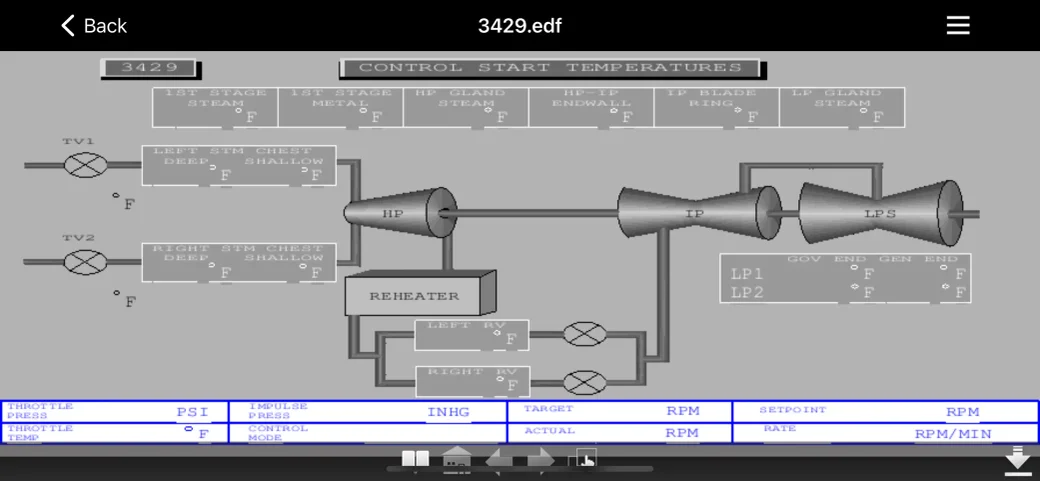
EDS Viewer turns your iPad or iPhone into a real time mobile decision-support asset by bringing all critical data wherever you go. Use Multi-Touch gestures to navigate through a multi-level view layout reflecting your company’s organization structure. Compare plant’s performance side-by-side on a macro level using key performance indicators (KPIs) or drill down to data as precise as the meaning of a single bit in a control system’s register. React to live alarms generated from calculations, measurements, or predictive alerts imported from the control system. Display high fidelity process diagrams representations of industrial automation systems updated online. Analyze your plant’s operational history by reviewing and plotting historical events and data.
Compare plants’ performance online
Use the plant grouping tool to define the scope of analysis
Use various group filters to select interesting information
Take advantage of the multi-panel scrolling to compare performance
Navigate to lower level detailed views to get a better picture of the current status
Explore your enterprise data in the way you like most:
-Use a map display to locate the plant
-Access assets unit by unit by tapping and scrolling screens
-Use filtered lists to merge data from different locations
-Display groups of measurements and the KPI you are interested in
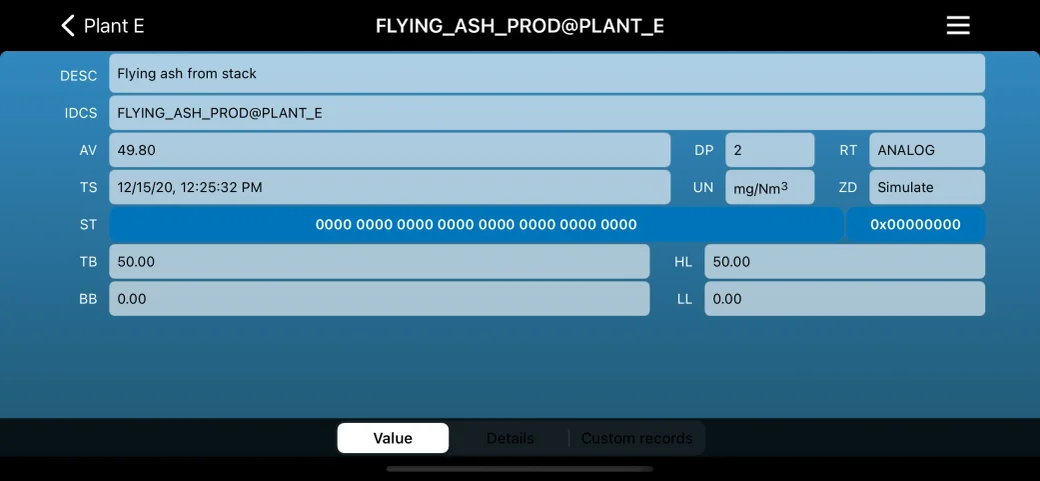
-Access detailed information and plot values at any time
Keep current or explore trends in operation
-Access live process diagrams
-Use engineering tools to access hardware-level information, timestamps and statuses
-Use status word explanation tooltips for multi-bit registers
Don’t miss a bit in the big picture.
-Take advantage of alarm propagation to get to its source
-Display live alarms
-Review historical alarms and events
-Display live and historical plots for any value
What’s new
Version 1.9.4 · Nov 27, 2025
- Added the ability to select the default time range for the trend plot
- Bug-fixes
App privacy
What Transition Technologies S.A. declares on the App Store about how this app handles data.
-
Data not collected
The developer does not collect any data from this app.
Privacy practices may vary, for example with the features you use or your age.
Information
- Seller
- Transition Technologies S.A.
- Category
- Business
- Version
- 1.9.4
- Updated
- Nov 27, 2025
- Released
- Jan 12, 2021
- Size
- 57.6 MB
- Requires
- iOS 11.0 or later
- Age rating
- 4+
- Price
- Free
- Languages
- English, French, Korean, Polish, Russian, Spanish, Traditional Chinese, Vietnamese
- Copyright
- © 2020 Transition Technologies S.A.
You might also like
-
 EDS MobileBusiness
-
 ScriptateProductivity
-
 Scribe for DocumentsProductivity
-
 Napa LogBookProductivity
-
 KR e-Fleet V2Business
-
 WealthRootsTrack Your Wealth & Portfolio
-
 Remote Incident Manager MobileAccessibility Anywhere
-
 SpeciJob management for teams
-
 Tody: Today & Week To-DoToday & this week, simply
-
 3i Africa Summit3i Summit app